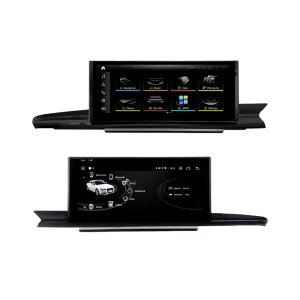
อัปเกรด Audi Q7 4L ของคุณด้วยหน้าจอ Android ขนาด 10.25 นิ้วเฉพาะรุ่น ที่เพิ่ม CarPlay ไร้สาย, Android Auto, ระบบนำทาง GPS, เสียง DSP, WiFi/4G และการสลับระบบ Audi ที่รองรับ โดยไม่ทำให้ห้องโดยสารกลายเป็นการติดตั้งแท็บเล็ตทั่วๆ ไป.
ก่อนจัดส่ง iKAGOO จะตรวจสอบรุ่นปีรถ กรอบแผงหน้าปัด แผง CD/MMI ตำแหน่งพวงมาลัย แอมป์โรงงาน เส้นทางไฟเบอร์ออปติก MOST ระบบกล้อง และรูปขั้วต่อ เพื่อเตรียมหน้าจอ ชุดสายไฟ และอินเทอร์เฟซรถที่ถูกต้องสำหรับคำสั่งซื้อของคุณ.
Audi Q7 10.25 อัปเกรดหน้าจอ Android 2006–2015
การอัปเกรด iKAGOO นี้เป็นหน้าจอ Android 10.25 ที่ออกแบบเฉพาะสำหรับรถ Audi Q7 4L บางรุ่น ตั้งแต่ปี 2006 ถึง 2015 โดยเปลี่ยนประสบการณ์หน้าจอโรงงานเดิมให้เป็นหน้าจอสัมผัส Android ที่กว้างขึ้น พร้อม CarPlay ไร้สาย, Android Auto, ระบบนำทาง GPS, บลูทูธ, WiFi/4G และเสียง DSP บนฮาร์ดแวร์ที่รองรับ ฟังก์ชัน Audi ที่รองรับ เช่น การสลับระบบเดิม, ปุ่มควบคุมบนพวงมาลัย, สัญญาณกล้องเดิม, เสียงลำโพงเดิม และข้อมูลรถยนต์ ยังคงทำงานได้หลังจากการเตรียมเฟรม, CANBUS, อะแดปเตอร์เสียง และตัวถอดรหัสอย่างถูกต้อง ก่อนจัดส่ง iKAGOO จะตรวจสอบปีรถ, ตำแหน่งพวงมาลัยซ้าย/ขวา (LHD/RHD), แผง MMI/CD, ความต้องการระบบ Bose หรือ MOST fiber-optic และรูปถ่ายขั้วต่อ เหมาะสำหรับเจ้าของ Q7 ที่ต้องการอัปเกรดหน้าจอให้ทันสมัย แทนที่จะซ่อมแซมหรือเก็บหน้าจอ MMI เดิมไว้เพียงอย่างเดียว.
ทำไมการอัปเกรดหน้าจอ Android 10.25 นี้จึงเหมาะกับ Audi Q7 4L
หน้าจอที่ทันสมัยโดยไม่ดูเหมือนแท็บเล็ตราคาถูก
แผงหน้าปัดของ Q7 มีพื้นที่หน้าจอโรงงานที่กว้าง หน้าจอขนาด 10.25-นิ้วนี้ใช้รูปทรงเฟรมเฉพาะของรถยนต์ ทำให้การอัปเกรดดูกลมกลืนกับชิ้นส่วนตกแต่งดั้งเดิม.
CarPlay และ Android Auto สำหรับใช้ในชีวิตประจำวัน
ใช้แผนที่ โทรศัพท์ เพลง ข้อความ และฟังก์ชันเสียงที่เข้ากันได้บนหน้าจอในแผงหน้าปัดที่ใหญ่ขึ้น แทนการพึ่งพาอินเทอร์เฟซ MMI เดิมเพียงอย่างเดียว.
MMI, Bose and MOST checked before shipment
Audi Q7 screen upgrades fail when the audio route is guessed. iKAGOO checks the MMI panel, amplifier and fiber-optic route before preparing the order.
Original Audi Functions Supported After Correct Matching
These functions depend on the confirmed vehicle system, correct harness, CAN decoder, camera route, audio adapter and installation configuration.
- การเข้าถึงเมนู Audi เดิม
Supported original-system switching can be retained through the matched integration route. - ปุ่มควบคุมบนพวงมาลัย
Supported steering-wheel buttons can continue to work through the matched CAN decoder. - Original camera route
Rear camera AHD/CVBS and 360 camera routes must be confirmed before shipment. - Bose / amplifier audio route
Factory speaker output can work when the correct amplifier or MOST fiber-optic decoder route is prepared. - ข้อมูลรถเดิม
Supported vehicle data can continue to display through the correct system-switching and CANBUS route. - การป้องกันสายไฟในโรงงาน
ชุดสายไฟที่จับคู่ได้รับการออกแบบสำหรับการเชื่อมต่อที่สะอาดโดยไม่ตัดสายไฟหลักของโรงงานที่รองรับโดยเจตนา.
Confirm Your Audi Q7 4L Before We Prepare the Screen
ข้อมูลยานพาหนะที่ต้องการก่อนการขนส่ง
- Exact Audi Q7 year and market region.
- พวงมาลัยซ้ายหรือพวงมาลัยขวา.
- Original dashboard and screen photo.
- Original CD / MMI control-panel photo.
- Factory audio system: Bose, external amplifier or standard audio.
- Original connector photos if requested.
- Whether your Q7 has MOST fiber optic, original rear camera or 360 camera.
- Preferred hardware version: 4GB+64GB or 8GB+256GB.
Why these details matter
The Audi Q7 4L can use different dashboard frames, CD panels, MMI systems, Bose amplifiers, MOST fiber-optic audio routes, camera systems and LHD/RHD interiors. These details help iKAGOO prepare the correct 10.25 Android screen, wiring harness, CAN decoder, audio adapter, fiber-optic decoder and camera route.
This reduces wrong-order risk such as no sound, wrong frame, no original menu switching, camera mismatch or unsupported steering control behavior after installation.
ข้อมูลจำเพาะของสินค้าหลัก
| ประเภทสินค้า | Audi Q7 10.25 Android screen upgrade / Android stereo / vehicle-specific Android head unit route. |
|---|---|
| ความเข้ากันได้หลัก | Selected Audi Q7 4L vehicles in the 2006–2015 range. Some 2005 market-year vehicles may match the same route after dashboard and CD/MMI panel photo confirmation. |
| ขนาดหน้าจอ | 10.25-inch vehicle-specific display. |
| ระบบ | Android 13 system shown in current product attributes. |
| ซีพียู | 8-core CPU route according to selected motherboard. |
| เมนบอร์ด | TSK / TSK8259 / TSK8667 according to selected hardware route. |
| Checkout Memory Options | 4GB+64GB 8-core and 8GB+256GB 8-core options shown on the current purchase area. |
| เสียง | DSP 32-band EQ support where selected hardware and audio route support it. |
| บลูทูธ | BT 4.0 / BT 5.0 depending on selected hardware version. |
| การนำทาง | GPS / Glonass support for compatible online or offline navigation apps. |
| เครือข่าย | WiFi / 4G support where selected hardware and local service allow it. |
| DVR | USB front / rear 1080P DVR route where compatible accessories are used. |
| วิทยุ | FM / AM / RDS หรือ FM / RDS ขึ้นอยู่กับเส้นทางฮาร์ดแวร์ที่เลือก. |
| เส้นทางกล้อง | Rear view camera AHD, rear view camera CVBS and 360 panorama routes require vehicle and version confirmation. |
| ตำแหน่งการบังคับเลี้ยว | Left-hand drive and right-hand drive routes must be confirmed before shipment. |
| ข้อมูลแพ็กเกจ | Listed weight: 3.5 kg. Listed dimensions: 85 × 35 × 25 cm. |
Choose the Right Hardware Version
4GB + 64GB 8-core
A practical choice for buyers who mainly want CarPlay, Android Auto, Bluetooth, navigation and daily media use without choosing the highest storage option.
- Good daily usability
- Better than basic memory routes
- Suitable for normal app and navigation use
8GB + 256GB 8-core
The stronger option for owners keeping the Q7 long term and wanting smoother Android operation, more storage and better multitasking space.
- Highest listed storage route
- Better for heavier app use
- Recommended for long-term ownership
iKAGOO Purchase Assessment for This Q7 Screen Upgrade
ความจำเป็นในการอัปเกรด iKAGOO
89/100Strong Upgrade Case. The first-generation Audi Q7 interior benefits clearly from a modern 10.25-inch Android screen, wireless smartphone integration, navigation and improved media usability.
ดูมาตรฐานความจำเป็นในการอัปเกรดiKAGOO ความเข้ากันได้ของยานพาหนะดั้งเดิม
84/100Good compatibility route when the correct dashboard frame, MMI route, CAN decoder, amplifier adapter and fiber-optic requirement are checked before shipment.
A score of 84/100 does not mean that 16% of factory functions are lost. It means this product requires stricter checking because Audi Q7 4L audio and MMI configurations vary.
ดูมาตรฐานความเข้ากันได้ระดับความยากในการติดตั้ง iKAGOO
ระดับ 3Advanced DIY. Suitable for experienced DIY installers or an automotive electronics technician. Q7 MMI, MOST fiber optic, amplifier, camera and CANBUS routes must be checked carefully before final reassembly.
View Installation Difficulty GuideWhy Owners Choose iKAGOO for This Audi Q7 Screen Upgrade
การเตรียมการเฉพาะสำหรับยานพาหนะ
iKAGOO checks your Q7 year, dashboard photos, MMI panel, steering side and audio system before shipment so the correct version can be prepared.
การจับคู่หน้าจอ ชุดสายไฟ และอินเทอร์เฟซ
The correct CAN decoder, amplifier route and fiber-optic requirement matter more than buying a screen by size alone.
การผสานฟังก์ชันดั้งเดิม
The upgrade is prepared to retain supported original menus, steering-wheel controls, camera display and vehicle information where the matched route allows it.
การป้องกันสายไฟในโรงงาน
The matched wiring harness is designed to avoid unnecessary cutting of the original main wiring when the vehicle and harness match.
การสนับสนุนการติดตั้งและการตั้งค่า
If your installer needs help identifying the MMI type, fiber-optic route or function test result, iKAGOO can provide order-based support.
การรับประกันฮาร์ดแวร์ของ 12-month
ปัญหาฮาร์ดแวร์ที่มีสิทธิ์ได้รับการแก้ไขจะอยู่ภายใต้การรับประกันแบบจำกัด 12 เดือนของ iKAGOO พร้อมบริการสนับสนุนหลังการขายสำหรับการวินิจฉัยและแนวทางแก้ไขที่เหมาะสม.
Keep the Old MMI, Add a Box, or Upgrade with iKAGOO?
Factory MMI Only
Best only if you are satisfied with the old screen size, old interface and limited smartphone integration.
- ไม่มีค่าใช้จ่ายในการอัปเกรด
- Old interface remains
- Limited app experience
โมดูลสำหรับ CarPlay เท่านั้น
Useful if you only need phone projection, but it does not give the Q7 a new Android display or modern screen layout.
- Limited visual change
- ไม่มีระบบ Android แบบเต็มรูปแบบ
- ขึ้นอยู่กับสภาพหน้าจอเดิม
Universal Android Screen
May be cheaper, but Audi Q7 dashboard frame, MMI, Bose, MOST fiber and camera integration can become the real risk.
- ความไม่แน่นอนในการติดตั้ง
- อาจดูเป็นแบบหลังการผลิต
- Higher audio risk
iKAGOO 10.25 Q7 Screen Upgrade
Best for owners who want a vehicle-specific 10.25-inch screen, CarPlay, Android Auto, navigation, DSP and Q7 configuration review before shipment.
- 10.25-inch Q7-specific frame
- ระบบไร้สาย CarPlay และ Android Auto
- Original-system switching route
- Fiber-optic decoder check
- การเตรียมการเฉพาะสำหรับยานพาหนะ
สรุปการซื้อ
If you want your Audi Q7 4L to feel modern without making the dashboard look cheap or creating MMI/audio problems, this iKAGOO 10.25 Android screen upgrade is the stronger route than a generic screen or a small add-on box.
รูปภาพสินค้าและสิ่งที่ช่วยให้คุณตัดสินใจ
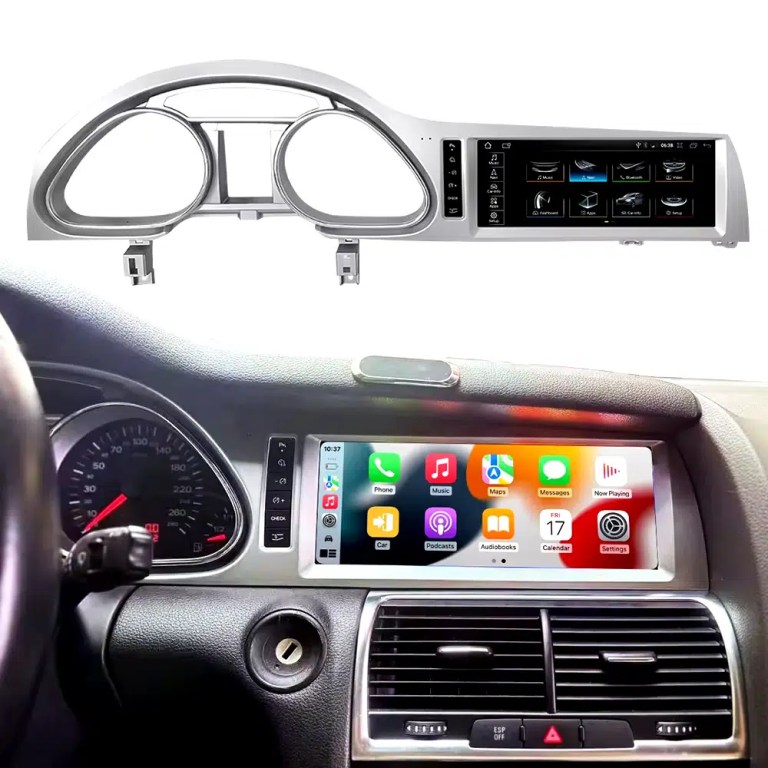
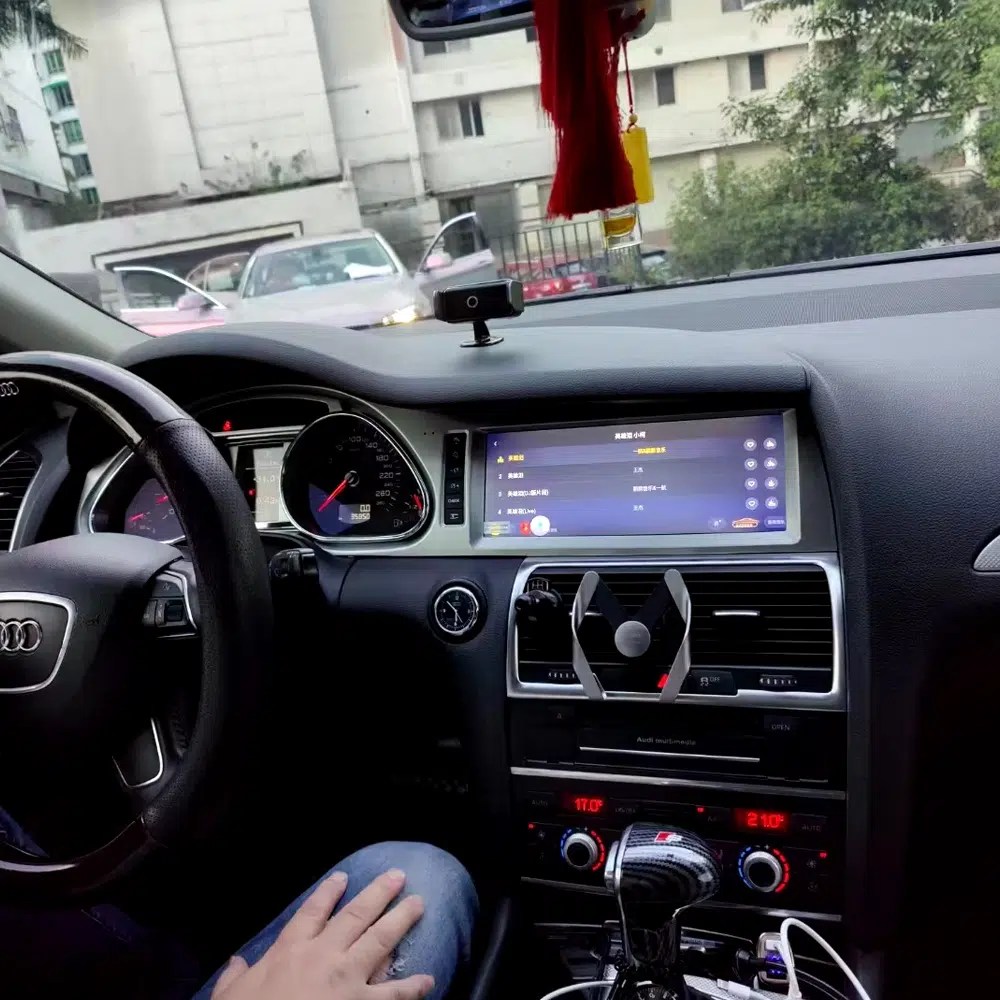
See the installed result inside the Audi Q7 dashboard
This cockpit view helps you judge the final screen position, dashboard balance and CarPlay-style daily-use interface before ordering.
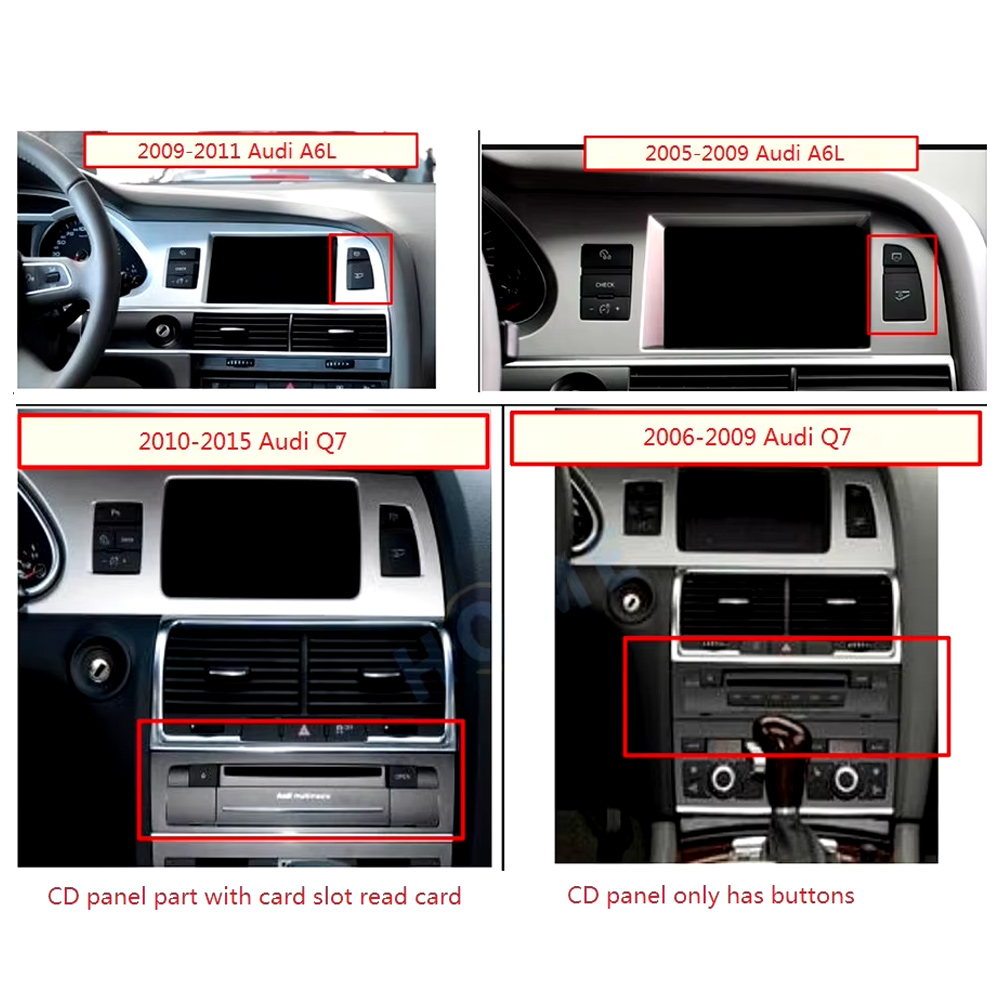
Check the original dashboard and CD/MMI panel before ordering
The correct Audi Q7 Android screen route depends on the original screen area, button layout, CD panel and model-year dashboard structure.
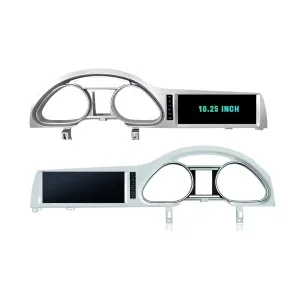
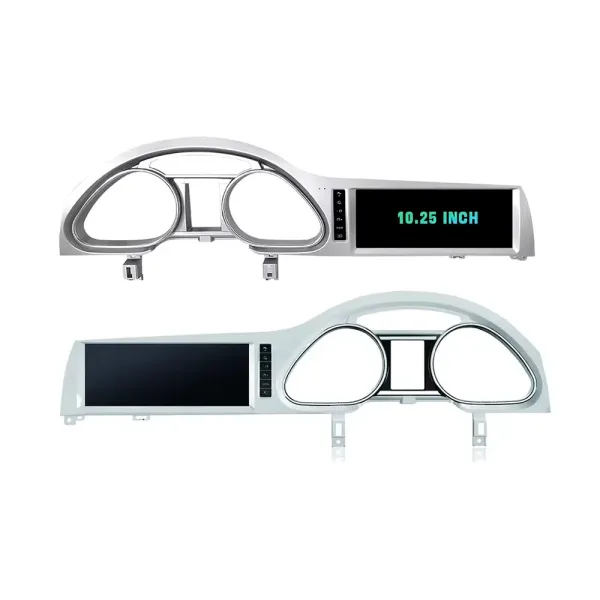
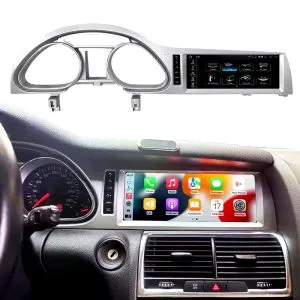
Confirm the 10.25-inch screen frame shape
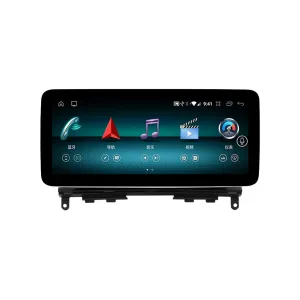
The product frame view helps you compare steering-side layout and screen position so iKAGOO can prepare the correct Q7-specific frame.
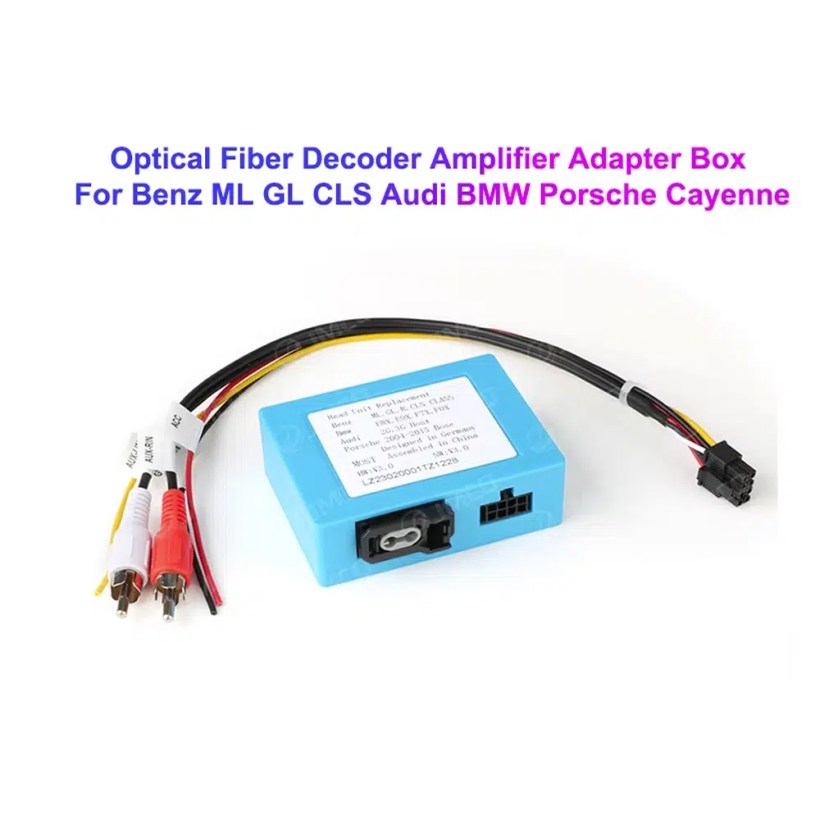
Understand the Bose and MOST fiber-optic decoder route
Many Q7 audio issues come from the amplifier and fiber-optic route. The required decoder must match the original Audi audio system and connector layout.
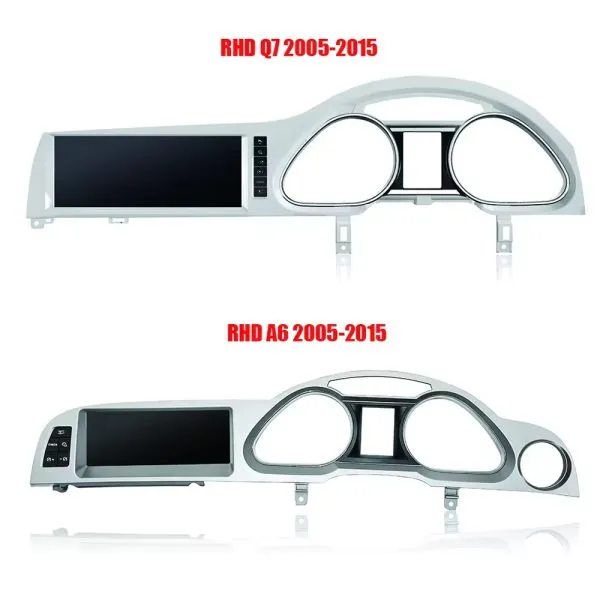
Compare Q7 and A6 frame routes carefully
This product reference makes one point clear: similar Audi frames are not automatically interchangeable. Your dashboard photo must be checked before shipment.
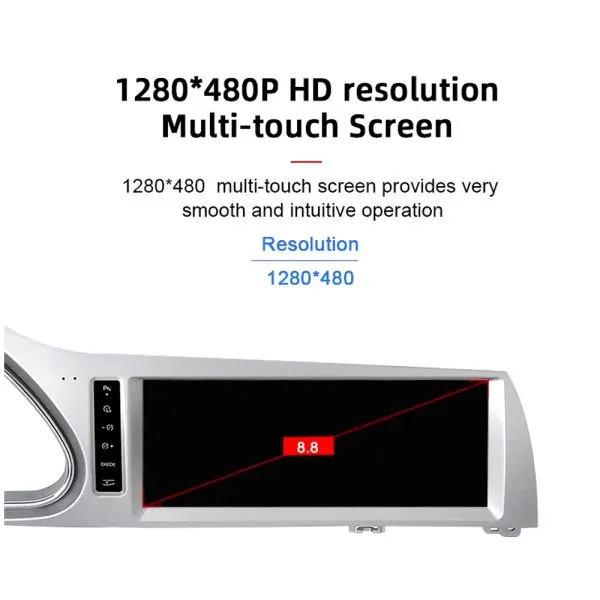
Review the 1280×480 screen reference
The wide display format is designed for the Q7 screen area and gives a cleaner navigation and media layout than the older factory display experience.
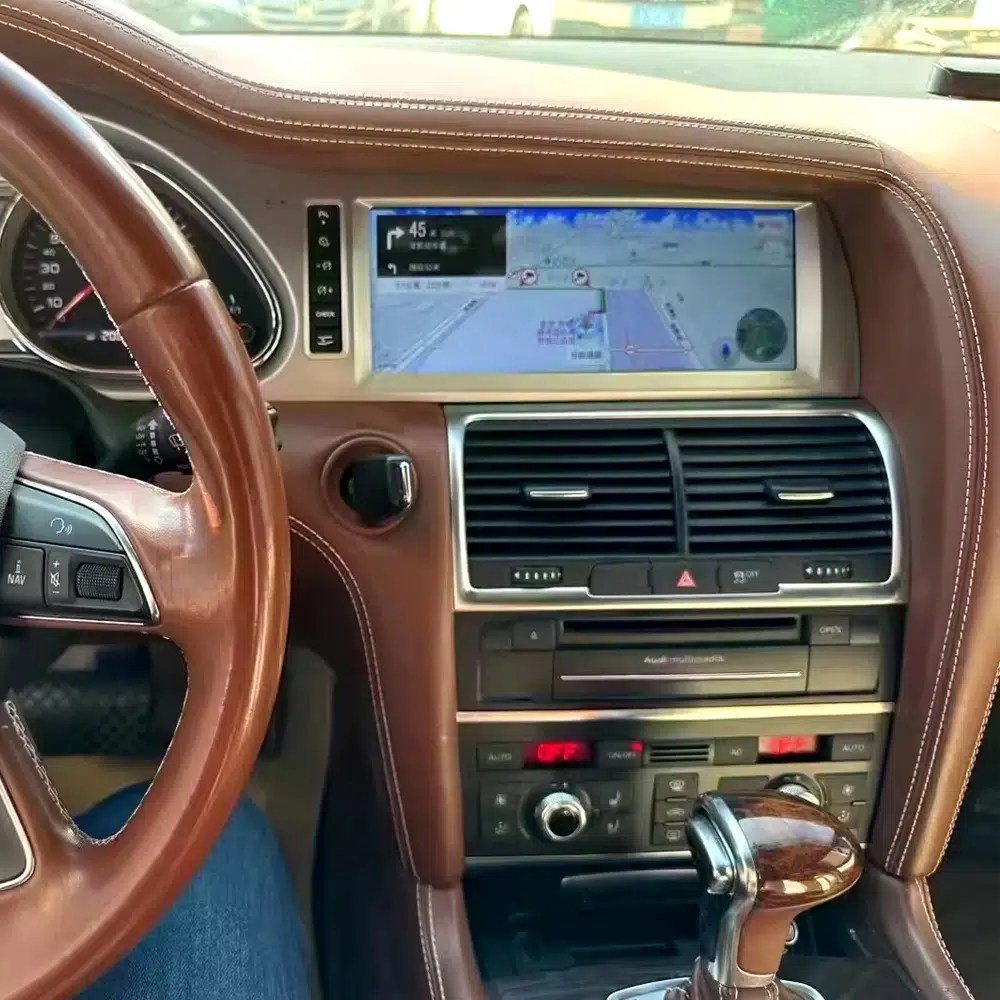
See navigation running inside a real Audi Q7 interior
The installed navigation view helps you judge driver visibility, screen angle and how the 10.25 Android display sits inside the used Q7 cabin.
Check another real installation interface
This cabin view gives another practical reference for screen readability, dashboard integration and menu position after installation.
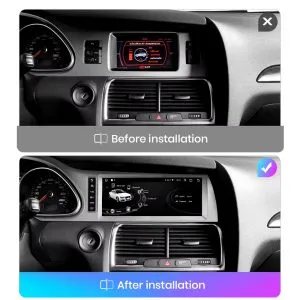
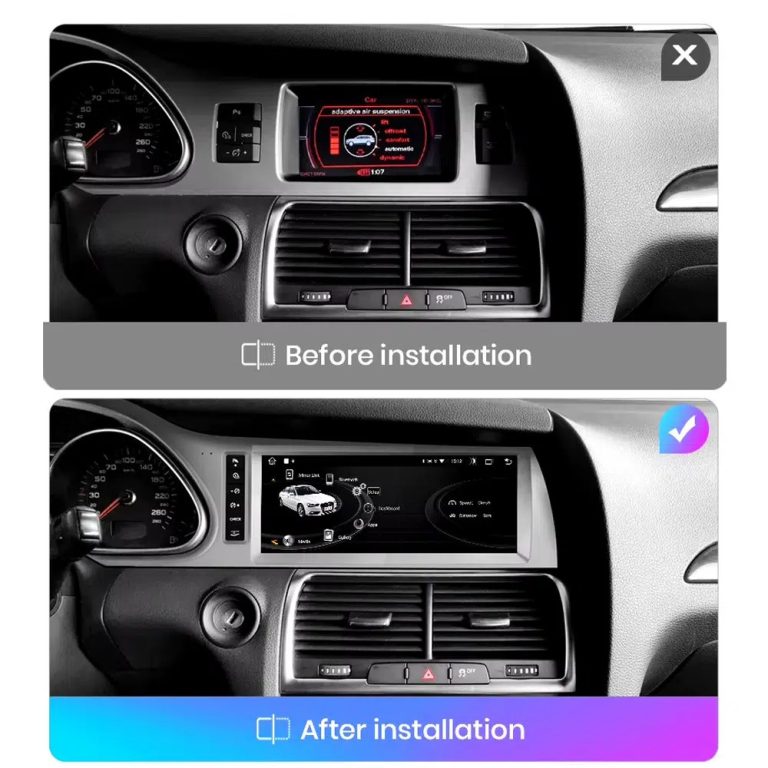
Compare the old display with the upgraded Android display
The before-and-after view shows the main visual change: the old screen area becomes a wider Android interface with a more modern layout.
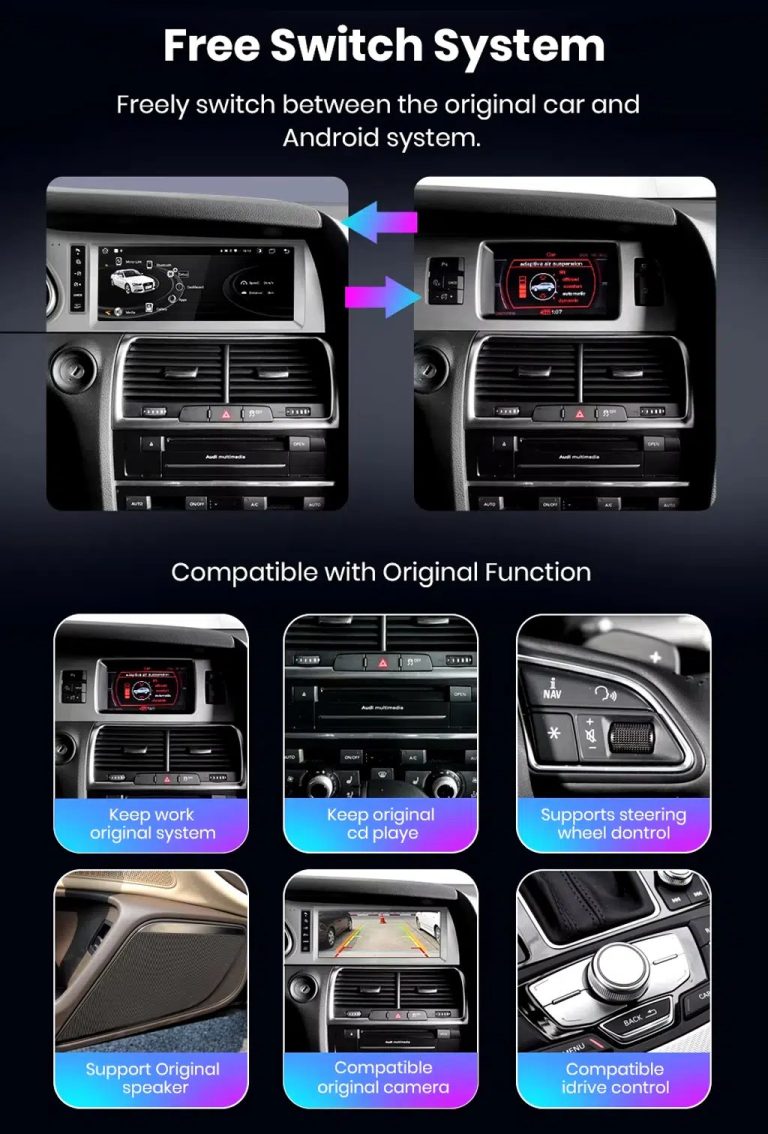
Switch between Android and supported original Audi systems
System switching matters for Q7 owners because it helps keep supported Audi menus available while adding Android, CarPlay and Android Auto functions.
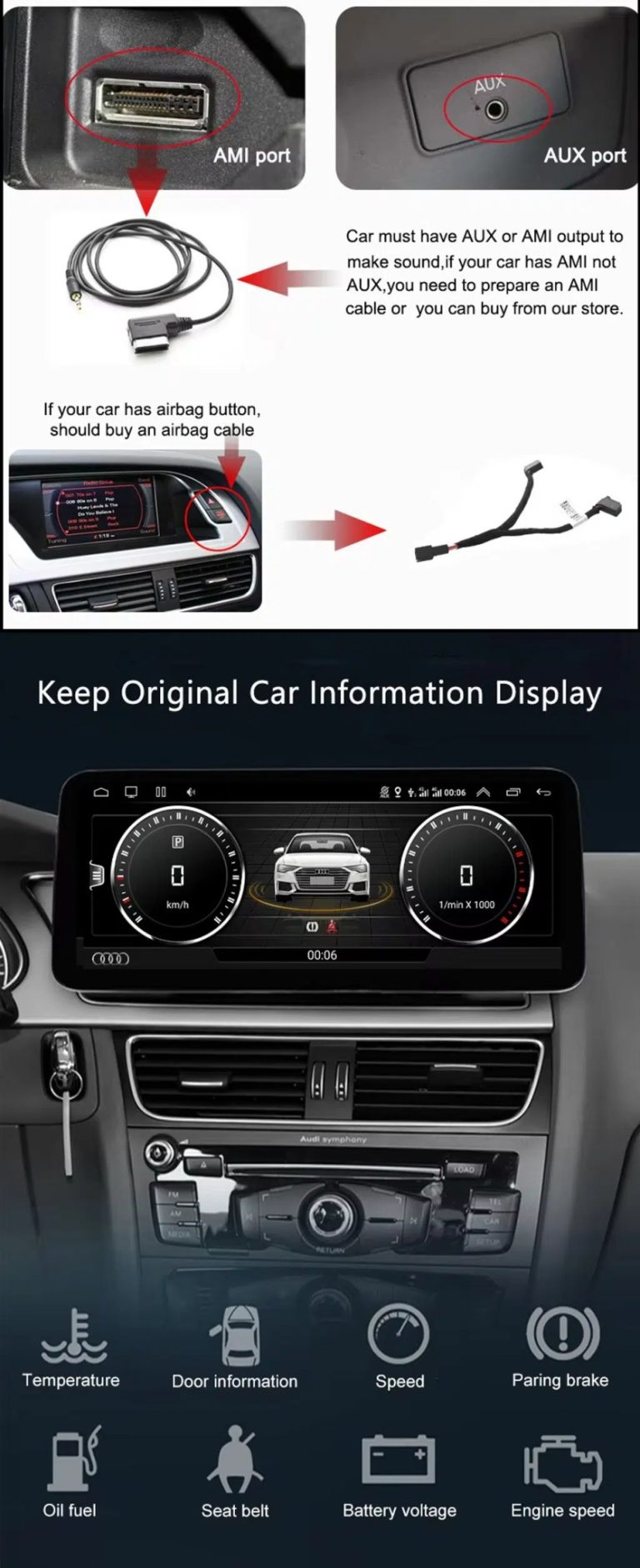
Check AUX, AMI and original vehicle information routes
Some Q7 configurations need the correct AUX, AMI or adapter route for sound and original data display. This should be checked before installation.
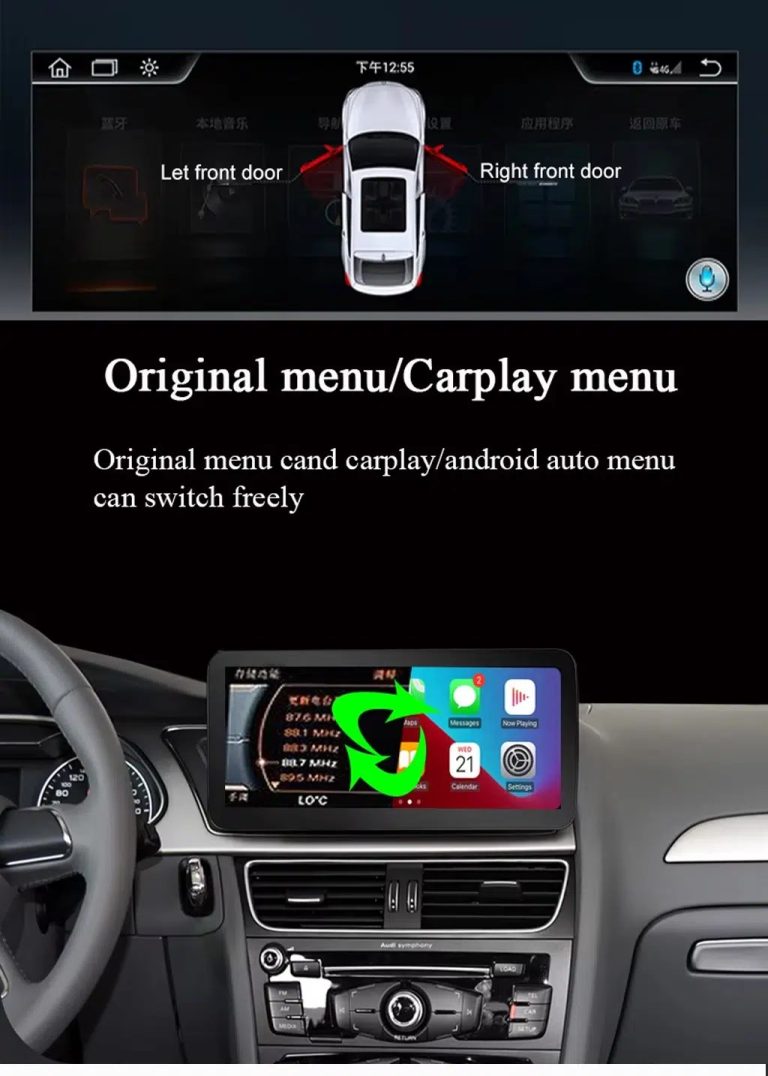
Use original menu and CarPlay menu switching
This interface direction shows how the owner can move between the supported original Audi interface and modern CarPlay or Android Auto style display.
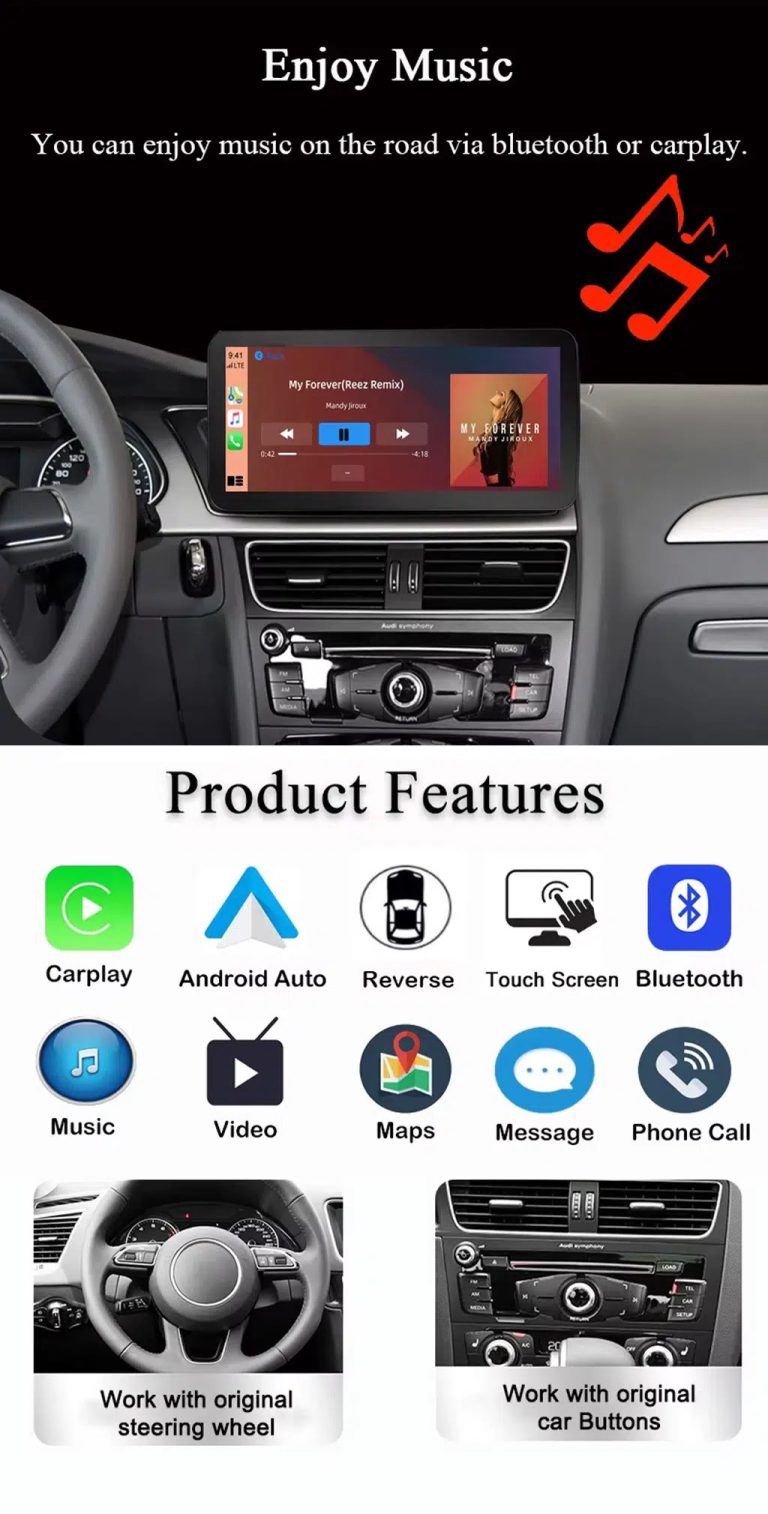
Use music, maps, calls and steering-wheel controls every day
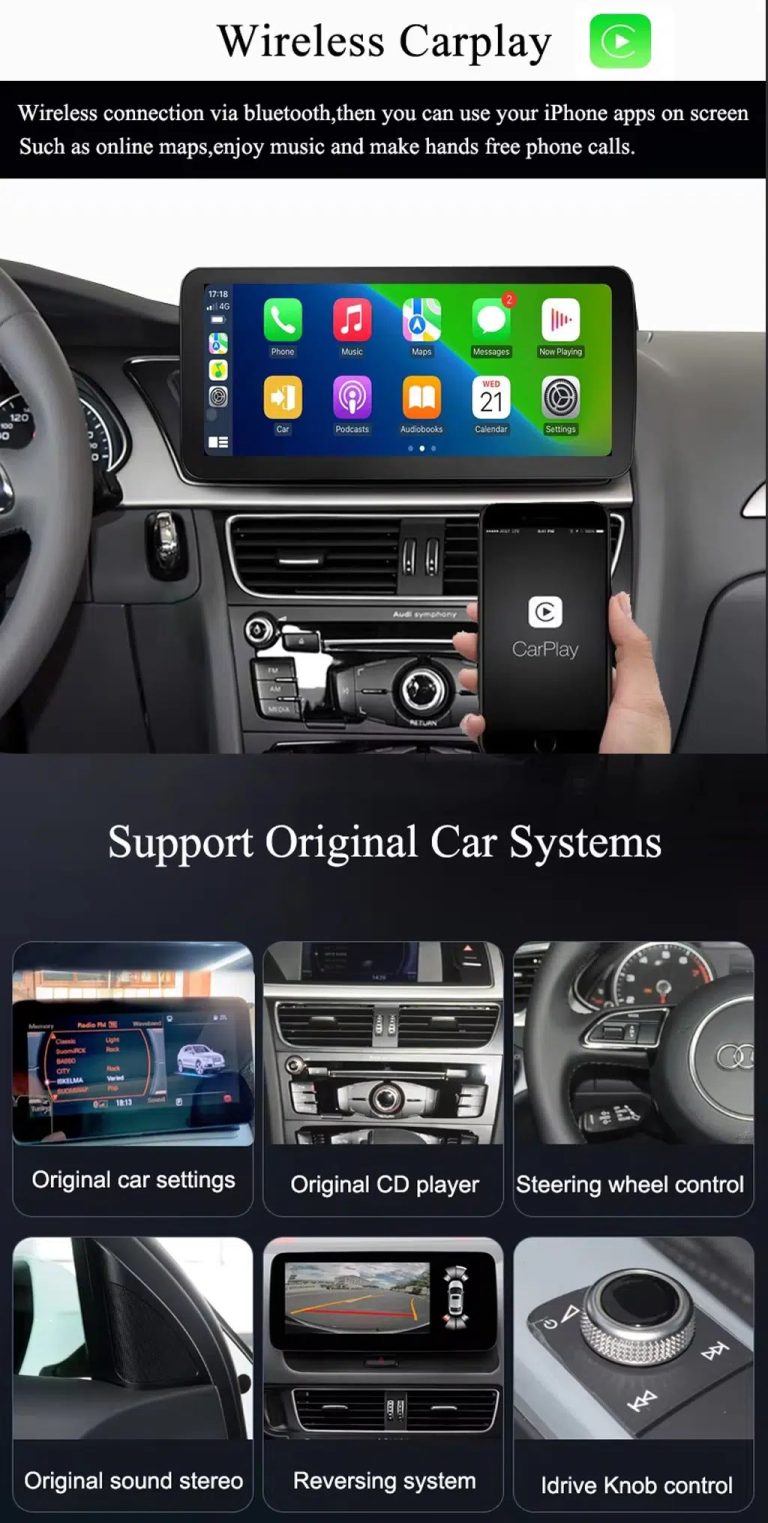
The function overview explains the daily value of the upgrade: music, video, maps, messages, calls, touch operation and supported steering-wheel control.
Use wireless CarPlay while keeping supported original car systems
This visual combines wireless CarPlay with original-system value, helping buyers understand that this is more than a simple screen swap.
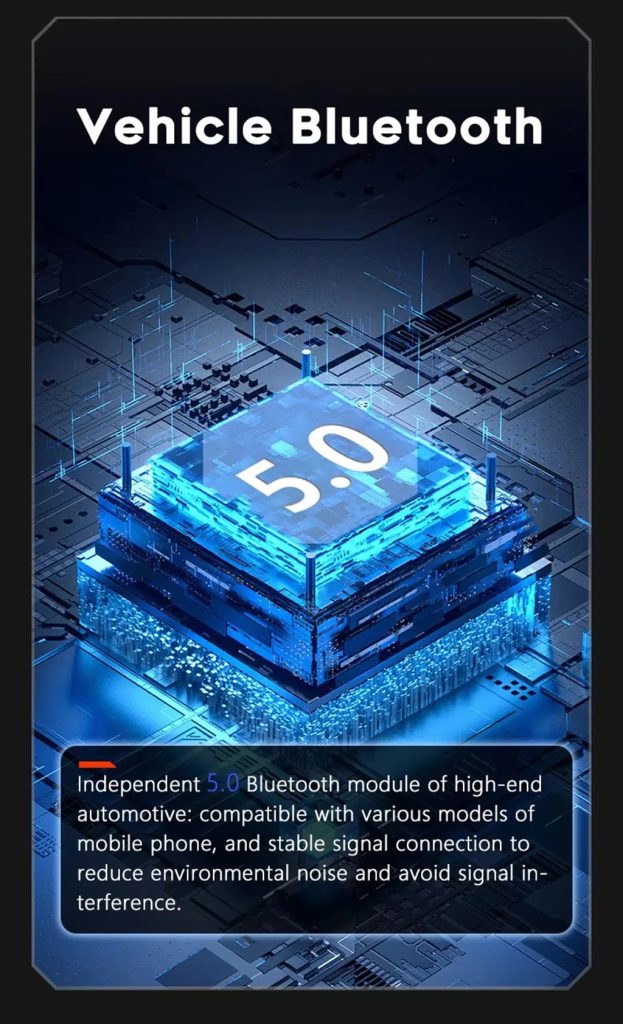
Improve Bluetooth connection on supported hardware
Bluetooth version depends on the selected hardware route, but the upgrade direction supports more practical phone and media connection than relying only on old factory behavior.
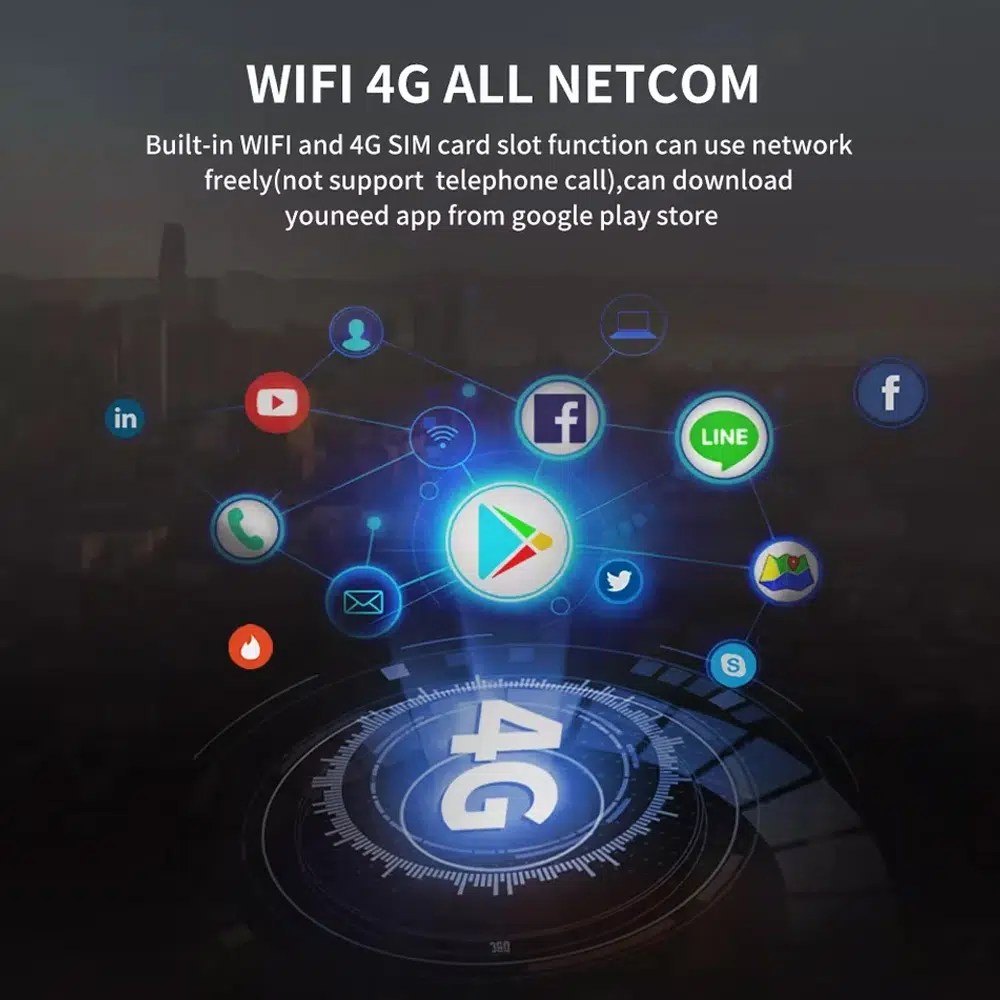
Use WiFi and 4G for apps and online navigation
WiFi and compatible 4G support online maps, app downloads and connected Android functions where local network and selected hardware allow it.
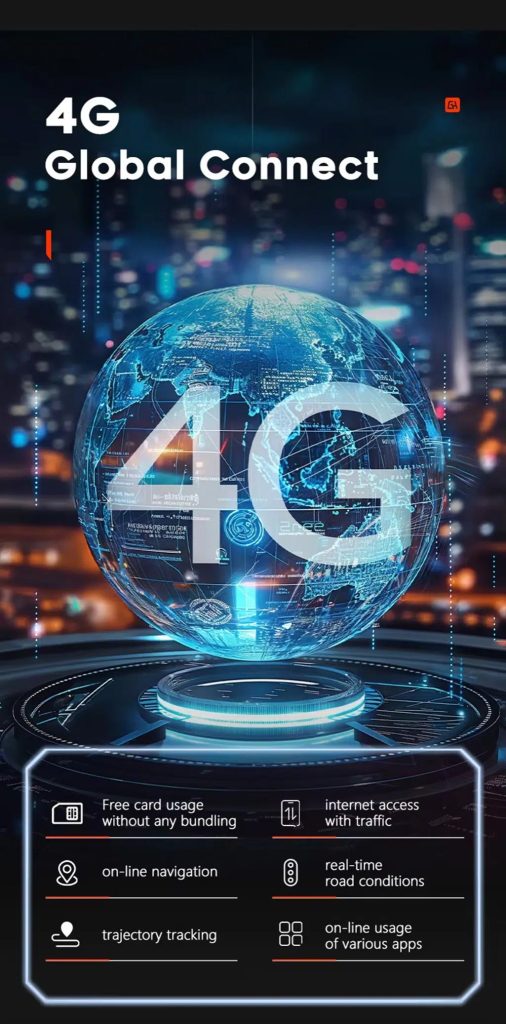
ใช้ฟีเจอร์เครือข่าย 4G เมื่อบริการในพื้นที่เอื้ออำนวย
Online navigation, traffic information and app access depend on compatible network service, SIM support and selected hardware configuration.
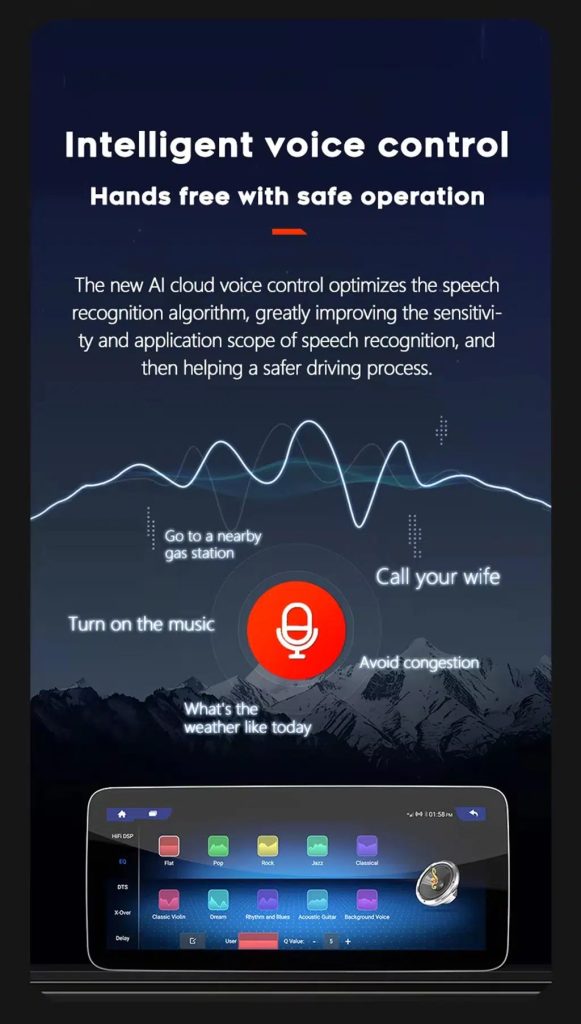
Use voice control with compatible apps
Voice control can make navigation, music and calls easier, but recognition depends on the app, microphone, language, internet connection and phone compatibility.
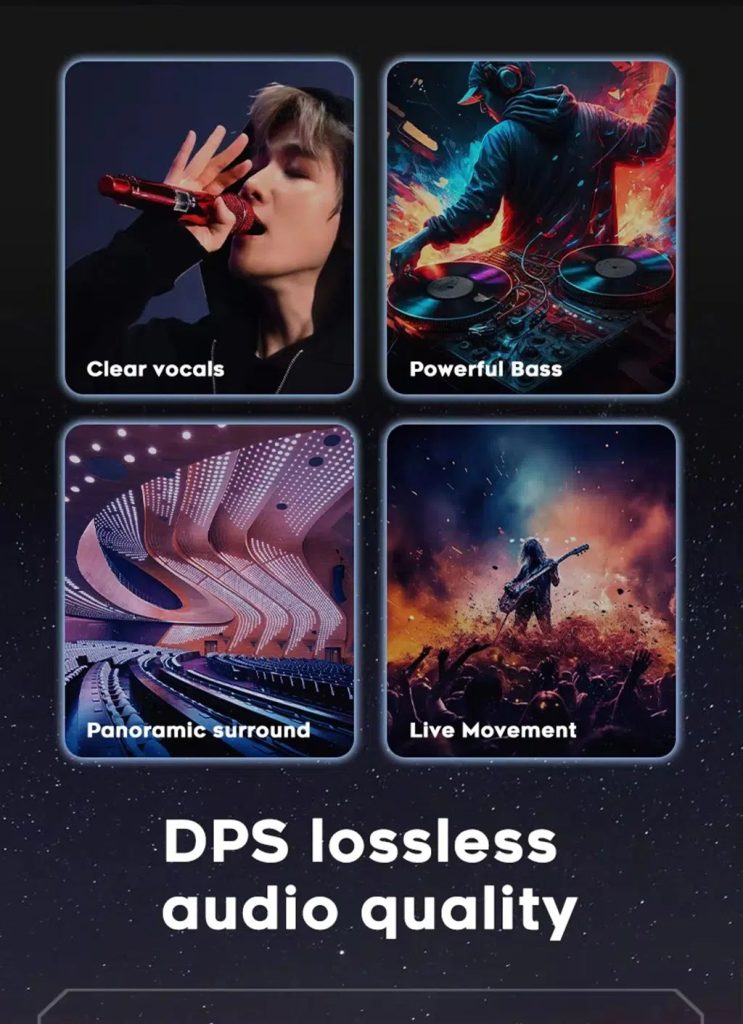
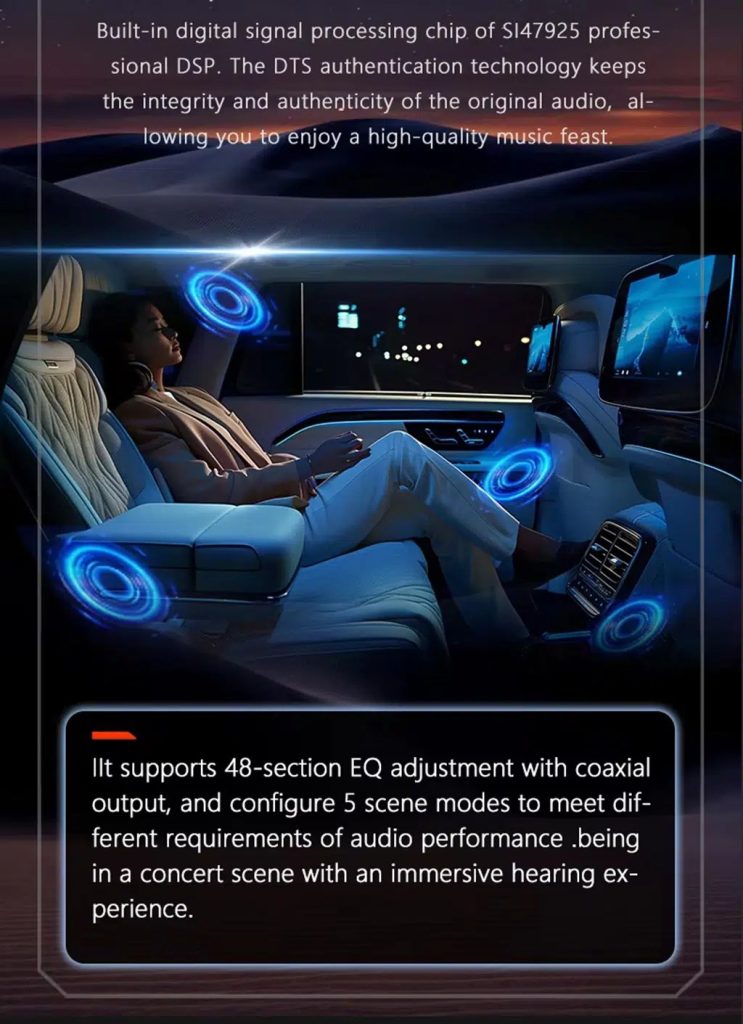
Tune the audio with DSP where supported
DSP helps tune vocals, bass, surround feeling and sound staging when the selected hardware version includes the supported DSP route.
Review multimedia and DSP function direction
This additional media reference helps buyers understand the entertainment and equalizer direction before choosing the hardware version.
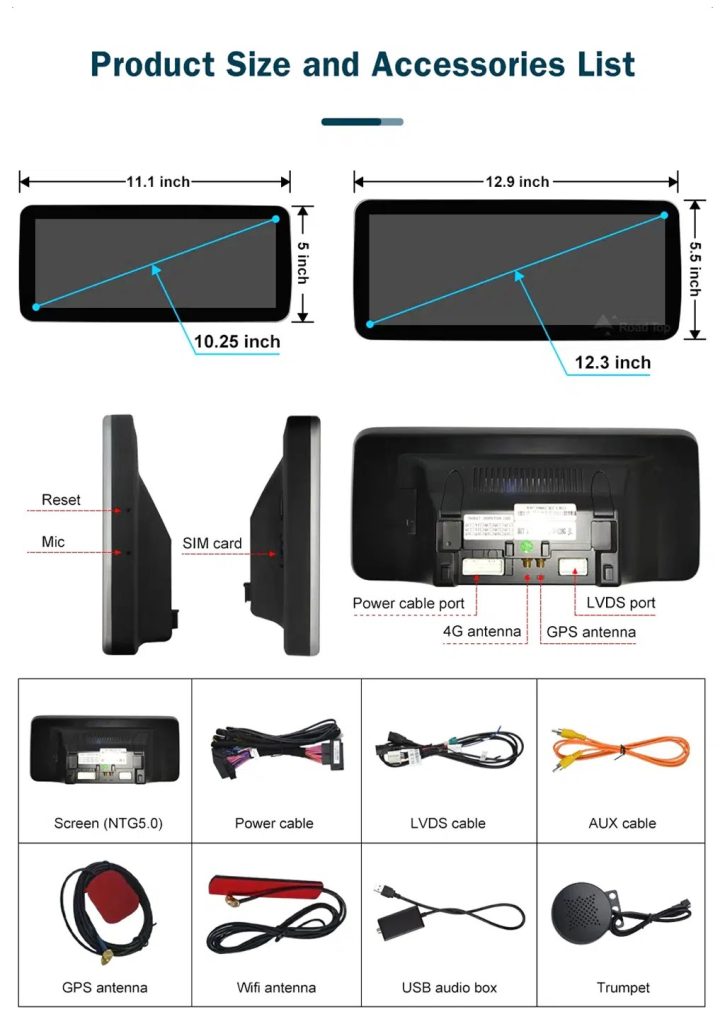
Check product size, rear ports and accessories
The accessory view helps installers understand the screen size, rear connection area, LVDS, power cable, AUX cable, GPS antenna, WiFi antenna, USB audio box and other included parts.
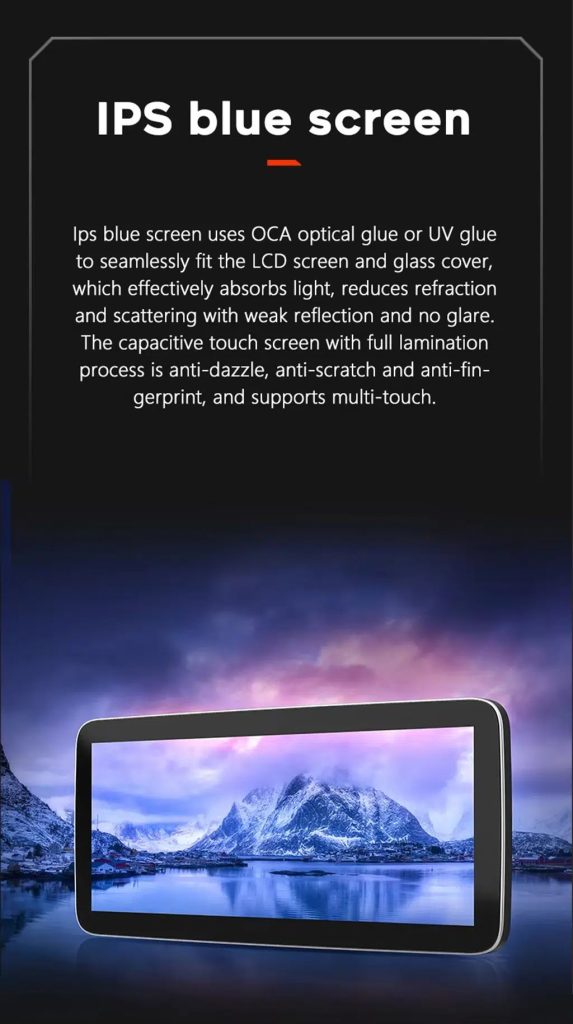
Understand the IPS blue screen display direction
The display construction direction supports a clearer and more comfortable in-car touch experience for daily map, media and menu use.
Review the product gallery before-and-after reference
This gallery view gives another quick reference for the original Q7 display before installation and the wider Android interface after installation.
Confirm another installed dashboard angle
This gallery view shows the unit installed in the Q7 dashboard with a modern interface, helping buyers compare the final visual balance.
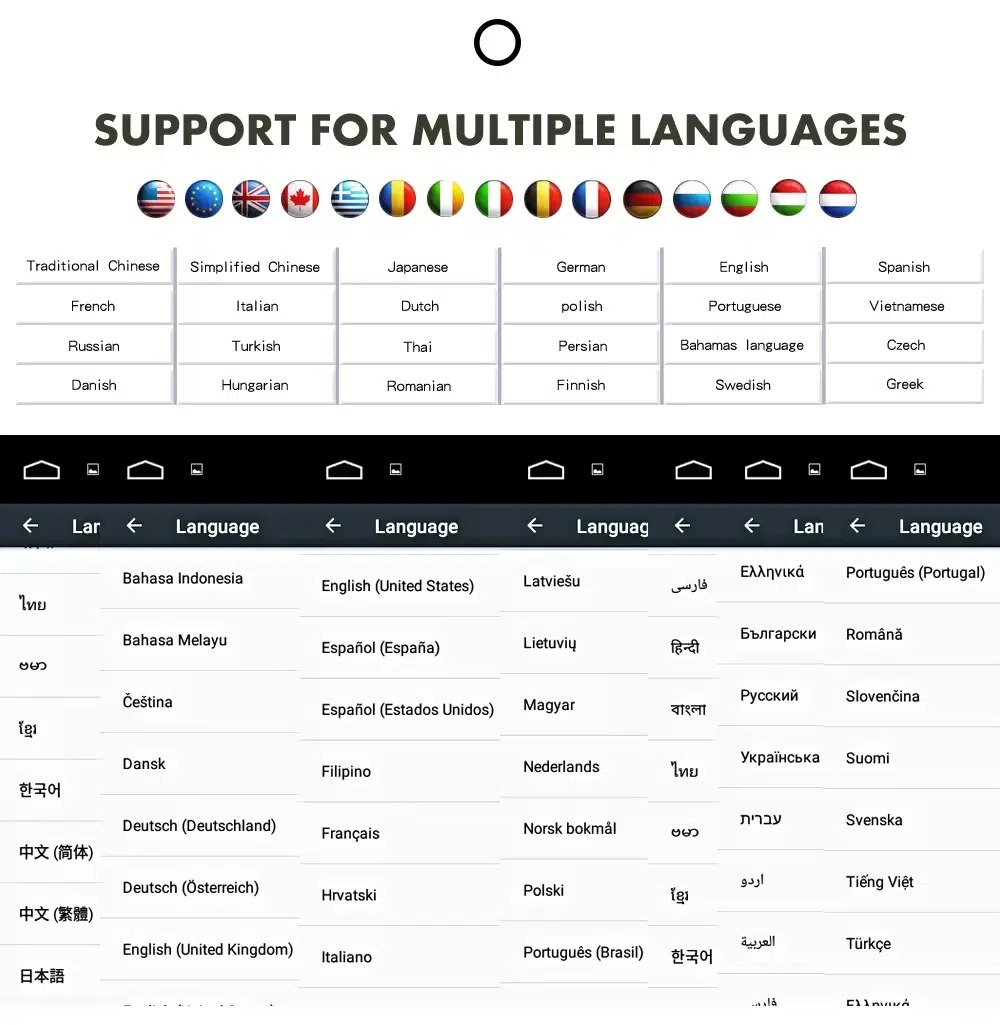
ใช้ส่วนติดต่อ Android ในหลายภาษา
Multiple language support helps international owners and installers use the Android interface in a familiar language. Final availability depends on firmware and app settings.
Common interface languages include English, German, French, Spanish, Italian, Portuguese, Dutch, Russian, Arabic, Japanese and Chinese, depending on firmware and app settings.
Installation Route for the Audi Q7 10.25 Android Screen Upgrade
รีวิวรถยนต์
Submit the year, dashboard photos, steering position and original audio-system details.
การจับคู่การกำหนดค่า
iKAGOO checks the frame, harness, CAN decoder, amplifier and fiber-optic requirements.
Pre-Shipment Setup
The Android unit and matching accessories are prepared for the confirmed vehicle configuration.
การสนับสนุนการติดตั้ง
Guidance is available for wiring, configuration and supported-function testing.
Main work required
- Confirm dashboard year route, CD panel, MMI system and steering side before shipment.
- Check whether the car has Bose, external amplifier or MOST fiber optic.
- Remove the original screen area and required dashboard trim carefully.
- Connect the matched power harness, CAN decoder, LVDS/video route and audio adapter.
- Install fiber-optic decoder when confirmed necessary.
- Connect GPS, USB, camera, microphone and WiFi/4G accessories according to selected configuration.
- Power on before final reassembly.
- Test original menu switching, CarPlay, Android Auto, audio, steering-wheel controls, cameras, Bluetooth, GPS and sleep/wake behavior.
Stop installation and contact iKAGOO if this happens
- The screen frame does not match the dashboard opening.
- รูปร่างของตัวเชื่อมต่อหรือการจัดวางขาไม่ตรงกับชุดสายไฟที่ให้มาอย่างชัดเจน.
- The car has Bose / MOST fiber optic but no confirmed decoder route.
- No sound comes from the speakers after power-on testing.
- The original MMI menu cannot be accessed after connection.
- A fiber-optic cable is bent sharply, crushed or left disconnected.
- ขาต่อเชื่อมงอ หลวม หรือเสียหาย.
- ฟิวส์ขาดซ้ำแล้วซ้ำอีก หรือมีความร้อน กลิ่น หรือควันผิดปกติปรากฏขึ้น.
- การติดตั้งจะต้องตัดสายไฟหลักของโรงงาน.
What Is Normally Included
Android Display
Vehicle-specific display assembly with the selected Android hardware configuration.
Wiring Harness
Power, signal and integration wiring selected according to the confirmed vehicle.
CAN Decoder
Compatible decoder for supported steering controls and vehicle-information integration.
GPS Antenna
External GPS antenna for supported Android navigation functions.
USB Connections
USB extension inputs for compatible media, accessories and software updates.
Optional Adapters
Fiber-optic decoder, camera interface, AMI cable or other adapters when confirmed as necessary.
Package contents vary by selected version and confirmed vehicle configuration. The final order details should be checked before dispatch.
การจัดส่ง, การรับประกัน และการสนับสนุนหลังการขาย
การเตรียมคำสั่งซื้อ
การเตรียมคำสั่งซื้อตามปกติจะใช้เวลา 1–3 วันทำการ หลังจากที่การตรวจสอบการกำหนดค่าของยานพาหนะของคุณเสร็จสิ้นแล้ว.
ติดตามการจัดส่งทั่วโลก
การจัดส่งระหว่างประเทศสามารถติดตามได้ ระยะเวลาการจัดส่งโดยประมาณขึ้นอยู่กับปลายทาง การตรวจปล่อยศุลกากร และวิธีการจัดส่งที่เลือกในขั้นตอนการชำระเงิน.
การรับประกันฮาร์ดแวร์ของ 12-month
ปัญหาฮาร์ดแวร์ที่มีสิทธิ์ได้รับการแก้ไขจะอยู่ภายใต้การรับประกันแบบจำกัดของ iKAGOO ความเสียหายที่เกิดจากการต่อสายไฟไม่ถูกต้อง การใช้งานผิดวิธี การรั่วซึมของน้ำ หรือการดัดแปลงโดยไม่ได้รับอนุญาต จะไม่ได้รับการคุ้มครองตามปกติ.
Vehicle-specific products require accurate vehicle information before shipment. If iKAGOO confirmed compatibility before purchase, your information was accurate, and no reasonable installation solution is available after supported troubleshooting, the current published return and refund policy applies.
นโยบายการคืนสินค้าและการคืนเงิน · นโยบายการรับประกัน · นโยบายการจัดส่ง
Audi Q7 10.25 Android Screen Upgrade FAQ
Is this Audi Q7 10.25 Android screen upgrade for every Q7 from 2006 to 2015?
Does this product support 2005 Audi Q7?
รองรับ CarPlay และ Android Auto แบบไร้สายหรือไม่?
Will the original Audi MMI menu still work?
Will Bose or the factory amplifier still work?
Does every Audi Q7 need a fiber optic decoder?
Can the original rear camera be retained?
Does it work with left-hand-drive and right-hand-drive Q7 vehicles?
การติดตั้งเป็นแบบเสียบแล้วใช้ได้เลยหรือไม่?
ฉันควรส่งอะไรไปก่อนการสั่งซื้อ?
ทำให้ Audi Q7 4L ของคุณดูทันสมัยอีกครั้ง
Choose this Audi Q7 10.25 Android screen upgrade if you want a factory-style display route, wireless CarPlay, Android Auto, GPS navigation, DSP audio and iKAGOO configuration matching for your dashboard, MMI and audio system.
Related Q7 upgrade: Audi Q7 แผงหน้าปัดดิจิทัล


ไบรอัน กัลลาเกอร์ –
อัปเกรดครั้งใหญ่สุด ๆ สำหรับ Q7 2013 ของฉัน! หน้าจอขนาด 10.25 นิ้วคมชัดและทำให้ภายในดูทันสมัยอย่างสิ้นเชิง Apple CarPlay ไร้สายเชื่อมต่อได้อย่างไร้ที่ติภายใน 5 วินาทีหลังจากสตาร์ทรถ ยังคงฟังก์ชัน MMI จากโรงงานทั้งหมดได้อย่างสมบูรณ์แบบ แนะนำอย่างยิ่งสำหรับใครก็ตามที่ต้องการนำ Audi รุ่นเก่าของตนเข้าสู่ยุคปัจจุบัน!
ไบรอัน กัลลาเกอร์ –
หน้าจอดูเหมือนอุปกรณ์ OEM และการประกอบเข้ากับตัวรถพอดีมาก คุณภาพเสียงผ่าน AUX ยอดเยี่ยม การติดตั้งส่วนใหญ่เป็นแบบ plug-and-play ใช้เวลาประมาณ 2 ชั่วโมงพร้อมเครื่องมือถอดชิ้นส่วนตกแต่ง ลดหนึ่งดาวเพราะเส้นบอกระยะของกล้องถอยหลังจำเป็นต้องปรับเทียบในเมนูการตั้งค่าจากโรงงาน แต่ฝ่ายสนับสนุนแนะนำขั้นตอนให้อย่างรวดเร็ว.