ธีม XStore

No products in the cart.

Menu Categories
สูงสุด 22%
  • อัปเกรดหน้าจอ Android ขนาด 10.25 นิ้ว สำหรับ Audi Q7 ปี 2006–2015 พร้อมระบบ CarPlay แบบไร้สาย
  • 03 6
  • 10 1
  • 09 1
  • 02 5
  • 06 3

อัปเกรดหน้าจอ Android ขนาด 10.25 นิ้ว สำหรับ Audi Q7 ปี 2006–2015 พร้อมระบบ CarPlay แบบไร้สาย

แบรนด์:

จาก: $325.00

ปลอดภาษี เฉพาะสหภาพยุโรปและสหรัฐอเมริกา
รายละเอียด
ปลอดภัยโดย เพย์พาล
บริการชำระภาษีล่วงหน้า DDP

เราจัดการภาษีมูลค่าเพิ่มและภาษีศุลกากรทั้งหมด ประมาณการการประหยัด: $120–$280.

สหรัฐอเมริกา (48 รัฐ)ออสเตรียเบลเยียมบัลแกเรียโครเอเชียไซปรัสเช็กเกียเดนมาร์กเอสโตเนียฟินแลนด์ฝรั่งเศสเยอรมนีกรีซฮังการีไอร์แลนด์อิตาลีลัตเวียลิทัวเนียลักเซมเบิร์กมอลตาเนเธอร์แลนด์โปแลนด์โปรตุเกสโรมาเนียสโลวาเกียสโลวีเนียสเปนสวีเดน
หรือ

มีคำถามหรือไม่?

รู้สึกอิสระที่จะ ติดต่อเรา

ชำระเงินอย่างปลอดภัยด้วย Paypal ชำระเงินอย่างปลอดภัยด้วยวีซ่า ชำระเงินอย่างปลอดภัยด้วยมาสเตอร์การ์ด ชำระเงินอย่างปลอดภัยด้วย JCB ชำระเงินอย่างปลอดภัยด้วย American Express ชำระเงินอย่างปลอดภัยด้วย Alipay ชำระเงินอย่างปลอดภัยด้วย Google Pay ชำระเงินอย่างปลอดภัยด้วย Klarna ชำระเงินอย่างปลอดภัยด้วย DISCOVER ชำระเงินอย่างปลอดภัยด้วย Apple Pay
รับประกันการชำระเงินที่ปลอดภัยและมั่นคง
การคุ้มครองผู้ซื้อ iKAGOO

การคุ้มครองการซื้อสำหรับสินค้าชิ้นนี้

การตรวจสอบความเข้ากันได้, การชำระเงินที่ปลอดภัย, การจัดส่งที่สามารถติดตามได้ และการสนับสนุนหลังการขายที่เป็นประโยชน์.

Audi Q7 10.25 Android screen upgrade installed dashboard with CarPlay interface
Audi Q7 4L · 2006–2015 · 10.25 Android screen
Audi Q7 10.25 Android Screen Upgrade for a Cleaner Factory-Style Dashboard

Upgrade your Audi Q7 4L with a vehicle-specific 10.25-inch Android screen route that adds wireless CarPlay, Android Auto, GPS navigation, DSP audio, WiFi/4G and supported Audi system switching without turning the cabin into a generic tablet installation.

10.25-inch screen ระบบ CarPlay แบบไร้สาย แอนดรอยด์ ออโต้ DSP audio WiFi / 4G LHD / RHD check MMI / Bose / MOST check

Before shipment, iKAGOO checks your model year, dashboard frame, CD/MMI panel, steering position, factory amplifier, MOST fiber-optic route, camera system and connector photos to prepare the correct screen, harness and vehicle interface for your order.

คำตอบอย่างรวดเร็ว

Audi Q7 10.25 Android Screen Upgrade 2006–2015

This iKAGOO upgrade is a vehicle-specific 10.25 Android screen upgrade for selected Audi Q7 4L vehicles from 2006 to 2015. It upgrades the old factory display experience with a wider Android touchscreen, wireless CarPlay, Android Auto, GPS navigation, Bluetooth, WiFi/4G and DSP audio on supported hardware versions. Supported Audi functions such as original system switching, steering-wheel controls, original camera route, original speaker output and vehicle information can continue to work after the correct frame, CANBUS, audio adapter and decoder route are prepared. Before shipment, iKAGOO checks your vehicle year, LHD/RHD position, MMI/CD panel, Bose or MOST fiber-optic requirement and connector photos. It is suitable for Q7 owners who want a modern screen upgrade instead of only repairing or keeping the old MMI screen.

การซื้อคุณค่า

Why This 10.25 Android Screen Upgrade Fits the Audi Q7 4L

Modern screen without a cheap tablet look

The Q7 dashboard has a wide factory screen area. This 10.25-inch route uses the vehicle-specific frame shape so the upgrade looks integrated with the original trim.

Daily-use CarPlay and Android Auto

Use phone maps, calls, music, messages and compatible voice functions on a larger in-dash display instead of relying only on the old MMI interface.

MMI, Bose and MOST checked before shipment

Audi Q7 screen upgrades fail when the audio route is guessed. iKAGOO checks the MMI panel, amplifier and fiber-optic route before preparing the order.

Main SEO direction for this different appearance version: Audi Q7 10.25 Android Screen Upgrade. “Audi Q7 Android Head Unit” is kept only as a secondary phrase to avoid competing with your other Q7 product page.
ฟังก์ชันของโรงงาน

Original Audi Functions Supported After Correct Matching

These functions depend on the confirmed vehicle system, correct harness, CAN decoder, camera route, audio adapter and installation configuration.

  • Original Audi menu access
    Supported original-system switching can be retained through the matched integration route.
  • ปุ่มควบคุมบนพวงมาลัย
    Supported steering-wheel buttons can continue to work through the matched CAN decoder.
  • Original camera route
    Rear camera AHD/CVBS and 360 camera routes must be confirmed before shipment.
  • Bose / amplifier audio route
    Factory speaker output can work when the correct amplifier or MOST fiber-optic decoder route is prepared.
  • ข้อมูลรถเดิม
    Supported vehicle data can continue to display through the correct system-switching and CANBUS route.
  • การป้องกันสายไฟในโรงงาน
    The matched harness is designed for clean connection without intentionally cutting the supported factory main wiring.
ความเข้ากันได้เป็นอันดับแรก

Confirm Your Audi Q7 4L Before We Prepare the Screen

Vehicle Information Needed Before Shipment

  • Exact Audi Q7 year and market region.
  • พวงมาลัยซ้ายหรือพวงมาลัยขวา.
  • Original dashboard and screen photo.
  • Original CD / MMI control-panel photo.
  • Factory audio system: Bose, external amplifier or standard audio.
  • Original connector photos if requested.
  • Whether your Q7 has MOST fiber optic, original rear camera or 360 camera.
  • Preferred hardware version: 4GB+64GB or 8GB+256GB.

Why these details matter

The Audi Q7 4L can use different dashboard frames, CD panels, MMI systems, Bose amplifiers, MOST fiber-optic audio routes, camera systems and LHD/RHD interiors. These details help iKAGOO prepare the correct 10.25 Android screen, wiring harness, CAN decoder, audio adapter, fiber-optic decoder and camera route.

This reduces wrong-order risk such as no sound, wrong frame, no original menu switching, camera mismatch or unsupported steering control behavior after installation.

ข้อมูลจำเพาะ

ข้อมูลจำเพาะของสินค้าหลัก

ประเภทสินค้าAudi Q7 10.25 Android screen upgrade / Android stereo / vehicle-specific Android head unit route.
Main FitmentSelected Audi Q7 4L vehicles in the 2006–2015 range. Some 2005 market-year vehicles may match the same route after dashboard and CD/MMI panel photo confirmation.
ขนาดหน้าจอ10.25-inch vehicle-specific display.
ระบบAndroid 13 system shown in current product attributes.
ซีพียู8-core CPU route according to selected motherboard.
MotherboardTSK / TSK8259 / TSK8667 according to selected hardware route.
Checkout Memory Options4GB+64GB 8-core and 8GB+256GB 8-core options shown on the current purchase area.
เสียงDSP 32-band EQ support where selected hardware and audio route support it.
บลูทูธBT 4.0 / BT 5.0 depending on selected hardware version.
การนำทางGPS / Glonass support for compatible online or offline navigation apps.
เครือข่ายWiFi / 4G support where selected hardware and local service allow it.
DVRUSB front / rear 1080P DVR route where compatible accessories are used.
วิทยุFM / AM / RDS or FM / RDS depending on selected hardware route.
Camera RouteRear view camera AHD, rear view camera CVBS and 360 panorama routes require vehicle and version confirmation.
ตำแหน่งการบังคับเลี้ยวLeft-hand drive and right-hand drive routes must be confirmed before shipment.
Package DataListed weight: 3.5 kg. Listed dimensions: 85 × 35 × 25 cm.
Configuration Choice

Choose the Right Hardware Version

Balanced

4GB + 64GB 8-core

A practical choice for buyers who mainly want CarPlay, Android Auto, Bluetooth, navigation and daily media use without choosing the highest storage option.

  • Good daily usability
  • Better than basic memory routes
  • Suitable for normal app and navigation use
แนะนำ

8GB + 256GB 8-core

The stronger option for owners keeping the Q7 long term and wanting smoother Android operation, more storage and better multitasking space.

  • Highest listed storage route
  • Better for heavier app use
  • Recommended for long-term ownership
Do not choose only by price. For Audi Q7 4L, the correct dashboard frame, MMI panel, Bose/MOST audio route and LHD/RHD fitment matter as much as RAM and storage.
มาตรฐาน iKAGOO

iKAGOO Purchase Assessment for This Q7 Screen Upgrade

มูลค่าการอัปเกรด

ความจำเป็นในการอัปเกรด iKAGOO

89/100

Strong Upgrade Case. The first-generation Audi Q7 interior benefits clearly from a modern 10.25-inch Android screen, wireless smartphone integration, navigation and improved media usability.

View Upgrade Necessity Standard
Factory Retention

iKAGOO ความเข้ากันได้ของยานพาหนะดั้งเดิม

84/100

Good compatibility route when the correct dashboard frame, MMI route, CAN decoder, amplifier adapter and fiber-optic requirement are checked before shipment.

A score of 84/100 does not mean that 16% of factory functions are lost. It means this product requires stricter checking because Audi Q7 4L audio and MMI configurations vary.

View Compatibility Standard
Install Level

ระดับความยากในการติดตั้ง iKAGOO

ระดับ 3

Advanced DIY. Suitable for experienced DIY installers or an automotive electronics technician. Q7 MMI, MOST fiber optic, amplifier, camera and CANBUS routes must be checked carefully before final reassembly.

View Installation Difficulty Guide
Why iKAGOO

Why Owners Choose iKAGOO for This Audi Q7 Screen Upgrade

การเตรียมการเฉพาะสำหรับยานพาหนะ

iKAGOO checks your Q7 year, dashboard photos, MMI panel, steering side and audio system before shipment so the correct version can be prepared.

Screen, harness and interface matching

The correct CAN decoder, amplifier route and fiber-optic requirement matter more than buying a screen by size alone.

Original function integration

The upgrade is prepared to retain supported original menus, steering-wheel controls, camera display and vehicle information where the matched route allows it.

การป้องกันสายไฟในโรงงาน

The matched wiring harness is designed to avoid unnecessary cutting of the original main wiring when the vehicle and harness match.

Installation and setup support

If your installer needs help identifying the MMI type, fiber-optic route or function test result, iKAGOO can provide order-based support.

การรับประกันฮาร์ดแวร์ของ 12-month

ปัญหาฮาร์ดแวร์ที่มีสิทธิ์ได้รับการแก้ไขจะอยู่ภายใต้การรับประกันแบบจำกัด 12 เดือนของ iKAGOO พร้อมบริการสนับสนุนหลังการขายสำหรับการวินิจฉัยและแนวทางแก้ไขที่เหมาะสม.

Decision Guide

Keep the Old MMI, Add a Box, or Upgrade with iKAGOO?

เก็บต้นฉบับ

Factory MMI Only

Best only if you are satisfied with the old screen size, old interface and limited smartphone integration.

  • ไม่มีค่าใช้จ่ายในการอัปเกรด
  • Old interface remains
  • Limited app experience
Basic Add-On

โมดูลสำหรับ CarPlay เท่านั้น

Useful if you only need phone projection, but it does not give the Q7 a new Android display or modern screen layout.

  • Limited visual change
  • No full Android system
  • Depends on original screen condition
Generic Route

Universal Android Screen

May be cheaper, but Audi Q7 dashboard frame, MMI, Bose, MOST fiber and camera integration can become the real risk.

  • Fitment uncertainty
  • May look aftermarket
  • Higher audio risk

สรุปการซื้อ

If you want your Audi Q7 4L to feel modern without making the dashboard look cheap or creating MMI/audio problems, this iKAGOO 10.25 Android screen upgrade is the stronger route than a generic screen or a small add-on box.

Product Media

รูปภาพสินค้าและสิ่งที่ช่วยให้คุณตัดสินใจ

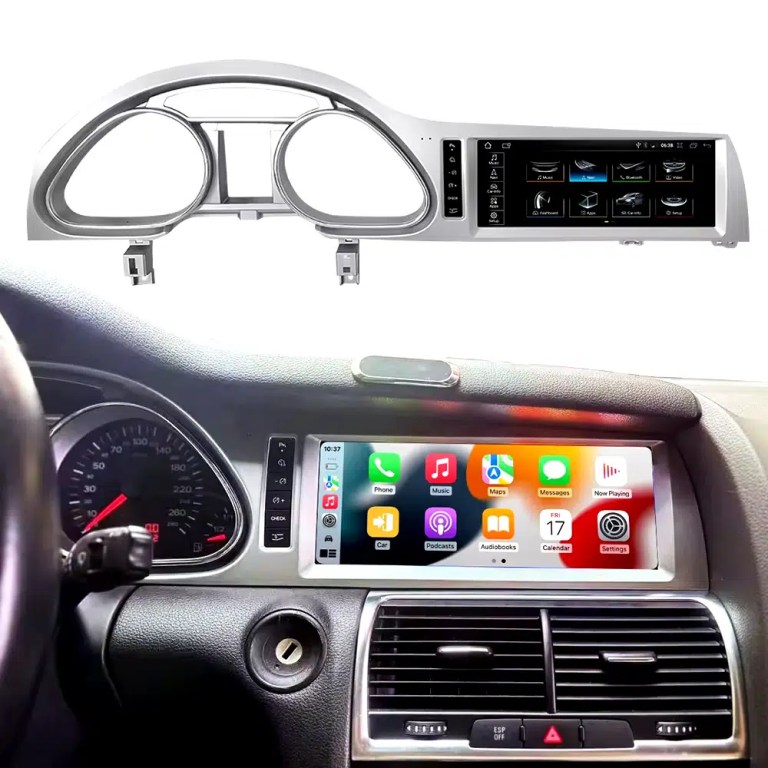
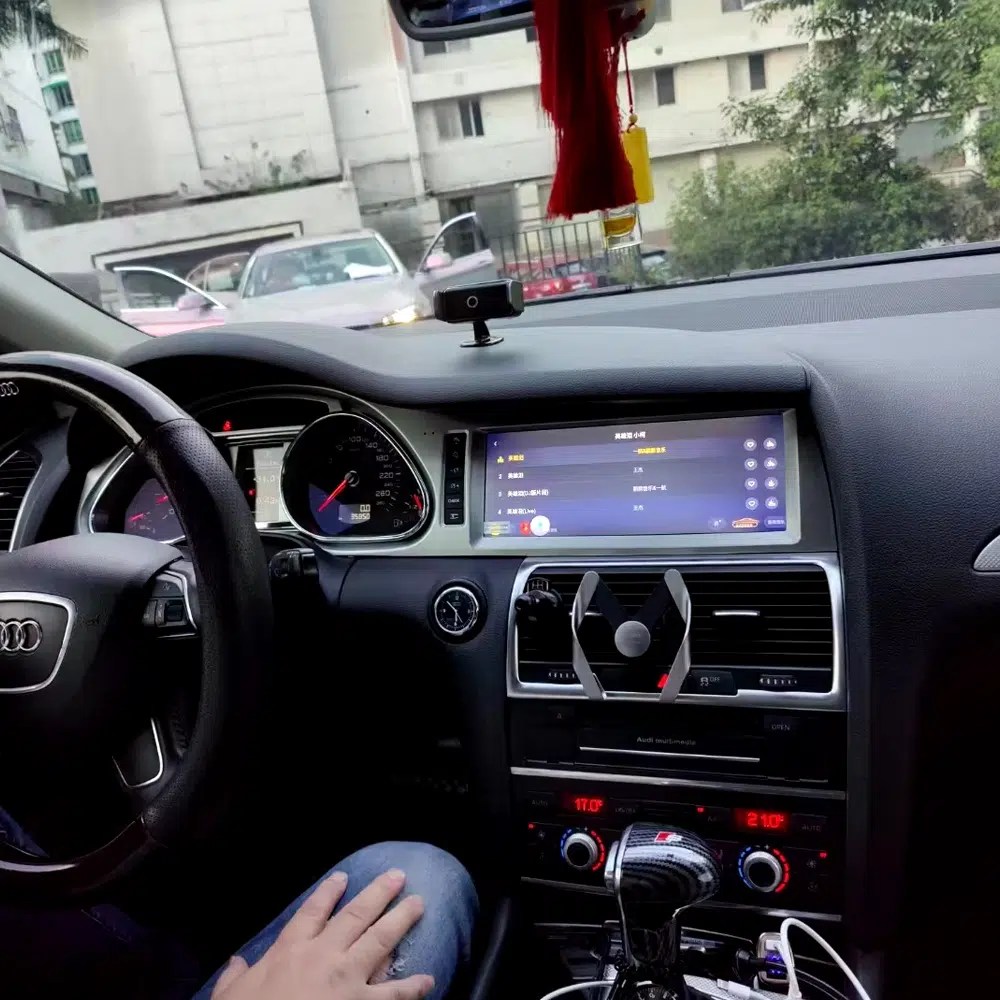
See the installed result inside the Audi Q7 dashboard

This cockpit view helps you judge the final screen position, dashboard balance and CarPlay-style daily-use interface before ordering.

Audi Q7 10.25 Android screen upgrade installed dashboard with CarPlay view

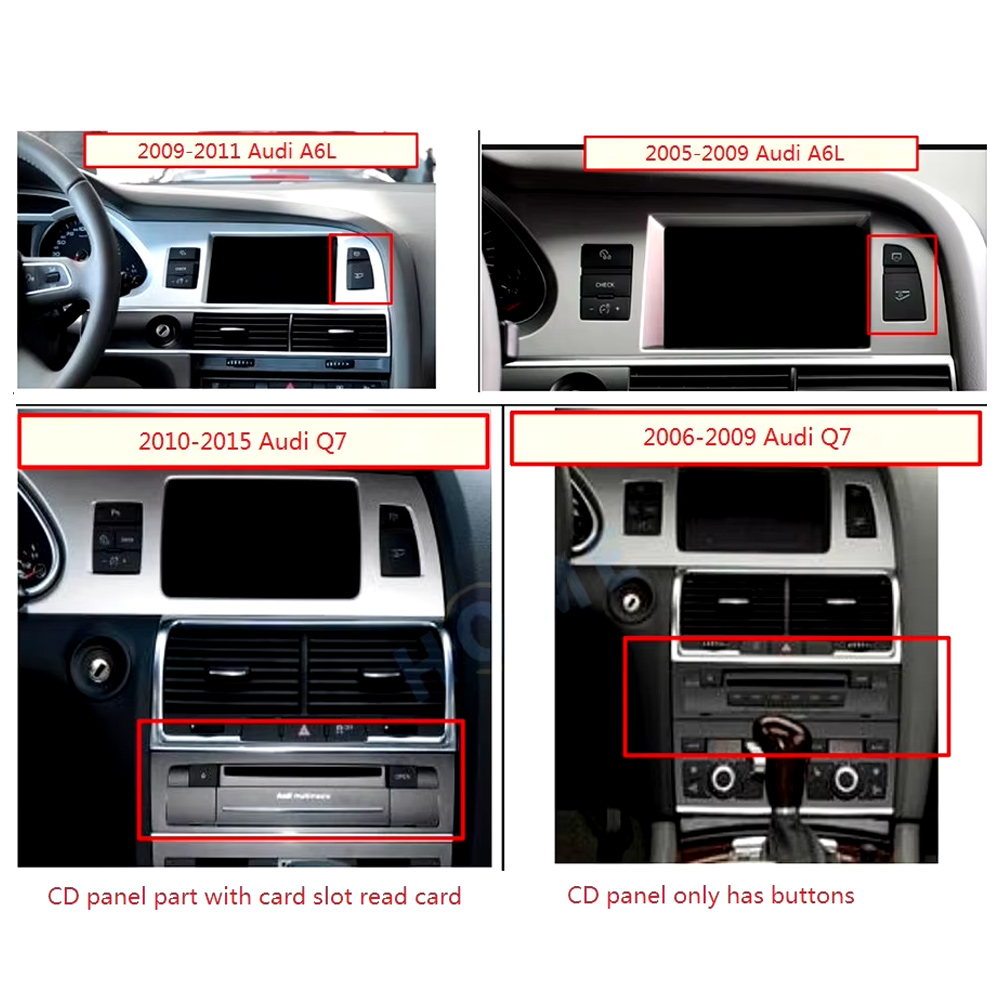
Check the original dashboard and CD/MMI panel before ordering

The correct Audi Q7 Android screen route depends on the original screen area, button layout, CD panel and model-year dashboard structure.

Audi Q7 2005 2009 2010 2015 dashboard CD MMI panel comparison for Android screen upgrade

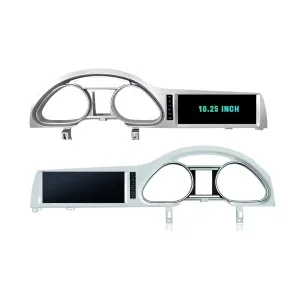
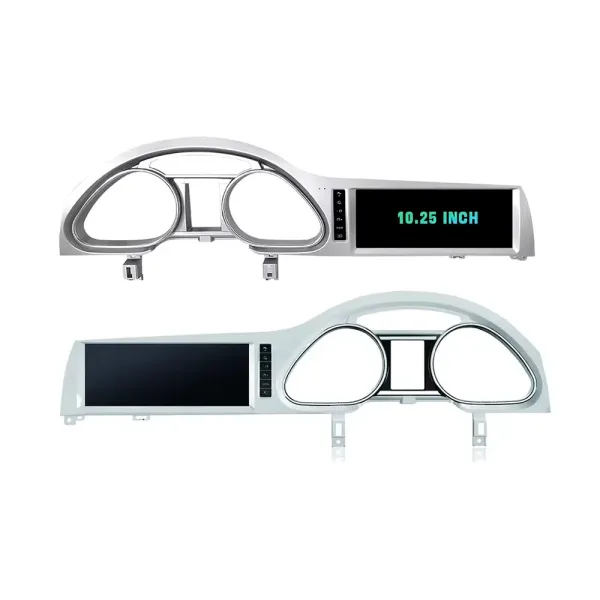
Confirm the 10.25-inch screen frame shape

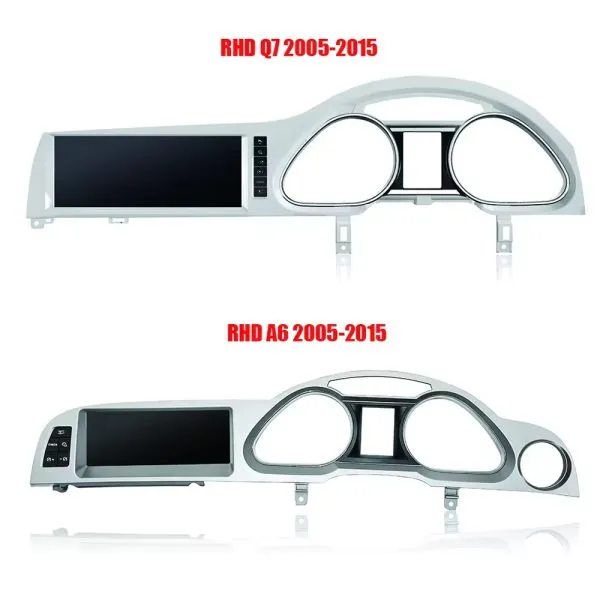
The product frame view helps you compare steering-side layout and screen position so iKAGOO can prepare the correct Q7-specific frame.

Audi Q7 10.25 Android screen LHD and RHD frame product view

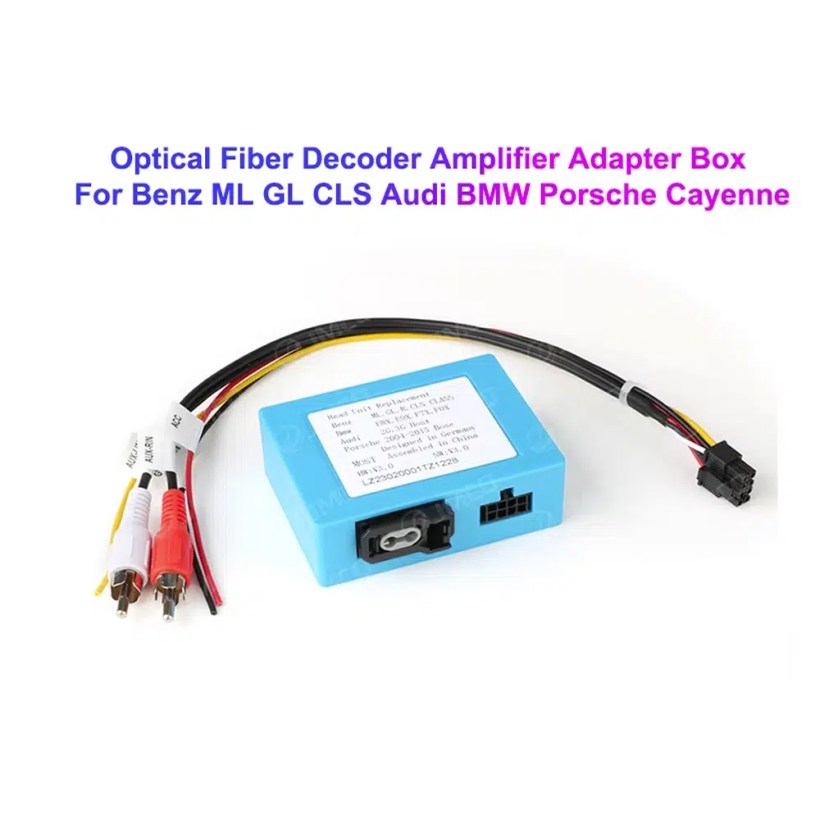
Understand the Bose and MOST fiber-optic decoder route

Many Q7 audio issues come from the amplifier and fiber-optic route. The required decoder must match the original Audi audio system and connector layout.

Audi Q7 MOST optical fiber decoder amplifier adapter for Android screen upgrade

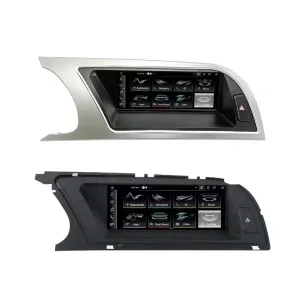
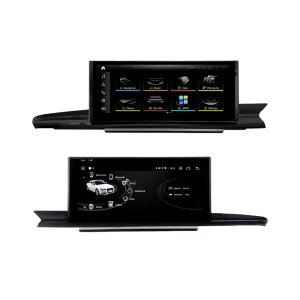
Compare Q7 and A6 frame routes carefully

This product reference makes one point clear: similar Audi frames are not automatically interchangeable. Your dashboard photo must be checked before shipment.

Audi Q7 4L Android screen frame comparison with Audi A6 frame route

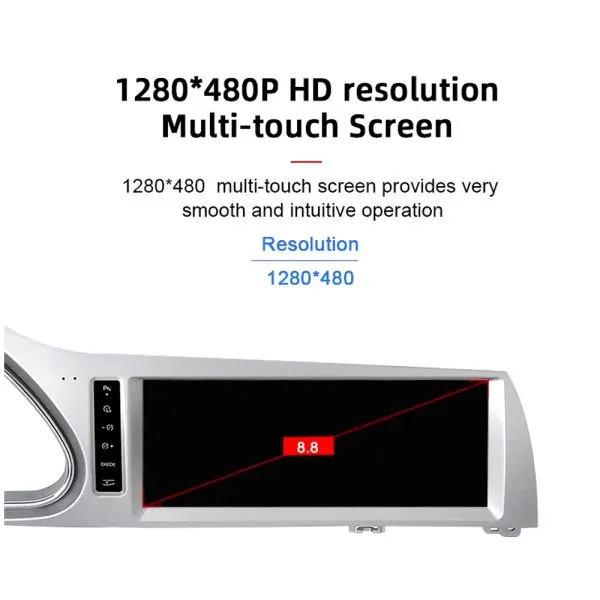
Review the 1280×480 screen reference

The wide display format is designed for the Q7 screen area and gives a cleaner navigation and media layout than the older factory display experience.

Audi Q7 10.25 Android screen 1280x480 multi touch display reference

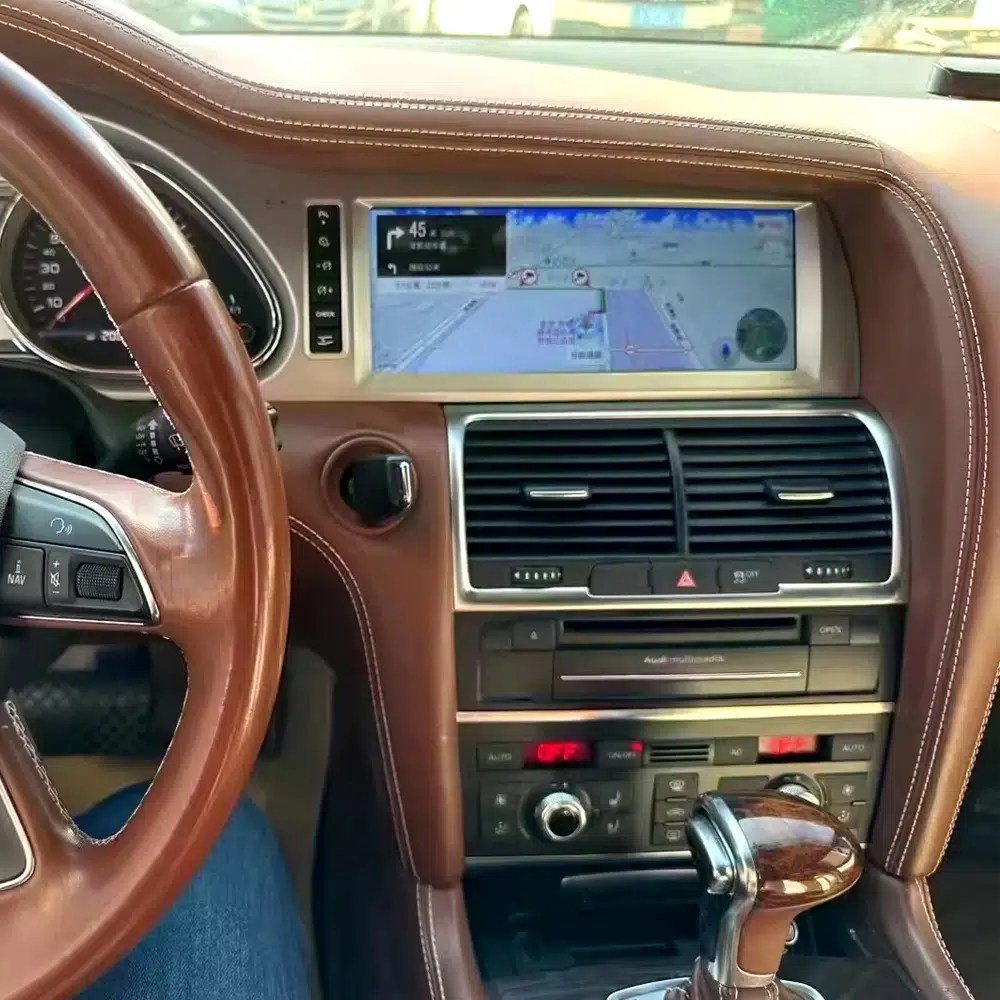
See navigation running inside a real Audi Q7 interior

The installed navigation view helps you judge driver visibility, screen angle and how the 10.25 Android display sits inside the used Q7 cabin.

Audi Q7 Android navigation screen installed in dashboard

Check another real installation interface

This cabin view gives another practical reference for screen readability, dashboard integration and menu position after installation.

Audi Q7 Android screen installed dashboard interface view

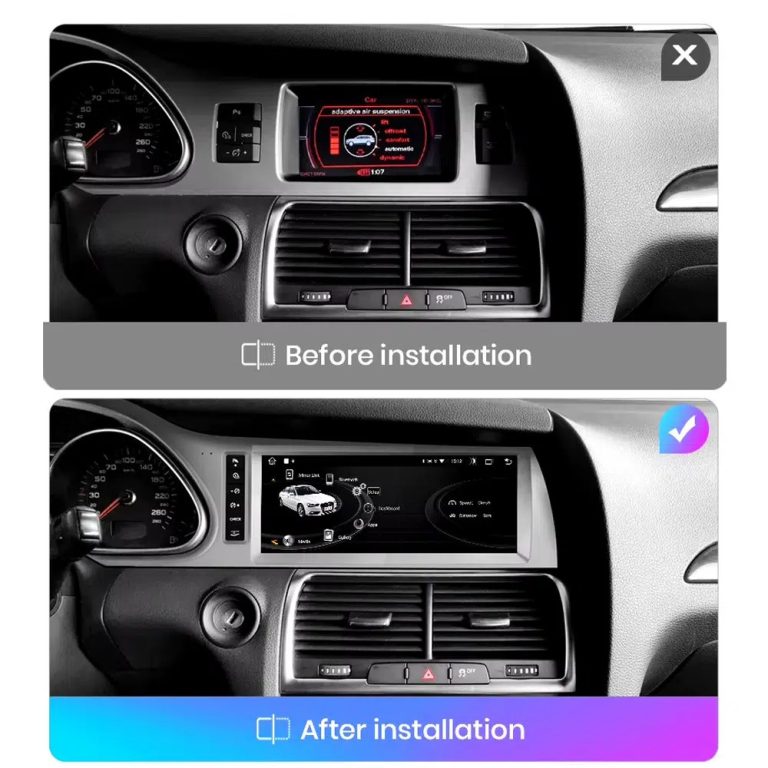
Compare the old display with the upgraded Android display

The before-and-after view shows the main visual change: the old screen area becomes a wider Android interface with a more modern layout.

Audi Q7 original screen before and Android screen after installation comparison

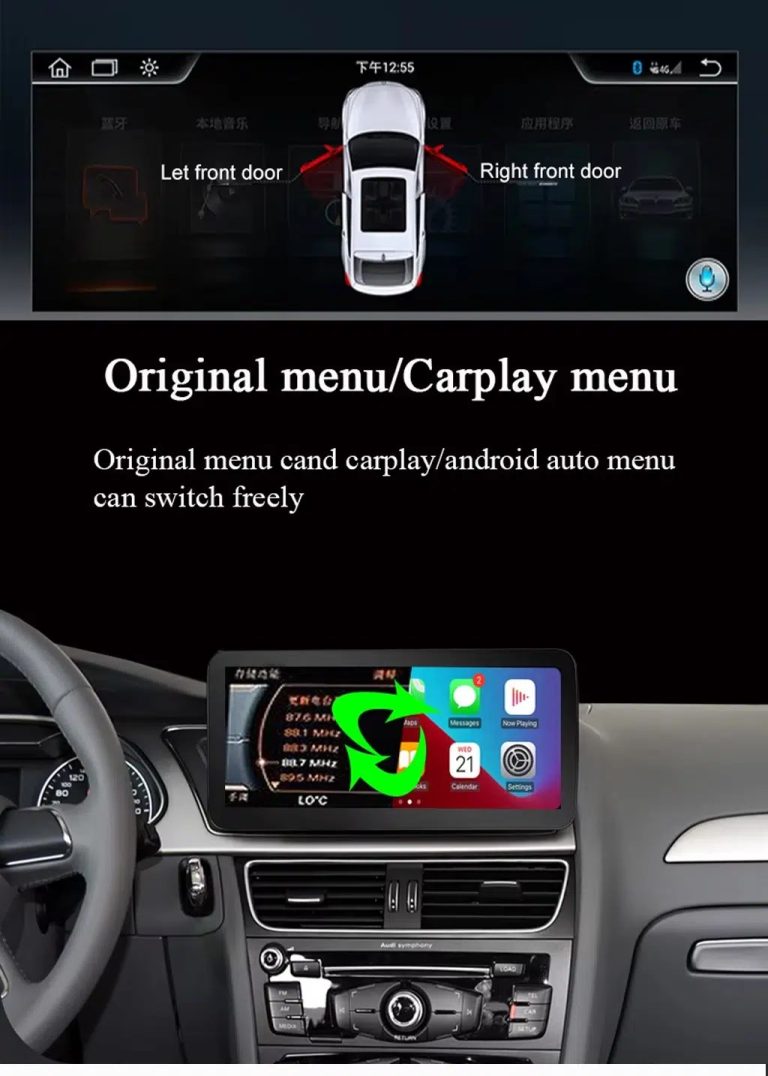
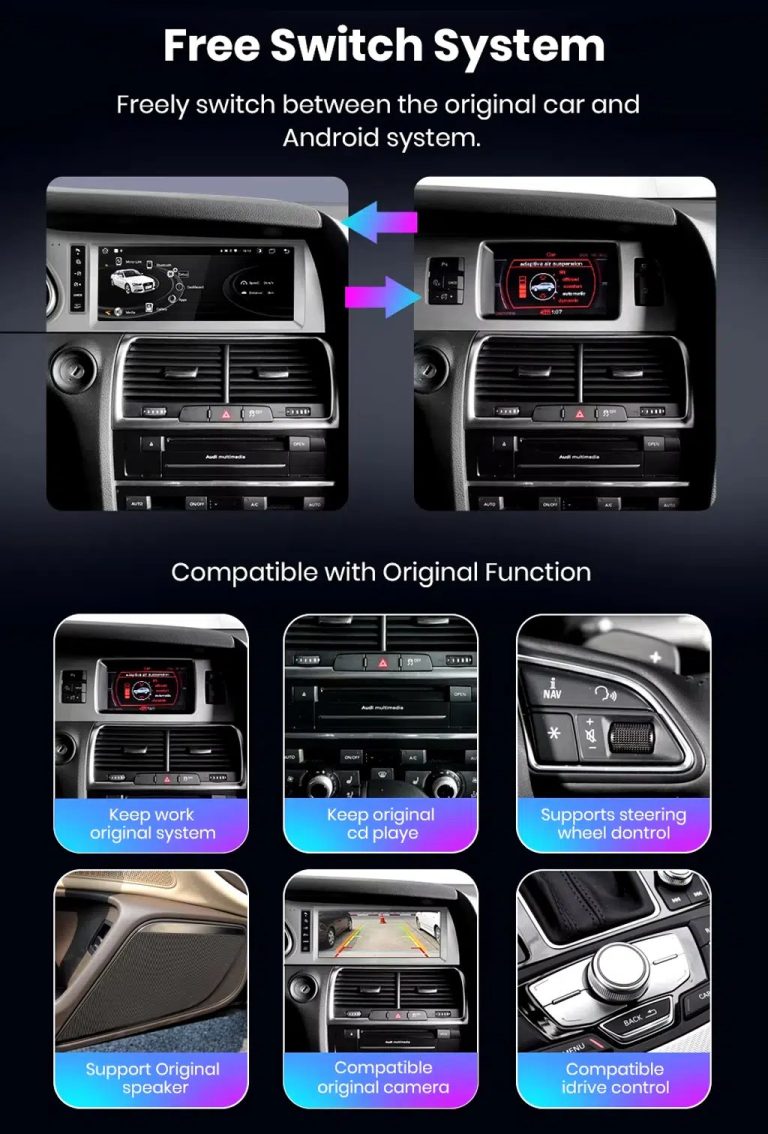
Switch between Android and supported original Audi systems

System switching matters for Q7 owners because it helps keep supported Audi menus available while adding Android, CarPlay and Android Auto functions.

Audi Q7 Android screen free switch between Android and original Audi system

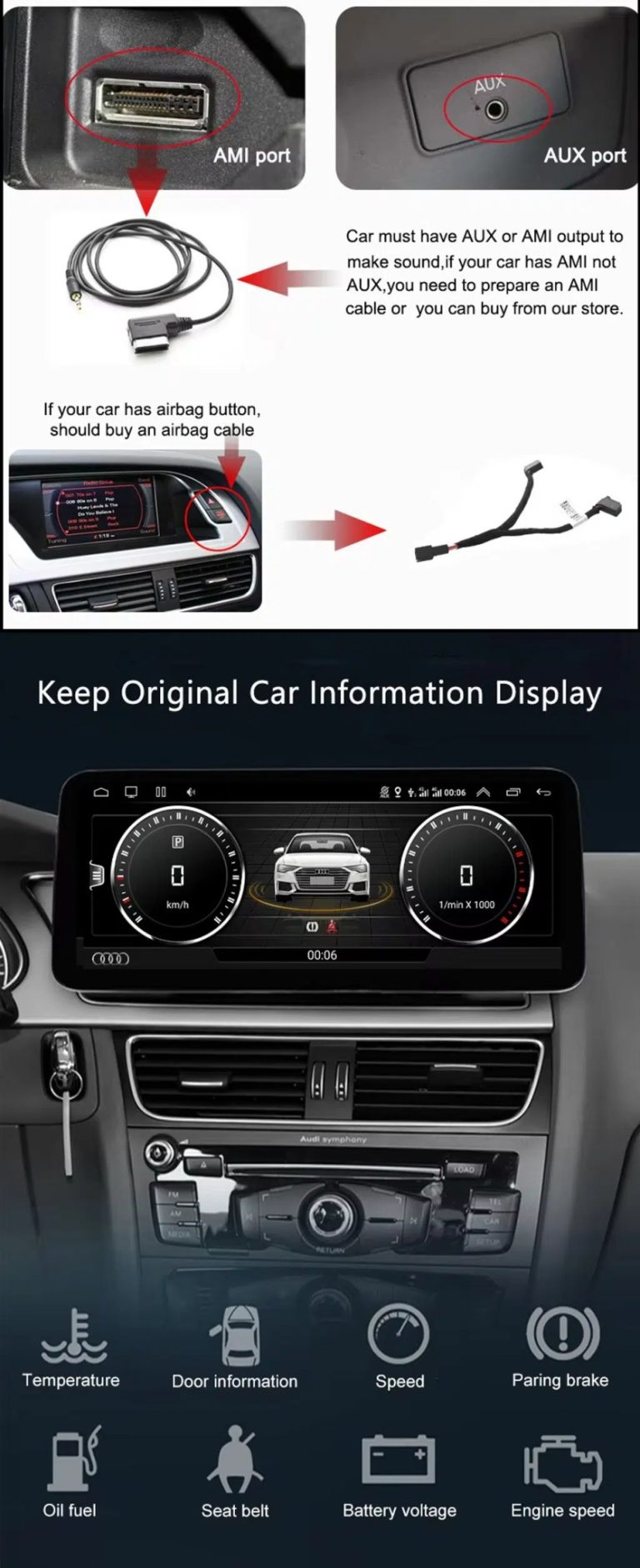
Check AUX, AMI and original vehicle information routes

Some Q7 configurations need the correct AUX, AMI or adapter route for sound and original data display. This should be checked before installation.

Audi Q7 AUX AMI cable original vehicle information display Android screen upgrade

Use original menu and CarPlay menu switching

This interface direction shows how the owner can move between the supported original Audi interface and modern CarPlay or Android Auto style display.

Audi Q7 original menu and CarPlay menu switching Android screen upgrade

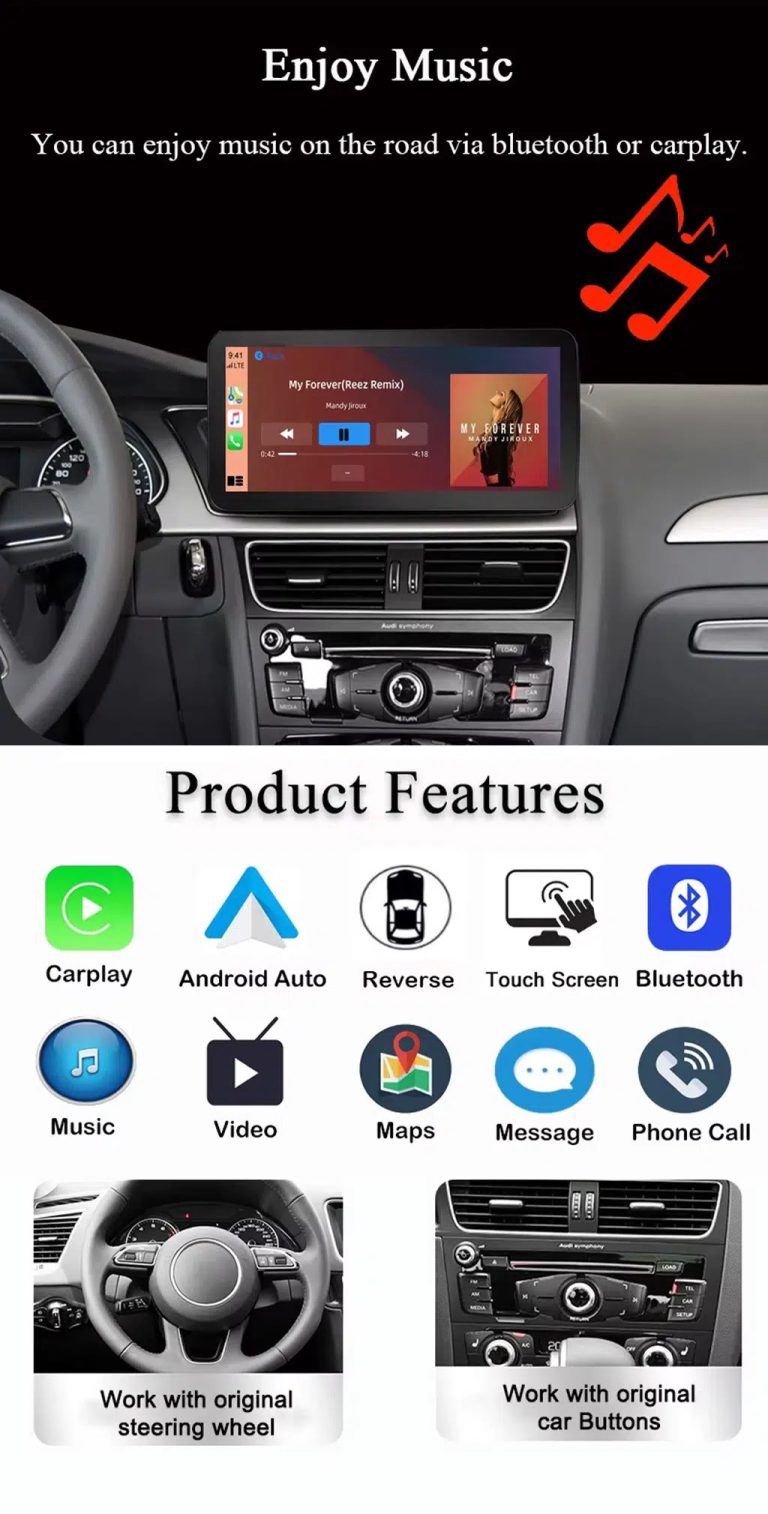
Use music, maps, calls and steering-wheel controls every day

The function overview explains the daily value of the upgrade: music, video, maps, messages, calls, touch operation and supported steering-wheel control.

Audi Q7 Android screen music Bluetooth maps CarPlay steering wheel features

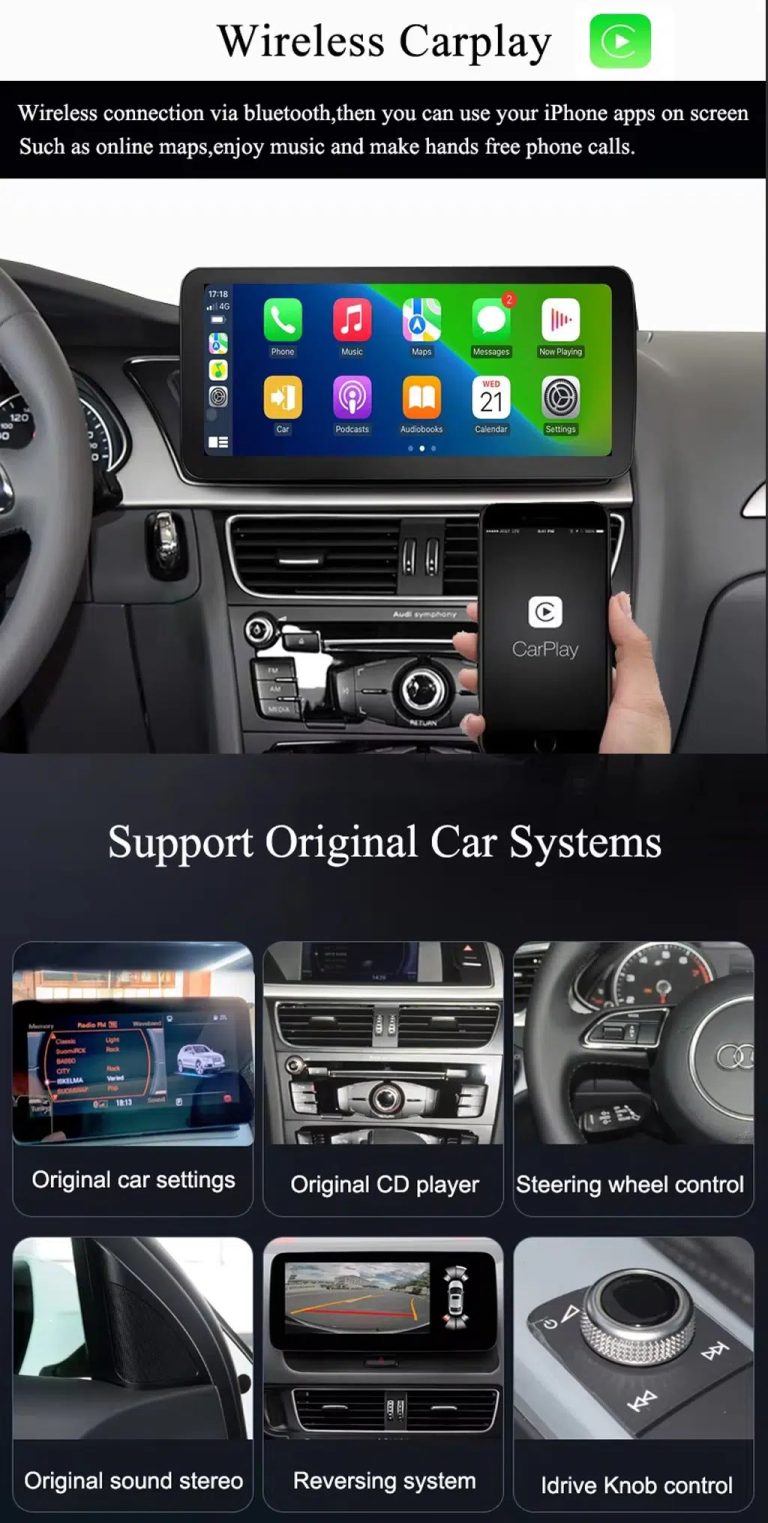
Use wireless CarPlay while keeping supported original car systems

This visual combines wireless CarPlay with original-system value, helping buyers understand that this is more than a simple screen swap.

Audi Q7 wireless CarPlay screen upgrade with original car system support

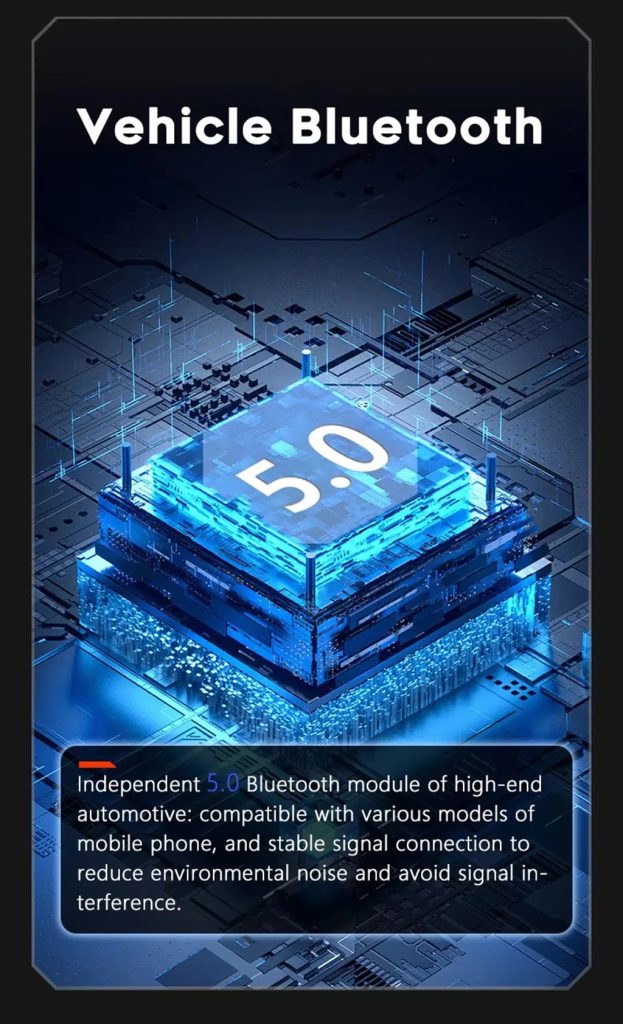
Improve Bluetooth connection on supported hardware

Bluetooth version depends on the selected hardware route, but the upgrade direction supports more practical phone and media connection than relying only on old factory behavior.

Audi Q7 Android screen Bluetooth 5 feature reference

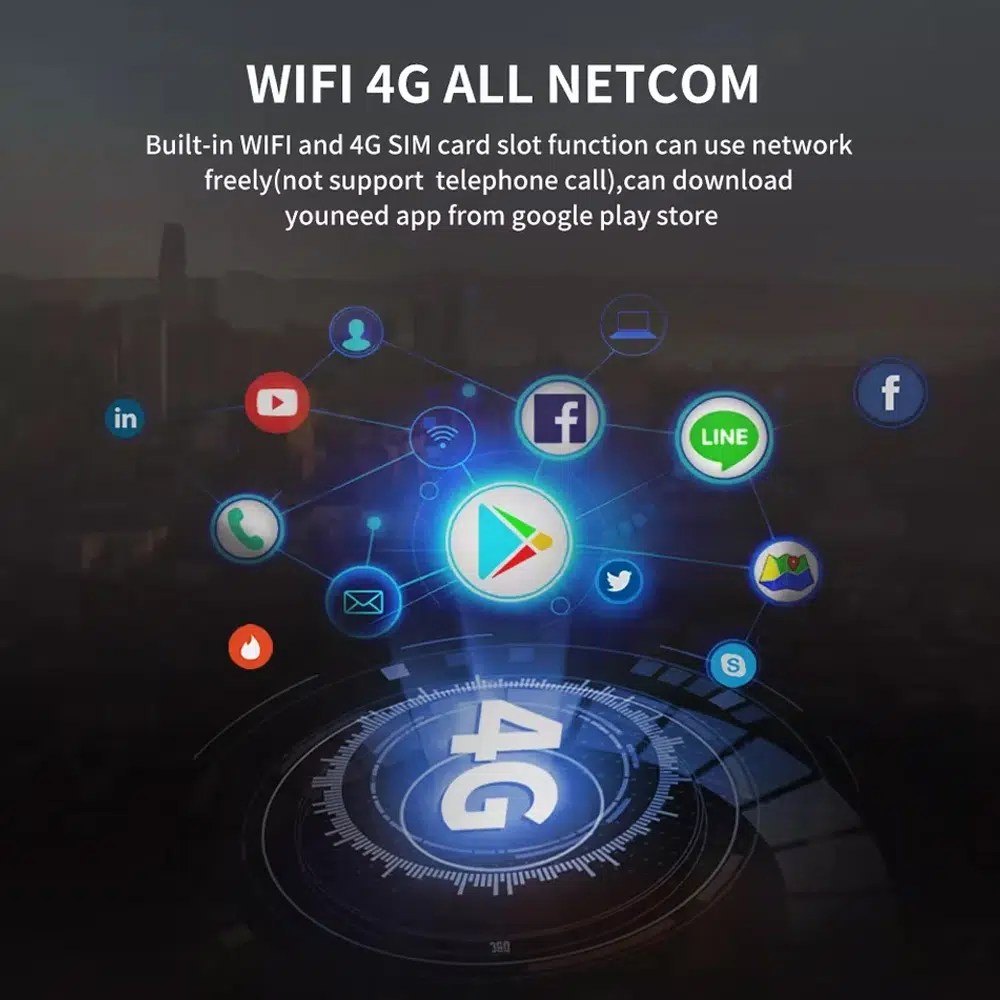
Use WiFi and 4G for apps and online navigation

WiFi and compatible 4G support online maps, app downloads and connected Android functions where local network and selected hardware allow it.

Audi Q7 Android screen WiFi 4G Google Play app connection

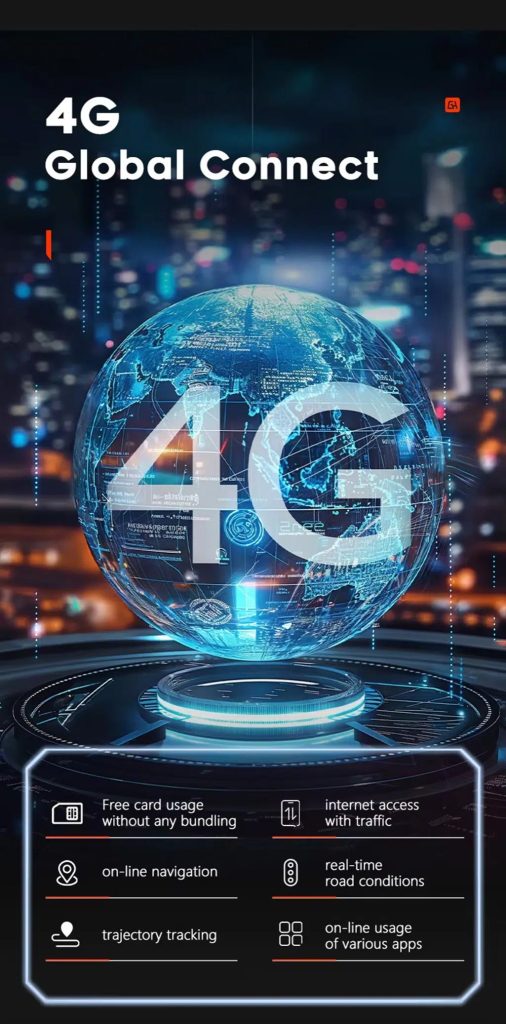
Use 4G network features where local service allows

Online navigation, traffic information and app access depend on compatible network service, SIM support and selected hardware configuration.

Audi Q7 Android screen 4G global connect online navigation apps

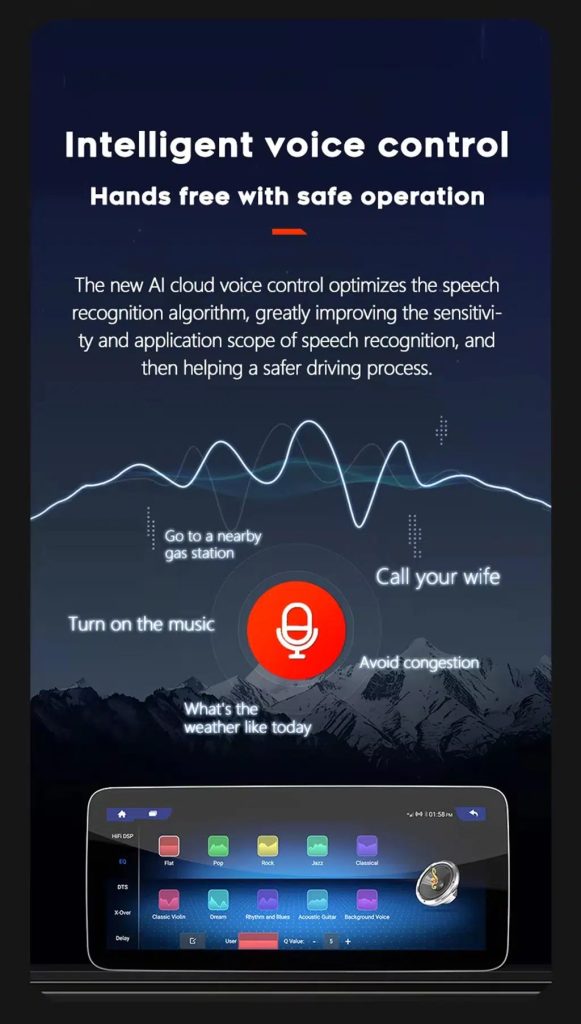
Use voice control with compatible apps

Voice control can make navigation, music and calls easier, but recognition depends on the app, microphone, language, internet connection and phone compatibility.

Audi Q7 Android screen intelligent voice control function

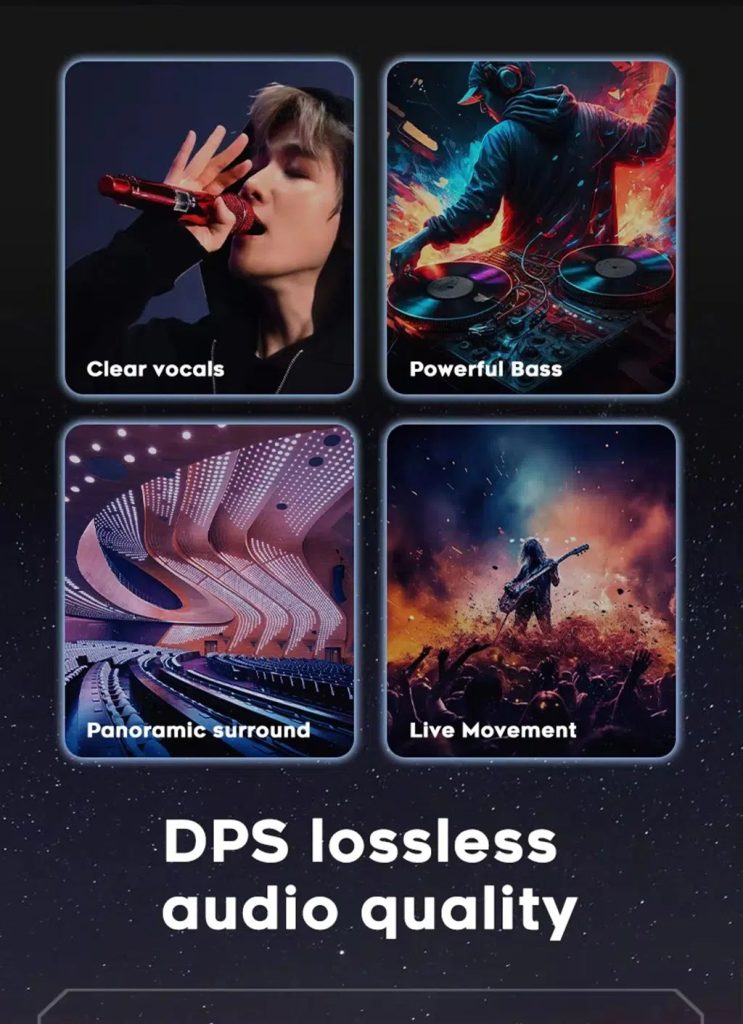
Tune the audio with DSP where supported

DSP helps tune vocals, bass, surround feeling and sound staging when the selected hardware version includes the supported DSP route.

Audi Q7 Android screen DSP audio quality feature reference

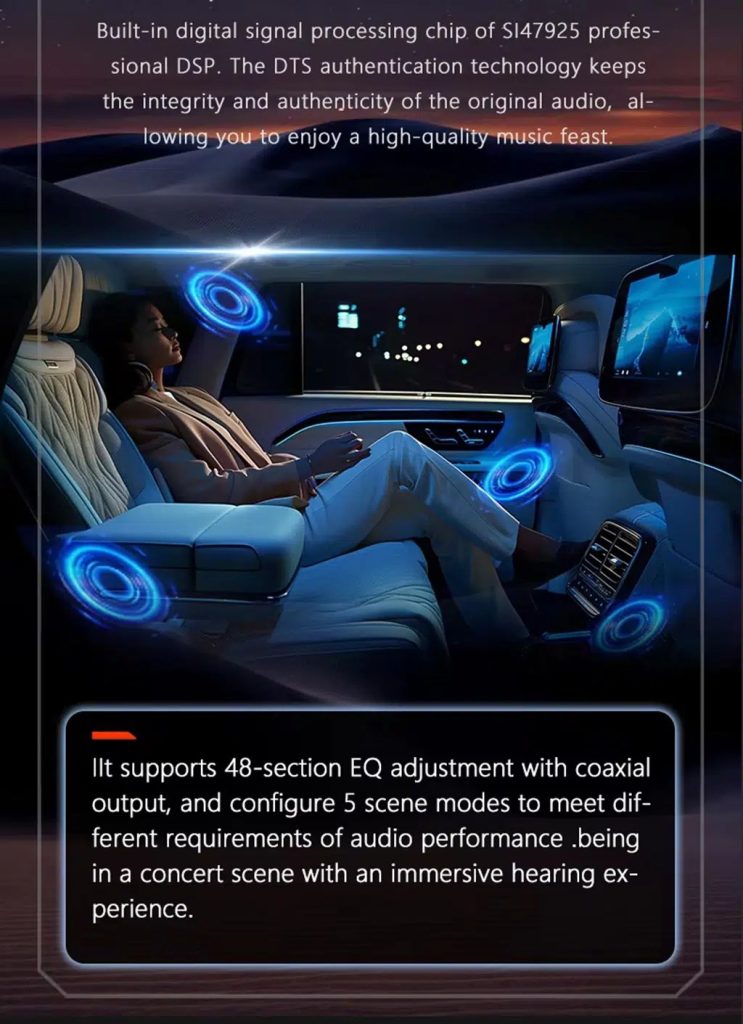
Review multimedia and DSP function direction

This additional media reference helps buyers understand the entertainment and equalizer direction before choosing the hardware version.

Audi Q7 Android screen DSP and multimedia adjustment feature reference

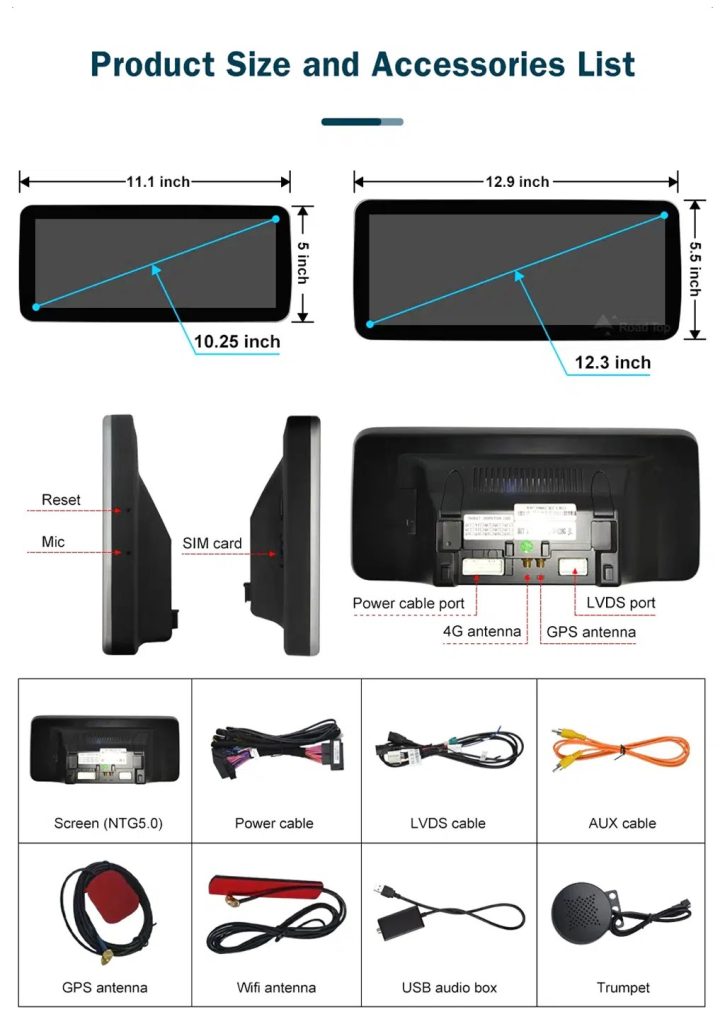
Check product size, rear ports and accessories

The accessory view helps installers understand the screen size, rear connection area, LVDS, power cable, AUX cable, GPS antenna, WiFi antenna, USB audio box and other included parts.

Audi Q7 Android screen product size rear ports and accessories list

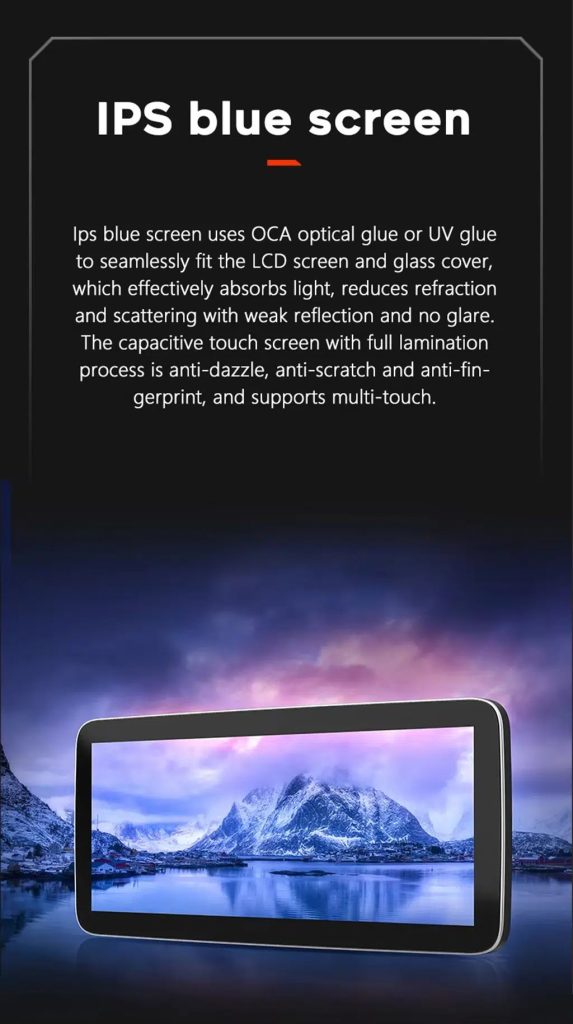
Understand the IPS blue screen display direction

The display construction direction supports a clearer and more comfortable in-car touch experience for daily map, media and menu use.

Audi Q7 Android screen IPS blue screen capacitive touch display

Review the product gallery before-and-after reference

This gallery view gives another quick reference for the original Q7 display before installation and the wider Android interface after installation.

Audi Q7 original screen before and 10.25 Android screen after installation gallery reference

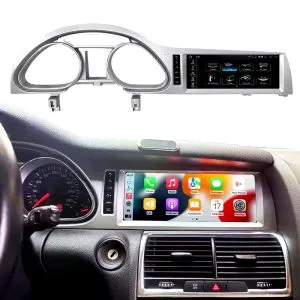
Confirm another installed dashboard angle

This gallery view shows the unit installed in the Q7 dashboard with a modern interface, helping buyers compare the final visual balance.

Audi Q7 10.25 Android screen installed dashboard gallery reference

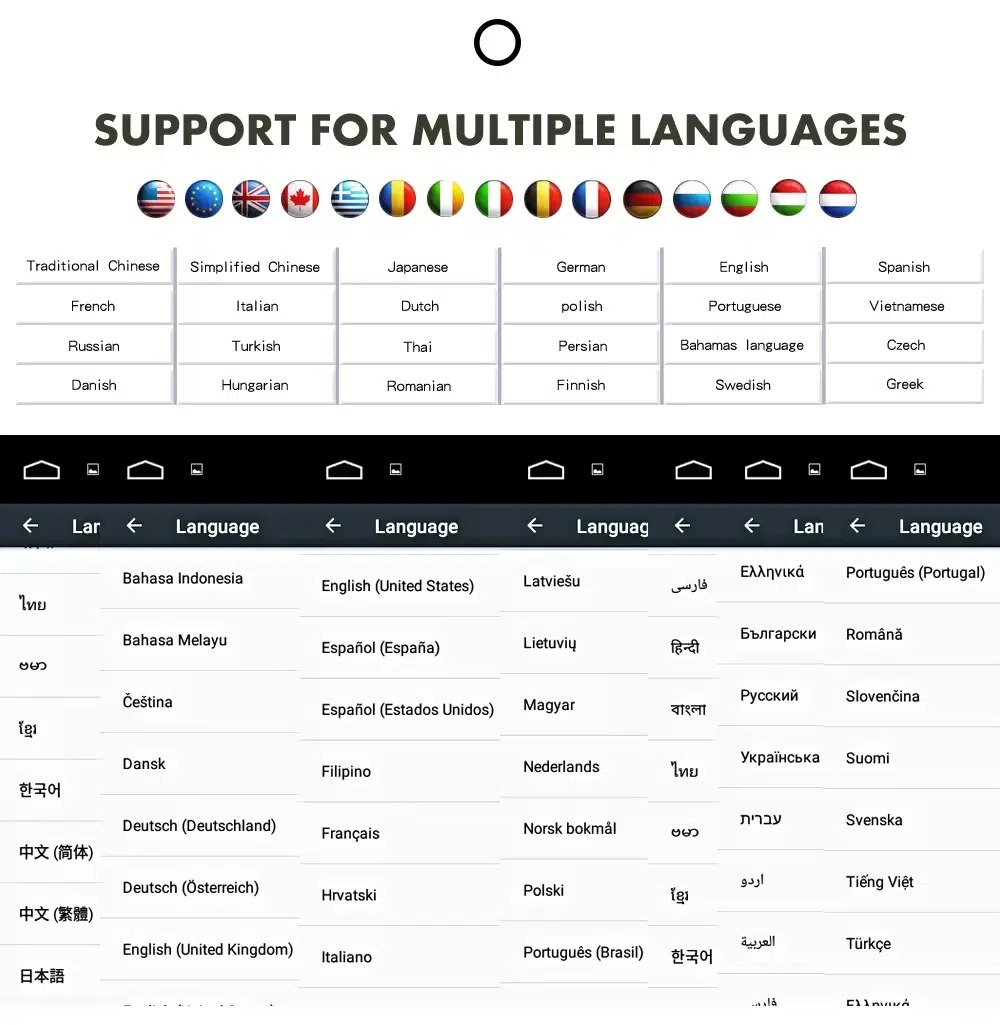
Use the Android interface in multiple languages

Multiple language support helps international owners and installers use the Android interface in a familiar language. Final availability depends on firmware and app settings.

Audi Q7 Android screen multiple language interface support

Common interface languages include English, German, French, Spanish, Italian, Portuguese, Dutch, Russian, Arabic, Japanese and Chinese, depending on firmware and app settings.

การติดตั้ง

Installation Route for the Audi Q7 10.25 Android Screen Upgrade

รีวิวรถยนต์

Submit the year, dashboard photos, steering position and original audio-system details.

Configuration Matching

iKAGOO checks the frame, harness, CAN decoder, amplifier and fiber-optic requirements.

Pre-Shipment Setup

The Android unit and matching accessories are prepared for the confirmed vehicle configuration.

การสนับสนุนการติดตั้ง

Guidance is available for wiring, configuration and supported-function testing.

Main work required

  • Confirm dashboard year route, CD panel, MMI system and steering side before shipment.
  • Check whether the car has Bose, external amplifier or MOST fiber optic.
  • Remove the original screen area and required dashboard trim carefully.
  • Connect the matched power harness, CAN decoder, LVDS/video route and audio adapter.
  • Install fiber-optic decoder when confirmed necessary.
  • Connect GPS, USB, camera, microphone and WiFi/4G accessories according to selected configuration.
  • Power on before final reassembly.
  • Test original menu switching, CarPlay, Android Auto, audio, steering-wheel controls, cameras, Bluetooth, GPS and sleep/wake behavior.

Stop installation and contact iKAGOO if this happens

  • The screen frame does not match the dashboard opening.
  • รูปร่างของตัวเชื่อมต่อหรือการจัดวางขาไม่ตรงกับชุดสายไฟที่ให้มาอย่างชัดเจน.
  • The car has Bose / MOST fiber optic but no confirmed decoder route.
  • No sound comes from the speakers after power-on testing.
  • The original MMI menu cannot be accessed after connection.
  • A fiber-optic cable is bent sharply, crushed or left disconnected.
  • ขาต่อเชื่อมงอ หลวม หรือเสียหาย.
  • A fuse blows repeatedly, or abnormal heat, smell or smoke appears.
  • การติดตั้งจะต้องตัดสายไฟหลักของโรงงาน.
แพ็กเกจ

What Is Normally Included

Android Display

Vehicle-specific display assembly with the selected Android hardware configuration.

Wiring Harness

Power, signal and integration wiring selected according to the confirmed vehicle.

CAN Decoder

Compatible decoder for supported steering controls and vehicle-information integration.

GPS Antenna

External GPS antenna for supported Android navigation functions.

USB Connections

USB extension inputs for compatible media, accessories and software updates.

Optional Adapters

Fiber-optic decoder, camera interface, AMI cable or other adapters when confirmed as necessary.

Package contents vary by selected version and confirmed vehicle configuration. The final order details should be checked before dispatch.

Shipping & Support

การจัดส่ง, การรับประกัน และการสนับสนุนหลังการขาย

การเตรียมคำสั่งซื้อ

การเตรียมคำสั่งซื้อตามปกติจะใช้เวลา 1–3 วันทำการ หลังจากที่การตรวจสอบการกำหนดค่าของยานพาหนะของคุณเสร็จสิ้นแล้ว.

Tracked global shipping

การจัดส่งระหว่างประเทศสามารถติดตามได้ ระยะเวลาการจัดส่งโดยประมาณขึ้นอยู่กับปลายทาง การตรวจปล่อยศุลกากร และวิธีการจัดส่งที่เลือกในขั้นตอนการชำระเงิน.

การรับประกันฮาร์ดแวร์ของ 12-month

ปัญหาฮาร์ดแวร์ที่มีสิทธิ์ได้รับการแก้ไขจะอยู่ภายใต้การรับประกันแบบจำกัดของ iKAGOO ความเสียหายที่เกิดจากการต่อสายไฟไม่ถูกต้อง การใช้งานผิดวิธี การรั่วซึมของน้ำ หรือการดัดแปลงโดยไม่ได้รับอนุญาต จะไม่ได้รับการคุ้มครองตามปกติ.

Vehicle-specific products require accurate vehicle information before shipment. If iKAGOO confirmed compatibility before purchase, your information was accurate, and no reasonable installation solution is available after supported troubleshooting, the current published return and refund policy applies.

นโยบายการคืนสินค้าและการคืนเงิน · นโยบายการรับประกัน · นโยบายการจัดส่ง

คำถามที่พบบ่อย

Audi Q7 10.25 Android Screen Upgrade FAQ

Is this Audi Q7 10.25 Android screen upgrade for every Q7 from 2006 to 2015?
No, not automatically. Compatibility depends on dashboard structure, CD/MMI panel, steering side, amplifier, MOST fiber optic, camera system and connector layout. Vehicle photos must be checked before shipment.
Does this product support 2005 Audi Q7?
Yes, some Q7 4L routes may match 2005–2009 vehicles, but the main product direction is 2006–2015. If your vehicle is 2005 or the market-year is unclear, send dashboard and CD/MMI panel photos before ordering.
รองรับ CarPlay และ Android Auto แบบไร้สายหรือไม่?
Yes, supported configurations provide wireless Apple CarPlay and Android Auto for compatible smartphones. Connection behavior depends on the phone, firmware and selected hardware version.
Will the original Audi MMI menu still work?
Yes, supported original Audi menu access can be retained through the matched system-switching route, but the original MMI system and connector route must be confirmed first.
Will Bose or the factory amplifier still work?
Yes, it can work when the correct audio route is prepared. Some Bose, external amplifier or MOST fiber-optic systems may require a compatible decoder.
Does every Audi Q7 need a fiber optic decoder?
No, not every vehicle needs one. The requirement depends on the original amplifier and MOST fiber-optic audio configuration, not only the model year.
Can the original rear camera be retained?
Yes, retention may be possible with the correct video interface or decoder. The original camera format must be checked before ordering.
Does it work with left-hand-drive and right-hand-drive Q7 vehicles?
Yes, compatible routes may be available for both steering positions, but the frame and button orientation must be confirmed from dashboard photographs.
การติดตั้งเป็นแบบเสียบแล้วใช้ได้เลยหรือไม่?
Yes, the matched harness is designed for clean connection, but installation is still Level 3 — Advanced DIY because Audi MMI, amplifier, MOST fiber optic, camera and CANBUS functions must be checked and tested carefully.
ฉันควรส่งอะไรไปก่อนการสั่งซื้อ?
Yes, send your vehicle year, LHD/RHD position, original dashboard photo, original screen photo, CD/MMI panel photo, amplifier details, connector photos if requested, and whether you need Bose/MOST, rear camera or 360 camera support.
Final Step

Make Your Audi Q7 4L Feel Modern Again

Choose this Audi Q7 10.25 Android screen upgrade if you want a factory-style display route, wireless CarPlay, Android Auto, GPS navigation, DSP audio and iKAGOO configuration matching for your dashboard, MMI and audio system.

Related Q7 upgrade: Audi Q7 แผงหน้าปัดดิจิทัล

รีวิว

ยังไม่มีรีวิว.

เป็นคนแรกที่รีวิว “Audi Q7 10.25 Android Screen Upgrade 2006–2015 wireless CarPlay”

Your email address will not be published. Required fields are marked

คุณต้องเข้าสู่ระบบเพื่อเพิ่มรูปภาพลงในรีวิวของคุณ.

iKAGOO การจัดส่ง, การรับประกัน, การคืนสินค้า และการสนับสนุนลูกค้า
ฝ่ายสนับสนุนลูกค้า iKAGOO

การจัดส่ง, การรับประกัน และการคืนสินค้า

ข้อมูลที่ชัดเจนเกี่ยวกับการประมวลผลคำสั่งซื้อ การจัดส่งระหว่างประเทศ ผลิตภัณฑ์เฉพาะรุ่น การรับประกัน การคืนสินค้า และการจัดส่งที่เสียหาย.

การดำเนินการสั่งซื้อ ปกติ 1–3 วันทำการ ก่อนการจัดส่ง.
การจัดส่งระหว่างประเทศ โดยปกติ 5–20 วันทำการหลังจากส่งสินค้า ขึ้นอยู่กับปลายทาง.
การรับประกันฮาร์ดแวร์ รับประกันสินค้า 12 เดือน สำหรับข้อบกพร่องจากการผลิตที่เข้าเงื่อนไข.
การสนับสนุนเฉพาะสำหรับยานพาหนะ ให้บริการช่วยเหลือเกี่ยวกับความเข้ากันได้, การต่อสายไฟ และการตั้งค่า.

คำถามที่พบบ่อย

คำตอบเหล่านี้ให้สรุปที่เป็นประโยชน์ในทางปฏิบัติ หน้าของนโยบายฉบับสมบูรณ์ที่เชื่อมโยงไว้ด้านล่าง ใช้กับทุกคำสั่งซื้อ.

01

คำสั่งซื้อถูกจัดส่งจากที่ไหน และใช้เวลาในการจัดส่งนานเท่าใด?

คำสั่งซื้อส่วนใหญ่ของ iKAGOO จะถูกจัดส่งจากสถานที่จัดจำหน่ายของเราในประเทศจีน หลังจากที่การกำหนดค่าผลิตภัณฑ์และข้อมูลยานพาหนะได้รับการตรวจสอบแล้ว การดำเนินการตามคำสั่งซื้อปกติใช้เวลาประมาณ 1–3 วันทำการ.

เวลาที่คาดว่าจะจัดส่งหลังจากส่งสินค้าคือ:

  • สหรัฐอเมริกาและแคนาดา: ประมาณ 5–9 วันทำการ
  • สหภาพยุโรป: ประมาณ 7–15 วันทำการ
  • สหราชอาณาจักรและออสเตรเลีย: ประมาณ 7–10 วันทำการ
  • ภูมิภาคอื่นที่รองรับ: ประมาณ 7–20 วันทำการ

การประมาณการส่งมอบอาจได้รับผลกระทบจากการผ่านศุลกากร, วันหยุดท้องถิ่น, การส่งมอบในพื้นที่ห่างไกล, สภาพอากาศ หรือการล่าช้าของผู้ขนส่ง.

02

ฉันจะต้องจ่ายภาษีนำเข้า, ภาษีมูลค่าเพิ่ม หรือค่าธรรมเนียมศุลกากรหรือไม่?

การจัดส่งระหว่างประเทศมาตรฐานโดยปกติไม่รวมภาษีมูลค่าเพิ่มของประเทศปลายทาง ภาษีนำเข้า ค่าธรรมเนียมนายหน้า หรือค่าธรรมเนียมการผ่านศุลกากร.

สำหรับจุดหมายปลายทางในสหภาพยุโรปที่มีสิทธิ์, ตัวเลือก บริการจัดส่งแบบ DDP อาจมีให้บริการ. ค่าธรรมเนียมที่เกี่ยวข้องกับการนำเข้า จะรวมอยู่เฉพาะเมื่อเลือก DDP ที่หน้าชำระเงินหรือยืนยันโดย iKAGOO เป็นลายลักษณ์อักษรก่อนการจัดส่ง.

เมื่อไม่เลือก DDP ผู้รับจะต้องรับผิดชอบค่าใช้จ่ายใด ๆ ที่ถูกเรียกเก็บโดยศุลกากรท้องถิ่นหรือผู้ให้บริการจัดส่ง.

03

ฉันสามารถขอการจัดส่งแบบด่วนได้ไหม?

การจัดส่งด่วนหรือการจัดส่งแบบเร่งด่วนอาจมีให้บริการสำหรับสินค้าที่เลือกและ จุดหมายปลายทางบางแห่ง ความพร้อมให้บริการ, ผู้ให้บริการขนส่ง และค่าใช้จ่ายเพิ่มเติมจะได้รับการยืนยันก่อน การจัดส่ง.

ขึ้นอยู่กับจุดหมายปลายทางและประเภทของสินค้า iKAGOO อาจใช้บริการขนส่งเช่น DHL, FedEx, UPS, EMS, 4PX หรือผู้ให้บริการขนส่งที่สามารถติดตามได้อื่น ๆ.

04

ฉันจะติดตามการจัดส่งของฉันได้อย่างไร?

หลังจากคำสั่งซื้อได้ถูกจัดส่งแล้ว หมายเลขติดตามหรือลิงก์ติดตาม จะถูกส่งไปยังที่อยู่อีเมลที่ใช้ในการสั่งซื้อโดยปกติ.

การติดตามการอัปเดตอาจใช้เวลาหลายวันทำการในการปรากฏขึ้นขณะที่พัสดุ กำลังถูกโอนย้ายระหว่างผู้ให้บริการขนส่งระหว่างประเทศและผู้ให้บริการขนส่งภายในประเทศ.

05

นโยบายการคืนสินค้าและการคืนเงินของ iKAGOO คืออะไร?

สิทธิ์ในการคืนสินค้าขึ้นอยู่กับเหตุผลในการคืนสินค้า, สภาพของสินค้า, สถานะการติดตั้ง, หลักฐานที่จัดเตรียมไว้ และว่าการคืนสินค้าได้รับการอนุมัติ จาก iKAGOO หรือไม่.

สำหรับการคืนสินค้าที่ไม่มีข้อบกพร่อง สินค้าจะต้องอยู่ในสภาพปกติ ไม่เคยใช้งาน ไม่เคยติดตั้ง ครบถ้วนสมบูรณ์ และเหมาะสมสำหรับการจำหน่ายต่อ โดยทั่วไปลูกค้าจะต้องรับผิดชอบ ค่าจัดส่งคืนที่ได้รับการอนุมัติ.

ค่าขนส่งเดิม, ค่าบริการ DDP, ภาษีมูลค่าเพิ่ม, ภาษีศุลกากร และค่าใช้จ่ายด้านลอจิสติกส์อื่น ๆ โดยทั่วไปไม่สามารถขอคืนได้ เว้นแต่กฎหมายที่เกี่ยวข้องกำหนดไว้หรือได้รับการยืนยัน เป็นอย่างอื่นโดย iKAGOO.

ห้ามส่งสินค้าคืนโดยไม่ได้มีที่อยู่สำหรับคืนสินค้าที่ได้รับการอนุมัติ และคำแนะนำในการคืนสินค้าจาก iKAGOO.

06

หาก iKAGOO ยืนยันความเข้ากันได้แต่ไม่สามารถติดตั้งผลิตภัณฑ์ได้ จะเกิดอะไรขึ้น?

การคุ้มครองเพิ่มเติมอาจใช้บังคับได้เมื่อ iKAGOO ยืนยันความเข้ากันได้ก่อนการซื้อ ลูกค้าให้ข้อมูลรถยนต์ที่ถูกต้อง และลูกค้า ร่วมมือกับขั้นตอนการติดตั้งและการวินิจฉัยที่สมเหตุสมผล.

หาก iKAGOO ยืนยันว่าไม่มีทางแก้ไขทางเทคนิคที่เหมาะสม และ ปัญหาได้รับการรายงานภายใน 7 วันปฏิทินนับจากวันที่ส่งมอบ, , ลูกค้าอาจมีสิทธิ์ได้รับเงินคืนสำหรับราคาสินค้าโดยไม่ต้อง ส่งคืนสินค้า.

การจัดส่งต้นทาง, DDP, ภาษีมูลค่าเพิ่ม, ภาษีศุลกากร และค่าใช้จ่ายของบุคคลที่สามอื่น ๆ ไม่รวมอยู่ในเงินคืนราคาสินค้านี้.

07

iKAGOO มีการรับประกันอะไรบ้าง?

ผลิตภัณฑ์ iKAGOO ที่มีสิทธิ์ได้แก่ รับประกันฮาร์ดแวร์แบบจำกัด 12 เดือน ครอบคลุมข้อบกพร่องที่ผ่านการตรวจสอบแล้ว และปัญหาฮาร์ดแวร์ที่เข้าเงื่อนไขภายใต้การใช้งานตามปกติ.

ขึ้นอยู่กับปัญหา, การแก้ไขอาจรวมถึงการวินิจฉัยระยะไกล, การช่วยเหลือการตั้งค่า, ชิ้นส่วนทดแทน, การซ่อมแซม, การเปลี่ยนสินค้า, การคืนเงินบางส่วน หรือ การคืนเงินเต็มจำนวน.

การรับประกันนี้ไม่ครอบคลุมความเสียหายที่เกิดจากการเดินสายไฟไม่ถูกต้อง, การดัดแปลงโดยไม่ได้รับอนุญาต, ความเสียหายที่เกิดโดยอุบัติเหตุ, การรั่วซึมของน้ำ, การกระแทก, การใช้ผิดวิธี, แรงดันไฟฟ้าไม่เหมาะสม, ข้อผิดพลาดในการติดตั้ง หรืออุปกรณ์ของบุคคลที่สามที่ไม่รองรับ.

08

การเปิดผลิตภัณฑ์จะยกเลิกการรับประกันโดยอัตโนมัติหรือไม่?

การตรวจสอบหรือการตรวจสอบโดยบุคคลที่สามจะไม่ยกเลิกการรับประกันทั้งหมดโดยอัตโนมัติ อย่างไรก็ตาม ความเสียหายที่เกิดจากการซ่อมแซมโดยไม่ได้รับอนุญาต การเปลี่ยนชิ้นส่วน การดัดแปลงที่ไม่ถูกต้อง วงจรที่ชำรุด หรือการประกอบกลับที่ไม่ถูกต้องจะไม่ได้รับการคุ้มครอง.

ติดต่อ iKAGOO ก่อนถอดหรือซ่อมแซมผลิตภัณฑ์ เพื่อให้สามารถให้ขั้นตอนการวินิจฉัยที่ถูกต้องได้.

09

หากคำสั่งซื้อของฉันมาถึงในสภาพเสียหายหรือมีชิ้นส่วนที่ขาดหายไป?

ติดต่อ iKAGOO ภายใน 7 วันปฏิทินนับจากวันที่ส่งมอบ และเก็บรักษา บรรจุภัณฑ์เดิม, ฉลากการจัดส่ง, อุปกรณ์เสริม และผลิตภัณฑ์.

กรุณาให้ภาพถ่ายหรือวิดีโอที่ชัดเจนแสดง:

  • กล่องบรรจุภัณฑ์ภายนอกและฉลากการจัดส่ง
  • บรรจุภัณฑ์ที่เสียหายที่มองเห็นได้
  • สินค้าและพื้นที่ที่ได้รับผลกระทบ
  • อุปกรณ์เสริมและสายไฟที่ได้รับทั้งหมด

หลังจากการตรวจสอบแล้ว iKAGOO อาจจัดส่งชิ้นส่วนที่ขาด, เปลี่ยน, ซ่อม, คืนเงิน หรือหาทางแก้ไขที่เหมาะสมอื่น ๆ ตามกรณีเฉพาะ.

10

หากฉันสั่งซื้อสินค้าผิด ฉันควรทำอย่างไร?

ติดต่อ iKAGOO ก่อนติดตั้งหรือใช้งานผลิตภัณฑ์ การเปลี่ยนหรือคืนสินค้าอาจ ได้รับการอนุมัติเมื่อสินค้ายังคงไม่ถูกใช้งาน ไม่ถูกติดตั้ง ครบถ้วนสมบูรณ์ และเหมาะสม สำหรับการขายต่อ.

ลูกค้าเป็นผู้รับผิดชอบค่าขนส่งและส่วนต่างของราคา ในกรณีที่เลือกสินค้า รุ่นรถ ปี หรือสเปกโรงงานไม่ถูกต้อง.

ไม่มีป้ายส่งคืนแบบชำระเงินล่วงหน้าให้โดยอัตโนมัติ.

11

ฉันสามารถแก้ไขหรือยกเลิกคำสั่งซื้อของฉันได้หรือไม่หลังจากชำระเงินแล้ว?

ติดต่อ iKAGOO โดยเร็วที่สุดเท่าที่เป็นไปได้, ควรภายใน 12 ชั่วโมงหลังจากสั่งซื้อ, เมื่อขอที่อยู่, การกำหนดค่าของยานพาหนะหรือการเปลี่ยนแปลงผลิตภัณฑ์.

การแก้ไขหรือการยกเลิกจะมีผลเมื่อได้รับการยืนยันจาก iKAGOO เท่านั้น ผลิตภัณฑ์เฉพาะสำหรับยานพาหนะอาจเข้าสู่กระบวนการจัดซื้อ, การโปรแกรม, การทดสอบ, การกำหนดค่า หรือการเตรียมการตามความต้องการได้ไม่นานหลังจากการชำระเงิน.

เมื่อการเตรียมการหรือการจัดส่งได้เริ่มต้นขึ้นแล้ว อาจไม่สามารถยกเลิกได้ หรืออาจมีการหักค่าใช้จ่ายที่เกิดขึ้นอย่างสมเหตุสมผล.

12

ในแพ็กเกจมีอะไรบ้าง?

เนื้อหาของแพ็กเกจอาจแตกต่างกันตามสินค้า, รุ่นรถยนต์, ระบบโรงงาน และตัวเลือกการกำหนดค่าที่เลือกไว้.

ขึ้นอยู่กับผลิตภัณฑ์ บรรจุภัณฑ์อาจประกอบด้วยอุปกรณ์หลัก สายไฟเฉพาะรถยนต์ อินเทอร์เฟซ CANBUS อะแดปเตอร์ สาย USB เสาอากาศ ไมโครโฟน อุปกรณ์ติดตั้ง และอุปกรณ์เสริมสำหรับการติดตั้งอื่นๆ.

โปรดดูที่หน้าผลิตภัณฑ์ที่เกี่ยวข้อง รูปภาพบรรจุภัณฑ์ และใบยืนยันการสั่งซื้อสำหรับ ส่วนประกอบที่รวมอยู่ทั้งหมดอย่างถูกต้อง.

13

ฉันจะติดต่อฝ่ายสนับสนุนของ iKAGOO ได้อย่างไร?

คุณสามารถติดต่อ iKAGOO ได้ผ่านแบบฟอร์มติดต่อ, อีเมล, WhatsApp หรือช่องทางสนับสนุนบนเว็บไซต์ที่มีให้บริการ เวลาตอบกลับโดยทั่วไปคือภายใน 24 ชั่วโมงทำการ.

เพื่อรับการสนับสนุนทางเทคนิคที่รวดเร็วขึ้น โปรดระบุหมายเลขคำสั่งซื้อ รุ่นรถ และปีของรถ รูปภาพระบบจากโรงงาน รูปภาพผลิตภัณฑ์ และวิดีโอที่ชัดเจนแสดงปัญหา.

เยี่ยมชม: iKAGOO ติดต่อและสนับสนุน

14

การชำระเงินปลอดภัยหรือไม่ และมีตัวเลือกการผ่อนชำระหรือไม่

การชำระเงินดำเนินการผ่านวิธีการชำระเงินที่ปลอดภัยซึ่งแสดงในระหว่าง การชำระเงิน ตัวเลือกบัตร กระเป๋าเงิน และการผ่อนชำระอาจแตกต่างกันไปตามประเทศ สกุลเงิน ผู้ให้บริการชำระเงิน และคุณสมบัติของลูกค้า.

บริการผ่อนชำระใด ๆ รวมถึงตัวเลือกที่เสนอโดย PayPal หรือผู้ให้บริการรายอื่น อยู่ภายใต้ความพร้อมให้บริการในภูมิภาคและกฎการอนุมัติของผู้ให้บริการนั้น.

อ่านนโยบาย iKAGOO อย่างละเอียด

กรุณาตรวจสอบหน้าข้อกำหนดนโยบายฉบับเต็มก่อนทำการสั่งซื้อ โดยเฉพาะสำหรับ ผลิตภัณฑ์ที่เฉพาะเจาะจงกับยานพาหนะ การจัดการภาษีระหว่างประเทศ และการคืนสินค้าที่เกี่ยวข้องกับการติดตั้ง.

คำถามที่พบบ่อยนี้เป็นคู่มือสำหรับลูกค้าที่สรุปไว้อย่างง่าย หน้าข้อกำหนดฉบับสมบูรณ์ที่เผยแพร่แล้ว ใบยืนยันการสั่งซื้อ และกฎหมายคุ้มครองผู้บริโภคที่เกี่ยวข้องจะมีผลเหนือกว่าหากมีข้อความใดแตกต่างกัน.

อัปเกรดหน้าจอ Android ขนาด 10.25 นิ้ว สำหรับ Audi Q7 ปี 2006–2015 พร้อมระบบ CarPlay แบบไร้สาย Audi Q7 10.25 Android Screen U...
จาก: $325.00

เลือกรูปแบบ

© 2026 บริษัท เซินเจิ้น โอ๊ค เบย์ อิเล็กทรอนิกส์ เทคโนโลยี จำกัด สงวนลิขสิทธิ์ทั้งหมด.

เราใช้การชำระเงินที่ปลอดภัยสำหรับ

```html ติดต่อ iKAGOO ผ่านทาง WhatsApp ```