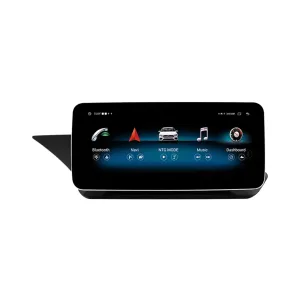
Mercedes W212 Android จอเครื่องเสียงพร้อมผลลัพธ์ห้องโดยสารสไตล์ OEM ที่ดูเรียบร้อยกว่า
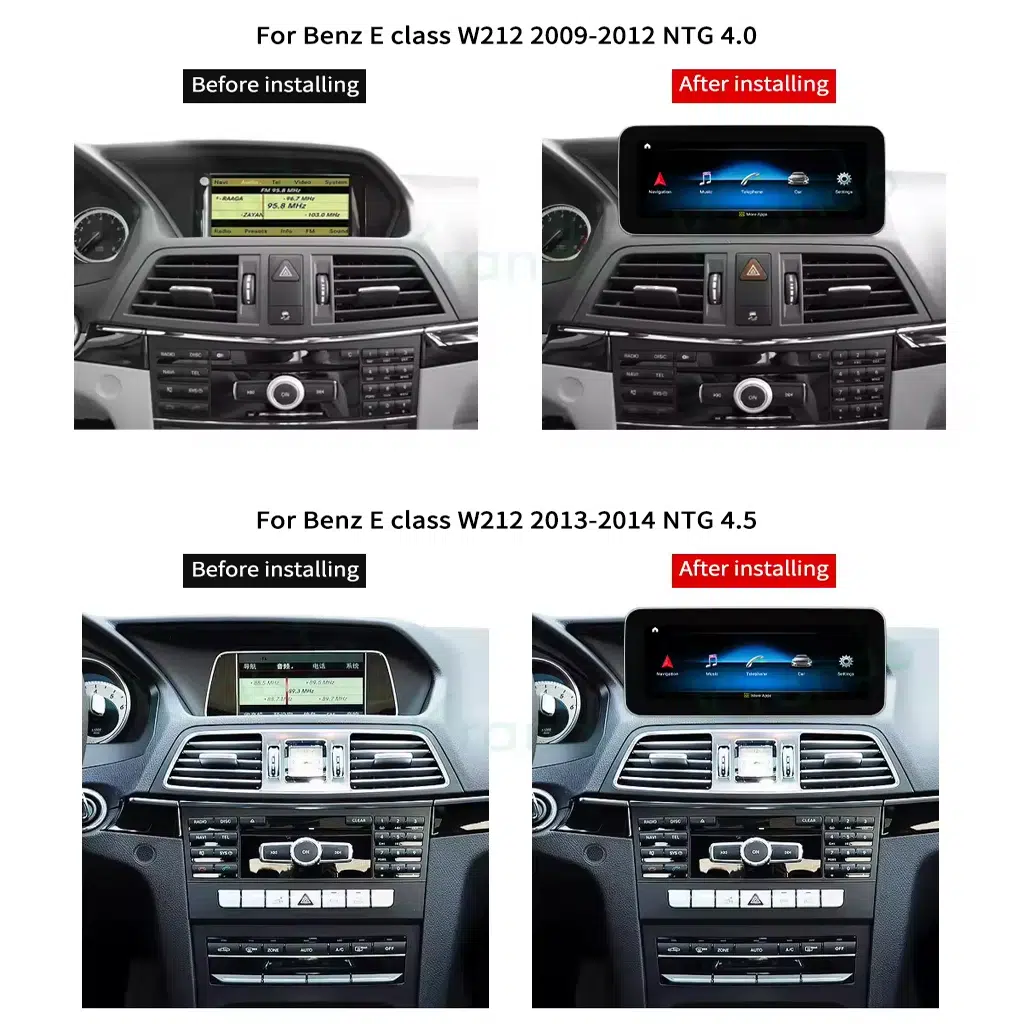
Mercedes W212 Android จอเครื่องเสียงนี้ช่วยอัปเกรดหน้าจอกลางของ E-Class รุ่นเก่าให้เป็นหน้าจอ Android ที่ใหญ่ขึ้น ขณะที่ยังคงรูปแบบแผงหน้าปัดที่คุ้นเคย ออกแบบมาสำหรับรุ่น W212 ปี 2009–2016 พร้อมตัวเลือกระบบ NTG 4.0 หรือ NTG 4.5 ดังนั้นขั้นตอนการสั่งซื้อที่ถูกต้องจะเริ่มจากปีรถ ระบบเดิม และรูปถ่ายแผงหน้าปัดของคุณ การอัปเกรดนี้มอบระบบนำทางที่ทันสมัย CarPlay ไร้สาย Android Auto ตัวเลือกเสียงแบบ DSP และประสบการณ์การมองภาพขณะถอยหลังที่ชัดเจนยิ่งขึ้นให้กับการขับขี่ประจำวันของคุณ โดยไม่ทำให้ห้องโดยสารดูเหมือนของแต่งตลาดทั่วไป.
อัปเกรดห้องโดยสาร W212 โดยไม่สูญเสียความรู้สึกขับขี่สไตล์เมอร์เซเดส
นี่ไม่ใช่แท็บเล็ตอเนกประสงค์ที่หลวมๆ iKAGOO จัดเตรียมขนาดหน้าจอ เส้นทางระบบ ชุดสายไฟ และอินเทอร์เฟซยานพาหนะที่ถูกต้องตามปี W212 เวอร์ชัน NTG รูปแบบแดชบอร์ด และข้อมูลขั้วต่อของคุณ.
ตอบข้อกังวลของผู้ซื้อครั้งแรก
ทำความเข้าใจโครงสร้างผลิตภัณฑ์ให้ชัดเจนก่อนเลือกเวอร์ชัน
มุมมองผลิตภัณฑ์ต่อไปนี้ช่วยให้คุณเข้าใจการออกแบบหน้าจอ เส้นทางการติดตั้งบนแดชบอร์ด การเลือกระบบ และการเตรียมอุปกรณ์เสริมก่อนสั่งซื้อ.
อัปเกรดจอแสดงผลขนาดใหญ่เพื่อห้องโดยสาร W212 ที่ทันสมัยยิ่งขึ้น
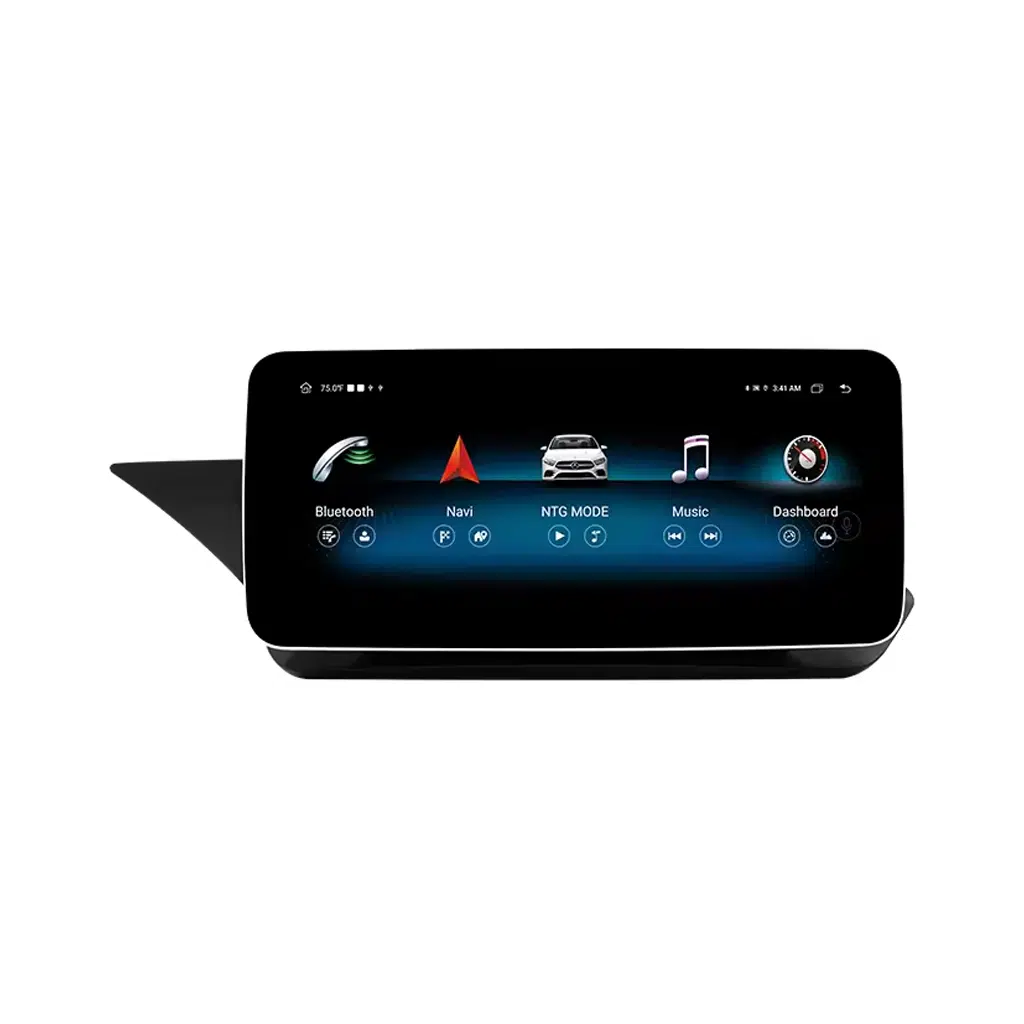
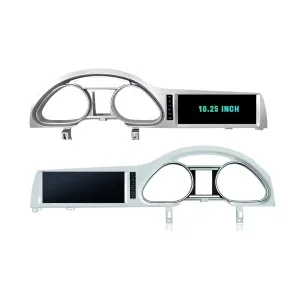
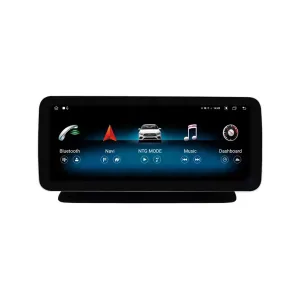
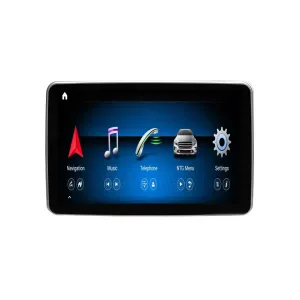
จอแสดงผลด้านหน้าช่วยให้ห้องโดยสาร W212 รุ่นเก่ามีอินเทอร์เฟซการขับขี่ที่สะอาดและทันสมัยยิ่งขึ้น การนำทาง เพลง และการโทรอ่านง่ายขึ้นในพริบตา โดยเฉพาะเมื่อคุณเลือกหน้าจอขนาด 12.3 นิ้ว รูปทรงได้รับการออกแบบสำหรับเส้นทางแดชบอร์ดของ E-Class แทนที่จะดูเหมือนแท็บเล็ตที่วางหลวมๆ.
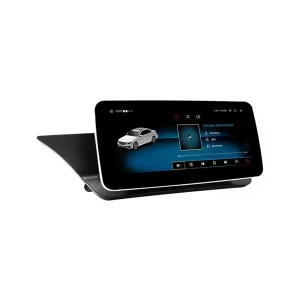
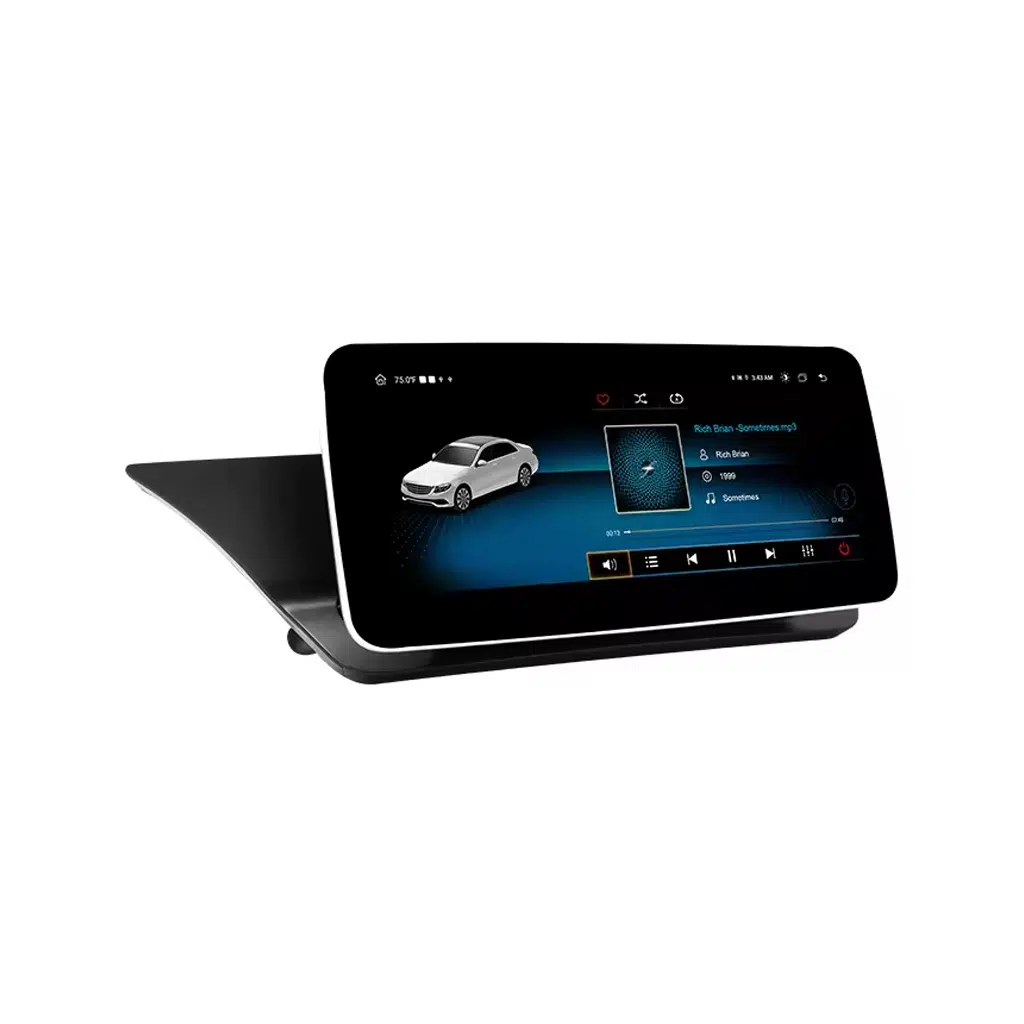
มุมมองหน้าจอแบบเอียงเพื่อตรวจสอบสัดส่วนแดชบอร์ด
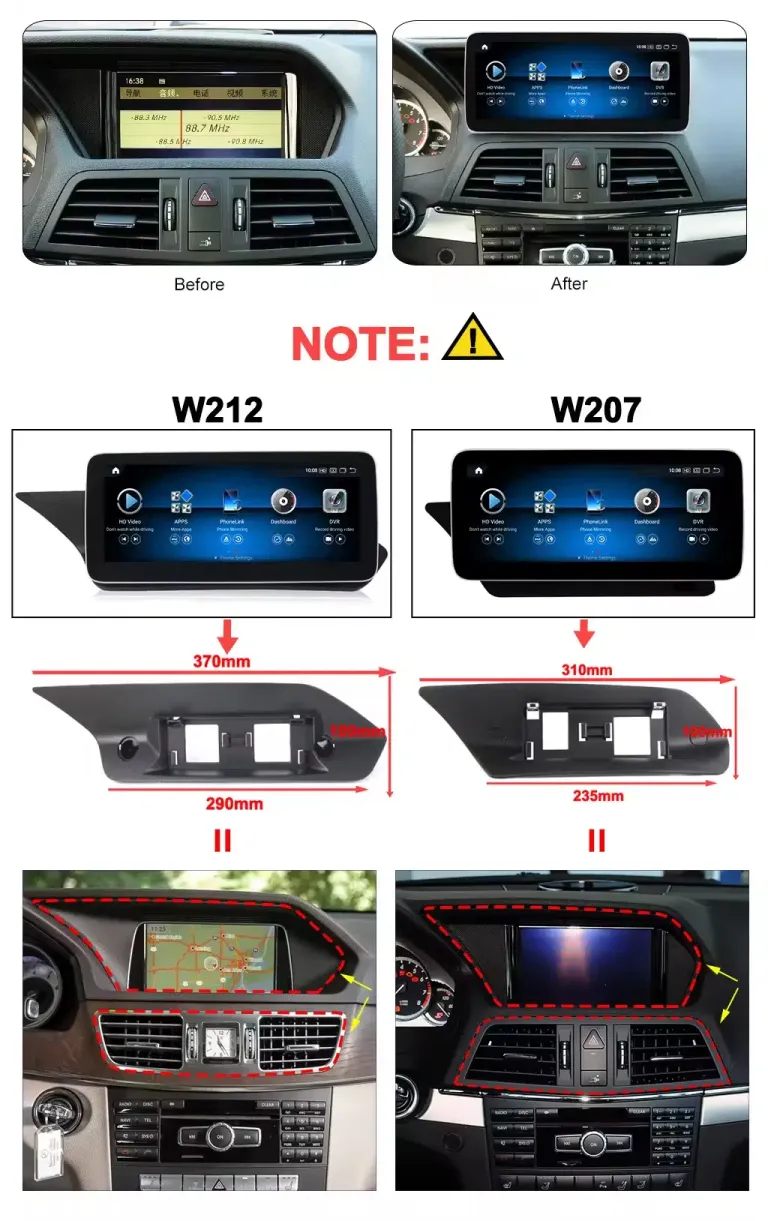
มุมมองแบบเอียงช่วยให้คุณตัดสินใจได้ว่าหน้าจอ Android จะวางตัวในบริเวณแดชบอร์ดอย่างไร ซึ่งสำคัญเพราะผู้ซื้อ W212 มักต้องการหน้าจอที่ทันสมัยโดยไม่ดูเหมือนเป็นอุปกรณ์เสริมราคาถูก iKAGOO ใช้รูปถ่ายรถของคุณเพื่อลดความเสี่ยงในการได้รับเวอร์ชันผิดก่อนจัดส่ง.
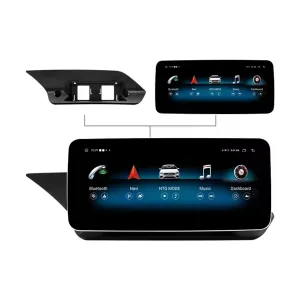
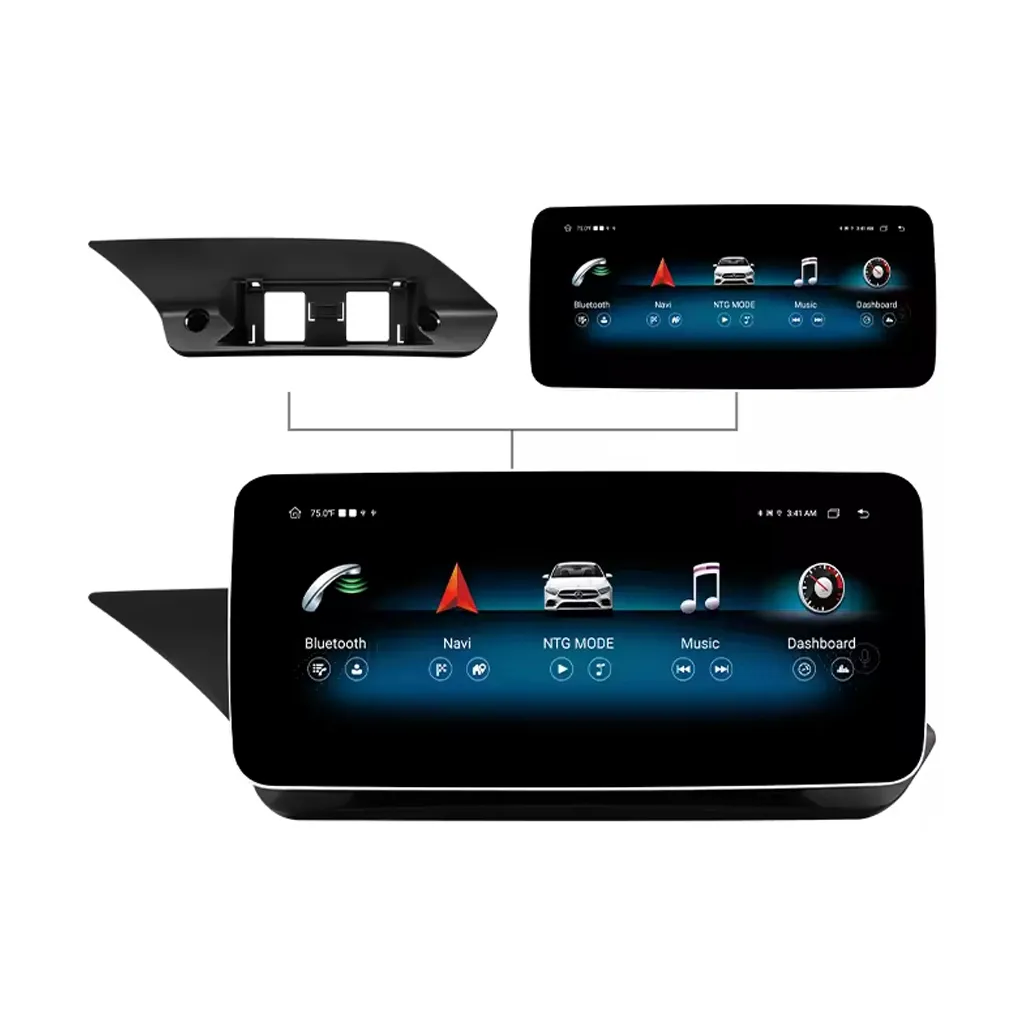
โครงสร้างด้านหน้าและด้านหลังเพื่อวางแผนการติดตั้งที่เรียบร้อยยิ่งขึ้น
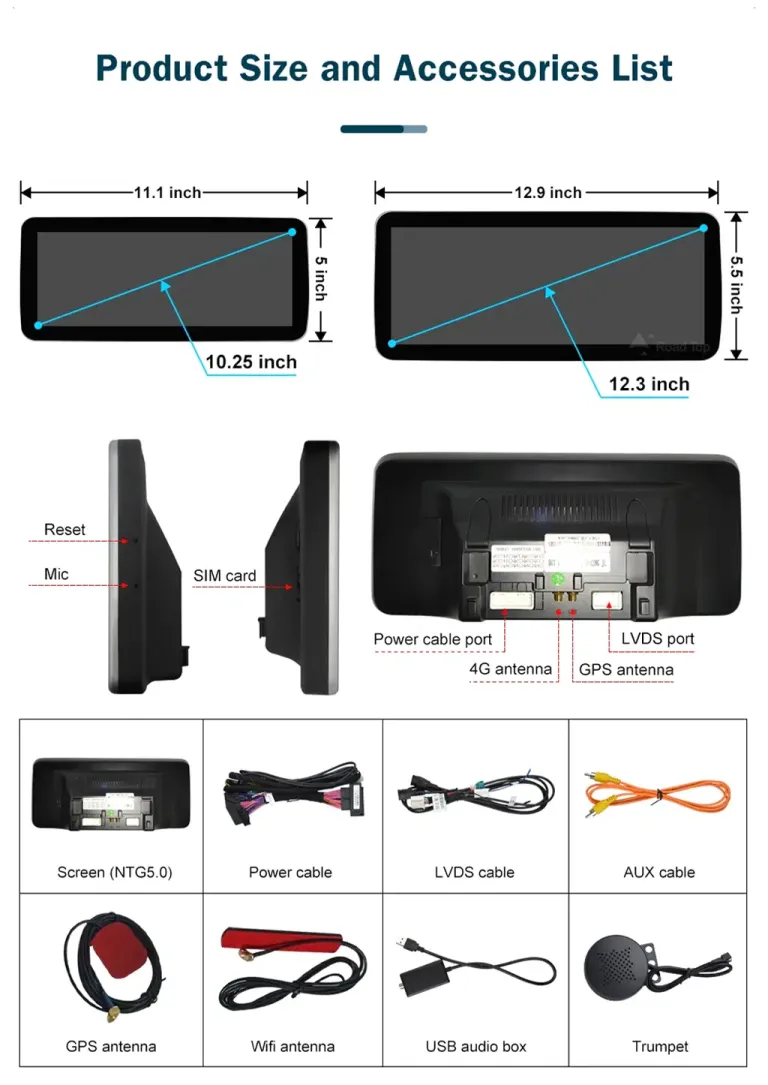
ด้านหลังสำคัญเพราะการเดินสายไฟ การเชื่อมต่อ LVDS การเชื่อมต่อสายไฟ และการวางเสาอากาศเป็นตัวกำหนดว่าการอัปเกรดจะทำงานได้อย่างเรียบร้อยหรือไม่ เวอร์ชันที่ถูกต้องช่วยให้ช่างติดตั้งไม่ต้องเดาใต้แดชบอร์ด นี่คือเหตุผลที่ iKAGOO ขอข้อมูลรถและขั้วต่อเมื่อจำเป็น.
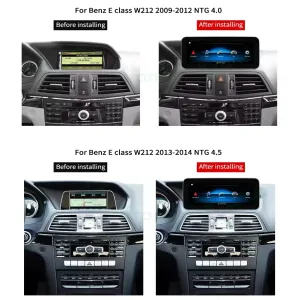
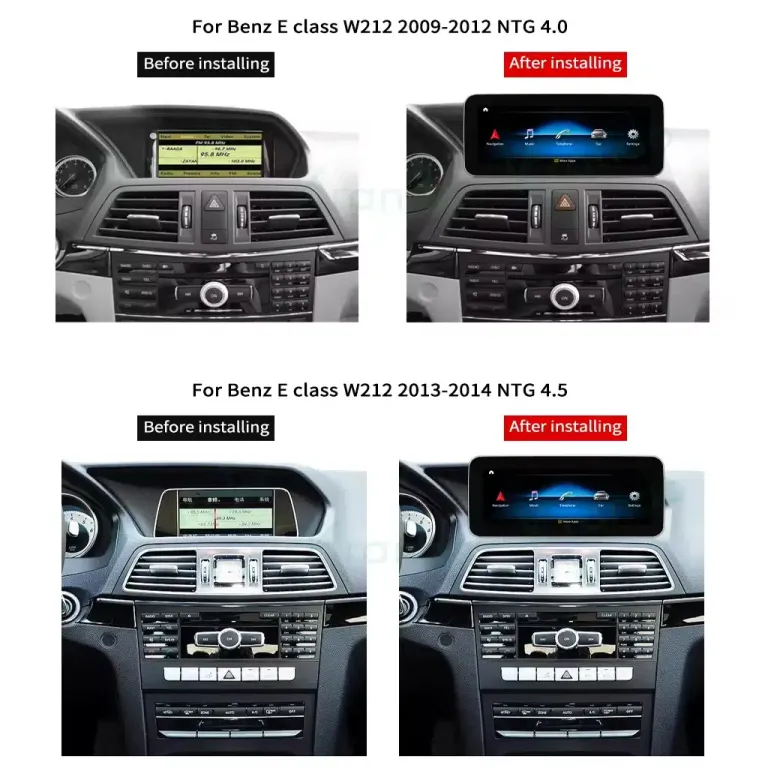
เส้นทางแผงหน้าปัด NTG 4.0 และ NTG 4.5 ต้องเลือกให้ถูกต้อง
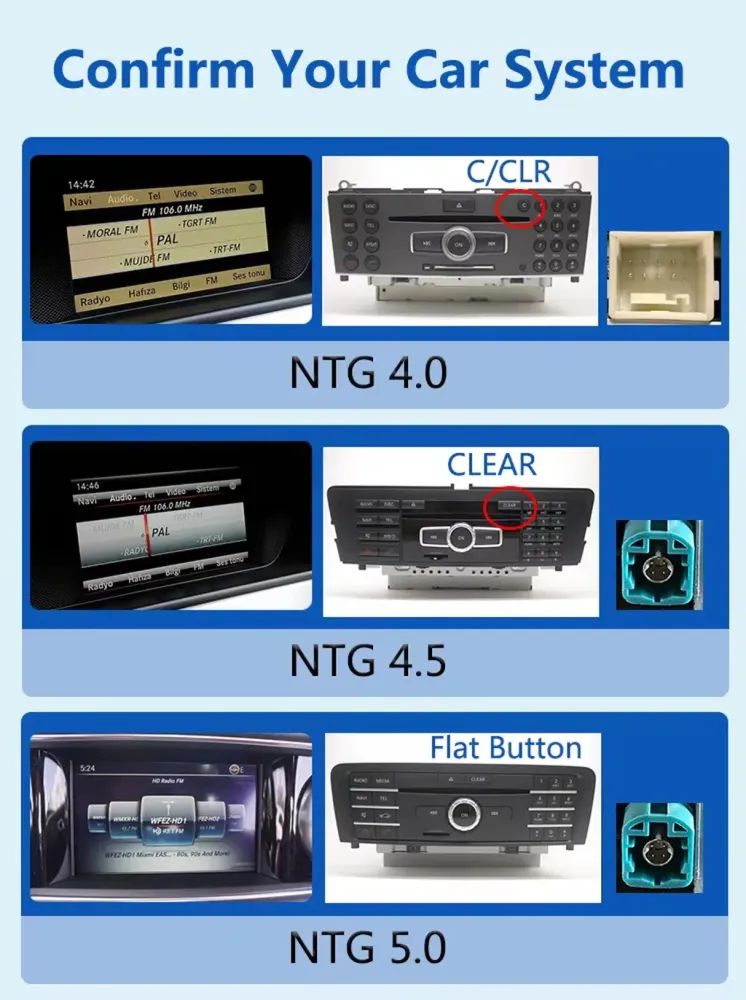
ผู้ซื้อ W212 ไม่ควรเลือกเพียงแค่ชื่อรุ่น ระบบ NTG เดิมและรูปแบบแผงหน้าปัดมีผลต่อหน้าจอ สายไฟ และเส้นทางอินเทอร์เฟซ iKAGOO จะตรวจสอบว่าคำสั่งซื้อของคุณควรใช้เส้นทาง NTG 4.0 หรือ NTG 4.5 ก่อนเตรียมผลิตภัณฑ์.
Mercedes W212 Android Head Unit นี้คืออะไร?
Mercedes W212 Android Head Unit นี้เป็นการอัปเกรดหน้าจอเป็น Android 13 สำหรับรถยนต์ Mercedes E-Class W212 2009–2016 โดยใช้เส้นทาง NTG 4.0 หรือ NTG 4.5 ที่ถูกต้อง ช่วยยกระดับประสบการณ์จอแสดงผลตรงกลางด้วย wireless CarPlay, Android Auto, ระบบนำทาง, Bluetooth, WiFi, รองรับ 4G, ตัวเลือกเสียง DSP และอินพุตกล้องถอยหลัง ระบบควบคุมพวงมาลัยแบบเดิม, การแสดงผลกล้อง และฟังก์ชันอินเทอร์เฟซรถยนต์ที่รองรับยังคงทำงานได้หลังการเชื่อมต่อและการตั้งค่าที่ถูกต้อง ก่อนจัดส่ง iKAGOO จะตรวจสอบปีรถ, รูปแบบแผงหน้าปัด, ตำแหน่งพวงมาลัย LHD/RHD, ระบบเดิม และข้อมูลขั้วต่อ เพื่อเตรียมหน้าจอและเส้นทางสายไฟที่ถูกต้อง.
ยืนยันระบบ Mercedes ดั้งเดิมของคุณก่อนจัดส่ง
การระบุระบบที่ถูกต้องเป็นหนึ่งในขั้นตอนที่สำคัญที่สุดสำหรับการอัปเกรดนี้ ป้าย W212 เพียงอย่างเดียวไม่เพียงพอ เนื่องจากคำสั่งซื้อ NTG 4.0 และ NTG 4.5 ต้องการเส้นทางการเชื่อมต่อที่ถูกต้อง.
การตรวจสอบระบบดั้งเดิมช่วยลดความเสี่ยงในการได้รับเวอร์ชันผิด
เมนูโรงงานและเค้าโครงแผงหน้าปัดช่วยระบุเส้นทางที่ถูกต้อง ซึ่งปกป้องคุณจากการเลือกหน้าจอที่ดูคล้ายกันทางออนไลน์แต่ไม่ตรงกับรถของคุณหลังแผงหน้าปัด ส่งรูปภาพระบบดั้งเดิมของคุณเมื่อถูกขอ เพื่อให้ iKAGOO สามารถเตรียมเวอร์ชันที่เหมาะสมได้.
แผงหน้าปัด W212 และ E-Class ที่เกี่ยวข้องไม่ควรผสมกันอย่างไม่ไตร่ตรอง
ลิสติ้ง E-Class คูเป้ คาบริโอเลต หรือบางภูมิภาคบางรายการอาจใช้ภาษาค้นหาที่คล้ายกัน แต่แผงหน้าปัดและเส้นทางหน้าจออาจแตกต่างกัน วิธีการสั่งซื้อที่ปลอดภัยกว่าคือจับคู่รุ่น รูปทรงแผงหน้าปัด จอแสดงผลดั้งเดิม และรูปภาพขั้วต่อ ซึ่งจะช่วยให้การตัดสินใจซื้อมุ่งเน้นไปที่รถจริงของคุณ ไม่ใช่แค่ชื่อสินค้า.
การอัปเกรดนี้เปลี่ยนแปลงอะไรในรถของคุณ
คุณค่าไม่ใช่แค่หน้าจอที่ใหญ่ขึ้นเท่านั้น การอัปเกรดเปลี่ยนแปลงวิธีที่คุณใช้ระบบนำทาง เพลง การโทร มุมมองกล้องถอยหลัง และการควบคุมภายในห้องโดยสารในทุกวัน.
CarPlay และ Android Auto สำหรับการขับขี่สมัยใหม่
CarPlay และ Android Auto แบบไร้สายช่วยให้คุณใช้ระบบนำทาง การโทร และเพลงได้สะดวกขึ้น โดยไม่ต้องพึ่งพาอินเทอร์เฟซจากโรงงานแบบเก่า มีประโยชน์โดยเฉพาะสำหรับเจ้าของ W212 ที่ใช้งานมานานซึ่งต้องการความสามารถของสมาร์ทโฟนสมัยใหม่โดยไม่ต้องเปลี่ยนรถ.
ตัวเลือกหน้าจอขนาด 10.25 นิ้ว หรือ 12.3 นิ้ว
ตัวเลือกขนาดหน้าจอช่วยให้คุณเลือกได้ระหว่างรูปลักษณ์แบบ OEM ที่เรียบง่ายกว่าและจอแสดงผลสมัยใหม่ที่กว้างกว่า หน้าจอที่ใหญ่ขึ้นช่วยเพิ่มความชัดเจนในการอ่านแผนที่ การใช้งานแบบแยกหน้าจอ และความสะดวกของผู้โดยสารระหว่างการเดินทางไกล.
ตัวเลือก DSP สำหรับการปรับเสียงที่ดีขึ้น
การกำหนดค่าที่รองรับ DSP ช่วยให้คุณควบคุมการปรับแต่งเสียงได้มากกว่าการอัปเกรดหน้าจอเพียงอย่างเดียว ซึ่งช่วยให้เสียงเพลงฟังดูสะอาดขึ้นหลังการติดตั้ง โดยเฉพาะเมื่อผู้ติดตั้งตั้งค่าเส้นทางเสียงและอินเทอร์เฟซรถยนต์อย่างถูกต้อง.
ปุ่มควบคุมเดิมที่รองรับยังคงมีประโยชน์
ปุ่มควบคุมบนพวงมาลัยที่รองรับยังคงทำงานได้หลังจากการเชื่อมต่อและกำหนดค่าอย่างถูกต้อง ซึ่งช่วยให้การใช้งานในชีวิตประจำวันยังคงคุ้นเคย ดังนั้นการอัปเกรดจึงรู้สึกเป็นส่วนหนึ่งของระบบ แทนที่จะบังคับให้ผู้ขับขี่ต้องเรียนรู้การทำงานพื้นฐานทุกอย่างใหม่.
การใช้งานมุมมองถอยหลังที่ชัดเจนยิ่งขึ้น
ผลิตภัณฑ์รองรับอินพุตกล้องหลัง โดยมีเส้นทาง HD AHD และ CVBS ระบุไว้ในข้อกำหนดของผลิตภัณฑ์ จอแสดงผลมุมมองถอยหลังที่ชัดเจนยิ่งขึ้นสามารถทำให้การจอดรถและการเดินทางของครอบครัวสะดวกสบายมากขึ้นเมื่อเชื่อมต่อเส้นทางกล้องอย่างถูกต้อง.
จัดเตรียมตามรายละเอียด W212 ของคุณ
iKAGOO ไม่ได้พึ่งพาชื่อรุ่นเพียงอย่างเดียว ปีรุ่น เวอร์ชัน NTG รูปแบบแผงหน้าปัด ตำแหน่งพวงมาลัยซ้าย/ขวา และรูปถ่ายขั้วต่อช่วยในการเตรียมหน้าจอ ชุดสายไฟ และอินเทอร์เฟซรถยนต์ก่อนจัดส่งระหว่างประเทศ.
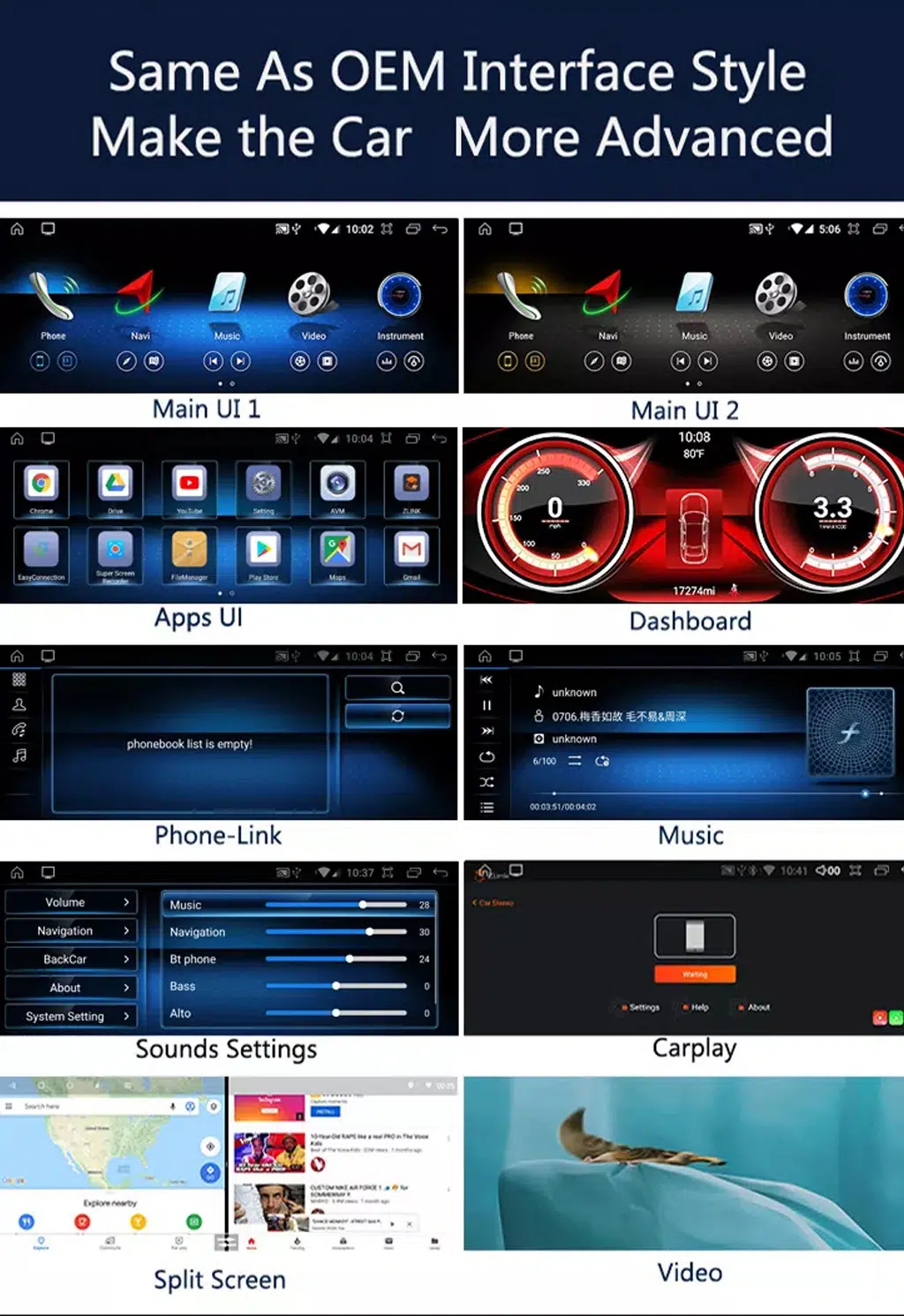
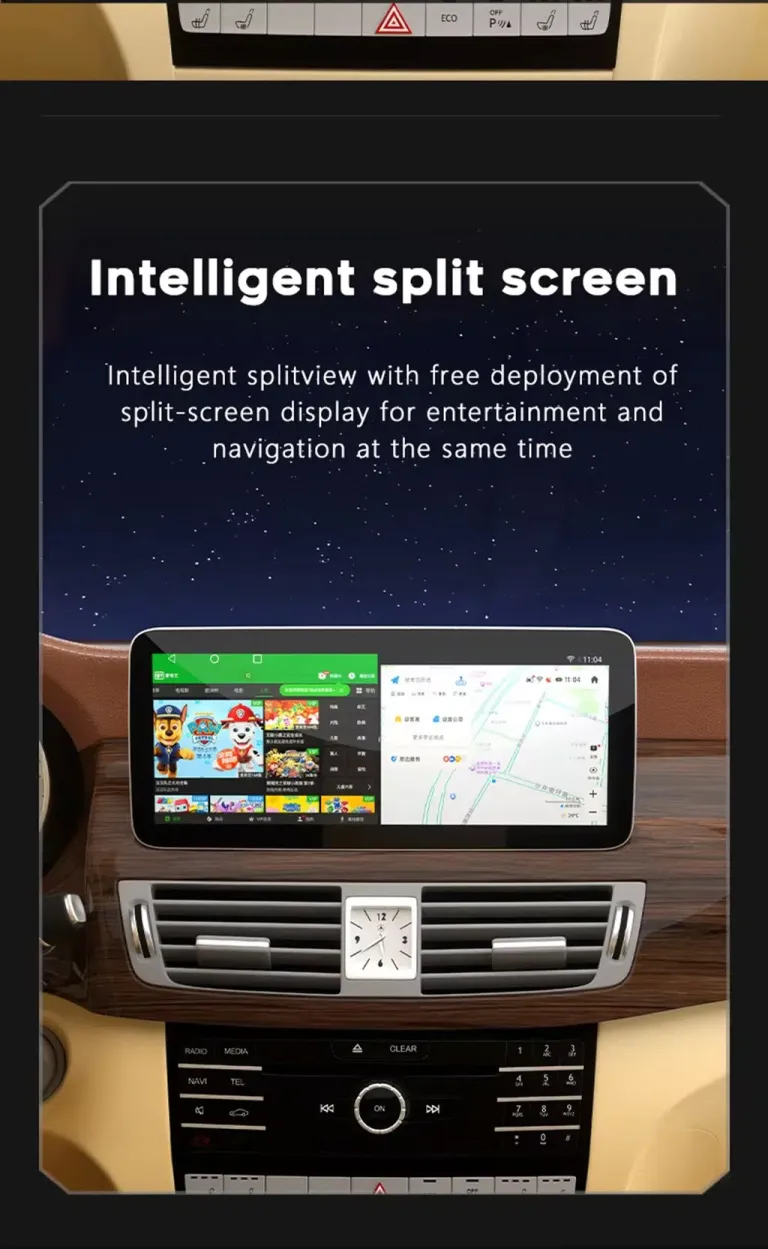
แอปที่ทันสมัย การเชื่อมต่อไร้สาย และการใช้งานแบบแบ่งหน้าจอ
ภาพแสดงฟังก์ชันเหล่านี้อธิบายคุณค่าในการขับขี่ที่ใช้งานได้จริง: การนำทางที่ง่ายขึ้น การเข้าถึงเพลงที่สะอาดขึ้น การสื่อสารแบบแฮนด์ฟรี และรูปแบบหน้าจอที่มีประโยชน์มากขึ้น.
สไตล์อินเทอร์เฟซที่หลากหลายสำหรับพฤติกรรมการขับขี่ที่แตกต่างกัน
สไตล์หน้าจอหลักที่แตกต่างกันช่วยให้คุณเลือกหน้าตาที่เข้ากับการขับขี่ในชีวิตประจำวัน แอป มุมมองแผงหน้าปัด หน้าเพลง และการใช้งานแบบแบ่งหน้าจอทำให้ W212 รู้สึกทันสมัยมากขึ้นโดยไม่ต้องเปลี่ยนตัวรถเอง สิ่งนี้มีค่าที่สุดสำหรับเจ้าของที่วางแผนจะเก็บรถไว้ในระยะยาว.
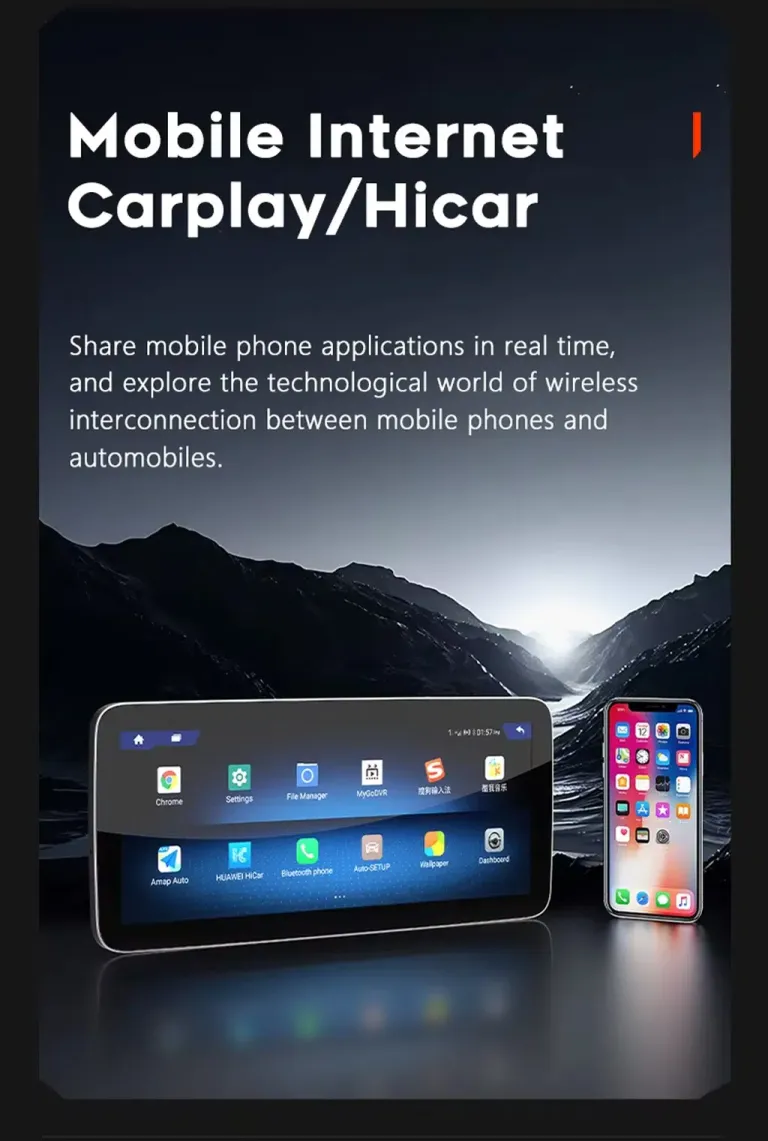
CarPlay, HiCar และการเชื่อมต่อมือถือสำหรับเส้นทางในชีวิตประจำวัน
การนำทางและเพลงผ่านโทรศัพท์เป็นฟังก์ชันที่ผู้ขับขี่ส่วนใหญ่ใช้ทุกวัน การอัปเกรดทำให้ฟังก์ชันเหล่านี้เข้าถึงได้ง่ายขึ้นจากจอแสดงผลกลาง ครอบครัวของคุณยังได้ประโยชน์จากการเข้าถึงเพลงที่สะอาดขึ้น คำแนะนำเส้นทางที่ชัดเจนขึ้น และอินเทอร์เฟซสไตล์สมาร์ทโฟนที่คุ้นเคยมากขึ้น.
แพลตฟอร์ม Android 13 สำหรับประสบการณ์หน้าจอที่ทันสมัย
การกำหนดค่าที่เผยแพร่ระบุ Android 13 ทำให้หน้าจอมีสภาพแวดล้อมแอปและระบบที่ใหม่กว่าจอแสดงผลจากโรงงานเดิม คุณค่าในทางปฏิบัติคือ เมนูที่ทันสมัยขึ้น การเข้าถึงแอปที่ดีขึ้น และประสบการณ์ในห้องโดยสารที่รู้สึกใกล้เคียงกับรถรุ่นปัจจุบันมากขึ้น.
ฟังก์ชันบลูทูธและไร้สายเพื่อการใช้งานประจำวันที่ง่ายขึ้น
การรองรับบลูทูธช่วยในการโทรแบบแฮนด์ฟรีและการเล่นเพลงระหว่างการขับขี่ปกติ ช่วยลดความจำเป็นในการจัดการโทรศัพท์โดยตรงและสนับสนุนกิจวัตรในรถที่ทันสมัยขึ้น การตั้งค่าที่ถูกต้องหลังการติดตั้งยังคงสำคัญต่อพฤติกรรมเสียงและคุณภาพการโทร.
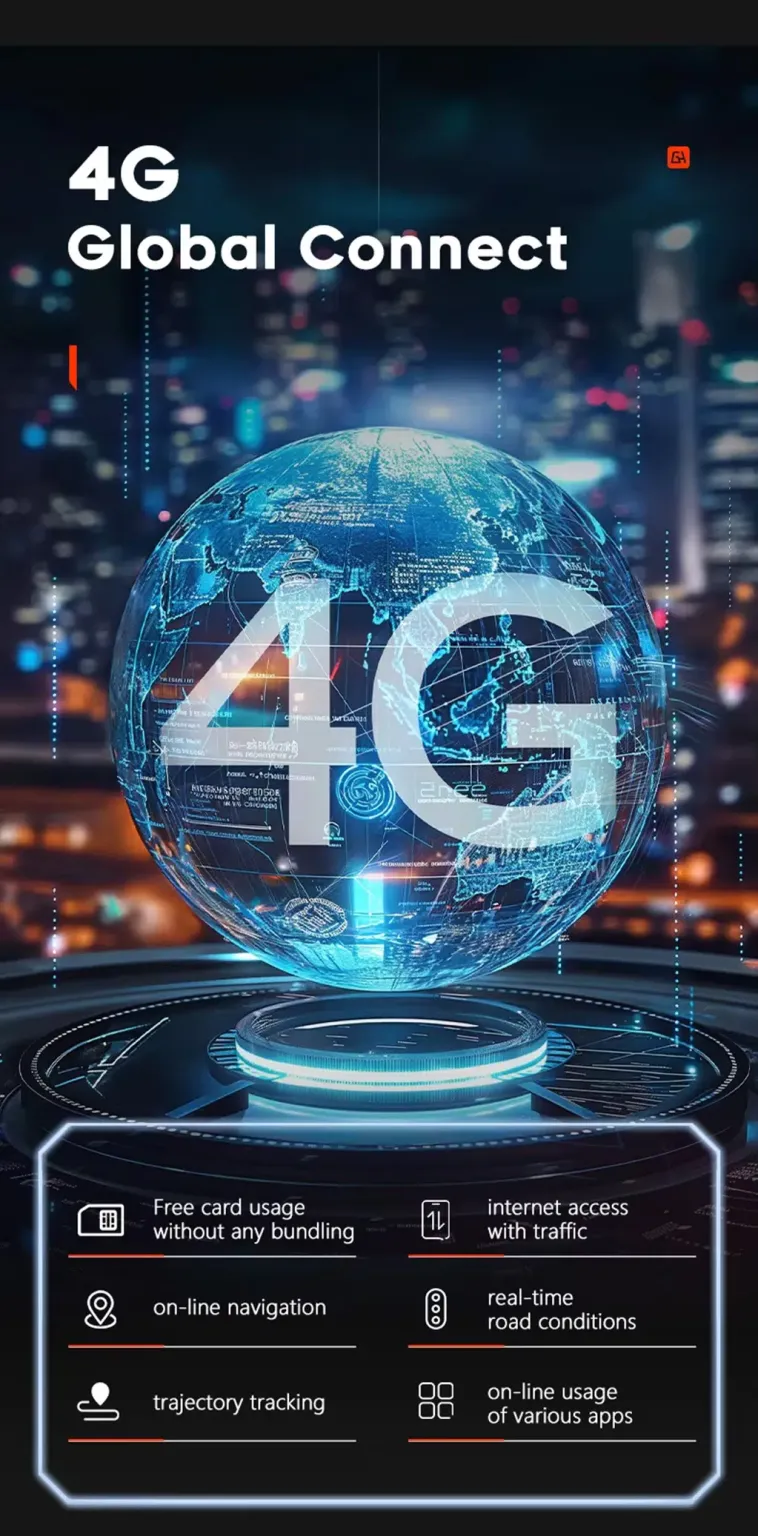
การรองรับ 4G สำหรับการนำทางที่เชื่อมต่อและใช้งานแอป
การรองรับ 4G มอบเส้นทางการใช้งานที่เชื่อมต่อได้ยืดหยุ่นมากขึ้นให้กับหน้าจอ เมื่อมี SIM ที่ถูกต้องและสภาพเครือข่ายท้องถิ่นที่เหมาะสม ช่วยให้การนำทาง เพลงออนไลน์ และการใช้แอปรู้สึกพึ่งพาพฤติกรรมฮอตสปอตของโทรศัพท์น้อยลง ผู้ซื้อควรตรวจสอบความเข้ากันได้กับผู้ให้บริการท้องถิ่นก่อนพึ่งพาการใช้ SIM.
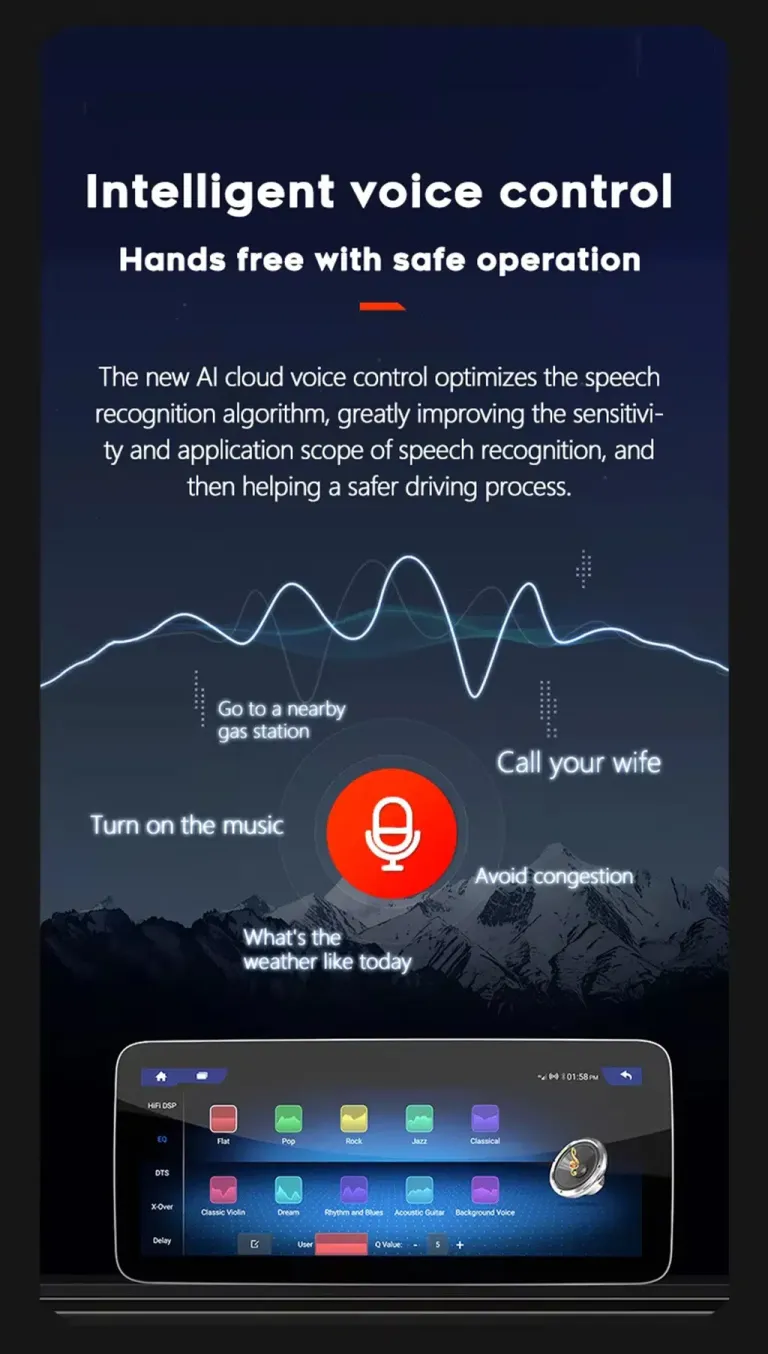
การควบคุมด้วยเสียงช่วยลดการเสียสมาธิ
การโต้ตอบด้วยเสียงสามารถทำให้การนำทาง เพลง และการโทรง่ายขึ้นขณะขับขี่ ประโยชน์ไม่ใช่แค่ความสะดวก แต่ยังช่วยลดความจำเป็นในการแตะหน้าจอสำหรับการทำงานง่ายๆ พฤติกรรมของฟังก์ชันขึ้นอยู่กับการตั้งค่าแอป การกำหนดเส้นทางไมโครโฟน และการกำหนดค่าขั้นสุดท้าย.
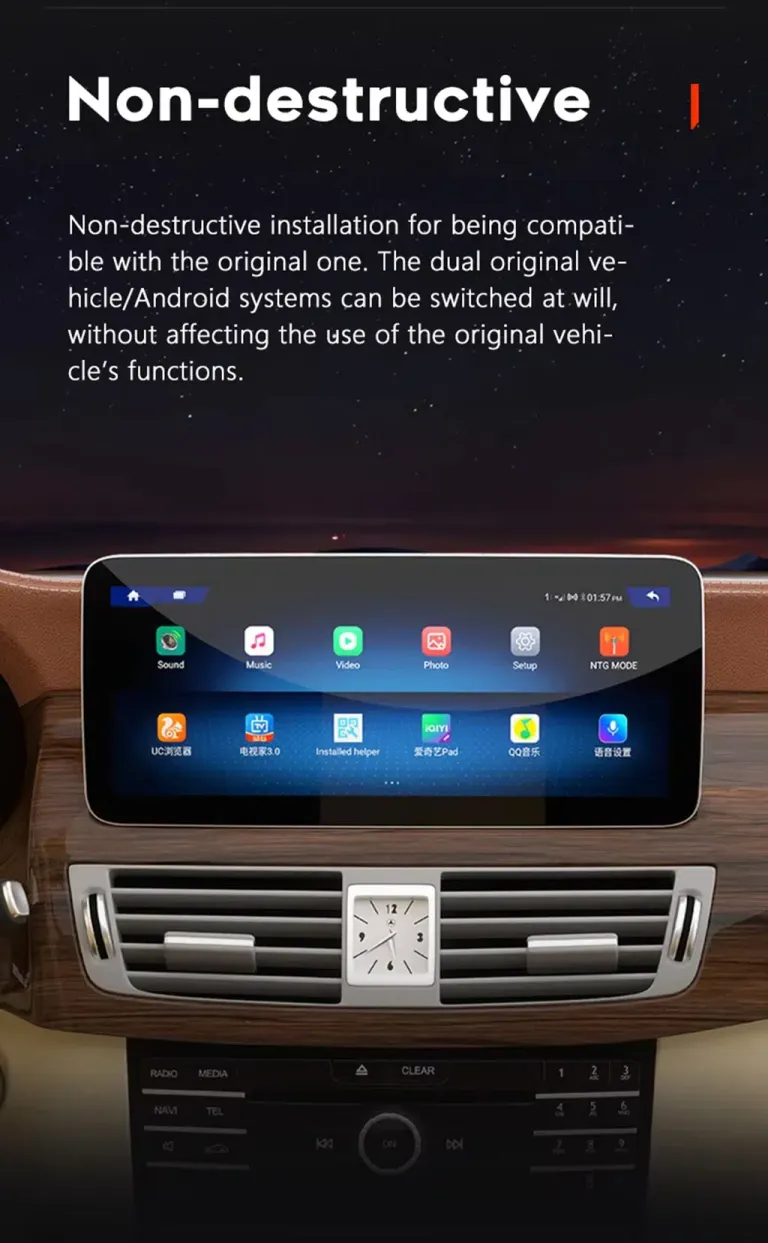
ฟังก์ชันเดิมของรถจะได้รับการสนับสนุนหลังการติดตั้งอย่างถูกต้อง
สำหรับเวอร์ชัน W212 ที่ถูกต้องและเส้นทางการเชื่อมต่อที่ถูกต้อง การอัปเกรดถูกออกแบบมาเพื่อรักษาการทำงานจากโรงงานที่คุ้นเคยพร้อมเพิ่มหน้าจอ Android ที่ทันสมัย.
ปุ่มควบคุมบนพวงมาลัย
การควบคุมบนพวงมาลัยเดิมที่รองรับยังคงทำงานได้หลังการเดินสายที่ถูกต้องและการกำหนดค่าอินเทอร์เฟซรถยนต์ ช่วยให้การควบคุมประจำวันคุ้นเคยและลดความรู้สึกของการเปลี่ยนไปใช้อุปกรณ์อะฟเตอร์มาร์เก็ตแบบสากล.
เส้นทางกล้องจากโรงงานและการแสดงผลการจอด
ข้อกำหนดผลิตภัณฑ์รวมถึงอินพุตกล้องหลังและการรองรับกล้อง 360 ในบางรุ่น iKAGOO ตรวจสอบเส้นทางกล้องเพื่อให้สามารถเตรียมคำแนะนำการเชื่อมต่อที่ถูกต้องสำหรับรถของคุณ.
เส้นทางเสียงจากโรงงาน
พฤติกรรมเสียงอาจขึ้นอยู่กับระบบจากโรงงาน เส้นทาง AUX แอมพลิฟายเออร์ และการกำหนดค่าที่เลือก การตั้งค่าที่ถูกต้องช่วยให้เอาต์พุตเสียงเสถียรพร้อมทั้งให้การกำหนดค่าที่รองรับ DSP ปรับปรุงการควบคุมการจูน.
การสื่อสาร CANBUS
CANBUS ที่จับคู่และเส้นทางการเดินสายช่วยให้หน้าจอ Android สื่อสารกับระบบรถยนต์ นี่เป็นเหตุผลหนึ่งที่ iKAGOO ตรวจสอบเวอร์ชัน NTG และข้อมูลตัวเชื่อมต่อของคุณก่อนจัดส่ง.
รูปลักษณ์แดชบอร์ดเดิม
การอัปเกรดรักษาแดชบอร์ด Mercedes เป็นฐานทางสายตาและเพิ่มจอแสดงผลที่ทันสมัยและใหญ่ขึ้น มีเจตนาให้ดูเหมือนการอัปเกรด E-Class ที่มีจุดมุ่งหมาย มากกว่าแท็บเล็ตที่ติดตั้งแบบสุ่มในห้องโดยสาร.
แนวทางการเดินสายไฟที่รองรับ
ชุดสายที่จับคู่ถูกออกแบบมาเพื่อเชื่อมต่อโดยไม่ต้องตัดสายไฟจากโรงงานที่รองรับโดยเจตนา การดัดแปลงก่อนหน้า ระบบเสียงที่ผิดปกติ หรือกล้องที่ไม่ได้มาตรฐานอาจต้องมีคำแนะนำเพิ่มเติม.
คุณค่าของหน้าจอที่ชัดเจนขึ้นสำหรับการนำทาง การจอด และผู้โดยสาร
การอัปเกรด W212 ที่ดีควรปรับปรุงการใช้งานประจำวันของผู้ขับขี่และประสบการณ์ของผู้โดยสาร ไม่ใช่แค่เพิ่มหน้าจอที่ใหญ่ขึ้น.
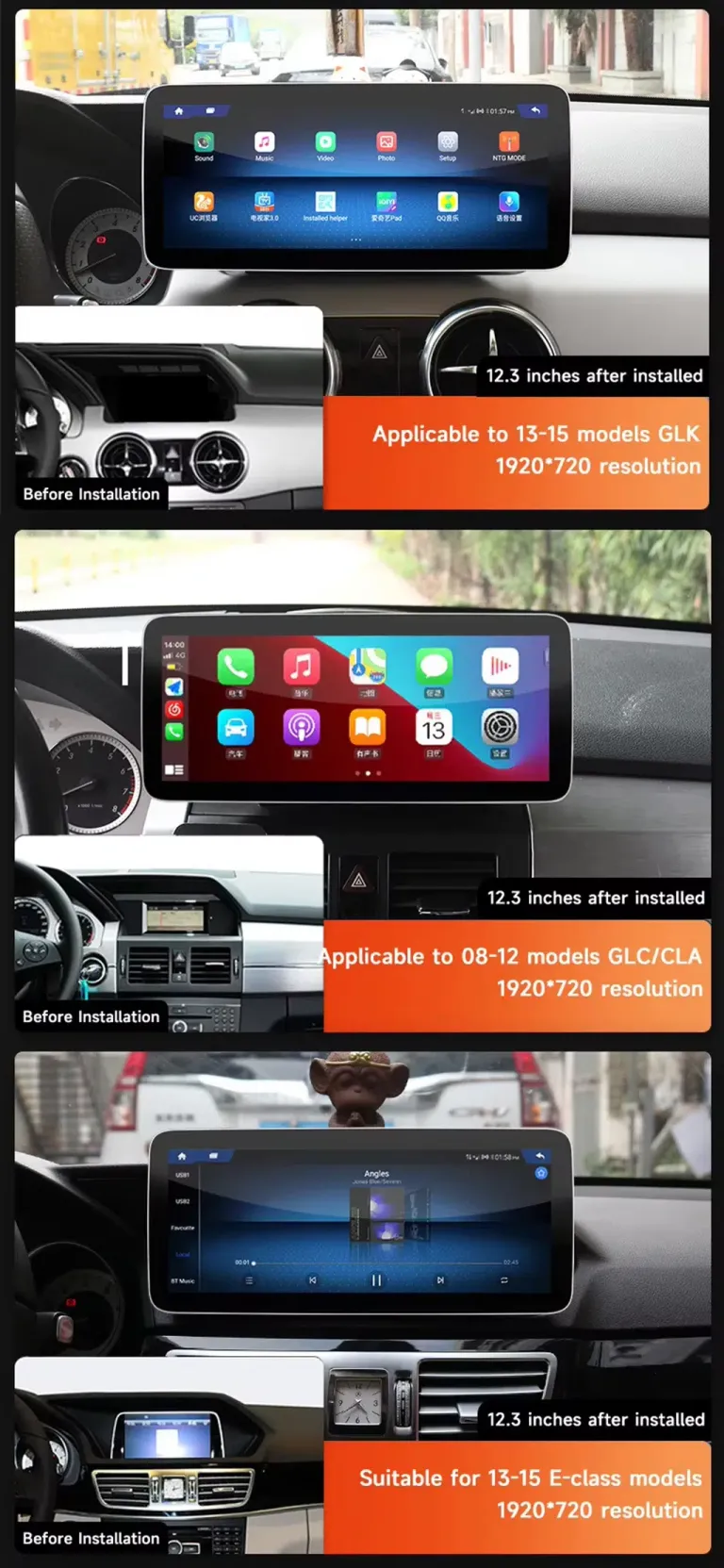
ตัวเลือกจอแสดงผลกว้าง 12.3 นิ้วเพื่อผลกระทบทางสายตาที่แข็งแกร่งขึ้น
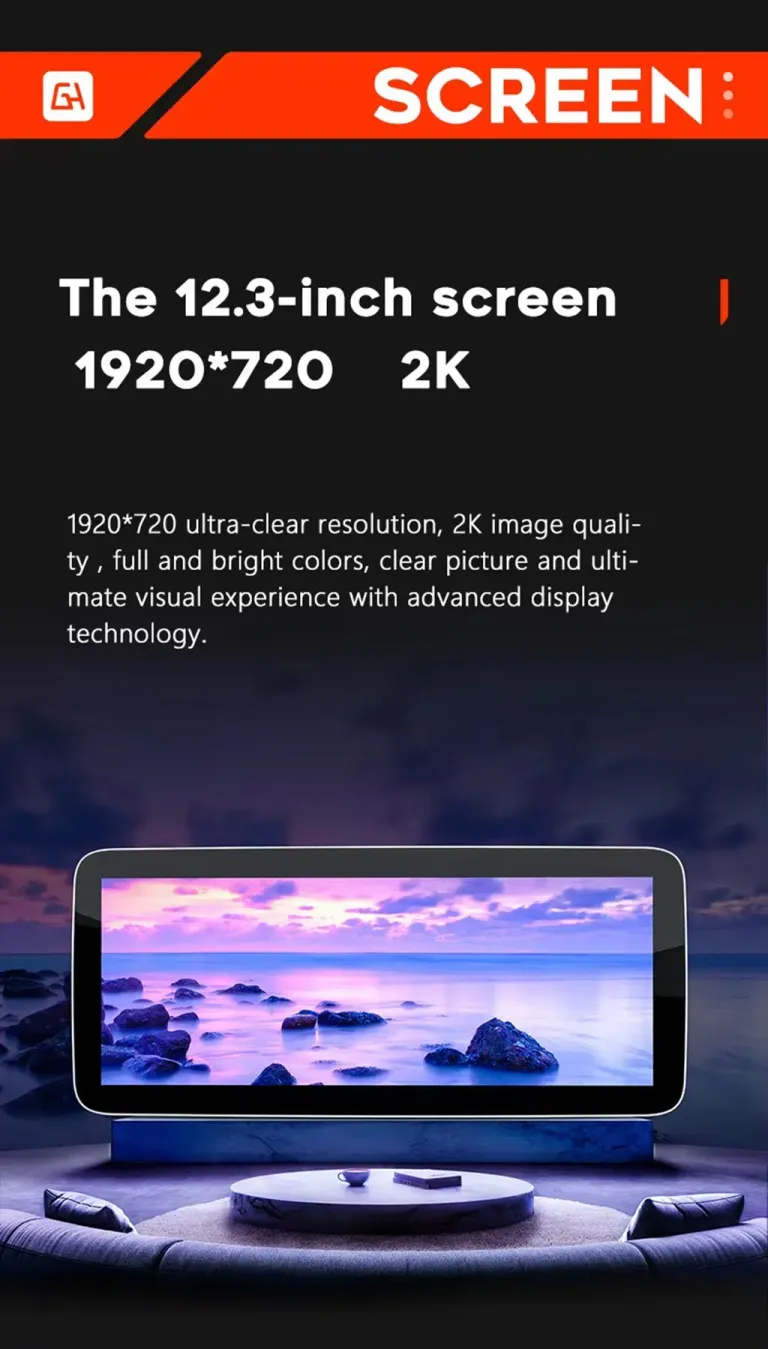
ตัวเลือกจอแสดงผล 12.3 นิ้วมอบรูปลักษณ์จอแสดงผลกลางที่ทันสมัยมากยิ่งขึ้นให้กับห้องโดยสาร W212 มุมมองการนำทางและสื่อที่กว้างขึ้นอ่านง่ายขึ้น โดยเฉพาะระหว่างการเดินทางไกล หากคุณชอบลุคที่เรียบง่ายกว่า ตัวเลือก 10.25 นิ้วยังคงเป็นทางเลือกที่ใช้งานได้จริง.
เส้นทางชุดสายที่จับคู่สำหรับการอัปเกรดที่สะอาดและย้อนกลับได้
เส้นทางการเดินสายที่เหมาะสมสำคัญกว่าที่ผู้ซื้อมักคาดคิด ชุดสายที่จับคู่ช่วยลดความเสี่ยงในการเชื่อมต่อผิดและสนับสนุนกระบวนการติดตั้งที่สะอาดขึ้น สิ่งนี้สำคัญเป็นพิเศษสำหรับผู้ซื้อต่างประเทศเพราะการแก้ไขสายที่ผิดหลังการจัดส่งสิ้นเปลืองเวลาและเงิน.
การจูนเสียง DSP เพื่อประสบการณ์การเป็นเจ้าของในระยะยาวที่ดีขึ้น
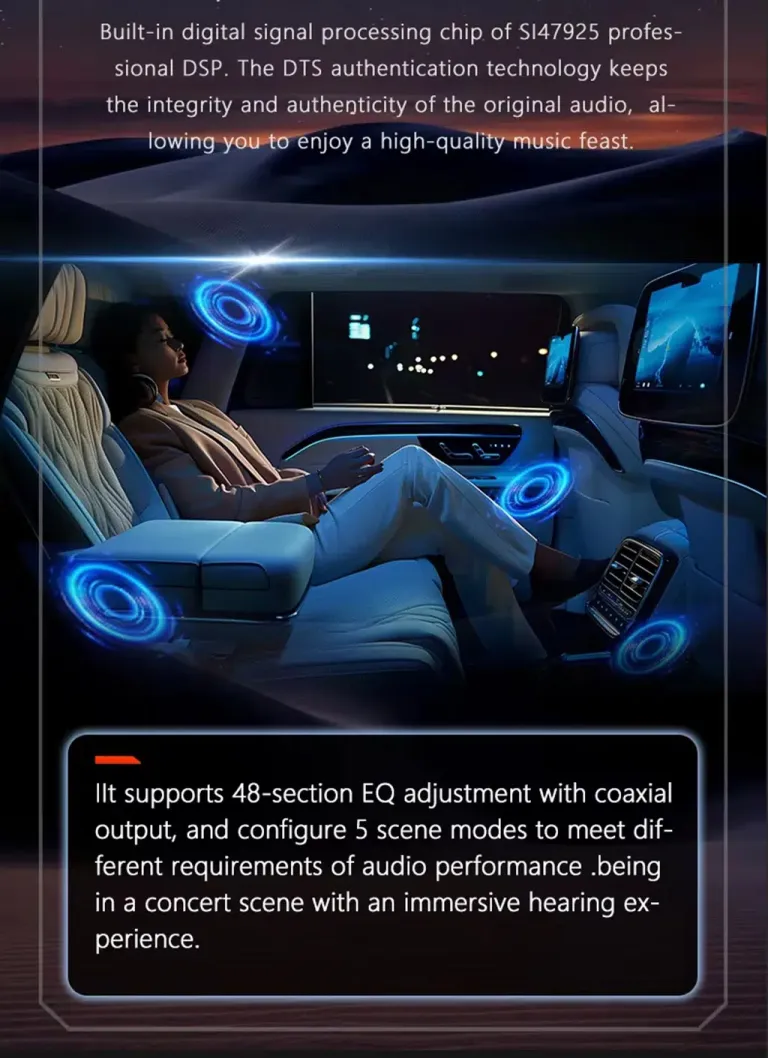
การรองรับ DSP ให้คุณจูนเสียงได้อย่างระมัดระวังมากกว่าผลิตภัณฑ์ที่มีเพียงหน้าจอพื้นฐาน สิ่งนี้สำคัญหากคุณใช้รถทุกวันและใส่ใจในความชัดเจนของเพลง ผู้ติดตั้งควรยืนยันเส้นทางเสียงและการตั้งค่าก่อนประกอบแดชบอร์ดกลับเข้าที่อย่างสมบูรณ์.
การควบคุมเสียงที่ละเอียดขึ้นสำหรับสไตล์การฟังที่แตกต่างกัน
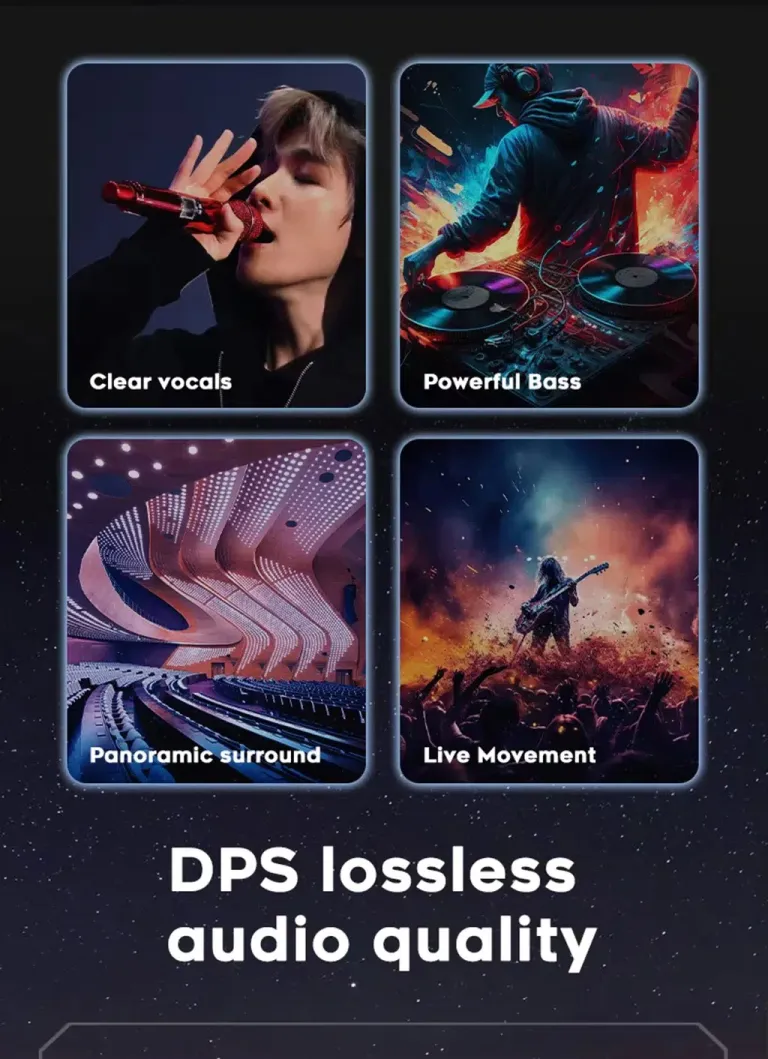
การตั้งค่าอีควอไลเซอร์และฉากช่วยให้คุณปรับประสบการณ์การฟังสำหรับการขับขี่ประจำวัน การเดินทางบนทางหลวง หรือการเดินทางกับครอบครัว ช่วยให้ผลิตภัณฑ์รู้สึกเหมือนการอัปเกรดห้องโดยสารที่สมบูรณ์ มากกว่าการเปลี่ยนหน้าจอเท่านั้น พฤติกรรมเสียงขั้นสุดท้ายยังขึ้นอยู่กับเส้นทางเสียงจากโรงงานและการกำหนดค่าของคุณ.
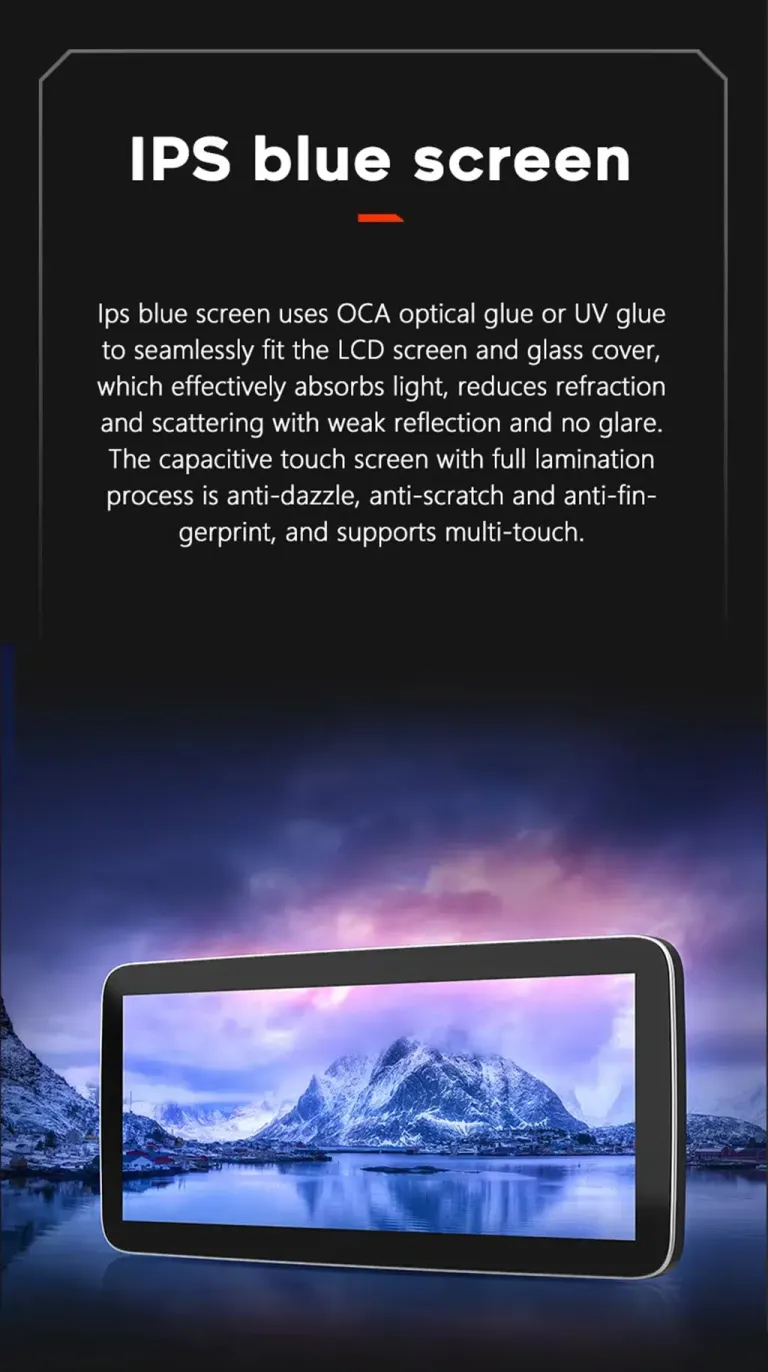
การออกแบบจอแสดงผล IPS และ OCA เพื่อการมองเห็นที่ชัดเจนขึ้น
หน้าจอที่ชัดเจนขึ้นช่วยในเรื่องแผนที่ รายการเพลง และมุมมองกล้อง มุมมองที่ดีขึ้นและการออกแบบป้องกันแสงสะท้อนทำให้จอแสดงผลใช้งานได้ดีขึ้นในสภาพแสงที่เปลี่ยนแปลง สิ่งนี้เป็นประโยชน์ในทางปฏิบัติสำหรับผู้ขับขี่ที่ใช้การนำทางเป็นประจำ.
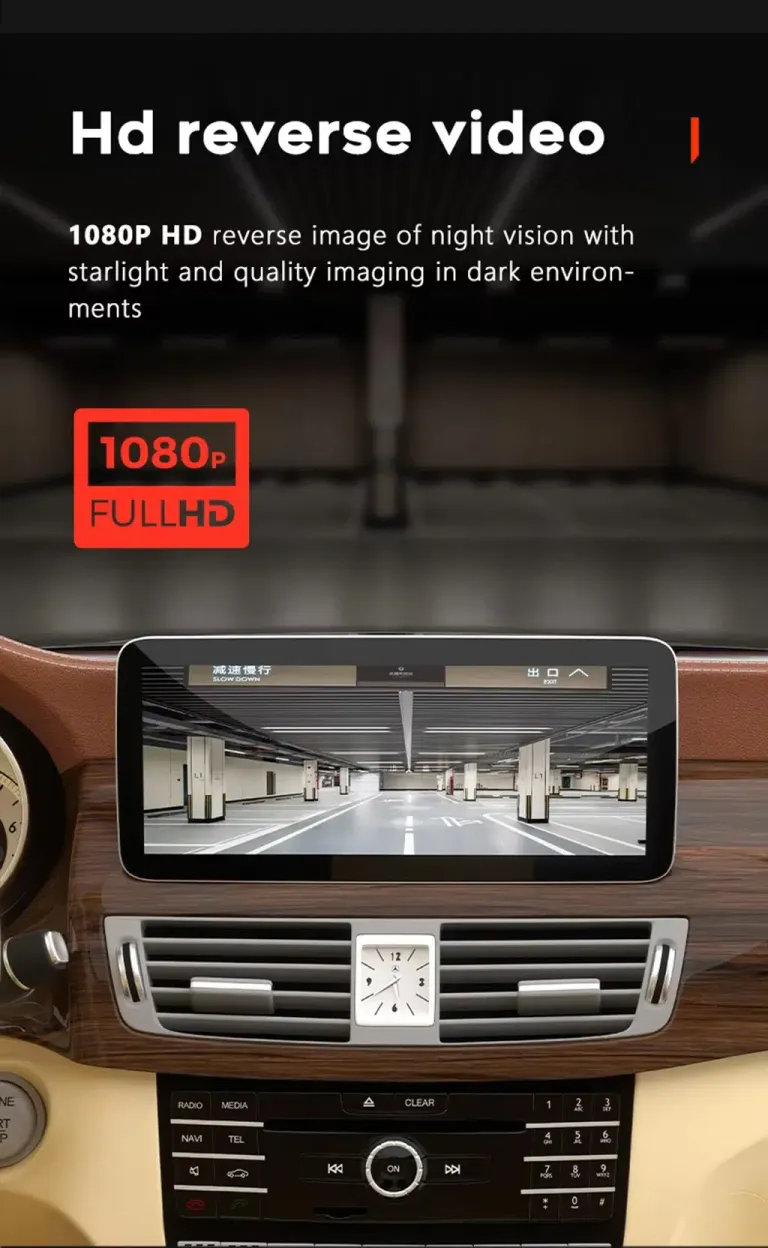
การรองรับการแสดงผลการถอยหลังและกล้องเพื่อการใช้งานความเร็วต่ำที่ปลอดภัยขึ้น
Camera display support helps parking feel more comfortable when the correct connection route is used. Rear camera input is listed in the product specifications, and 360 camera support depends on the vehicle and configuration route. Send camera and factory system details before shipment if your car has a special setup.
Split-screen use keeps navigation and music visible together
Split-screen use improves everyday usability because you do not need to jump between apps as often. You can keep maps visible while also controlling music or other supported functions. This makes the cabin feel more current for both driver and passengers.
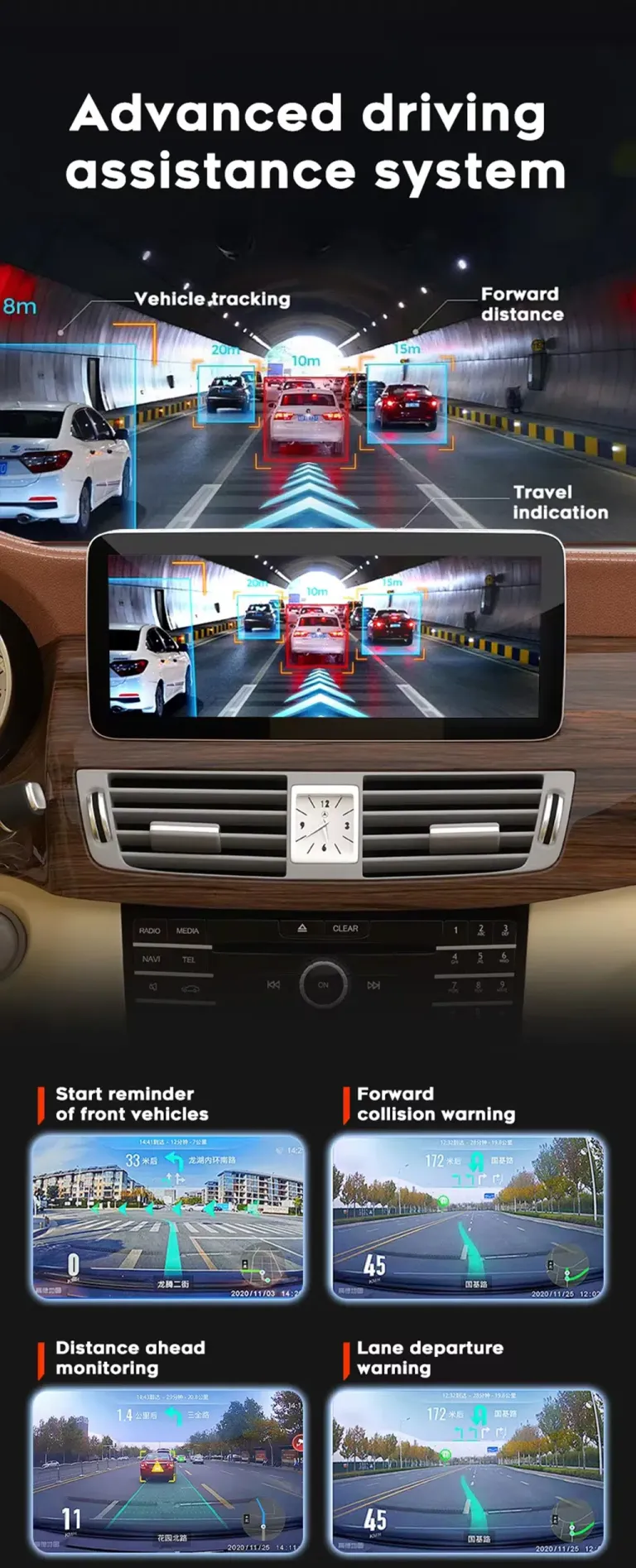
Camera and driver-assistance accessories require fitment checking
Some visual functions depend on extra hardware, vehicle wiring and compatible camera routes. iKAGOO uses your order information to separate standard supported functions from optional or vehicle-dependent functions. This avoids selling you a feature path that your car cannot use correctly.
Correct version preparation is the real value
Many W212 buyers compare only price and screen size. The bigger risk is ordering a product that does not match the original system, camera route, audio route or connector structure.
We check the vehicle before shipment
iKAGOO checks your model year, NTG system, dashboard layout, LHD/RHD position and connector information when needed. This helps prepare the correct screen and cable route before the order leaves our side.
NTG 4.0 and NTG 4.5 are handled separately
The product options separate NTG 4.0 and NTG 4.5 because the original system affects compatibility and connection details. This is why iKAGOO does not treat every W212 dashboard as identical.
การสนับสนุนยังคงมีต่อไปแม้หลังการชำระเงิน
After you order, iKAGOO can review vehicle details, prepare the correct parts, help with tracking questions and support installation issues using photos, videos and connection details instead of guessing.
เกิดอะไรขึ้นหลังจากที่คุณสั่งซื้อ?
This process is designed to reduce wrong-version risk before shipping and to give you a practical support path during installation.
ระบบชำระเงินที่ปลอดภัยและบันทึกคำสั่งซื้อ
Your order number becomes the reference for fitment review, shipping follow-up and later support.
การตรวจสอบข้อมูลยานพาหนะ
iKAGOO checks your W212 year, NTG version, dashboard layout, LHD/RHD position, audio system, camera route and connector photos when needed.
การเตรียมเวอร์ชันที่ถูกต้อง
The screen, wiring harness, CANBUS or vehicle interface and accessory route are prepared according to your vehicle details.
รูปถ่ายสินค้าจริงเมื่อมีการร้องขอ
If you ask before packing, iKAGOO can provide photos of the prepared product or visible accessories before dispatch.
การบรรจุและการจัดส่ง
After version preparation, the order is packed and dispatched. Timing can vary by configuration, vehicle-specific preparation and stock status.
การติดตามและติดตามการจัดส่ง
Tracking is added after dispatch. Some international routes may show a local tracking update only after customs or carrier handoff.
การติดตั้งและการกำหนดค่า
If your installer finds a cable, camera, audio or CANBUS setting issue, iKAGOO will request photos, videos and settings details to guide the next step.
ส่งต่อปัญหาไปยังวิศวกรเมื่อจำเป็น
When a problem is not a simple setting issue, useful evidence can be organized for technical review by the relevant device engineer.
Software, settings or firmware path
If instructions, settings or software files are needed after confirmation, iKAGOO will coordinate the proper technical route when electronic delivery is possible.
การจัดการปัญหาเกี่ยวกับสายเคเบิลหรืออุปกรณ์เสริม
If a required cable, harness or accessory is missing or incorrect, iKAGOO will arrange a solution after checking the evidence and order details.
ขอบเขตความไม่เข้ากันของฮาร์ดแวร์ที่ได้รับการยืนยัน
If the correct vehicle information was provided and no reasonable software, cable or accessory solution remains, iKAGOO will give a clear device-level resolution path according to policy.
การสนับสนุนหลังการติดตั้งสำเร็จ
After the product is working, you can still contact iKAGOO for applicable update, activation, troubleshooting or maintenance guidance linked to your order.
ตรวจสอบสามอย่างก่อนซื้อ
มาตรฐาน iKAGOO ช่วยให้คุณเข้าใจถึงมูลค่าการอัปเกรด การคงไว้ซึ่งฟังก์ชันจากโรงงาน และเส้นทางการติดตั้งที่เหมาะสมก่อนการสั่งซื้อ.
ความจำเป็นในการอัปเกรด
คะแนนนี้อธิบายว่าทำไมการอัปเกรดจึงมีความเหมาะสมสำหรับการใช้งานประจำวัน ไม่ใช่เพียงแค่ว่าหน้าจอจะดูใหม่กว่าเท่านั้น.
- Older W212 factory screens lack modern wireless smartphone integration.
- CarPlay ไร้สายและ Android Auto ช่วยให้การนำทาง การโทร และการใช้เพลงดีขึ้น.
- 10.25-inch and 12.3-inch options create a stronger cabin refresh.
- DSP-supported configurations add useful audio tuning value.
- The upgrade is more complete than adding only a CarPlay module.
ความเข้ากันได้ของยานพาหนะเดิม
A score of 90/100 does not mean that 10% of factory functions are lost. It reflects the upgrade route, vehicle-specific matching and retained-control path.
- Factory Function Continuity 25%: supported original functions are retained after correct setup.
- Original Control Continuity 15%: supported steering-wheel controls continue to work.
- Vehicle Data & Warning Integration 20%: CANBUS route depends on correct vehicle interface selection.
- Physical Architecture Match 15%: W212 dashboard structure and screen size are checked.
- Factory-Style UI & Interaction Match 15%: the upgrade keeps a Mercedes-style cabin direction.
- Installation & Hardware Integration 10%: matched harness and accessories reduce wrong-connection risk.
ระดับความง่ายในการติดตั้ง
This level means the upgrade is suitable for experienced DIY installers or an automotive electronics installer who can remove trim carefully, connect the matched harness and complete function testing.
- ต้องมีการถอดขอบแผงหน้าปัดอย่างระมัดระวังและงานเปลี่ยนจอภาพ.
- Requires matched wiring, LVDS, power and vehicle-interface connection.
- Requires CANBUS or system setting confirmation after installation.
- ไม่มีการตัดสายไฟจากโรงงานที่รองรับโดยเจตนา.
- Final testing should be completed before the dashboard is fully reassembled.
Why this product is different from cheaper alternatives
The best option depends on whether you want a complete center-screen upgrade, only phone mirroring, or repair of an aging factory system.
iKAGOO Mercedes W212 Android Head Unit
A complete Android screen upgrade with screen size options, wireless CarPlay, Android Auto, DSP options, camera input and vehicle-specific preparation.
โมดูลสำหรับ CarPlay เท่านั้น
Useful if you only want phone mirroring, but it does not refresh the screen experience as completely and may still depend heavily on the old factory display route.
Used factory replacement
May keep the original look, but it does not solve the older interface problem or add modern Android, wireless CarPlay and Android Auto experience.
Generic low-cost unit
The price may look attractive, but wrong NTG version, wrong cable route or weak support can cost more time than the initial saving.
Current product facts for this W212 Android screen
Use these specifications to understand the product route, then choose the final version according to your vehicle system and preferred configuration.
Cables and accessories matter as much as the screen
A successful W212 upgrade depends on the correct screen, harness, LVDS route, power cable, GPS antenna, WiFi antenna and audio interface route.
Accessory layout helps the installer plan the job
The accessory view helps you understand that this is not only a display panel. Power cable, LVDS cable, AUX route, GPS antenna, WiFi antenna and related accessories all affect the final installation. iKAGOO prepares the matching route according to the vehicle details you provide.
Mercedes dashboard examples explain why photos are requested
Mercedes cabins can look similar in search results while using different dashboard structures and factory systems. iKAGOO asks for photos so the correct product route is prepared for your car. This reduces the risk of receiving a screen that looks right online but does not match the installation path.
Test the system before fully reassembling the dashboard
Do not judge the installation only by whether the screen powers on. Complete function testing protects the final result and avoids repeated trim removal.
ก่อนการติดตั้ง
Confirm the vehicle year, NTG version, screen size option, dashboard layout, LHD/RHD position and any special factory audio or camera system.
During connection
Check power cable, LVDS cable, AUX or audio route, GPS antenna, WiFi antenna, USB route and CANBUS or vehicle-interface connection.
ก่อนการประกอบกลับขั้นสุดท้าย
Test steering-wheel controls, CarPlay, Android Auto, Bluetooth, WiFi, camera display, audio output, sleep/wake behavior and screen brightness.
When the installer should pause and contact iKAGOO
Stopping early is better than forcing a wrong connection. Contact iKAGOO with clear photos and videos if any of these conditions appear.
Connector mismatch
If the connector, LVDS plug or power cable does not match your car, do not modify pins or force the connection.
Unexpected previous modification
If the car has an old aftermarket unit, cut wires or missing factory modules, document the current wiring before proceeding.
Camera or audio issue
If the reverse camera, factory amplifier or sound output behaves unexpectedly, send photos, videos and settings before final assembly.
Practical support for international W212 buyers
iKAGOO supports the order from fitment checking through shipping, installation questions and qualified after-sales handling.
การติดตามการจัดส่ง
After dispatch, tracking is added to your order. International routes may involve customs and local carrier handoff before the final tracking update becomes clear.
การรับประกันฮาร์ดแวร์ของ 12-month
The product is supported by iKAGOO warranty terms for eligible hardware issues. Keep your order number because it connects the device to support and warranty handling.
การสนับสนุนการติดตั้ง
When installation questions arise, iKAGOO works from actual photos, videos, connector details, settings and fault behavior so the response is grounded in your vehicle.
Mercedes W212 Android Head Unit FAQ
These answers focus on real W212 buyer concerns: fitment, NTG version, original controls, camera route, audio behavior and order preparation.
รุ่นนี้จะพอดีกับ Mercedes E-Class W212 ปีของฉันหรือไม่?
It depends. The product is listed for Mercedes E W212 2009–2016, but the correct version still depends on your NTG 4.0 or NTG 4.5 system, dashboard layout, LHD/RHD position and connector route. Send the requested vehicle details before shipment so iKAGOO can prepare the correct version.
Does this Mercedes W212 Android Head Unit support NTG 4.0 and NTG 4.5?
Yes. The product options include NTG 4.0 and NTG 4.5 selection. You should not guess this from the model year alone because original system menus and dashboard structure help confirm the correct route.
ปุ่มควบคุมบนพวงมาลัยเดิมจะยังใช้งานได้อยู่หรือไม่?
Yes, for supported W212 configurations after correct connection and setup. Steering-wheel control retention depends on the matched vehicle interface and correct CANBUS or system configuration.
กล้องติดโรงงานหรือเซ็นเซอร์จอดรถของฉันจะยังคงทำงานได้หรือไม่?
It depends. Rear camera input is supported, and some vehicles can use more advanced camera routes depending on configuration. If your car has a special camera, 360 system or previous retrofit, send photos before shipment.
รองรับ CarPlay และ Android Auto แบบไร้สายหรือไม่?
Yes. The product page lists wireless CarPlay and Android Auto. These functions give you a more modern way to use navigation, calls, music and supported phone apps on the W212 center display.
ฉันจำเป็นต้องตัดสายไฟจากโรงงานหรือไม่?
No. The matched harness is designed to connect without intentionally cutting supported factory wiring. If your installer finds previous modifications or a connector mismatch, stop and contact iKAGOO before changing the wiring.
สิ่งนี้เหมาะสำหรับการติดตั้งด้วยตัวเองหรือไม่?
It depends. The iKAGOO Installation Ease Level is Level 3 — Advanced DIY. It is suitable for experienced DIY installers or an automotive electronics installer who can remove trim carefully, connect the matched harness and complete function testing.
ฉันควรส่งอะไรก่อนการจัดส่ง?
Send your model year, dashboard photo, original system menu photo, LHD/RHD information, connector photos when requested, and details about factory camera, amplifier, 360 system or previous aftermarket modifications. This helps iKAGOO prepare the correct screen and connection route.
หากรถยนต์ของฉันมีระบบเสียงจากโรงงานแบบพิเศษ จะเป็นอย่างไร?
It depends. Factory amplifier, AUX route and speaker output can affect audio setup. Provide audio-system details before shipment so iKAGOO can prepare the proper connection route and support instructions.
ทำไมต้องซื้อจาก iKAGOO แทนที่จะซื้อเครื่องทั่วไปที่ถูกกว่า?
Because the costly mistake is often not the screen price but the wrong version. iKAGOO checks fitment details, prepares the matching route and provides an after-order support path for cables, settings, camera, audio and software questions.
ขอรูปถ่ายสินค้าจริงก่อนบรรจุได้ไหม?
Yes. If you request photos before packing, iKAGOO can provide visible product or accessory photos for the prepared order. Ask before dispatch so the team can handle it in time.
หากต้องการซอฟต์แวร์หรือเฟิร์มแวร์จะทำอย่างไร?
It depends on the confirmed issue. If settings, instructions or software files are needed after checking the vehicle evidence, iKAGOO can coordinate the suitable technical route when electronic delivery is possible.
Read the standards before ordering
These pages explain how iKAGOO handles upgrade value, compatibility, installation path, warranty and after-sales boundaries.
ความจำเป็นในการอัปเกรด
ความเข้ากันได้ของยานพาหนะเดิม
ระดับความง่ายในการติดตั้ง
ความเข้ากันได้และการติดตั้ง
นโยบายการรับประกัน
การคืนเงินและการคืนสินค้า
Choose your screen size and NTG version, then let iKAGOO check the fitment route
Before shipment, iKAGOO can check your Mercedes E-Class W212 year, NTG system, dashboard layout, connector photos and factory function details. This helps prepare the right Mercedes W212 Android Head Unit for your vehicle and reduces the risk of receiving a wrong-version screen after international delivery.


เลียม คาร์เตอร์ –
รู้สึกประหลาดใจจริงๆ ที่ Android Head Unit นี้ทำงานได้ลื่นไหลขนาดนี้ การติดตั้งแบบ Plug-and-Play ใช้งานได้จริง — ผมไม่ต้องตัดสายไฟแม้แต่เส้นเดียวบนรถ E-Class ปี 2014 ของผม CarPlay แบบไร้สายเชื่อมต่ออัตโนมัติทุกครั้ง ดูเหมือนของแท้จากโรงงานเลย.