















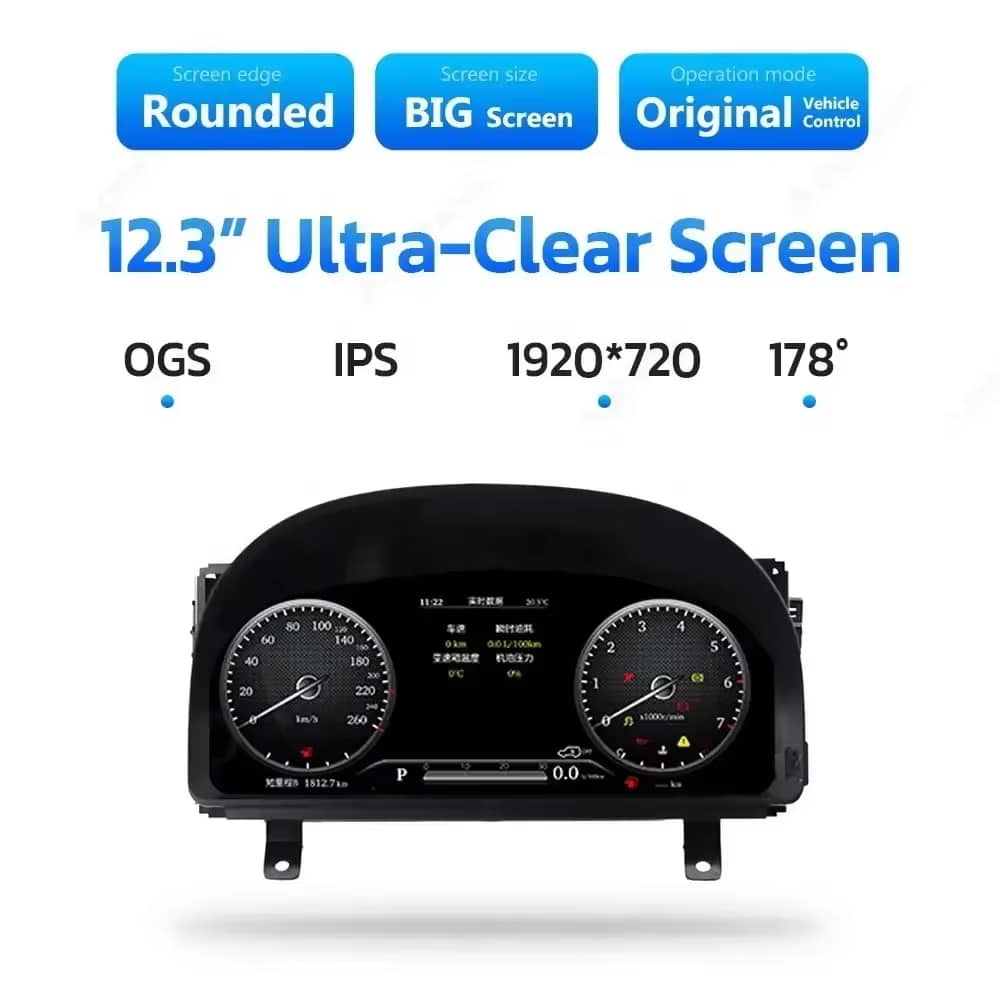
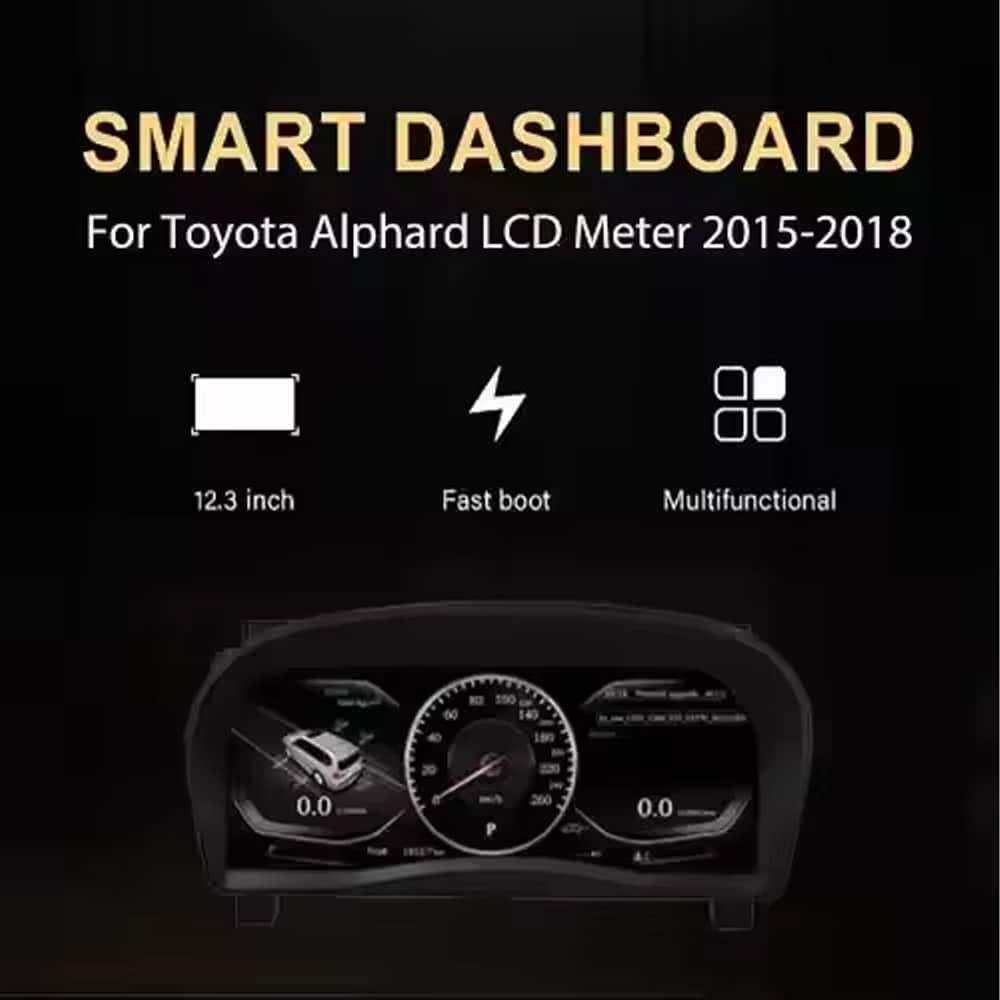
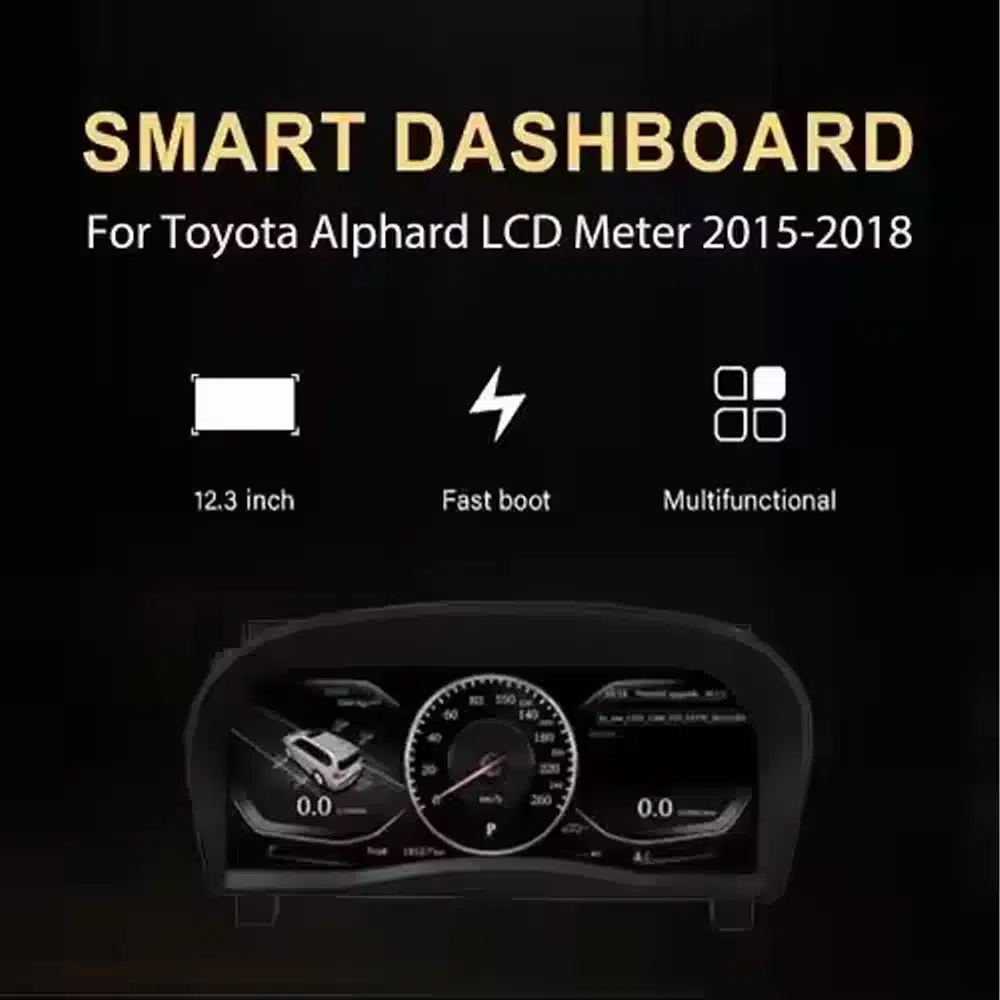
Clear 12.3-Inch Display
A wide 1920×720 screen makes speed, RPM, gear and vehicle information easier to view from the driver’s position.

| น้ำหนัก | 6 กก. |
|---|---|
| ขนาด | 48 × 38 × 28 เซนติเมตร |
| รถสนับสนุน | อัลฟาร์ด ซีรีส์ 20 (2008-2019) |
| ความเข้ากันได้ของผลิตภัณฑ์ | พร้อมใช้งานทันที |
| แหล่งกำเนิดสินค้า | ไม่ใช่สินค้าของแท้ |


$995.00 ราคาเดิมคือ: $995.00.$785.00ราคาปัจจุบันคือ: $785.00.

เราจัดการภาษีมูลค่าเพิ่มและภาษีศุลกากรทั้งหมด ประมาณการการประหยัด: $120–$280.
You are also choosing compatibility review, installation guidance, a 12-month hardware warranty and a long-term support route for the years you expect to use the product.

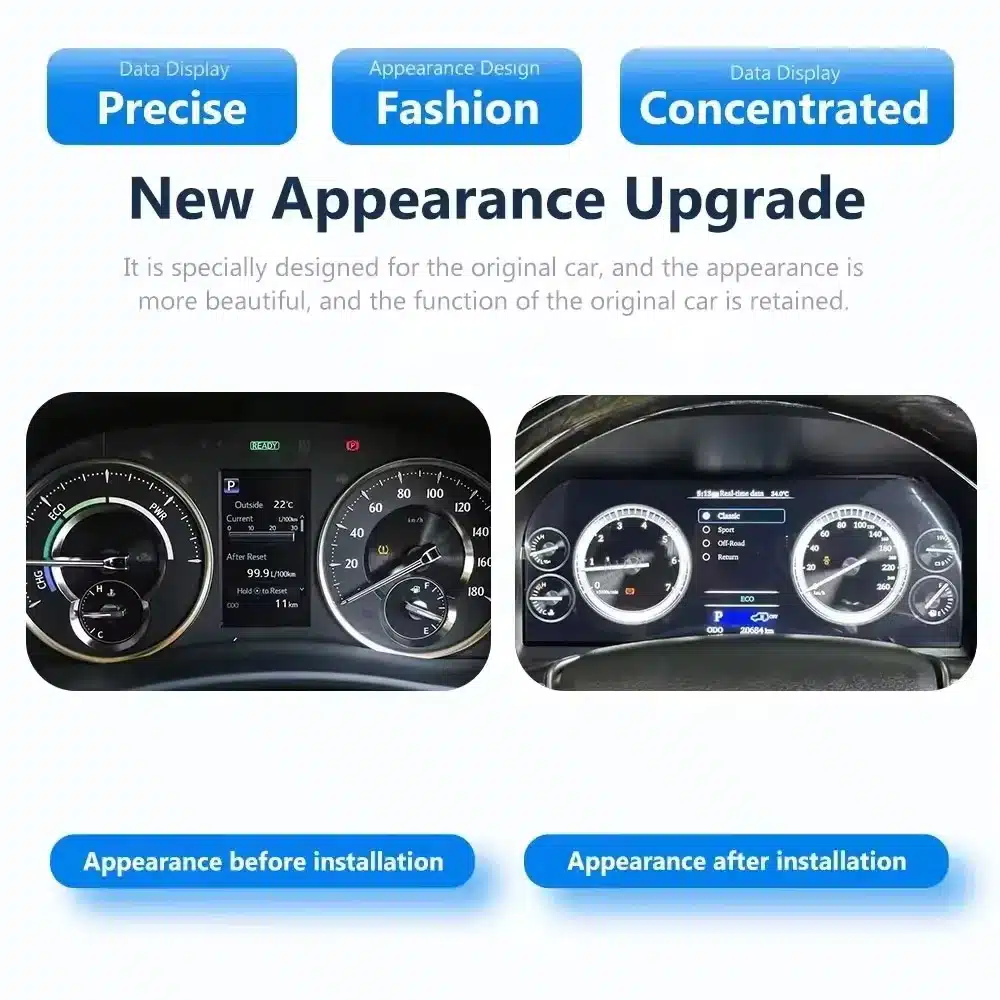
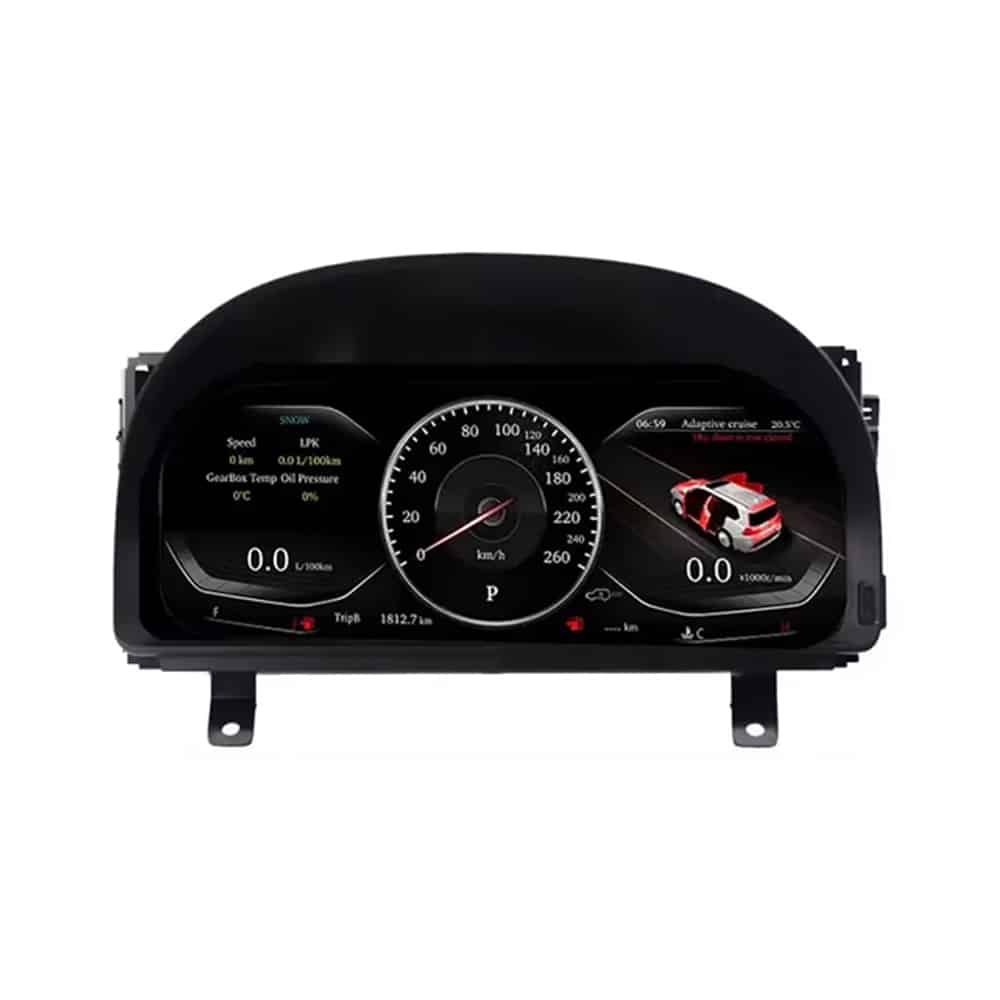
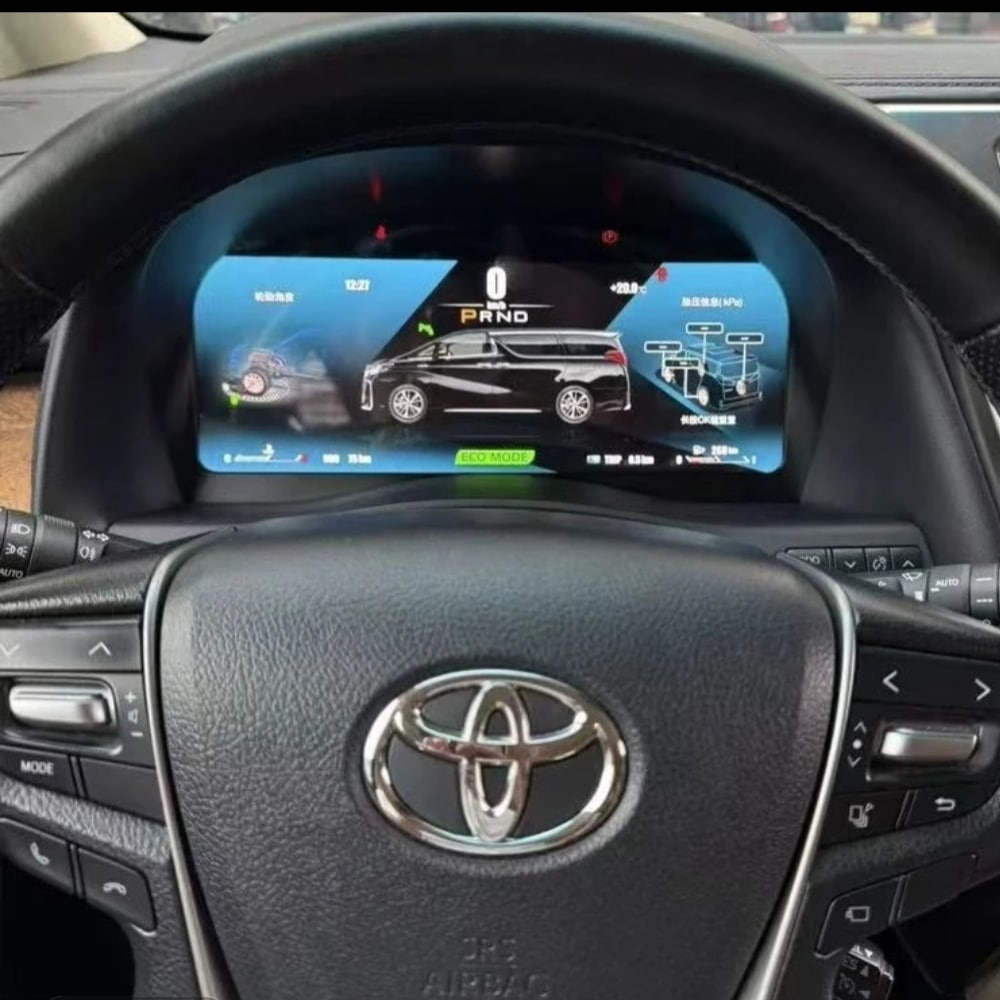
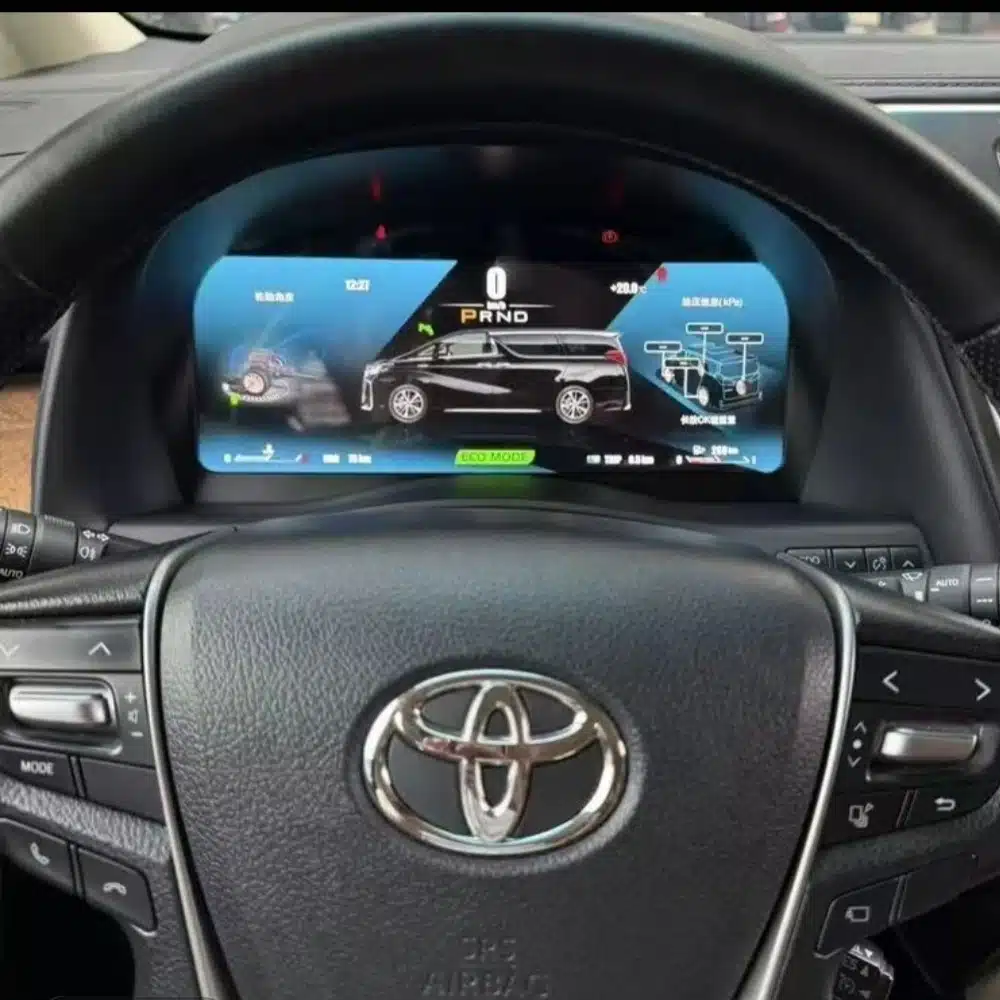
ที่ Toyota Alphard 20 Series digital cluster replaces the original gauge assembly with a 12.3-inch, 1920×720 Linux LCD display. It gives you a clearer digital view of speed, RPM, gear position, fuel information, temperature, mileage and supported vehicle warnings while keeping the dashboard layout integrated with the vehicle.
This is a complete instrument-cluster upgrade, not an Android radio or a CarPlay-only module. iKAGOO checks your vehicle year, dashboard photo, market specification, steering position and original connector configuration before shipment so the correct cluster and matched wiring can be prepared for your order.
This product is a vehicle-specific full-LCD instrument cluster for the Toyota Alphard 20 Series, generally associated with the second-generation dashboard introduced from 2008 until the 2015 model transition. It replaces the original instrument assembly and displays supported driving and vehicle information through a modern digital layout.
Registration years can overlap between markets. Send iKAGOO a clear photo of your current instrument cluster and dashboard before shipment. Customers with the later 2015–2019 dashboard should use the separate later-generation cluster version shown further down this page.
The value is not limited to a larger screen. This upgrade changes the information you see every time you drive and gives an older Alphard cockpit a cleaner digital presentation.
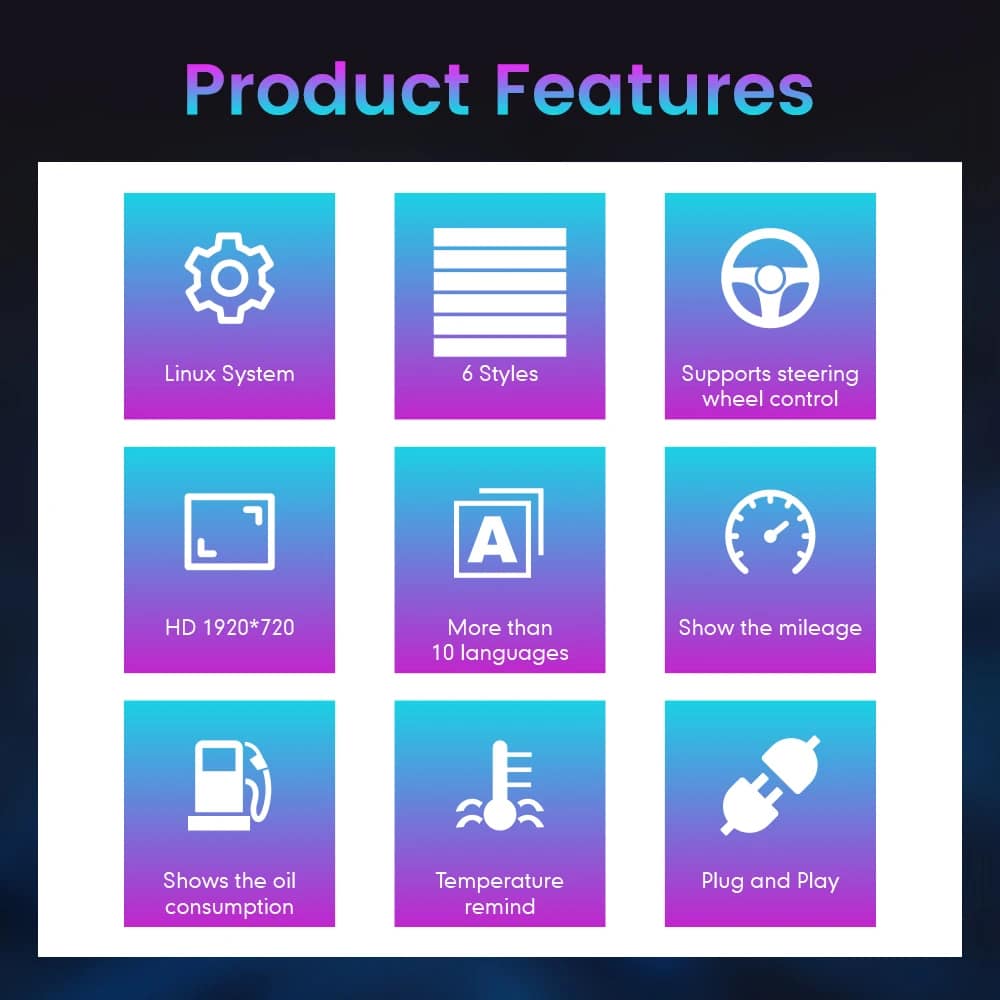
A wide 1920×720 screen makes speed, RPM, gear and vehicle information easier to view from the driver’s position.
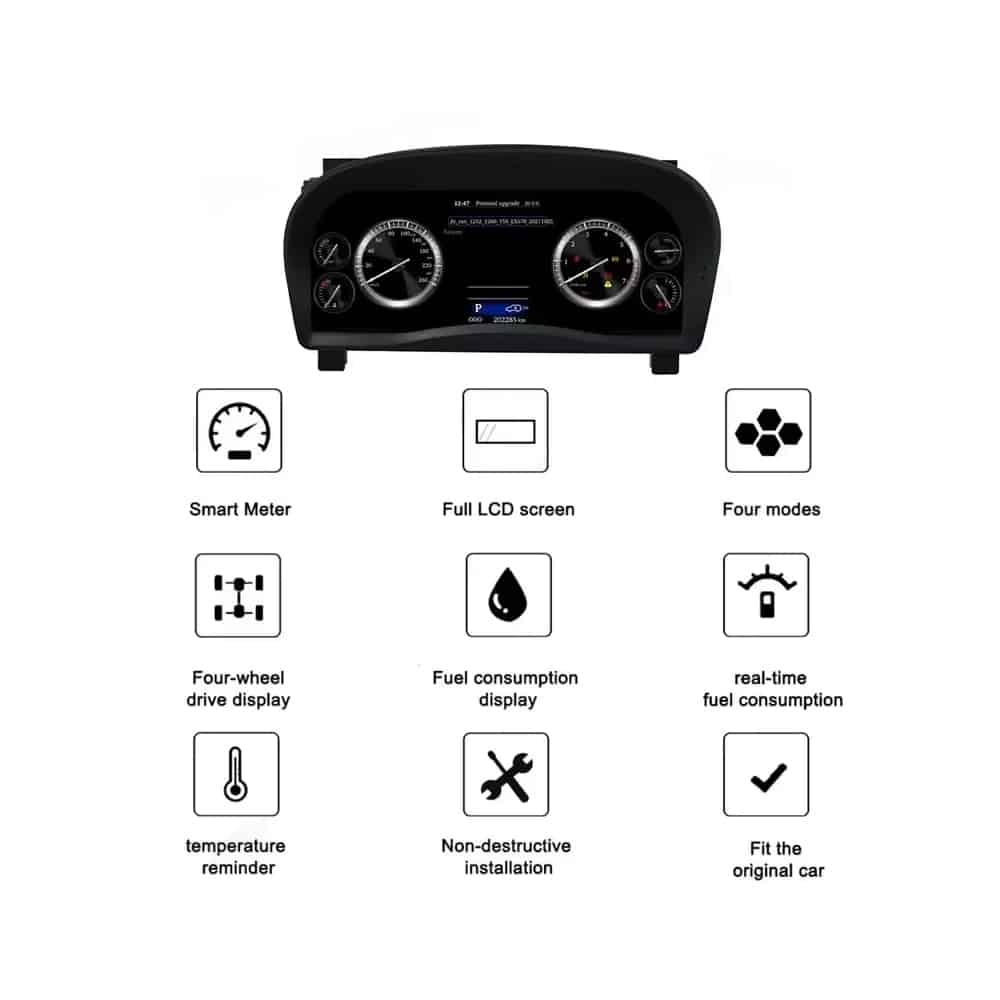
Choose from multiple instrument themes and layouts. The exact theme set depends on the cluster version prepared for your vehicle.
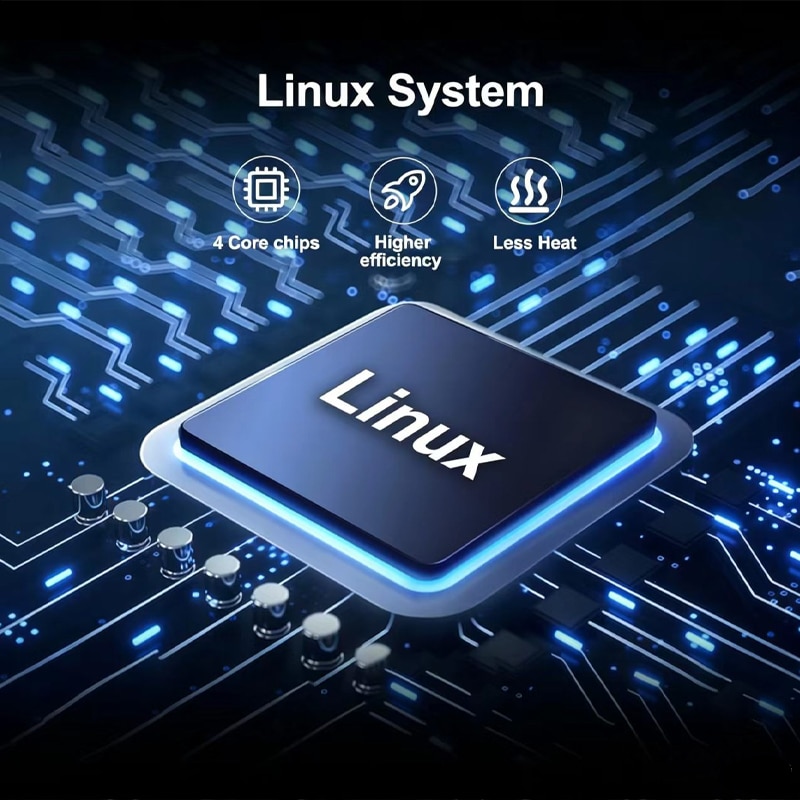
The cluster uses a dedicated Linux instrument system designed for fast startup and direct access to driving information.
Supported speed, RPM, gear, fuel, temperature, mileage, consumption and warning information continue to be displayed.
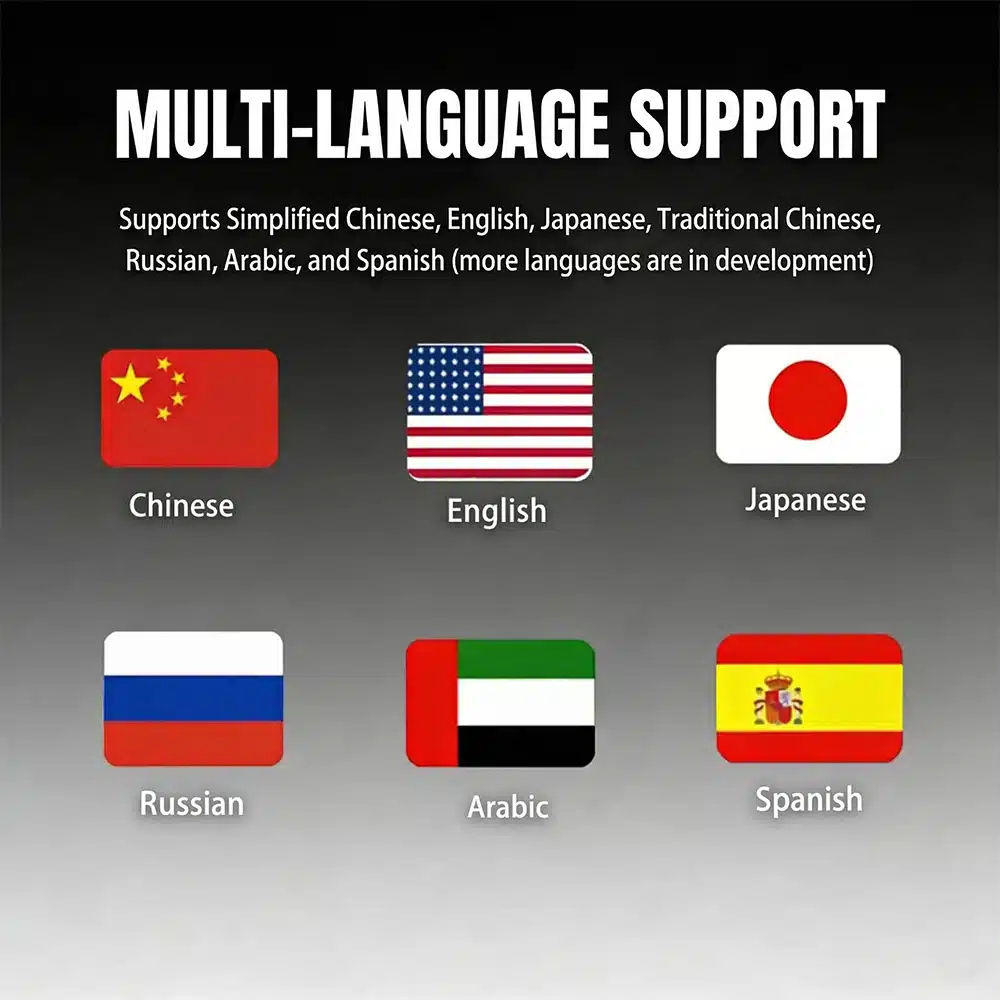
MPH or KM/H, interface language and regional vehicle details can be checked as part of your order preparation.
iKAGOO prepares the applicable cluster and wiring arrangement according to the vehicle information you provide.
With the correct Alphard version, matched wiring and proper installation, the cluster is designed to continue displaying the original driving information you rely on.
Original vehicle speed and engine-speed information are supported.
Supported gear-position information continues to be shown on the digital display.
Fuel-level, coolant-temperature and related vehicle information remain available.
Odometer and trip information are supported through the prepared cluster configuration.
Supported warning indicators and vehicle-status information continue to be displayed.
Supported fuel-consumption and driving-information pages remain available.
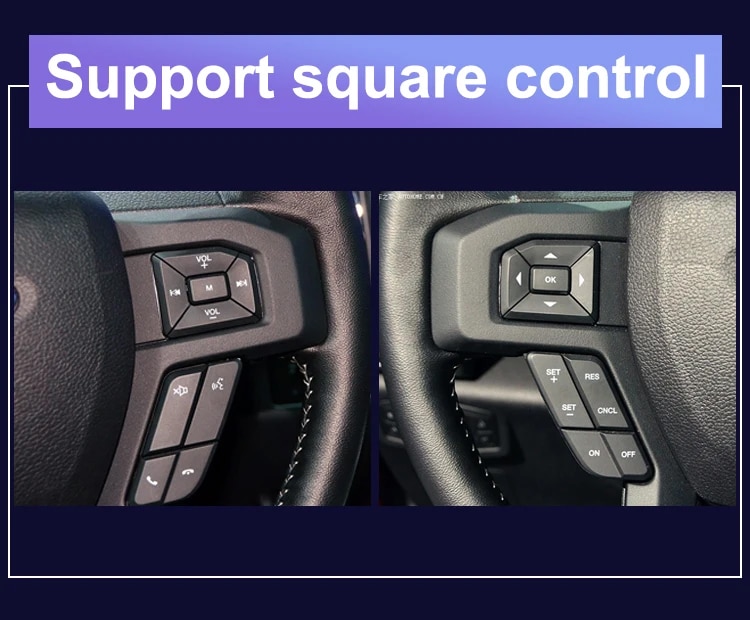
Original steering-wheel instrument controls remain supported where equipped.
Applicable hybrid-energy or four-wheel-drive information is supported when available from the original vehicle configuration.
The matched harness is designed to connect without intentionally cutting the supported factory main wiring.
These images show the physical cluster assembly, rear housing, screen structure and connection hardware supplied for the upgrade.
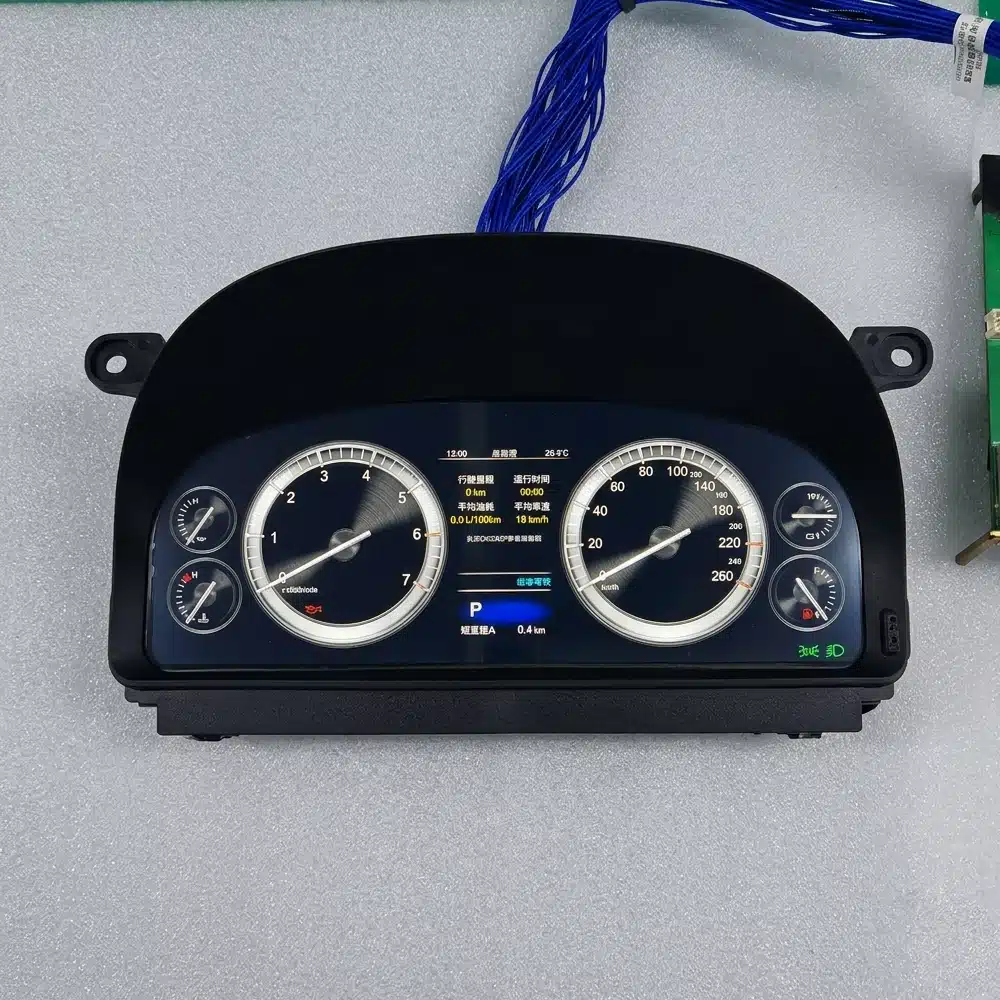
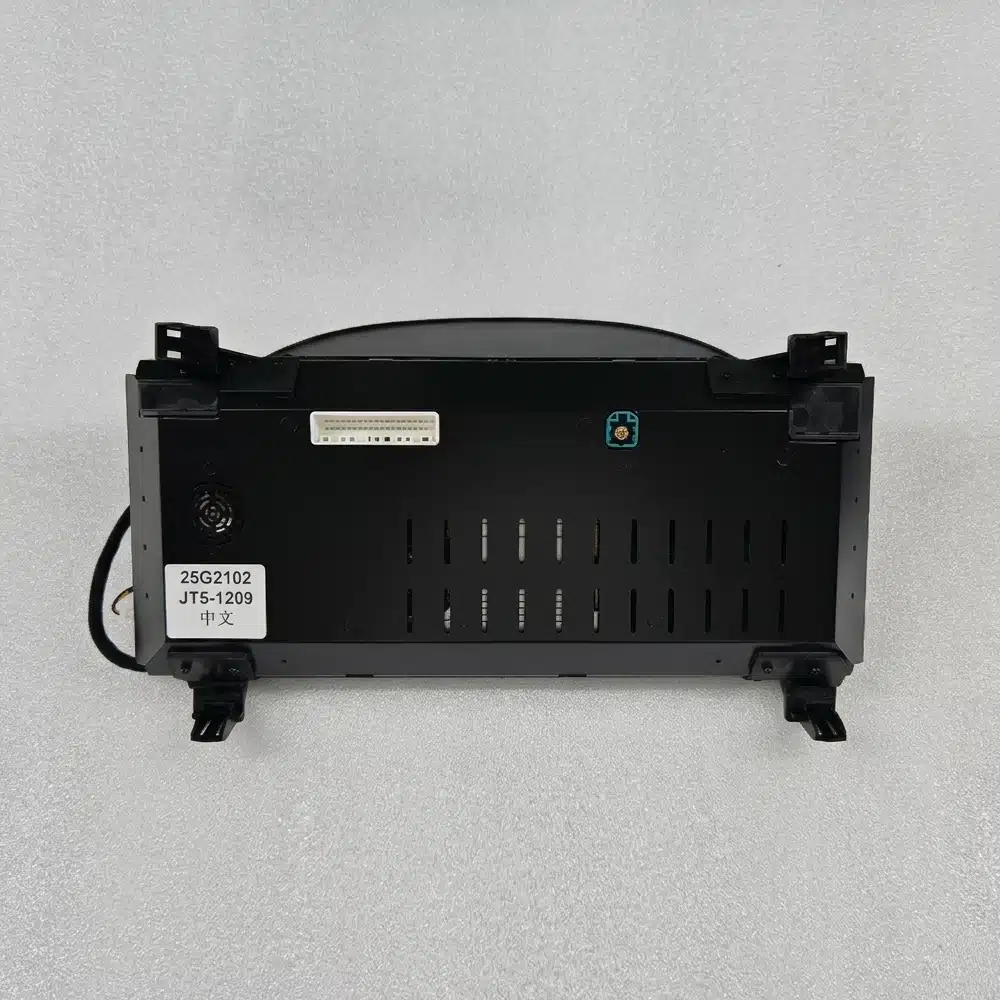
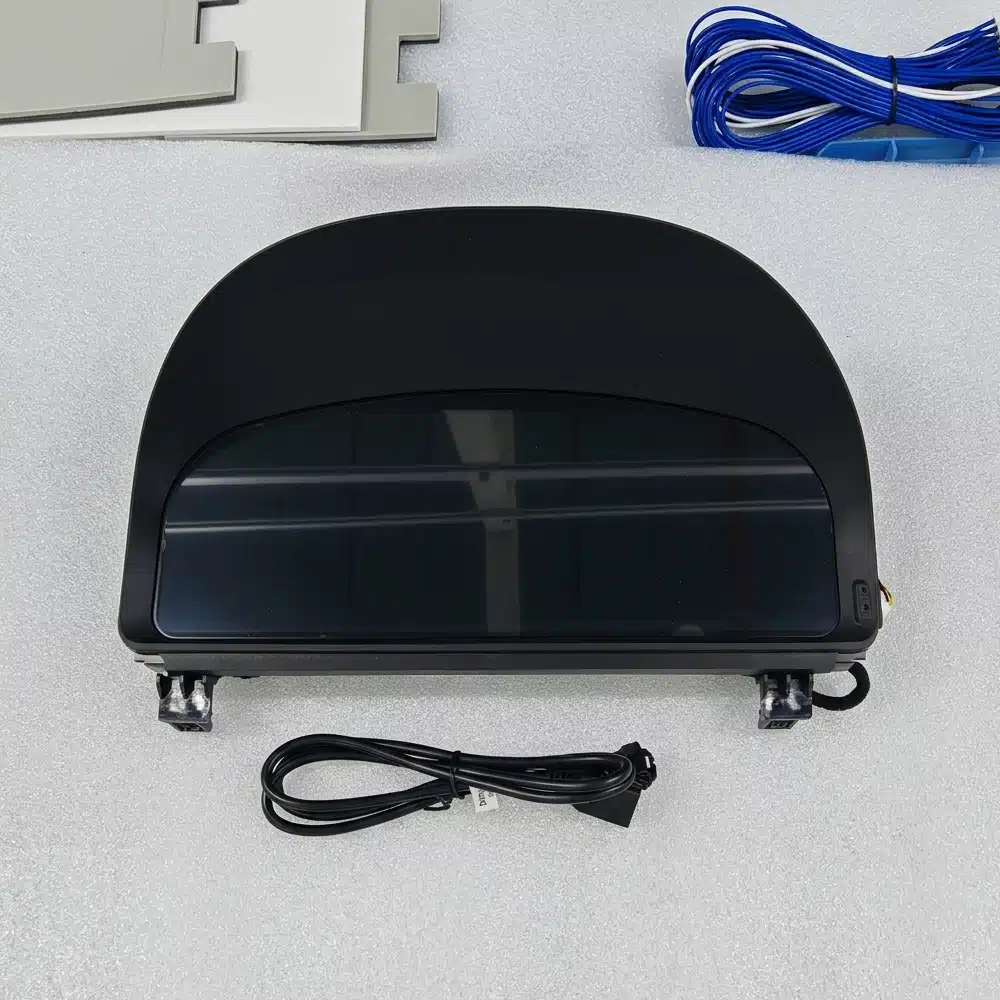
The instrument cluster is built around a dedicated Linux system rather than a general-purpose Android entertainment platform. This keeps the focus on driving data, instrument layouts and fast access to essential information.
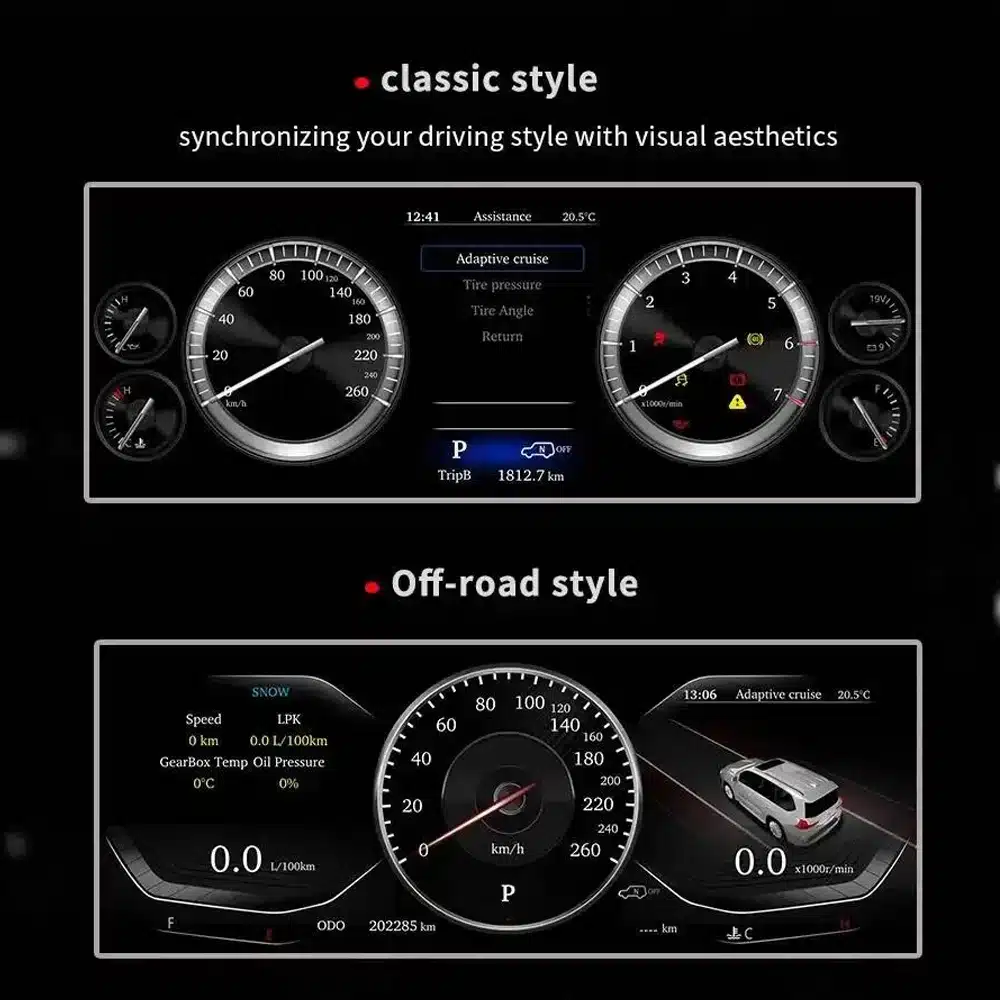
The instrument cluster is directly in front of you every time you drive. The wider display and revised layouts are visible on every journey, not only when using a specific app.
For imported vehicles, a small MPH converter may solve one problem. A full digital cluster can combine unit preparation with a broader visual and information upgrade.
Repairing the original cluster restores the original experience. This product is for owners who also want a modern driver display and selectable layouts.
If you plan to keep your Alphard, upgrading the driver interface can make the vehicle feel more current without changing the comfort and space you already value.
These assessments help you understand the practical value, vehicle integration and installation work before ordering.
This is a strong upgrade for owners who want a more modern driver display, clearer daily information and a complete digital-dashboard appearance.
When the correct 20 Series version is prepared, the cluster is designed to integrate supported speed, RPM, gear, fuel, temperature, mileage, consumption, warning and steering-control information into the new digital display.
Installation requires careful removal of the original instrument assembly, correct wiring identification, vehicle-data testing and verification of mileage, warning indicators and power behavior.
ระดับการติดตั้งที่สูงขึ้นสะท้อนถึงปริมาณงานมืออาชีพที่ต้องการ. ไม่ได้บ่งชี้ถึงคุณภาพของผลิตภัณฑ์ที่ต่ำลง, ความเข้ากันได้ที่ต่ำลง หรือคุณค่าการอัปเกรดที่ต่ำลง.
Alphard registration years can overlap between regions. The dashboard shape and original instrument assembly are more reliable than the registration year alone.
This page is intended for the second-generation Alphard dashboard commonly associated with approximately 2008–2015 vehicles. Provide a clear front photo of your original cluster and dashboard so iKAGOO can confirm the correct housing and connection version.
Vehicles using the later third-generation dashboard require the separate 2015–2019 cluster product. Do not select only by registration year.

| ประเภทสินค้า | Full LCD digital instrument cluster |
|---|---|
| Primary Vehicle Application | Toyota Alphard 20 Series / AH20, subject to dashboard and connector confirmation |
| General Model Period | Approximately 2008–2015 second-generation dashboard; registration years may vary by market |
| ขนาดหน้าจอ | 12.3 นิ้ว |
| การแก้ไขปัญหา | 1920 × 720 |
| Display Construction | OGS IPS |
| มุมมอง | Up to 178° reference |
| ระบบปฏิบัติการ | Dedicated Linux instrument system |
| Processing Platform | Four-core platform |
| ธีมการแสดงผล | Multiple themes and layouts; exact set depends on the prepared version |
| Driving Information | Speed, RPM, gear, fuel, temperature, mileage, trip and supported consumption data |
| Vehicle Status | Supported warning indicators and vehicle-status information |
| หน่วย | MPH or KM/H preparation/configuration subject to vehicle version |
| ภาษา | Multilingual interface; confirm the required language before shipment |
| Steering-Wheel Interaction | Supported original instrument-control buttons where equipped |
| Wiring | Matched plug-in wiring arrangement prepared for the confirmed vehicle version |
| SKU | FD-132 |
| Listed Product Weight | 6 kg |
| ขนาดบรรจุภัณฑ์ที่ระบุ | 48 × 38 × 28 ซม. |
The current purchase area uses one ordering route. The physical cluster and connection arrangement are prepared according to the vehicle information you provide rather than by inventing unsupported online variations.
| ตัวเลือก | What It Does Well | What to Consider |
|---|---|---|
| Repair the original cluster | Restores the original display and factory appearance. | It does not provide the wider digital interface or selectable modern layouts. |
| Used original cluster | Maintains the original Toyota design. | Version, mileage, coding, age and previous vehicle data may need attention. |
| Small MPH converter or HUD | A simpler solution when the only goal is seeing MPH. | It remains an additional display and does not modernize the complete instrument area. |
| โมดูลสำหรับ CarPlay เท่านั้น | Adds phone navigation, music and calling to the entertainment system. | It does not replace the driver’s instrument cluster. |
| iKAGOO ดิจิทัลคลัสเตอร์ | Upgrades the complete driver display with a wide LCD layout and supported original vehicle information. | Correct generation selection and professional installation are required. |
Based on the product hardware shown on this page, the order is centered on the complete instrument-cluster assembly and the applicable connection hardware. Exact package contents are confirmed for the vehicle version prepared for shipment.
The complete screen and housing assembly prepared for the confirmed dashboard version.
Applicable power, data and vehicle-interface connections selected for the confirmed configuration.
Version, regional display requirements and provided vehicle details are checked before shipment.
Use an installer experienced with instrument clusters, vehicle data systems and interior trim. Record the original mileage and photograph all original settings before removing the factory cluster.
Compare the vehicle, original dashboard, cluster shape, steering position and connectors with the order information.
Photograph the current odometer, warning-light state, units and original instrument operation before disassembly.
Protect the dashboard and trim, disconnect the vehicle battery as appropriate and remove the original assembly carefully.
Do not connect by force. Confirm that connector shape, pin arrangement, interface labels and wiring match the prepared instructions.
Install the matched wiring, power the cluster and apply the applicable vehicle, language and unit settings.
Check speed, RPM, gear, fuel, temperature, mileage, steering controls and warning indicators before refitting all trim.
Switch the vehicle off, confirm normal cluster shutdown and verify that the vehicle enters its normal sleep state.
Refit all trim only after the display, data, warnings, controls and power behavior have been checked successfully.
Pausing at this stage protects the vehicle and the product. Send clear connector photos and a short video to iKAGOO so the correct connection guidance can be provided.
iKAGOO checks the supplied model, year, dashboard, instrument and regional information before shipment.
Orders are shipped with tracking. Processing begins after payment and the required vehicle information are received.
Eligible hardware faults are handled under the current iKAGOO warranty terms from the confirmed delivery date.
Connection, configuration and troubleshooting support is available when the installer provides clear photos and test information.
iKAGOO assists with reasonable setup and function checks according to the confirmed vehicle configuration.
If iKAGOO confirmed compatibility from accurate information and no reasonable installation solution is available after troubleshooting, the current refund policy applies.
This page is intended for the Alphard 20 Series dashboard. Registration years can overlap with later models, so iKAGOO checks your current cluster photo, dashboard, steering position, drivetrain and connector configuration before shipment.
Provide the model, registration year, clear front photo of the original cluster, wide dashboard photo, LHD/RHD, petrol or hybrid configuration, required MPH/KM/H, language and a photo of the current odometer.
It is a complete full-LCD instrument-cluster replacement. It is not an Android head unit, car radio or CarPlay-only module.
MPH or KM/H requirements can be checked during order preparation. Tell iKAGOO which unit you need and provide your vehicle’s market specification.
Photograph and record the original odometer before removing the factory cluster. Mileage handling can depend on the vehicle and cluster version, so confirm the required process with iKAGOO and your installer before installation. The owner and installer remain responsible for complying with local mileage-disclosure laws.
Supported original steering-wheel instrument controls continue to work through the prepared vehicle interface where the vehicle is equipped with those controls.
Supported warning indicators and vehicle-status information continue to be displayed after correct connection and configuration. The installer should test every warning state before completing the dashboard reassembly.
Applicable hybrid-energy and four-wheel-drive information can be displayed when the original vehicle provides the required data and the correct version is prepared. Include the drivetrain information with your order.
The matched harness is designed to connect without intentionally cutting the supported factory main wiring. Stop installation and contact iKAGOO if cutting or forcing an incompatible connector appears necessary.
Professional installation is recommended. The work involves instrument removal, trim protection, connector verification, data testing, mileage handling and vehicle sleep testing.
The product supports multiple themes and layouts. Media from different prepared versions shows different theme counts, so the exact theme set is confirmed according to the software version supplied with your order.
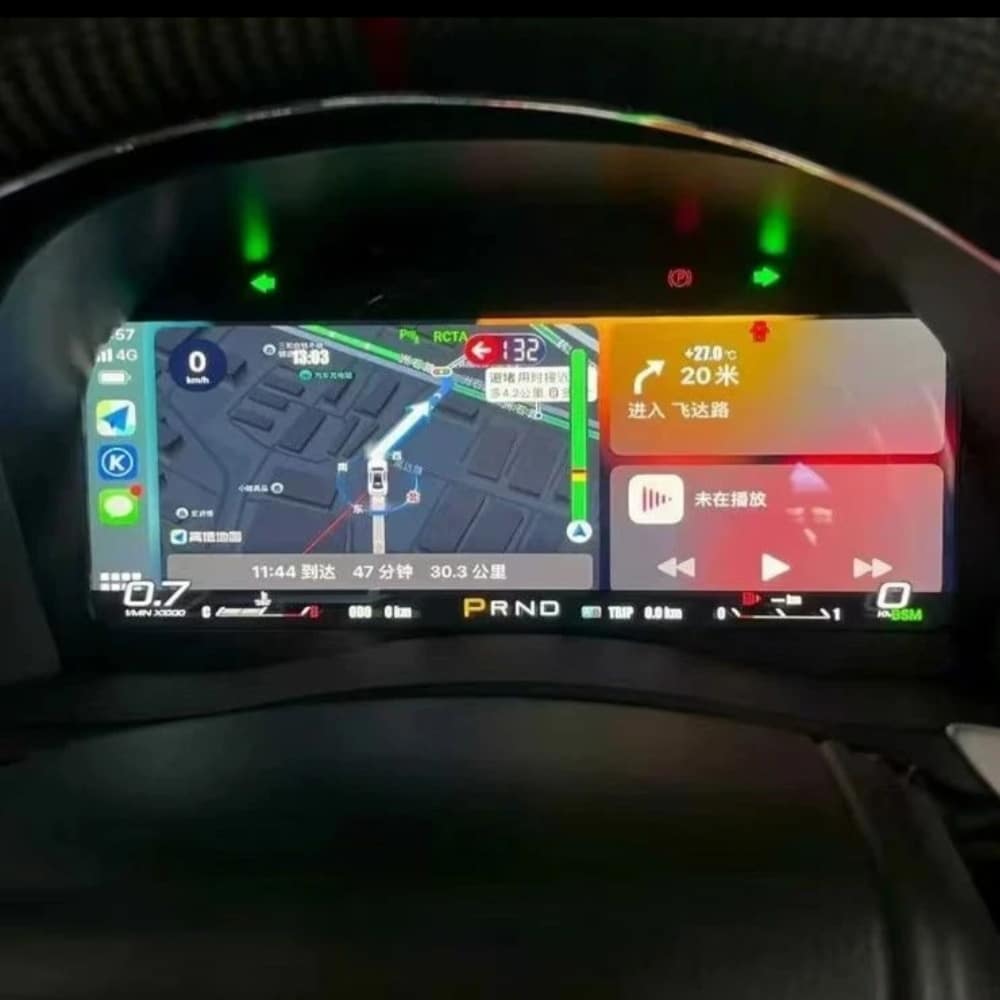
The standard product described here is a dedicated Linux instrument cluster, not a general Android entertainment device. Any navigation, media or phone-projection display shown in reference media depends on the specific external source and prepared interface and should be confirmed before ordering.
The package is centered on the LCD instrument-cluster assembly and the applicable connection hardware prepared for the confirmed vehicle version. Exact supplied items are confirmed with the order.
The product is covered by the current iKAGOO 12-month hardware warranty from the confirmed delivery date. Eligibility, return shipping, repair and replacement handling follow the current published warranty policy.
Provide accurate vehicle information before purchase and cooperate with installation troubleshooting. If iKAGOO confirmed compatibility from accurate information and no reasonable installation solution remains after troubleshooting, the case is handled under the current iKAGOO refund policy. Incorrect information, undisclosed modifications and vehicle-specific limitations are not promoted as unconditional return-and-refund cases.
Choose the current purchase option, provide your vehicle and dashboard information, and let iKAGOO prepare the applicable cluster, display configuration and connection arrangement for your order.
คุณต้องเป็น logged in เพื่อโพสต์รีวิว.


ข้อมูลที่ชัดเจนเกี่ยวกับการประมวลผลคำสั่งซื้อ การจัดส่งระหว่างประเทศ ผลิตภัณฑ์เฉพาะรุ่น การรับประกัน การคืนสินค้า และการจัดส่งที่เสียหาย.
คำตอบเหล่านี้ให้สรุปที่เป็นประโยชน์ในทางปฏิบัติ หน้าของนโยบายฉบับสมบูรณ์ที่เชื่อมโยงไว้ด้านล่าง ใช้กับทุกคำสั่งซื้อ.
คำสั่งซื้อส่วนใหญ่ของ iKAGOO จะถูกจัดส่งจากสถานที่จัดจำหน่ายของเราในประเทศจีน หลังจากที่การกำหนดค่าผลิตภัณฑ์และข้อมูลยานพาหนะได้รับการตรวจสอบแล้ว การดำเนินการตามคำสั่งซื้อปกติใช้เวลาประมาณ 1–3 วันทำการ.
เวลาที่คาดว่าจะจัดส่งหลังจากส่งสินค้าคือ:
การประมาณการส่งมอบอาจได้รับผลกระทบจากการผ่านศุลกากร, วันหยุดท้องถิ่น, การส่งมอบในพื้นที่ห่างไกล, สภาพอากาศ หรือการล่าช้าของผู้ขนส่ง.
การจัดส่งระหว่างประเทศมาตรฐานโดยปกติไม่รวมภาษีมูลค่าเพิ่มของประเทศปลายทาง ภาษีนำเข้า ค่าธรรมเนียมนายหน้า หรือค่าธรรมเนียมการผ่านศุลกากร.
สำหรับจุดหมายปลายทางในสหภาพยุโรปที่มีสิทธิ์, ตัวเลือก บริการจัดส่งแบบ DDP อาจมีให้บริการ. ค่าธรรมเนียมที่เกี่ยวข้องกับการนำเข้า จะรวมอยู่เฉพาะเมื่อเลือก DDP ที่หน้าชำระเงินหรือยืนยันโดย iKAGOO เป็นลายลักษณ์อักษรก่อนการจัดส่ง.
เมื่อไม่เลือก DDP ผู้รับจะต้องรับผิดชอบค่าใช้จ่ายใด ๆ ที่ถูกเรียกเก็บโดยศุลกากรท้องถิ่นหรือผู้ให้บริการจัดส่ง.
การจัดส่งด่วนหรือการจัดส่งแบบเร่งด่วนอาจมีให้บริการสำหรับสินค้าที่เลือกและ จุดหมายปลายทางบางแห่ง ความพร้อมให้บริการ, ผู้ให้บริการขนส่ง และค่าใช้จ่ายเพิ่มเติมจะได้รับการยืนยันก่อน การจัดส่ง.
ขึ้นอยู่กับจุดหมายปลายทางและประเภทของสินค้า iKAGOO อาจใช้บริการขนส่งเช่น DHL, FedEx, UPS, EMS, 4PX หรือผู้ให้บริการขนส่งที่สามารถติดตามได้อื่น ๆ.
หลังจากคำสั่งซื้อได้ถูกจัดส่งแล้ว หมายเลขติดตามหรือลิงก์ติดตาม จะถูกส่งไปยังที่อยู่อีเมลที่ใช้ในการสั่งซื้อโดยปกติ.
การติดตามการอัปเดตอาจใช้เวลาหลายวันทำการในการปรากฏขึ้นขณะที่พัสดุ กำลังถูกโอนย้ายระหว่างผู้ให้บริการขนส่งระหว่างประเทศและผู้ให้บริการขนส่งภายในประเทศ.
สิทธิ์ในการคืนสินค้าขึ้นอยู่กับเหตุผลในการคืนสินค้า, สภาพของสินค้า, สถานะการติดตั้ง, หลักฐานที่จัดเตรียมไว้ และว่าการคืนสินค้าได้รับการอนุมัติ จาก iKAGOO หรือไม่.
สำหรับการคืนสินค้าที่ไม่มีข้อบกพร่อง สินค้าจะต้องอยู่ในสภาพปกติ ไม่เคยใช้งาน ไม่เคยติดตั้ง ครบถ้วนสมบูรณ์ และเหมาะสมสำหรับการจำหน่ายต่อ โดยทั่วไปลูกค้าจะต้องรับผิดชอบ ค่าจัดส่งคืนที่ได้รับการอนุมัติ.
ค่าขนส่งเดิม, ค่าบริการ DDP, ภาษีมูลค่าเพิ่ม, ภาษีศุลกากร และค่าใช้จ่ายด้านลอจิสติกส์อื่น ๆ โดยทั่วไปไม่สามารถขอคืนได้ เว้นแต่กฎหมายที่เกี่ยวข้องกำหนดไว้หรือได้รับการยืนยัน เป็นอย่างอื่นโดย iKAGOO.
ห้ามส่งสินค้าคืนโดยไม่ได้มีที่อยู่สำหรับคืนสินค้าที่ได้รับการอนุมัติ และคำแนะนำในการคืนสินค้าจาก iKAGOO.
การคุ้มครองเพิ่มเติมอาจใช้บังคับได้เมื่อ iKAGOO ยืนยันความเข้ากันได้ก่อนการซื้อ ลูกค้าให้ข้อมูลรถยนต์ที่ถูกต้อง และลูกค้า ร่วมมือกับขั้นตอนการติดตั้งและการวินิจฉัยที่สมเหตุสมผล.
หาก iKAGOO ยืนยันว่าไม่มีทางแก้ไขทางเทคนิคที่เหมาะสม และ ปัญหาได้รับการรายงานภายใน 7 วันปฏิทินนับจากวันที่ส่งมอบ, , ลูกค้าอาจมีสิทธิ์ได้รับเงินคืนสำหรับราคาสินค้าโดยไม่ต้อง ส่งคืนสินค้า.
การจัดส่งต้นทาง, DDP, ภาษีมูลค่าเพิ่ม, ภาษีศุลกากร และค่าใช้จ่ายของบุคคลที่สามอื่น ๆ ไม่รวมอยู่ในเงินคืนราคาสินค้านี้.
ผลิตภัณฑ์ iKAGOO ที่มีสิทธิ์ได้แก่ รับประกันฮาร์ดแวร์แบบจำกัด 12 เดือน ครอบคลุมข้อบกพร่องที่ผ่านการตรวจสอบแล้ว และปัญหาฮาร์ดแวร์ที่เข้าเงื่อนไขภายใต้การใช้งานตามปกติ.
ขึ้นอยู่กับปัญหา, การแก้ไขอาจรวมถึงการวินิจฉัยระยะไกล, การช่วยเหลือการตั้งค่า, ชิ้นส่วนทดแทน, การซ่อมแซม, การเปลี่ยนสินค้า, การคืนเงินบางส่วน หรือ การคืนเงินเต็มจำนวน.
การรับประกันนี้ไม่ครอบคลุมความเสียหายที่เกิดจากการเดินสายไฟไม่ถูกต้อง, การดัดแปลงโดยไม่ได้รับอนุญาต, ความเสียหายที่เกิดโดยอุบัติเหตุ, การรั่วซึมของน้ำ, การกระแทก, การใช้ผิดวิธี, แรงดันไฟฟ้าไม่เหมาะสม, ข้อผิดพลาดในการติดตั้ง หรืออุปกรณ์ของบุคคลที่สามที่ไม่รองรับ.
การตรวจสอบหรือการตรวจสอบโดยบุคคลที่สามจะไม่ยกเลิกการรับประกันทั้งหมดโดยอัตโนมัติ อย่างไรก็ตาม ความเสียหายที่เกิดจากการซ่อมแซมโดยไม่ได้รับอนุญาต การเปลี่ยนชิ้นส่วน การดัดแปลงที่ไม่ถูกต้อง วงจรที่ชำรุด หรือการประกอบกลับที่ไม่ถูกต้องจะไม่ได้รับการคุ้มครอง.
ติดต่อ iKAGOO ก่อนถอดหรือซ่อมแซมผลิตภัณฑ์ เพื่อให้สามารถให้ขั้นตอนการวินิจฉัยที่ถูกต้องได้.
ติดต่อ iKAGOO ภายใน 7 วันปฏิทินนับจากวันที่ส่งมอบ และเก็บรักษา บรรจุภัณฑ์เดิม, ฉลากการจัดส่ง, อุปกรณ์เสริม และผลิตภัณฑ์.
กรุณาให้ภาพถ่ายหรือวิดีโอที่ชัดเจนแสดง:
หลังจากการตรวจสอบแล้ว iKAGOO อาจจัดส่งชิ้นส่วนที่ขาด, เปลี่ยน, ซ่อม, คืนเงิน หรือหาทางแก้ไขที่เหมาะสมอื่น ๆ ตามกรณีเฉพาะ.
ติดต่อ iKAGOO ก่อนติดตั้งหรือใช้งานผลิตภัณฑ์ การเปลี่ยนหรือคืนสินค้าอาจ ได้รับการอนุมัติเมื่อสินค้ายังคงไม่ถูกใช้งาน ไม่ถูกติดตั้ง ครบถ้วนสมบูรณ์ และเหมาะสม สำหรับการขายต่อ.
ลูกค้าเป็นผู้รับผิดชอบค่าขนส่งและส่วนต่างของราคา ในกรณีที่เลือกสินค้า รุ่นรถ ปี หรือสเปกโรงงานไม่ถูกต้อง.
ไม่มีป้ายส่งคืนแบบชำระเงินล่วงหน้าให้โดยอัตโนมัติ.
ติดต่อ iKAGOO โดยเร็วที่สุดเท่าที่เป็นไปได้, ควรภายใน 12 ชั่วโมงหลังจากสั่งซื้อ, เมื่อขอที่อยู่, การกำหนดค่าของยานพาหนะหรือการเปลี่ยนแปลงผลิตภัณฑ์.
การแก้ไขหรือการยกเลิกจะมีผลเมื่อได้รับการยืนยันจาก iKAGOO เท่านั้น ผลิตภัณฑ์เฉพาะสำหรับยานพาหนะอาจเข้าสู่กระบวนการจัดซื้อ, การโปรแกรม, การทดสอบ, การกำหนดค่า หรือการเตรียมการตามความต้องการได้ไม่นานหลังจากการชำระเงิน.
เมื่อการเตรียมการหรือการจัดส่งได้เริ่มต้นขึ้นแล้ว อาจไม่สามารถยกเลิกได้ หรืออาจมีการหักค่าใช้จ่ายที่เกิดขึ้นอย่างสมเหตุสมผล.
เนื้อหาของแพ็กเกจอาจแตกต่างกันตามสินค้า, รุ่นรถยนต์, ระบบโรงงาน และตัวเลือกการกำหนดค่าที่เลือกไว้.
ขึ้นอยู่กับผลิตภัณฑ์ บรรจุภัณฑ์อาจประกอบด้วยอุปกรณ์หลัก สายไฟเฉพาะรถยนต์ อินเทอร์เฟซ CANBUS อะแดปเตอร์ สาย USB เสาอากาศ ไมโครโฟน อุปกรณ์ติดตั้ง และอุปกรณ์เสริมสำหรับการติดตั้งอื่นๆ.
โปรดดูที่หน้าผลิตภัณฑ์ที่เกี่ยวข้อง รูปภาพบรรจุภัณฑ์ และใบยืนยันการสั่งซื้อสำหรับ ส่วนประกอบที่รวมอยู่ทั้งหมดอย่างถูกต้อง.
คุณสามารถติดต่อ iKAGOO ได้ผ่านแบบฟอร์มติดต่อ, อีเมล, WhatsApp หรือช่องทางสนับสนุนบนเว็บไซต์ที่มีให้บริการ เวลาตอบกลับโดยทั่วไปคือภายใน 24 ชั่วโมงทำการ.
เพื่อรับการสนับสนุนทางเทคนิคที่รวดเร็วขึ้น โปรดระบุหมายเลขคำสั่งซื้อ รุ่นรถ และปีของรถ รูปภาพระบบจากโรงงาน รูปภาพผลิตภัณฑ์ และวิดีโอที่ชัดเจนแสดงปัญหา.
เยี่ยมชม: iKAGOO ติดต่อและสนับสนุน
การชำระเงินดำเนินการผ่านวิธีการชำระเงินที่ปลอดภัยซึ่งแสดงในระหว่าง การชำระเงิน ตัวเลือกบัตร กระเป๋าเงิน และการผ่อนชำระอาจแตกต่างกันไปตามประเทศ สกุลเงิน ผู้ให้บริการชำระเงิน และคุณสมบัติของลูกค้า.
บริการผ่อนชำระใด ๆ รวมถึงตัวเลือกที่เสนอโดย PayPal หรือผู้ให้บริการรายอื่น อยู่ภายใต้ความพร้อมให้บริการในภูมิภาคและกฎการอนุมัติของผู้ให้บริการนั้น.
กรุณาตรวจสอบหน้าข้อกำหนดนโยบายฉบับเต็มก่อนทำการสั่งซื้อ โดยเฉพาะสำหรับ ผลิตภัณฑ์ที่เฉพาะเจาะจงกับยานพาหนะ การจัดการภาษีระหว่างประเทศ และการคืนสินค้าที่เกี่ยวข้องกับการติดตั้ง.
คำถามที่พบบ่อยนี้เป็นคู่มือสำหรับลูกค้าที่สรุปไว้อย่างง่าย หน้าข้อกำหนดฉบับสมบูรณ์ที่เผยแพร่แล้ว ใบยืนยันการสั่งซื้อ และกฎหมายคุ้มครองผู้บริโภคที่เกี่ยวข้องจะมีผลเหนือกว่าหากมีข้อความใดแตกต่างกัน.
$995.00 ราคาเดิมคือ: $995.00.$785.00ราคาปัจจุบันคือ: $785.00.
เลือกสิ่งที่คุณวางแผนจะซื้อ เราจะแสดงรายละเอียดที่จำเป็นสำหรับสินค้านั้นเท่านั้น.
เราจะตรวจสอบรายละเอียดและส่งเวอร์ชันผลิตภัณฑ์ที่แนะนำไปยังอีเมลของคุณ.
เราใช้คุกกี้ที่จำเป็นเพื่อให้เว็บไซต์ปลอดภัยและทำงานได้อย่างถูกต้อง เมื่อคุณยินยอม เราอาจใช้คุกกี้วิเคราะห์เพื่อปรับปรุงประสบการณ์การใช้งาน ดูของเรา นโยบายความเป็นส่วนตัว.


รีวิว
ยังไม่มีรีวิว.