


ข้อมูลการขับขี่ที่ชัดเจนยิ่งขึ้น
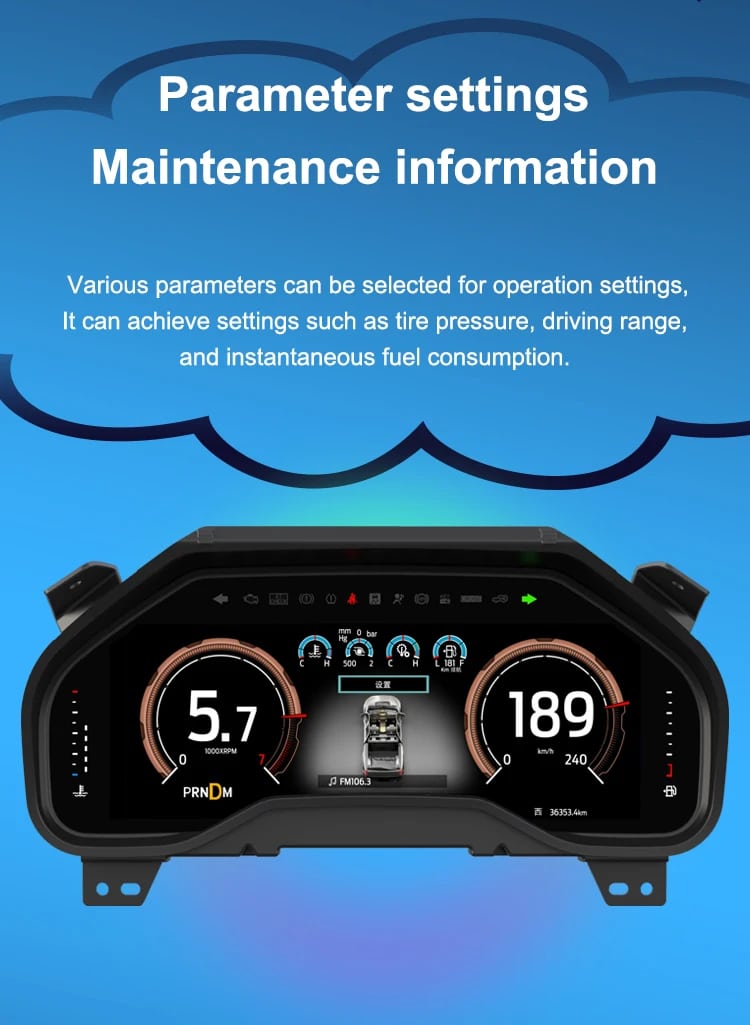
Speed, RPM, gear position, fuel range, oil information, water temperature, TPMS and supported warnings are easier to read than on the original analog layout.

| น้ำหนัก | 4.5 กก. |
|---|---|
| ขนาด | 45 × 35 × 25 เซนติเมตร |
| รถสนับสนุน | 2009-2012, 2013-2014 |
| ความเข้ากันได้ของผลิตภัณฑ์ | พร้อมใช้งานทันที |
| แหล่งกำเนิดสินค้า | ไม่ใช่สินค้าของแท้ |



จาก: $หนึ่งพันสามร้อยแปดสิบบาท

เราจะจัดการภาษีมูลค่าเพิ่ม (VAT) และภาษีนำเข้าที่บังคับใช้สำหรับคำสั่งซื้อจากสหภาพยุโรป (EU) และสหรัฐอเมริกา (USA) ที่ตรงตามเงื่อนไข การประหยัดที่คาดการณ์: $120–$280 .
ค่าส่งเป็นค่าใช้จ่ายแยกต่างหาก. ค่าจัดส่งที่แม่นยำจะถูกคำนวณตามจุดหมายปลายทาง และแสดงในตะกร้าสินค้าของคุณก่อนการชำระเงิน.
ค่าจัดส่งสุดท้ายจะยืนยันจากที่อยู่จัดส่งของคุณที่หน้าชำระเงิน.
การตรวจสอบความเข้ากันได้, การคุ้มครองความเข้ากันได้แบบครบถ้วน, การรับประกันอุปกรณ์ฮาร์ดแวร์เป็นระยะเวลา 12 เดือน และการสนับสนุนอย่างต่อเนื่องหลังการติดตั้ง.
 การคุ้มครองการคืนเงินเต็มจำนวน
การรับประกันความเข้ากันได้
ยืนยันแล้วว่าไม่เหมาะกับรถของคุณ? คุณจะได้รับเงินคืนเต็มจำนวน.
→
การคุ้มครองการคืนเงินเต็มจำนวน
การรับประกันความเข้ากันได้
ยืนยันแล้วว่าไม่เหมาะกับรถของคุณ? คุณจะได้รับเงินคืนเต็มจำนวน.
→
 12-Month การรับประกันฮาร์ดแวร์
การรับประกันอุปกรณ์ฮาร์ดแวร์มีให้ในช่วง 12 เดือนแรก.
→
บริการหลังการขายในระยะยาว
การให้คำแนะนำเกี่ยวกับซอฟต์แวร์ การสนับสนุนชิ้นส่วน และการประสานงานการซ่อมแซม จะยังคงเชื่อมโยงกับคำสั่งซื้อเดิมของคุณ.
→
12-Month การรับประกันฮาร์ดแวร์
การรับประกันอุปกรณ์ฮาร์ดแวร์มีให้ในช่วง 12 เดือนแรก.
→
บริการหลังการขายในระยะยาว
การให้คำแนะนำเกี่ยวกับซอฟต์แวร์ การสนับสนุนชิ้นส่วน และการประสานงานการซ่อมแซม จะยังคงเชื่อมโยงกับคำสั่งซื้อเดิมของคุณ.
→
เป้าหมายของเราคือทำให้คำสั่งซื้อของคุณถูกต้องก่อนที่สินค้าจะออกจากเรา. เราตรวจสอบความเข้ากันได้ เตรียมการตั้งค่าที่ถูกต้อง และจะติดต่อคุณเฉพาะเมื่อมีสิ่งที่ต้องยืนยันเท่านั้น.
2009–2014 F-150 · 2010–2014 SVT Raptor
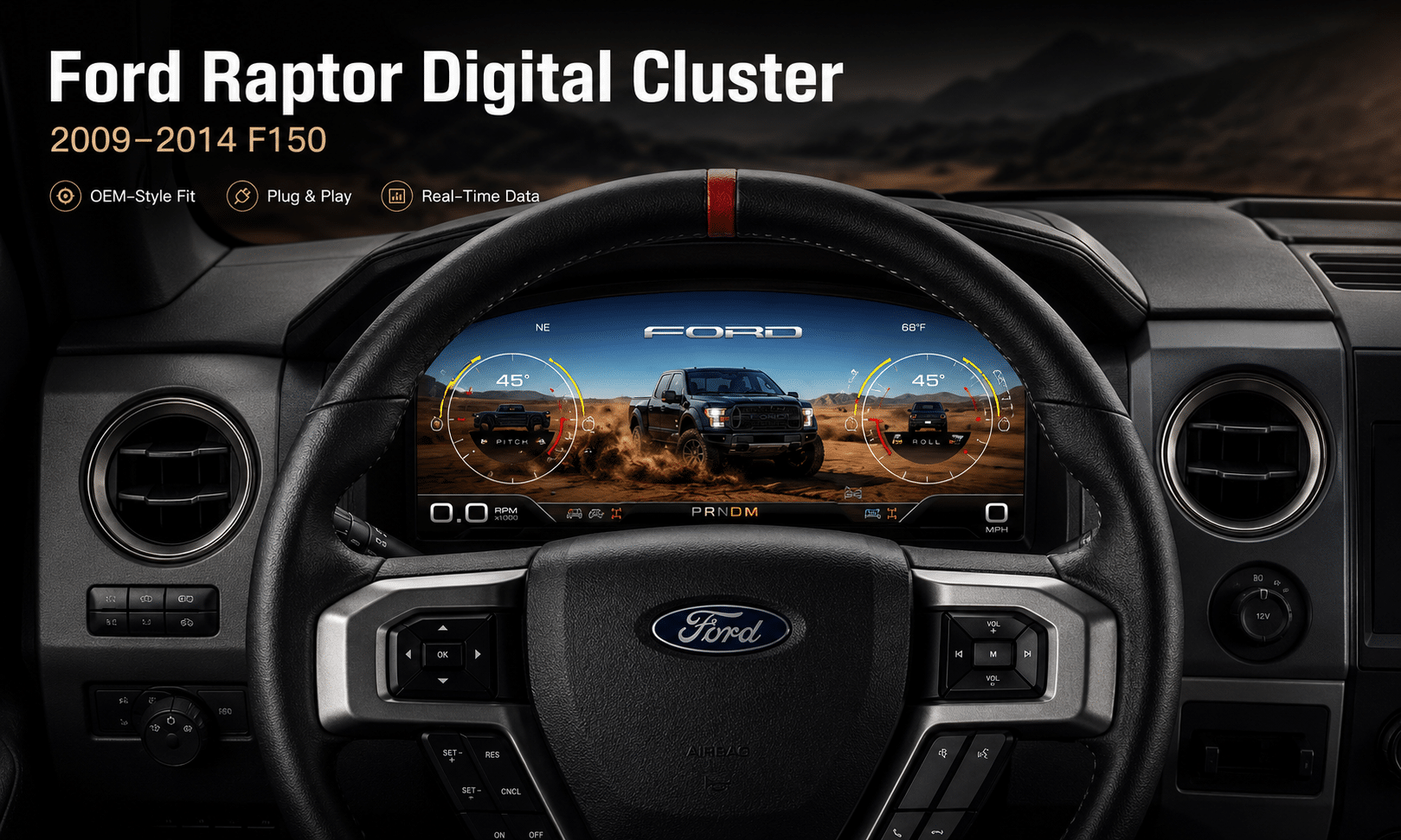
สิ่งนี้ คลัสเตอร์เครื่องมือวัดดิจิทัล Ford F150 2009-2014 upgrades the original analog gauge area into a 13.1-inch Linux virtual cockpit. It keeps important original vehicle information visible, adds multiple Raptor-style UI themes, supports factory steering-wheel controls and gives the driver a much more modern instrument layout.
iKAGOO prepares the correct Ford F150 Raptor Digital Cluster 2009–2012 or 2013–2014 version, matched connection solution and installation guidance from your vehicle information.
การปรับปรุงการใช้งานในชีวิตประจำวัน
The strongest value is not only the screen size. The upgrade changes how you read speed, RPM, tire pressure, oil information, fuel data, warnings and off-road status during normal driving.
Speed, RPM, gear position, fuel range, oil information, water temperature, TPMS and supported warnings are easier to read than on the original analog layout.
The wider digital layout brings supported fuel, temperature, tire-pressure, warning and drivetrain information into a clearer driver-focused display.
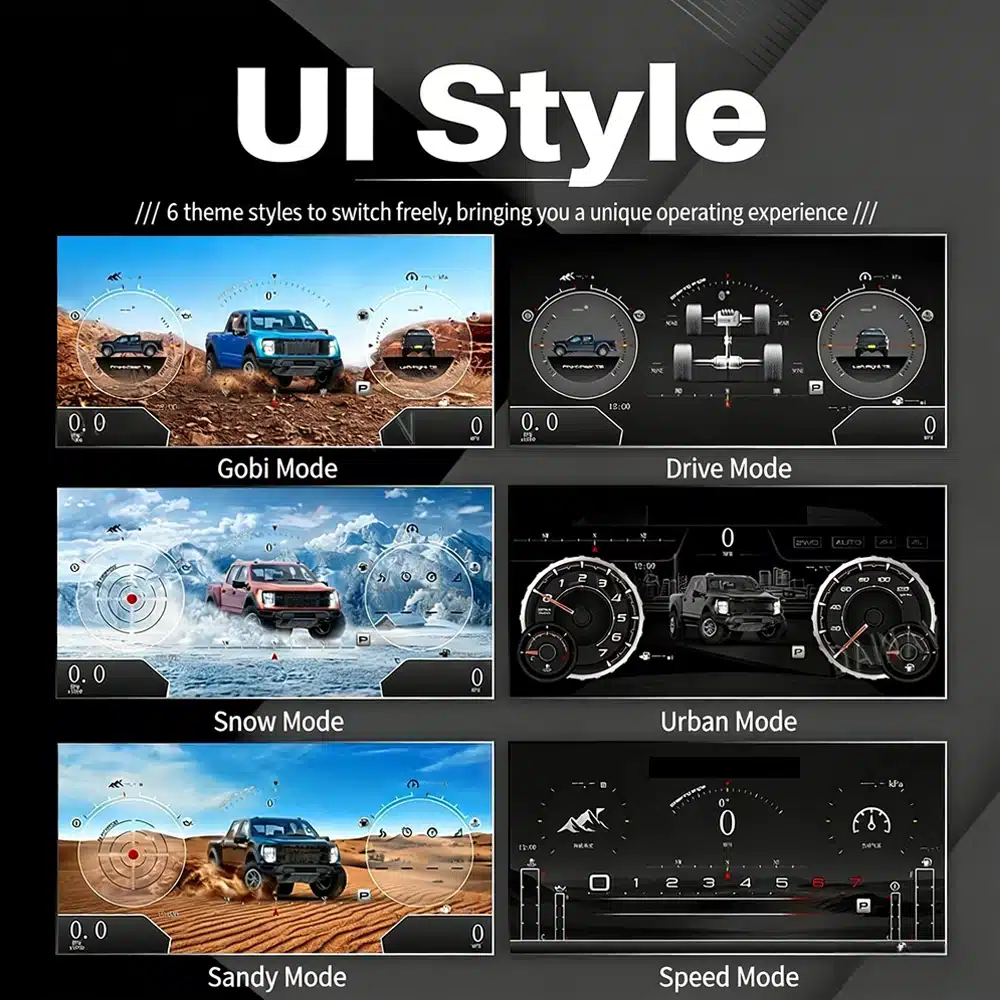
The interface includes multiple visual themes for city driving, speed-focused driving, snow, sand, desert and drivetrain-focused views, making the upgrade feel closer to a modern Raptor cockpit.
ฟังก์ชันของโรงงานยังคงอยู่
With the correct year version, retained original instrument electronics and proper installation, the cluster continues to present the important driving information your F-150 supplies.
เตรียมพร้อมสำหรับรถกระบะของคุณ
We separate the Ford F150 Raptor Digital Cluster 2009–2012 and 2013–2014 dashboard versions instead of treating every 12th-generation F-150 as identical.
We confirm your model year, original cluster layout, steering-wheel controls and required instrument configuration before preparing the correct version.
The installation path retains the required original instrument electronics so vehicle-specific data is not treated like a generic replacement cluster.
We help you check speed, RPM, gear, warnings, TPMS, steering controls, units and sleep behavior before final reassembly.
The matched installation is designed to connect without intentionally cutting the supported factory main wiring.
You receive installation and configuration assistance plus a 12-month limited hardware warranty for eligible manufacturing defects.
ฮาร์ดแวร์เฉพาะรุ่นรถ
The molded housing follows the original instrument opening so the finished result looks like a deliberate cockpit upgrade rather than a tablet added on top of the dashboard.

Correct Year Selection
The 2009–2012 and 2013–2014 factory layouts are not identical. Choose the matching year option and send your original cluster photo. The cluster can retain supported original vehicle data when the correct year version and retained instrument electronics are installed properly.

High-Definition UI Styles
This clear UI image replaces the low-resolution dial-switch image. The available styles include Gobi Mode, Drive Mode, Snow Mode, Urban Mode, Sandy Mode and Speed Mode, giving your F-150 or Raptor a more modern factory-style digital cockpit.
Selectable Cockpit Themes
The display can prioritize different information depending on how you use the truck: city driving, highway speed, desert driving, snow, sand, drivetrain status or daily vehicle information.

อินเทอร์เฟซหลายภาษา
The Linux interface supports multiple languages, including English, Spanish, French, German, Russian, Portuguese, Turkish, Korean, Chinese and Arabic. Ask iKAGOO about your preferred language when placing the order.

Warnings and Maintenance
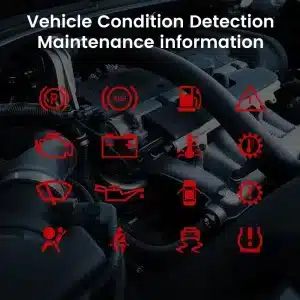
Supported warning indicators, maintenance information and vehicle-status messages remain part of the driving experience, helping you notice issues without returning to the limited original display.

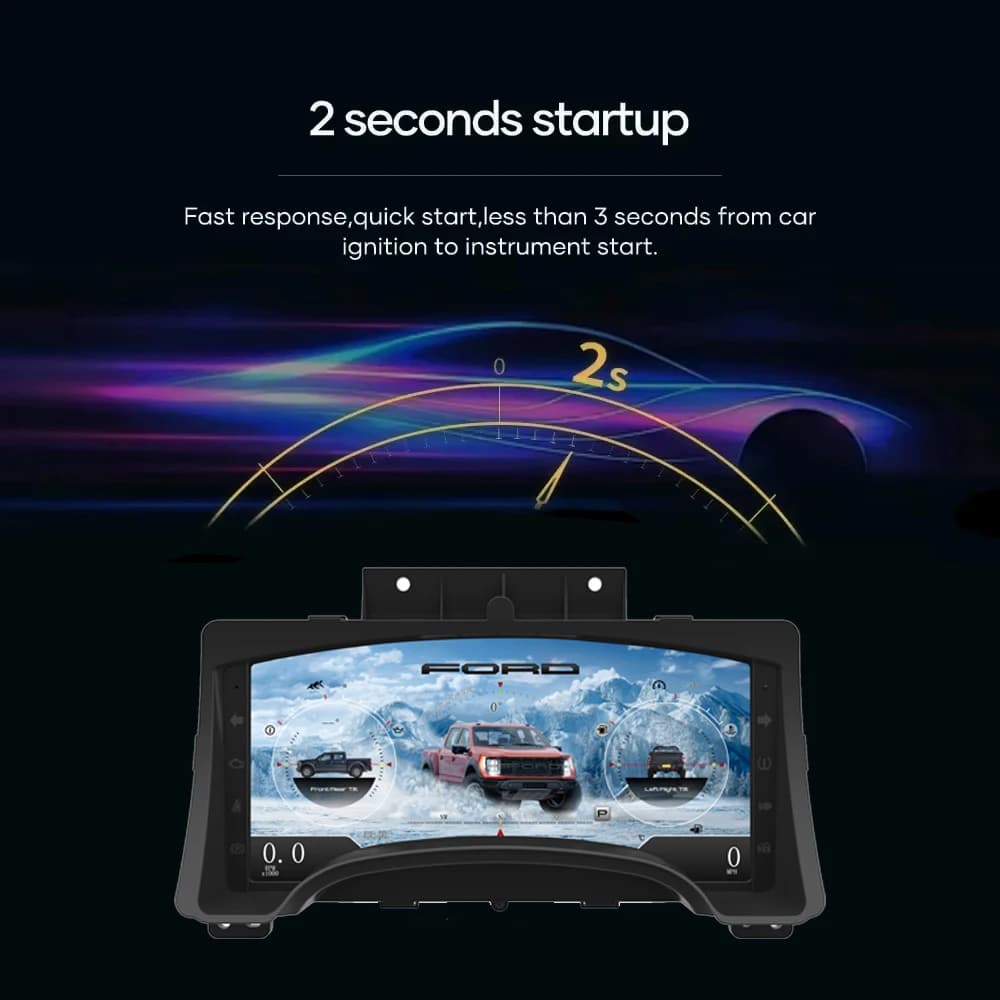
Fast Linux Startup
A dedicated Linux platform keeps startup focused on driving information. The specified startup time is under two seconds after ignition.
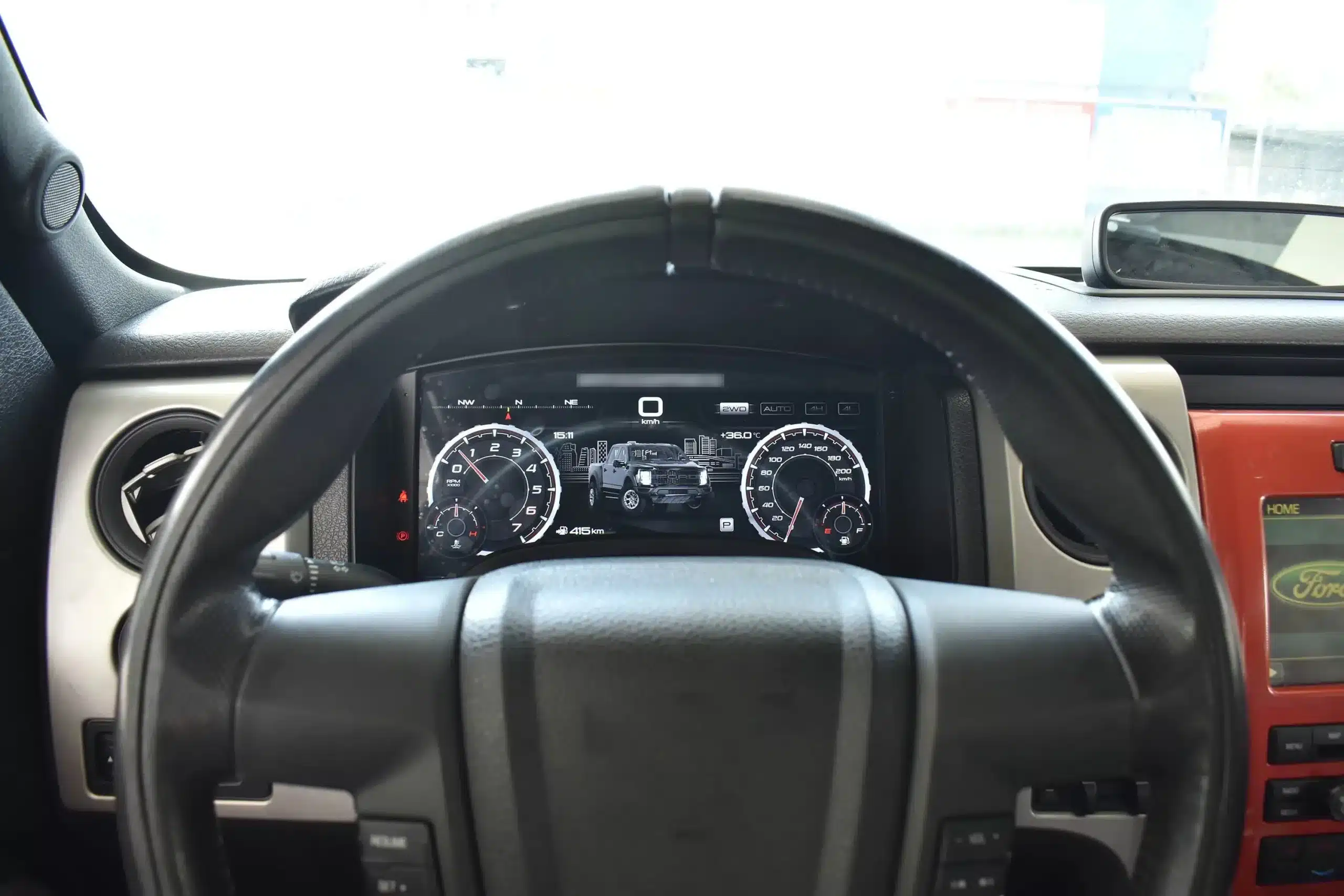
Installed Driving View
The wide screen sits behind the original steering wheel and within the existing dashboard architecture, creating a larger visual upgrade while leaving the center stack and surrounding interior intact.
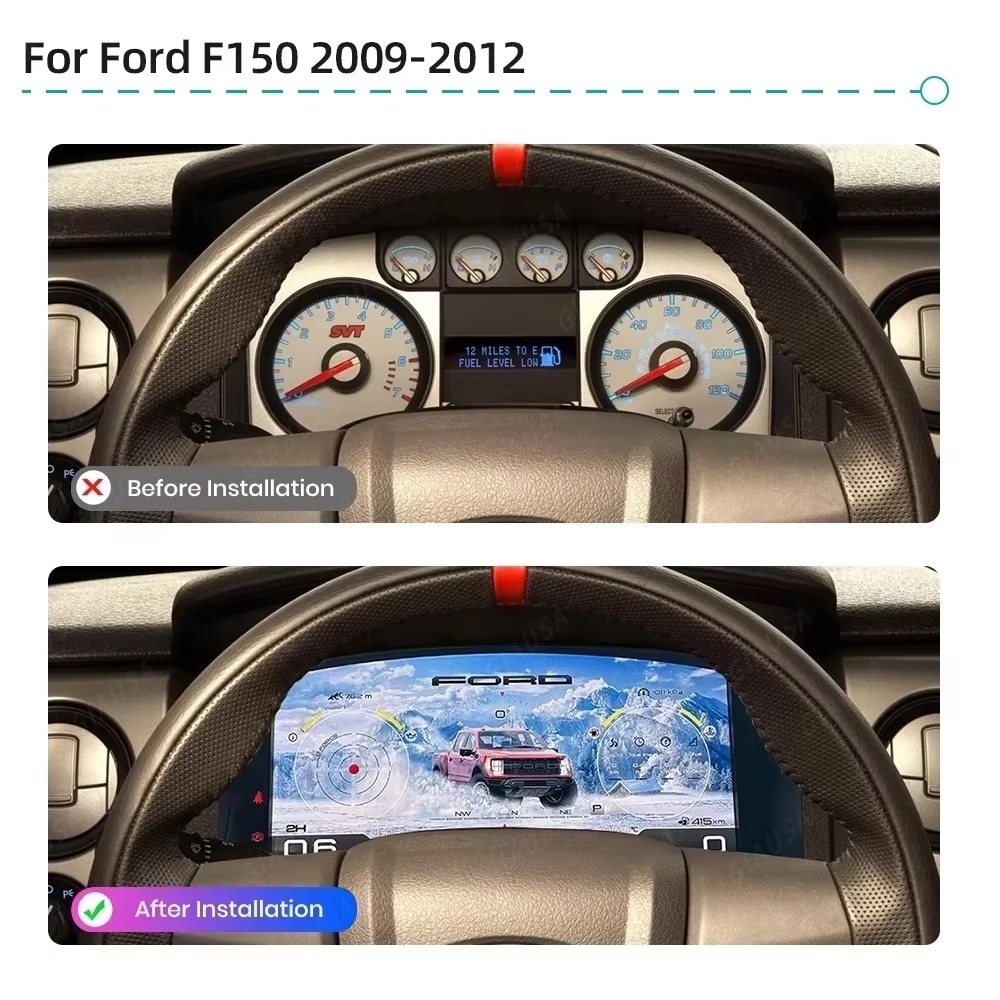
ก่อนและหลัง
The original analog cluster provides basic information, while the digital replacement creates a wider, brighter and more configurable view directly in the driver’s normal line of sight.
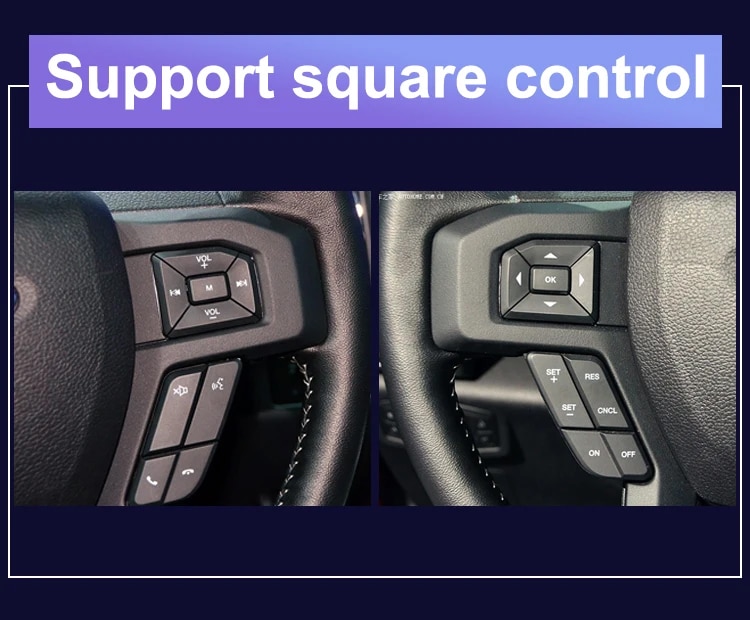
การควบคุมโรงงาน
The supported factory arrow and OK controls let you move through cluster pages, settings and UI modes without adding an unrelated controller to the dashboard.
ข้อมูลรถ
The screen layout can vary by year version and selected theme, but the purpose is consistent: make supported vehicle, maintenance and off-road information easier to find during daily use.
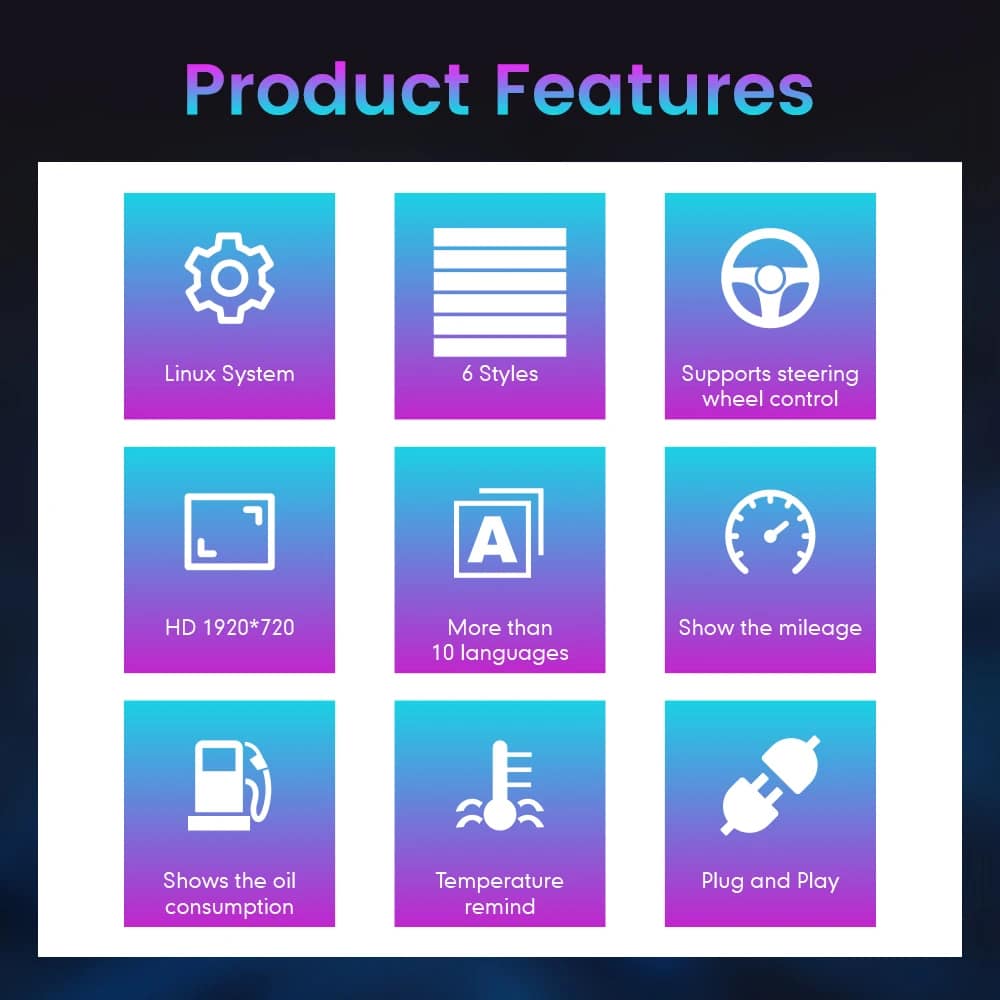
Feature Overview
The cluster is built around Linux, selectable layouts, steering-wheel control, mileage display and supported vehicle-status information. For your order, iKAGOO prepares the 13.1-inch, 1920 × 932 configuration stated in the purchase specifications.
Vehicle and Regional Name Guide
This cluster is built around the 12th-generation F-150 dashboard architecture. The purchase area currently provides two hardware groups because the original cluster structure changes across the production run.
Select the Ford F150 Raptor Digital Cluster 2009–2012 option and provide a clear photo of the original cluster. This includes matching trucks with the earlier gauge layout.
Select the 2013–2014 option and provide the later original cluster photo so the correct physical version can be prepared.
The first-generation Raptor belongs to this F-150 generation. Match by model year and original cluster appearance; there is no 2009 model-year SVT Raptor.
Mexican-market badge names can refer to the same generation, but the dashboard, original cluster and connector configuration must match before ordering.
This product is prepared around the North American left-hand-drive dashboard shown. For an aftermarket RHD conversion, send full dashboard and steering-control photos before purchase.
Do not choose this 2009–2014 version. Use the separate 2015–2020 F-150 digital cluster page .
ข้อมูลจำเพาะของสินค้า
การเตรียมคำสั่งซื้อ
Provide the model year, trim, engine/fuel type and market.
Send the original cluster and a full driver-side dashboard photo.
We match the 2009–2012 or 2013–2014 hardware configuration.
Confirm the original steering-wheel controls and instrument layout before shipment.
After delivery, use the provided guidance and contact iKAGOO if the display, controls or vehicle-data behavior differs.
iKAGOO Purchase Evaluations
A score of 92/100 does not mean that 8% of factory functions are lost. The score also reflects that the new Linux interface and menu structure differ from the original Ford analog cluster.
Suitable for an experienced DIY installer or an automotive electronics installer. The level describes the work required; it does not indicate lower product quality or lower upgrade value.
Compare the Real Outcomes
การติดตั้ง
This is not a simple USB accessory. Correct work requires careful trim removal, cluster removal, original-component handling, matched connection, vehicle-setting configuration and complete function testing.
การจัดส่งและบริการสนับสนุน
Normally 1–3 business days before dispatch, with additional time when vehicle information or configuration needs clarification.
Typical delivery after dispatch: USA/Canada 5–9 business days, EU 7–15, UK/Australia 7–10, other supported regions 7–20.
Eligible manufacturing defects and hardware failures under normal use are covered by the current limited hardware warranty.
When iKAGOO confirmed compatibility from accurate pre-purchase information but no reasonable solution works, the current published refund policy applies.
คำถามจากผู้ซื้อ
พร้อมที่จะอัปเกรด
Choose the correct year version, send the requested vehicle photos and let iKAGOO prepare the matched digital cluster configuration, UI setup and installation guidance for your truck.


ข้อมูลที่ชัดเจนเกี่ยวกับความเข้ากันได้ของรถยนต์ การเตรียมคำสั่งซื้อ การจัดส่งระหว่างประเทศ การรับประกัน การคืนสินค้า และการสนับสนุนหลังการขาย.
อุปกรณ์อิเล็กทรอนิกส์เฉพาะรถยนต์ต้องใช้เวอร์ชันที่ถูกต้อง การเดินสายไฟและการกำหนดค่า กระบวนการของเราถูกออกแบบมาเพื่อลด ปัญหาความเข้ากันได้และการติดตั้งที่หลีกเลี่ยงได้.
อาจมีการตรวจสอบรุ่นรถ ปี ระบบเดิม และข้อมูลการกำหนดค่าที่เกี่ยวข้อง ก่อนการซื้อเพื่อลดความเสี่ยง ในการเลือกรุ่นที่ผิด.
ก่อนการจัดส่ง คำสั่งซื้อจะถูกตรวจสอบกับข้อมูลรถที่ยืนยันแล้ว เพื่อให้สามารถเตรียมรุ่น การกำหนดค่า และส่วนประกอบเฉพาะรถที่จำเป็นได้.
เป้าหมายของเราคือทำให้คำสั่งซื้อของคุณถูกต้องก่อนที่สินค้าจะออกจากเรา. เราตรวจสอบความเข้ากันได้ เตรียมการตั้งค่าที่ถูกต้อง และจะติดต่อ คุณเฉพาะเมื่อมีบางอย่างที่ยังต้องยืนยัน.
สรุปสาระสำคัญของเงื่อนไขหลักที่ใช้กับ คำสั่งซื้อเฉพาะรถ iKAGOO.
คำสั่งซื้อ iKAGOO ส่วนใหญ่จะถูกจัดส่งจากสถานที่เตรียมสินค้าของเราในประเทศจีน หลังจากตรวจสอบการกำหนดค่าผลิตภัณฑ์และข้อมูลรถยนต์แล้ว.
การดำเนินการตามคำสั่งซื้อตามปกติใช้เวลาประมาณ 1–3 วันทำการ.\r\n เวลาในการจัดส่งโดยประมาณหลังจากสินค้าถูกจัดส่งโดยทั่วไปคือ:
การผ่านพิธีการศุลกากร วันหยุด สภาพอากาศ ความล่าช้าของผู้ให้บริการขนส่ง และ\r\n การจัดส่งไปยังพื้นที่ห่างไกลอาจส่งผลต่อการประมาณการเหล่านี้.
การจัดส่งระหว่างประเทศมาตรฐานโดยปกติไม่รวมภาษีมูลค่าเพิ่มของประเทศปลายทาง อากรนำเข้า ค่าธรรมเนียมนายหน้า หรือ\r\n ค่าธรรมเนียมการผ่านพิธีการศุลกากร.
สำหรับจุดหมายปลายทางในสหภาพยุโรปที่เข้าเงื่อนไข, อาจมีบริการจัดส่งแบบ DDP ให้เลือกใช้. ค่าธรรมเนียมที่เกี่ยวข้องกับการนำเข้าจะรวมอยู่เฉพาะเมื่อเลือก DDP ที่ชำระเงินหรือได้รับการยืนยันเป็นลายลักษณ์อักษรจาก iKAGOO ก่อนจัดส่ง.
เมื่อไม่ได้เลือก DDP ค่าธรรมเนียมที่เรียกเก็บโดยศุลกากรท้องถิ่น หรือผู้ให้บริการจัดส่งมักเป็นความรับผิดชอบของผู้รับ.
อาจมีบริการจัดส่งแบบด่วนหรือแบบเร่งด่วนสำหรับสินค้า และจุดหมายปลายทางที่เลือก ความพร้อม ผู้ให้บริการ และ ค่าใช้จ่ายเพิ่มเติมใด ๆ จะได้รับการยืนยันก่อนจัดส่ง.
ทั้งนี้ขึ้นอยู่กับเส้นทางและประเภทสินค้า iKAGOO อาจใช้ DHL, FedEx, UPS, EMS, 4PX หรือผู้ให้บริการโลจิสติกส์ที่ติดตามได้รายอื่น.
หลังจากจัดส่ง หมายเลขติดตามหรือลิงก์ติดตาม มักจะถูกส่งไปยังอีเมลที่ใช้สำหรับคำสั่งซื้อ การอัปเดตการติดตามอาจใช้เวลาหลายวันทำการจึงจะแสดง ในระหว่างการโอนย้ายระหว่างผู้ให้บริการระหว่างประเทศ.
สิทธิ์ในการคืนสินค้าขึ้นอยู่กับเหตุผลในการคืน สภาพสินค้า สถานะการติดตั้ง หลักฐานประกอบ และว่าการคืนนั้นได้รับการอนุมัติจาก iKAGOO หรือไม่.
สำหรับการคืนสินค้าที่ไม่มีความบกพร่องและได้รับอนุมัติ โดยปกติสินค้าต้องไม่ถูกใช้งาน ไม่ถูกติดตั้ง ครบถ้วน และอยู่ในสภาพที่พร้อมจำหน่ายต่อ โดยทั่วไปลูกค้าจะเป็นผู้รับผิดชอบค่าจัดส่งสำหรับการคืนที่ได้รับอนุมัติ.
ค่าจัดส่งเดิม DDP VAT อากรศุลกากร และค่าใช้จ่ายด้านโลจิสติกส์อื่น ๆ โดยทั่วไปไม่สามารถขอคืนเงินได้ เว้นแต่กฎหมายกำหนดไว้หรือ iKAGOO ยืนยันเป็นอย่างอื่น.
ห้ามส่งสินค้าคืนก่อนที่คุณจะได้รับที่อยู่สำหรับการส่งคืนที่ได้รับการอนุมัติและคำแนะนำการคืนสินค้าจาก iKAGOO.
การคุ้มครองเพิ่มเติมอาจมีผลใช้บังคับเมื่อ iKAGOO ได้ตรวจสอบความเข้ากันได้กับรถยนต์ ลูกค้าได้ให้ข้อมูลรถยนต์ที่ถูกต้อง และได้ดำเนินการตามขั้นตอนการติดตั้งและการวินิจฉัยที่สมเหตุสมผล.
หาก iKAGOO ยืนยันว่าไม่มีแนวทางแก้ไขทางเทคนิคที่สมเหตุสมผล และปัญหาดังกล่าวได้ถูกรายงานภายใน 7 วันปฏิทินนับจากวันที่ส่งมอบ, ลูกค้าอาจมีสิทธิ์ได้รับการคืนเงินตามราคาสินค้า โดยไม่จำเป็นต้องส่งคืนสินค้า.
ค่าจัดส่งเดิม DDP VAT อากรศุลกากร และค่าใช้จ่ายอื่น ๆ จากบุคคลที่สาม ไม่รวมอยู่ในการคืนเงินตามราคาสินค้านี้.
ผลิตภัณฑ์ที่เข้าเกณฑ์รวมถึง รับประกันฮาร์ดแวร์แบบจำกัด 12 เดือน ครอบคลุมข้อบกพร่องจากการผลิตที่ได้รับการยืนยันและการขัดข้องของฮาร์ดแวร์ที่เข้าเกณฑ์ ภายใต้การใช้งานปกติ.
ทั้งนี้ขึ้นอยู่กับปัญหาที่ได้รับการยืนยัน การสนับสนุนอาจรวมถึงการวินิจฉัยจากระยะไกล การช่วยเหลือด้านการตั้งค่า ชิ้นส่วนทดแทน การซ่อมแซม การเปลี่ยนสินค้า การคืนเงินบางส่วนหรือคืนเงินเต็มจำนวน.
การตรวจสอบหรือการตรวจสอบโดยบุคคลที่สามไม่ได้ทำให้ การรับประกันทั้งหมดสิ้นสุดลงโดยอัตโนมัติ อย่างไรก็ตาม ความเสียหายที่เกิดจาก การซ่อมแซมโดยไม่ได้รับอนุญาต การดัดแปลงที่ไม่ถูกต้อง วงจรขาด การประกอบกลับอย่างไม่ถูกต้อง การเดินสายไฟผิด การกระแทก น้ำเข้า หรือการใช้ในทางที่ผิดโดยปกติไม่ได้รับความคุ้มครอง.
ติดต่อ iKAGOO ก่อนถอดชิ้นส่วน ดัดแปลง หรือซ่อมแซม ผลิตภัณฑ์ เพื่อให้สามารถให้ขั้นตอนการวินิจฉัยที่ถูกต้องได้.
ติดต่อ iKAGOO ภายใน 7 วันปฏิทินนับจากวันที่ส่งมอบ และเก็บบรรจุภัณฑ์เดิม ป้ายจัดส่ง อุปกรณ์เสริม และผลิตภัณฑ์ไว้.
กรุณาให้ภาพถ่ายหรือวิดีโอที่ชัดเจนแสดง:
หลังจากการตรวจสอบ iKAGOO อาจจัดส่งชิ้นส่วนที่ขาดหายไป เปลี่ยนสินค้า ซ่อมแซม คืนเงิน หรือหาทางออกที่เหมาะสมอื่น ๆ.
ติดต่อ iKAGOO โดยเร็วที่สุดและก่อนการติดตั้ง สำหรับการเปลี่ยนแปลงที่อยู่ การกำหนดค่ารถยนต์หรือผลิตภัณฑ์ โปรดติดต่อ เราภายใน 12 ชั่วโมงหลังจากสั่งซื้อ.
การเปลี่ยนหรือคืนสินค้าอาจได้รับการอนุมัติเมื่อผลิตภัณฑ์ที่เลือกผิด ยังไม่ถูกใช้งาน ยังไม่ถูกติดตั้ง ครบสมบูรณ์ และ เหมาะสำหรับการขายต่อ โดยปกติลูกค้าจะต้องรับผิดชอบ ค่าจัดส่งและส่วนต่างราคาที่เกี่ยวข้อง.
ผลิตภัณฑ์เฉพาะรุ่นรถอาจเข้าสู่กระบวนการจัดหา การเขียนโปรแกรม การทดสอบ หรือการกำหนดค่าหลังการชำระเงินไม่นาน เมื่อการเตรียมการ หรือการจัดส่งเริ่มต้นแล้ว การยกเลิกอาจไม่สามารถทำได้อีกต่อไป หรืออาจหักค่าใช้จ่ายที่เกิดขึ้นแล้วอย่างสมเหตุสมผล.
เนื้อหาในแพ็คเกจอาจแตกต่างกันไปตามผลิตภัณฑ์ รุ่นรถ และระบบโรงงาน และการกำหนดค่าที่เลือก.
ทั้งนี้ขึ้นอยู่กับผลิตภัณฑ์ แพ็คเกจอาจมีส่วนประกอบหลักได้แก่ ตัวอุปกรณ์ ชุดสายไฟเฉพาะรุ่นรถ อินเทอร์เฟซ CANBUS อะแดปเตอร์ สาย USB เสาอากาศ ไมโครโฟน อุปกรณ์ยึดติด หรืออุปกรณ์ติดตั้งอื่น ๆ ที่จำเป็น.
ดูรูปผลิตภัณฑ์ ข้อมูลจำเพาะ และการยืนยันคำสั่งซื้อ เพื่อทราบเนื้อหาที่แน่นอนของคำสั่งซื้อของคุณ.
คุณสามารถติดต่อ iKAGOO ผ่านฟอร์มติดต่อบนเว็บไซต์ WhatsApp หรือช่องทางสนับสนุนอื่น ๆ ที่มีให้ เวลาตอบกลับ โดยทั่วไปอยู่ภายใน 24 ชั่วโมงทำการ.
เพื่อการวินิจฉัยทางเทคนิคที่เร็วขึ้น โปรดระบุหมายเลขคำสั่งซื้อ, รุ่นและปีของรถ, รูปถ่ายระบบจากโรงงานที่เกี่ยวข้อง, รูปผลิตภัณฑ์ และวิดีโอที่ชัดเจนซึ่งแสดงปัญหา.
การชำระเงินจะดำเนินการผ่านวิธีการชำระเงินที่ปลอดภัยซึ่งแสดงระหว่างการชำระเงิน.
ตัวเลือกบัตร กระเป๋าเงิน และการผ่อนชำระที่มีอาจแตกต่างกันไปตามประเทศ สกุลเงิน ผู้ให้บริการชำระเงิน และคุณสมบัติของลูกค้า.
บริการผ่อนชำระ รวมถึงตัวเลือกที่นำเสนอโดย PayPal หรือผู้ให้บริการชำระเงินรายอื่น ยังคงขึ้นอยู่กับความพร้อมในภูมิภาคและข้อกำหนดการอนุมัติของผู้ให้บริการนั้น.
ส่วนนี้เป็นคู่มือสรุปสำหรับลูกค้า หน้านโยบายฉบับสมบูรณ์ที่เผยแพร่ ใบยืนยันคำสั่งซื้อ และกฎหมายคุ้มครองผู้บริโภคที่เกี่ยวข้องจะมีผลบังคับก่อน หากข้อความใดแตกต่างกัน.
จาก: $หนึ่งพันสามร้อยแปดสิบบาท
ค่าจัดส่งสุดท้ายจะยืนยันจากที่อยู่จัดส่งของคุณที่หน้าชำระเงิน.

เลือกสิ่งที่คุณวางแผนจะซื้อ เราจะแสดงรายละเอียดที่จำเป็นสำหรับสินค้านั้นเท่านั้น.
เราจะตรวจสอบรายละเอียดและส่งเวอร์ชันผลิตภัณฑ์ที่แนะนำไปยังอีเมลของคุณ.
เราใช้คุกกี้ที่จำเป็นเพื่อให้เว็บไซต์ปลอดภัยและทำงานได้อย่างถูกต้อง เมื่อคุณยินยอม เราอาจใช้คุกกี้วิเคราะห์เพื่อปรับปรุงประสบการณ์การใช้งาน ดูของเรา นโยบายความเป็นส่วนตัว.




Michael Brown –
ฉันติดตั้งสิ่งนี้ใน Raptor ปี 2009 ของฉัน โหมด ‘Off-road Mode’ นั้นยอดเยี่ยมอย่างยิ่ง—การเห็นมุมเอียงหน้า-หลัง, มุมเอียงซ้าย-ขวาแบบเรียลไทม์ และแรงดันลมยางบนหน้าจอ HD 13.1-inch ทำให้มาตรวัดอนาล็อกเดิมดูเหมือนมาจากยุคหิน การติดตั้งนั้นเป็นแบบ plug-and-play อย่างแท้จริง
การติดตั้งเป็นแบบ plug-and-play เมนูไม่มีอาการหน่วง เอฟเฟกต์ภาพสวยงามน่าทึ่ง และความละเอียดสูงมาก