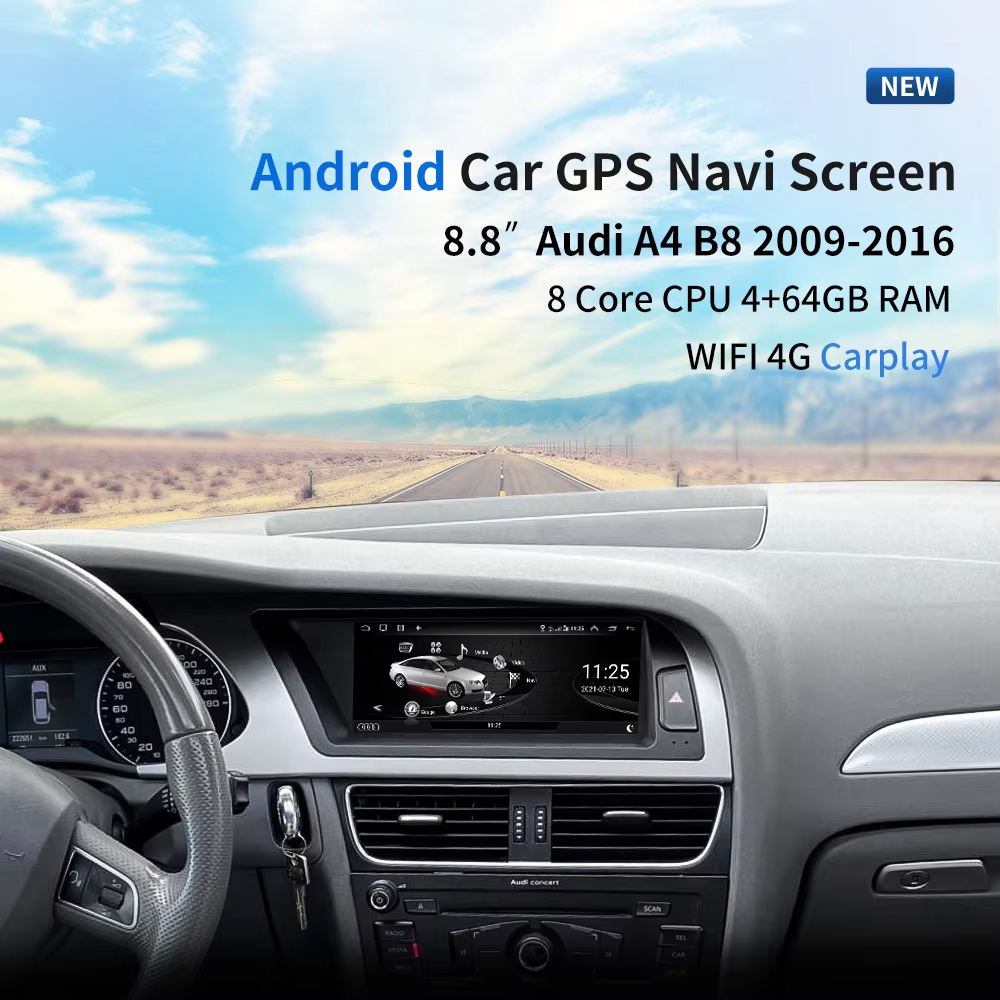
ผลการติดตั้งก่อน: อัปเกรดวิทยุ Android 8.8 นิ้วสำหรับ Audi A4 A5
นี่ควรเป็นภาพแรกเพราะแสดงคุณค่าได้ทันที: จอ 8.8 นิ้วที่ติดตั้งอยู่ภายในแดชบอร์ด Audi โดยที่รูปทรงค็อกพิทเดิมยังดูสะอาดและกลมกลืน.
เลือกปี รุ่นไฮ/โลว์ และพวงมาลัยซ้าย/ขวาก่อนสั่งซื้อ
ผลิตภัณฑ์นี้ไม่ได้เลือกจากชื่อ “Audi A4” หรือ “Audi A5” เพียงอย่างเดียว ต้องตรวจสอบช่วงปี ประเภทชุดเครื่องเสียงโรงงาน สภาพ AUX/AMI ตำแหน่งปุ่มถุงลม การจัดวางพวงมาลัยซ้าย/ขวา และเวอร์ชันหน่วยความจำก่อนจัดส่ง.
สามการตรวจสอบที่ป้องกันการสั่งซื้อผิด
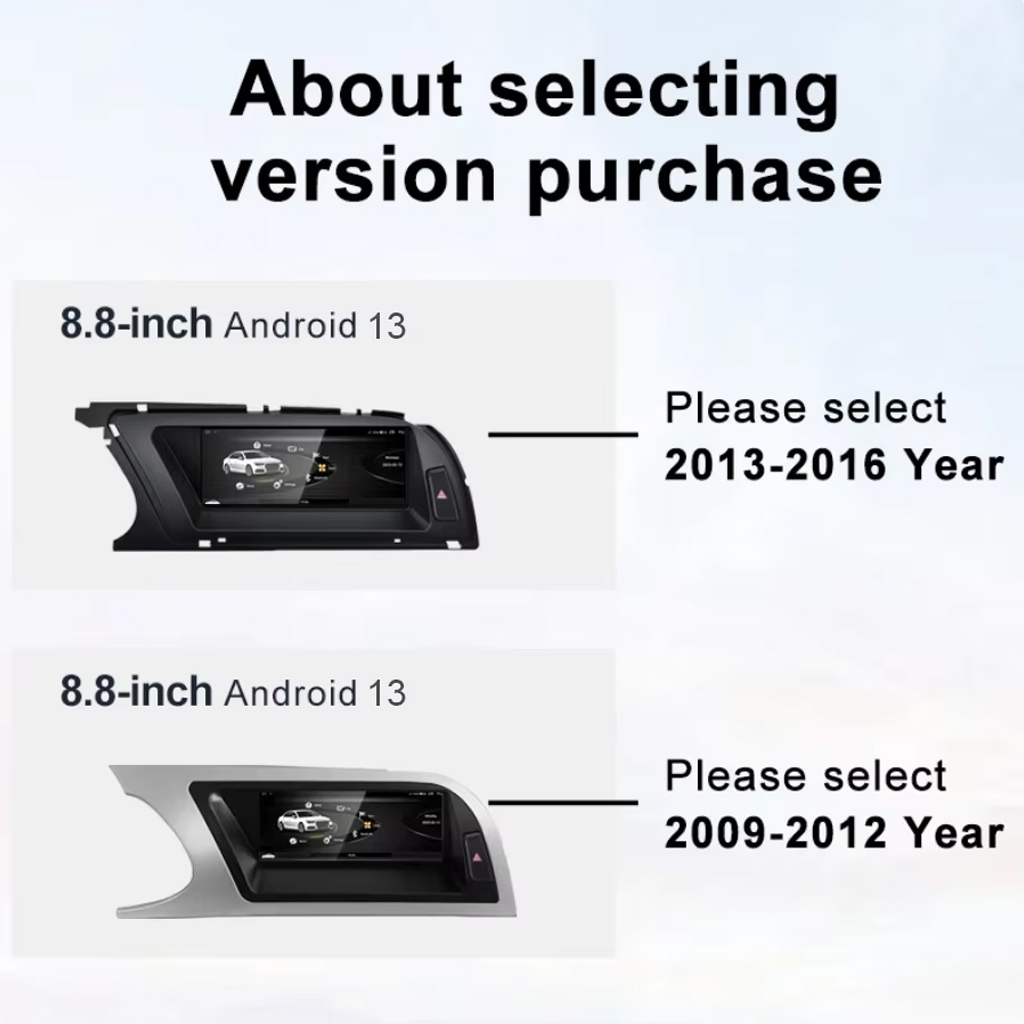
- ปี: เลือก 2009–2012 หรือ 2013–2016 ตามแดชบอร์ดและตัวเลือกสินค้าของคุณ.
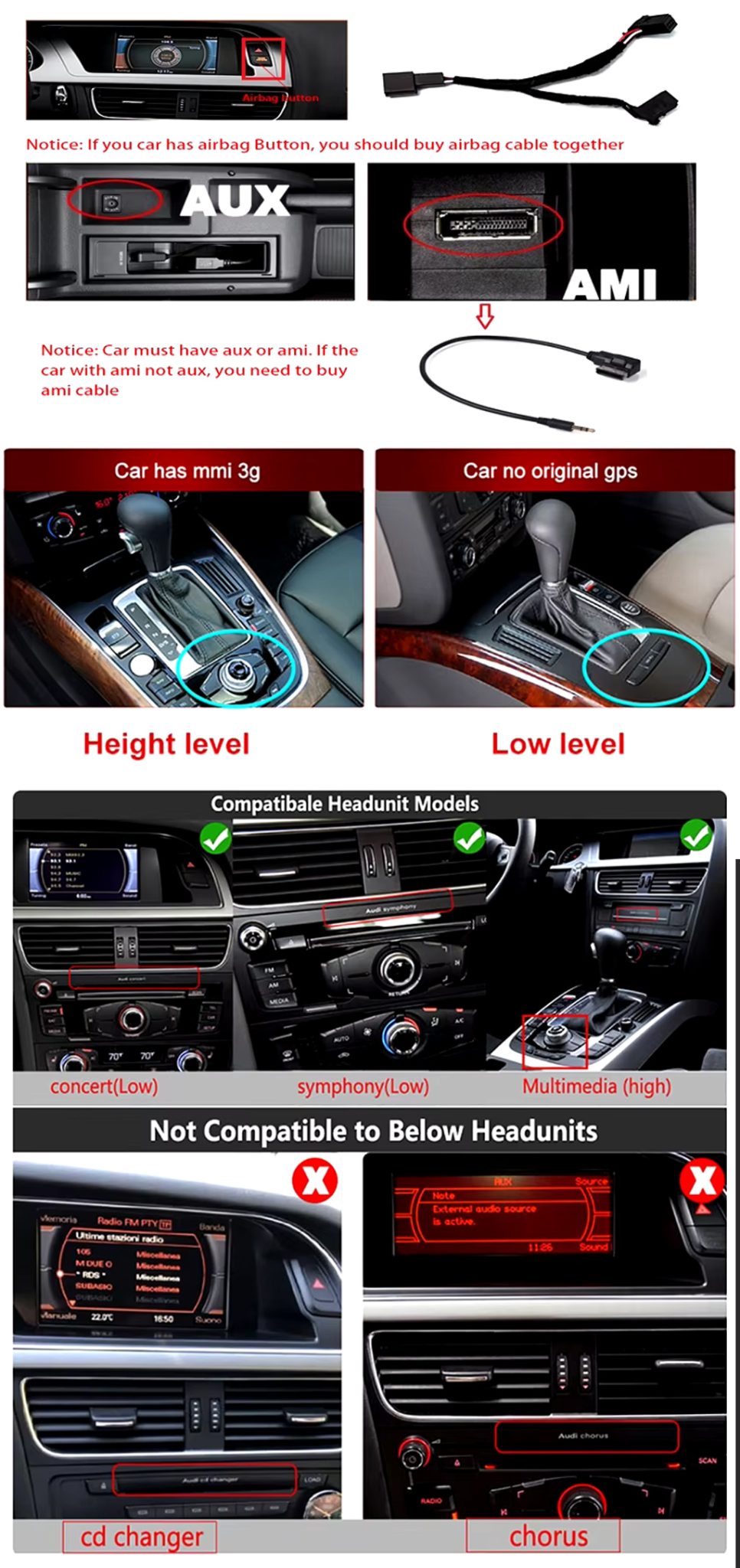
- ระบบโรงงาน: เลือกรุ่นไฮหรือรุ่นโลว์ตามชุด MMI / Concert / Symphony / Multimedia เดิมของคุณ.
- ด้านพวงมาลัย: ยืนยันพวงมาลัยซ้ายหรือขวาก่อนจัดส่ง.
- AUX / AMI: ยืนยันว่ารถของคุณมี AUX หรือ AMI หรือไม่ บางการติดตั้งอาจต้องใช้เส้นทางสาย AMI ที่ถูกต้อง.
ตรวจสอบความเข้ากันได้ของระบบไฮ/โลว์และสายเคเบิล
ภาพนี้ช่วยให้ผู้ซื้อเข้าใจว่าชุดเครื่องเสียง Audi เดิมและเส้นทางขั้วต่อมีความสำคัญ ควรปรากฏตั้งแต่ต้นเพราะช่วยลดการสั่งซื้อผิดและความสับสนในการติดตั้ง.
วิทยุ Android iKAGOO สำหรับ Audi A4 A5 นี้ อัปเกรดรถ Audi A4, A4L และ A5 รุ่น 2009–2016 ที่เลือก ด้วยจอ Android 13 ขนาด 8.8 นิ้ว, CarPlay ไร้สาย, Android Auto, WiFi / 4G, การนำทาง GPS, เสียง DSP และการสลับระบบเดิม.
เลือกการอัปเกรดนี้หากจอ Audi เดิมของคุณดูเล็ก ล้าสมัย หรือมีข้อจำกัด แต่คุณยังต้องการให้แดชบอร์ดดูกลมกลืนกับรถ iKAGOO ตรวจสอบปี ชุดเครื่องเสียงโรงงาน รุ่นไฮ/โลว์ ตำแหน่งพวงมาลัยซ้าย/ขวา และเส้นทางขั้วต่อก่อนจัดส่ง.
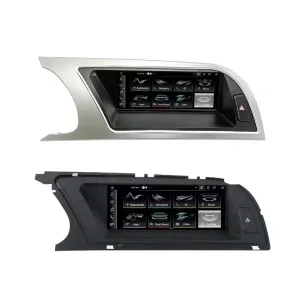
ดูทิศทางแผงหลักทั้งสองแบบ
ภาพพวงมาลัยซ้าย/ขวาช่วยให้คุณเปรียบเทียบรูปทรงคิ้วแดชบอร์ดและตำแหน่งจอก่อนเลือกเวอร์ชันที่ถูกต้อง.
คำตอบอย่างรวดเร็ว
การอัปเกรด iKAGOO นี้เป็นวิทยุ Android สำหรับ Audi A4 A5 ที่เฉพาะเจาะจงกับรถรุ่น 2009–2016 Audi A4, A4L และ A5 ที่เลือก โดยอัปเกรดพื้นที่จอเดิมด้วยจอ Android 13 ขนาด 8.8 นิ้ว พร้อมคงความพอดีของแดชบอร์ดสไตล์ Audi ฟังก์ชันที่รองรับอาจรวมถึง CarPlay ไร้สาย, Android Auto, การนำทาง GPS, WiFi / 4G, Bluetooth, DSP อีคิว 32 แบนด์, การสลับระบบเดิม, อินพุตกล้องหลัง, เส้นทางพาโนรามา 360 และการคงปุ่มควบคุมเดิมในเวอร์ชันที่เข้ากันได้ ก่อนจัดส่ง iKAGOO ตรวจสอบปีรุ่น รุ่นโรงงานไฮหรือโลว์ ด้านพวงมาลัย สภาพ AUX/AMI ชุดเครื่องเสียงเดิม และภาพขั้วต่อ เหมาะสำหรับเจ้าของที่ต้องการอัปเกรดสไตล์โรงงานที่ดูสะอาดกว่าแทนจอลอยแบบสากล.
ทำไมการอัปเกรดนี้จึงเหมาะสำหรับเจ้าของ Audi A4, A4L และ A5
ความพอดี 8.8 นิ้วสไตล์โรงงาน
จออยู่ในพื้นที่แดชบอร์ด Audi เดิม ทำให้รถมีอินเทอร์เฟซที่ทันสมัยขึ้นโดยไม่ทำให้ห้องโดยสารดูเหมือนติดแท็บเล็ตหลังการตลาดแบบสากล.
ระบบไร้สาย CarPlay และ Android Auto
ใช้แผนที่ โทร เพลง และแอปที่รองรับผ่านจอในแดชบอร์ดที่ใหญ่ขึ้นแทนการพึ่งพาอินเทอร์เฟซโรงงานเก่า.
คุณค่าของเสียง DSP และการนำทาง
DSP อีคิว 32 แบนด์, การนำทาง GPS / Glonass, Bluetooth และ WiFi / 4G ทำให้สิ่งนี้เป็นการอัปเกรดสำหรับใช้ประจำวัน ไม่ใช่เพียงการเปลี่ยนแปลงด้านภาพ.
ฟังก์ชันการทำงานของยานพาหนะเดิมที่รองรับ
การคงระบบ Audi เดิม
- รองรับการสลับระบบเดิม / Android ผ่านเส้นทางที่เข้ากันได้.
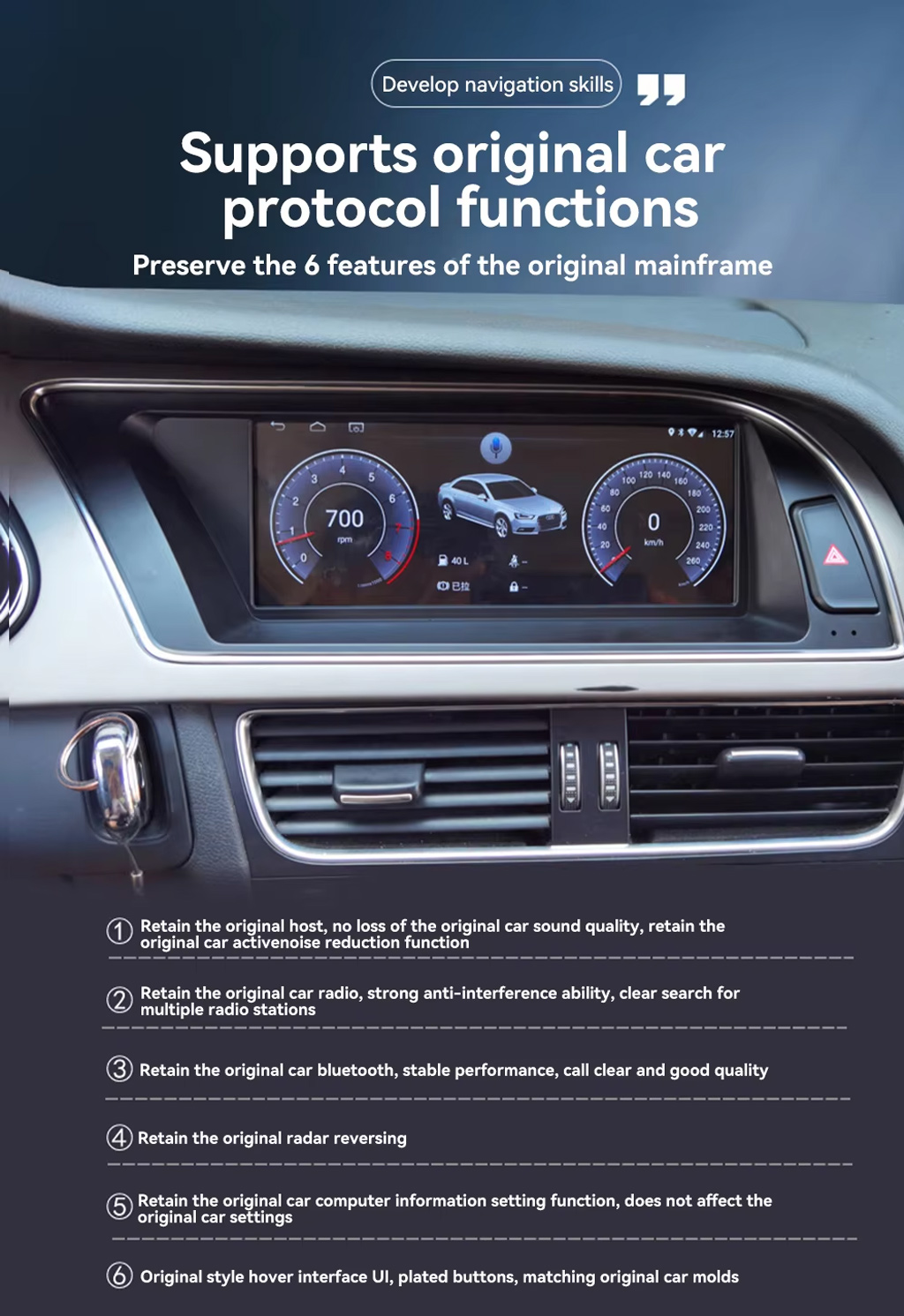
- วิทยุเดิม Bluetooth เรดาร์ถอยหลัง และการตั้งค่ารถที่รองรับสามารถทำงานต่อได้ในระบบโรงงานและเวอร์ชันที่เลือกซึ่งรองรับ.
- Original sound route can be retained when the correct AUX / AMI / wiring path is prepared.
- Steering-wheel controls and MMI-related interaction depend on the matched factory configuration and harness route.
Android Daily-Use Functions
- Wireless CarPlay and Android Auto support phone maps, calls, music and voice control.
- WiFi and 4G support app use and online navigation where the selected hardware and SIM/network conditions allow it.
- Rear camera, AHD / CVBS and 360 panorama routes are supported where the selected version and vehicle setup match.
- Multiple language interface support helps international buyers use the system in their preferred language.
Audi Fitment and Configuration Check
This product is mainly positioned for Audi A4, Audi A4L and Audi A5 2009–2016. The correct version is selected by vehicle year, dashboard layout, factory head unit type, high or low configuration, LHD/RHD position, AUX/AMI condition and connector photos—not only the model badge.
ช่วย iKAGOO เตรียมรุ่นที่ถูกต้องก่อนการจัดส่ง
ข้อมูลยานพาหนะที่ต้องการ
- Exact vehicle: Audi A4, A4L or A5.
- Model year: 2009–2012 or 2013–2016.
- พวงมาลัยซ้ายหรือพวงมาลัยขวา.
- Factory head unit photo: Concert, Symphony, Multimedia, high or low configuration.
- Original screen and dashboard photo.
- AUX / AMI condition and whether an AMI cable is needed.
- Whether rear camera, 360 panorama, DVR, DSP or CarPlay is important for your setup.
ทำไมรายละเอียดเหล่านี้จึงมีความสำคัญ
These details help iKAGOO prepare the correct Audi panel, Android unit, wiring harness, AMI/AUX route, CANBUS interface and camera/audio route. They reduce the risk of choosing the wrong year version or ordering a product that does not match your factory head unit.
ข้อมูลจำเพาะของสินค้าหลัก
เลือกเวอร์ชันที่เหมาะสม
2GB + 32GB
Suitable for basic CarPlay, Android Auto, Bluetooth and navigation use. Choose this only if your expectations are simple.
- Basic daily use
- Lower cost route
- Good for light apps
4GB + 64GB
A more balanced choice for buyers who want smoother app switching, navigation and media playback.
- การใช้งานในชีวิตประจำวันที่ดีขึ้น
- More storage
- Good for normal app use
8GB + 128GB DSP CarPlay
Recommended for buyers who want stronger performance, more storage, DSP audio and the best long-term experience from this product page.
- Best performance route
- DSP audio advantage
- Wireless CarPlay focus
- Recommended for long-term owners
ทำไมเจ้าของถึงเลือก iKAGOO
การเตรียมความพร้อมเฉพาะรถยนต์
iKAGOO checks your Audi model, year, high/low configuration, steering side and dashboard photos before shipment so the product is prepared around your vehicle.
Harness and System Matching
The correct wiring harness, AMI/AUX route, CANBUS and factory-system match matter more than simply buying an 8.8-inch screen.
การรวมฟังก์ชันดั้งเดิม
The upgrade is prepared to retain supported original audio, radio, Bluetooth, vehicle settings and reversing function where the matched version allows it.
การป้องกันสายไฟในโรงงาน
The matched connection route is designed to avoid intentionally cutting the main factory wiring when the vehicle and harness match.
การติดตั้งและการตั้งค่า
If your installer needs help identifying the factory head unit, cable route or function test result, iKAGOO can provide order-based support.
12-Month การรับประกันฮาร์ดแวร์
ปัญหาฮาร์ดแวร์ที่มีสิทธิ์ได้รับการแก้ไขจะอยู่ภายใต้การรับประกันแบบจำกัด 12 เดือนของ iKAGOO พร้อมบริการสนับสนุนหลังการขายสำหรับการวินิจฉัยและแนวทางแก้ไขที่เหมาะสม.
iKAGOO Purchase Assessment for This Audi Android Radio
ความจำเป็นในการอัปเกรด iKAGOO
88/100Strong Upgrade Case. The Audi A4/A5 2009–2016 cabin benefits clearly from a modern Android screen, wireless phone projection, navigation and DSP audio.
- Visible dashboard modernization
- การเชื่อมต่อโทรศัพท์แบบไร้สาย
- Better navigation and app use
ความเข้ากันได้ของยานพาหนะเดิม
86/100Strong compatibility route when the correct year, high/low configuration, AUX/AMI route, harness and CANBUS setup are prepared before shipment.
A score of 86/100 does not mean that 14% of factory functions are lost. It means the result is judged against function continuity, controls, vehicle data, physical fit and installation integration.
ตามมาตรฐานการคงไว้ซึ่งการทำงานของโรงงานระดับความยากในการติดตั้ง
ระดับ 3Advanced DIY. Suitable for experienced DIY installers or an automotive electronics installer. It requires dashboard trim removal, matched harness connection, CANBUS setup, AUX/AMI route checking and full function testing.
ตามคู่มือความยากในการติดตั้งอุปกรณ์อิเล็กทรอนิกส์รถยนต์Keep the Old Screen, Add a Box or Upgrade with iKAGOO?
Factory Screen Only
Best only if you are satisfied with the old screen size, old interface and limited phone integration.
- ไม่มีค่าใช้จ่ายในการอัปเกรด
- Old interface remains
- Limited app experience
กล่องสำหรับ CarPlay เท่านั้น
Useful if you only need phone projection, but it does not give the dashboard a new Android system or new display hardware.
- Limited display change
- ไม่มีระบบ Android แบบเต็มรูปแบบ
- Depends on factory screen condition
Universal Android Screen
May be cheaper, but dashboard fit, high/low configuration and AUX/AMI route can become the real risk.
- ความไม่แน่นอนในการติดตั้ง
- อาจดูเป็นแบบหลังการผลิต
- More wiring risk
iKAGOO Audi A4 A5 Android Radio
Best for owners who want an 8.8-inch factory-style display, Android system, wireless phone projection, DSP audio and version checking before shipment.
- 8.8-inch Audi-style fit
- เส้นทาง Android 13
- ไร้สาย คาร์เพลย์ / แอนดรอยด์ ออโต้
- อีควอไลเซอร์ DSP 32 แบนด์
- การเตรียมการเฉพาะสำหรับยานพาหนะ
สรุปการซื้อ
If you want your Audi A4, A4L or A5 to feel modern without making the dashboard look cheap, this iKAGOO Android radio is the stronger route than a generic screen or a small CarPlay-only box.
รูปภาพสินค้าและสิ่งที่ช่วยให้คุณตัดสินใจ
Compare the 2009–2012 and 2013–2016 Version Route
This version-selection image helps you choose the correct year range before ordering. It should be checked before you select memory or optional features.
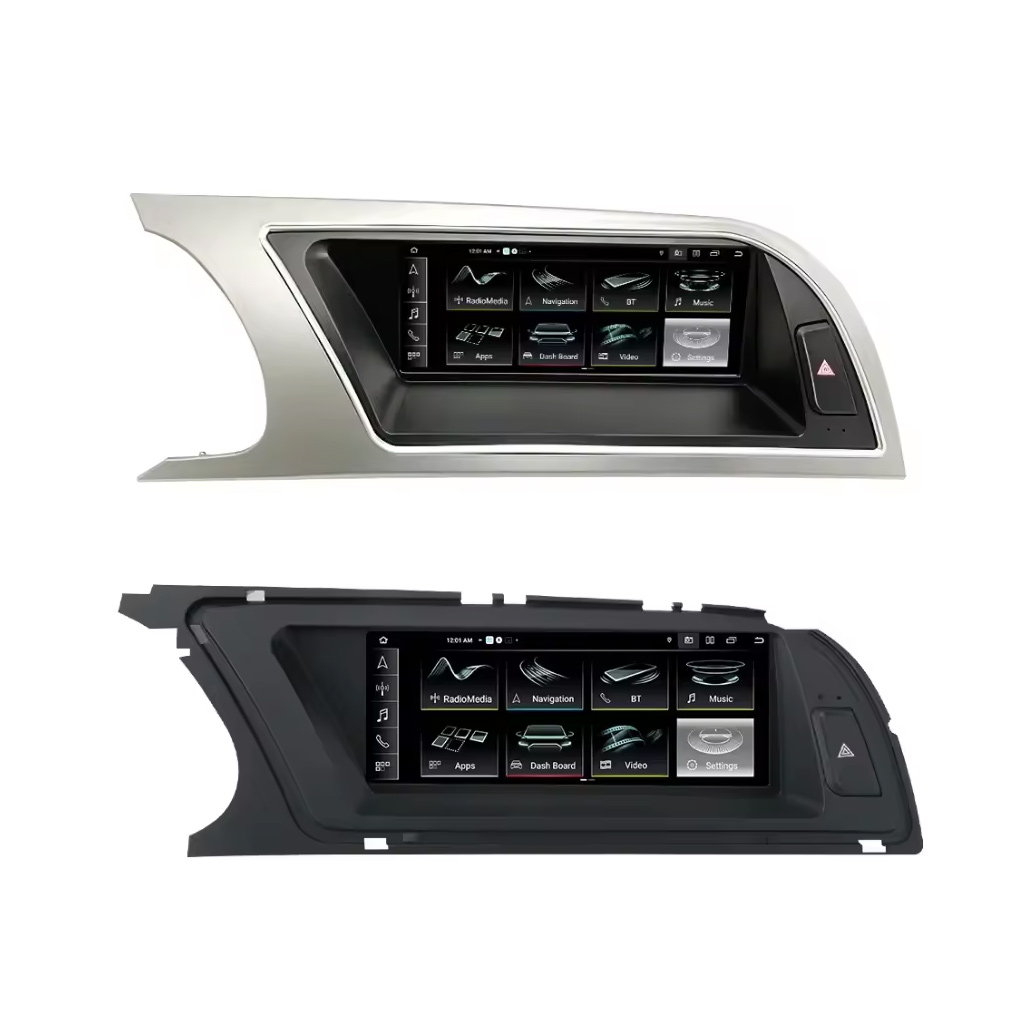
Review Both Dashboard Trim Directions
This second trim view helps confirm whether your dashboard matches the silver or black panel direction before shipment.
Preserve Original Audi Protocol Functions
This product route is valuable because it does not only add Android. It is designed to retain supported original host, radio, Bluetooth, reversing radar, vehicle settings and original-style interface behavior where matched correctly.
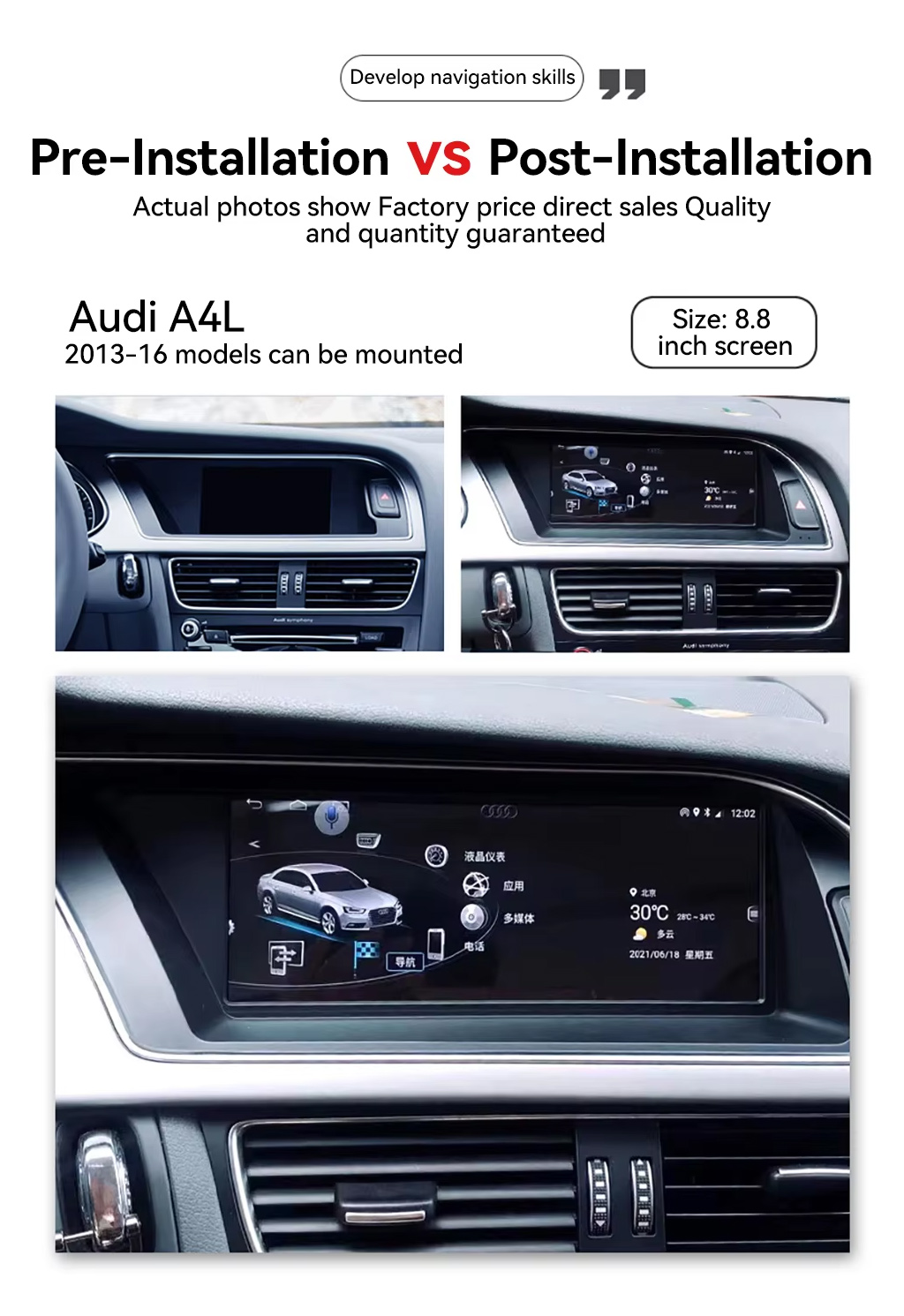
See the Before and After Upgrade Result
The before-and-after view shows the main daily-use improvement: the old blank or small-screen area becomes a wider Android display with a more modern interface.
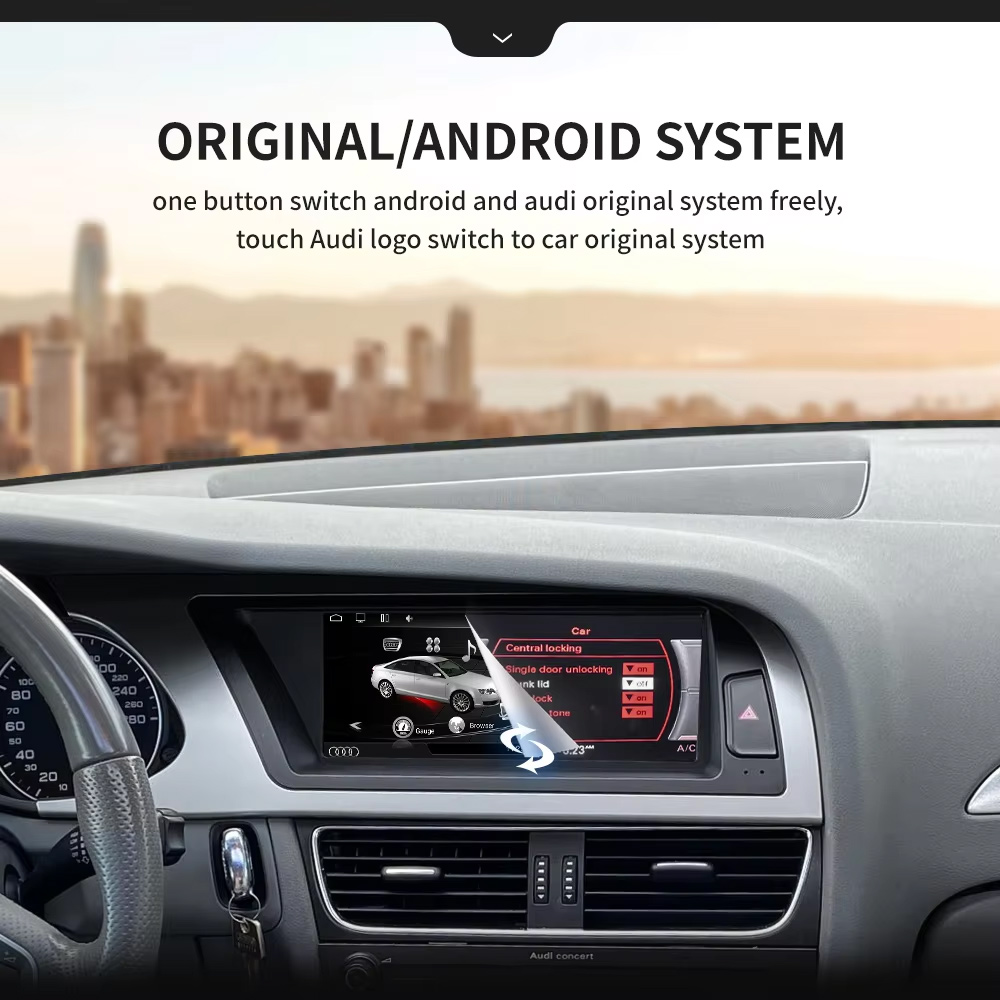
Use Original and Android System Switching
One-button switching between Android and the Audi original system helps you keep familiar factory settings while adding modern app and phone functions.
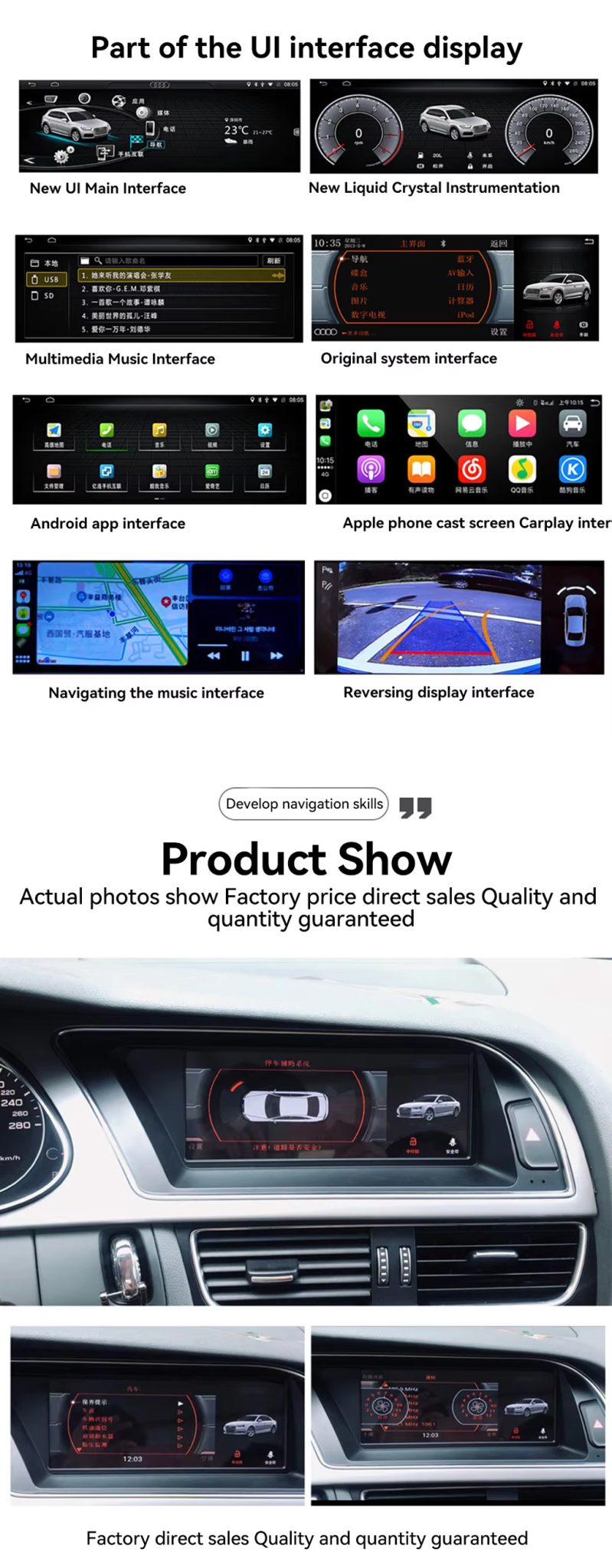
Check the UI, CarPlay, Navigation and Reversing Display
The UI display panel shows the key buyer benefits together: Android home interface, factory system interface, CarPlay screen, navigation and reversing display route.
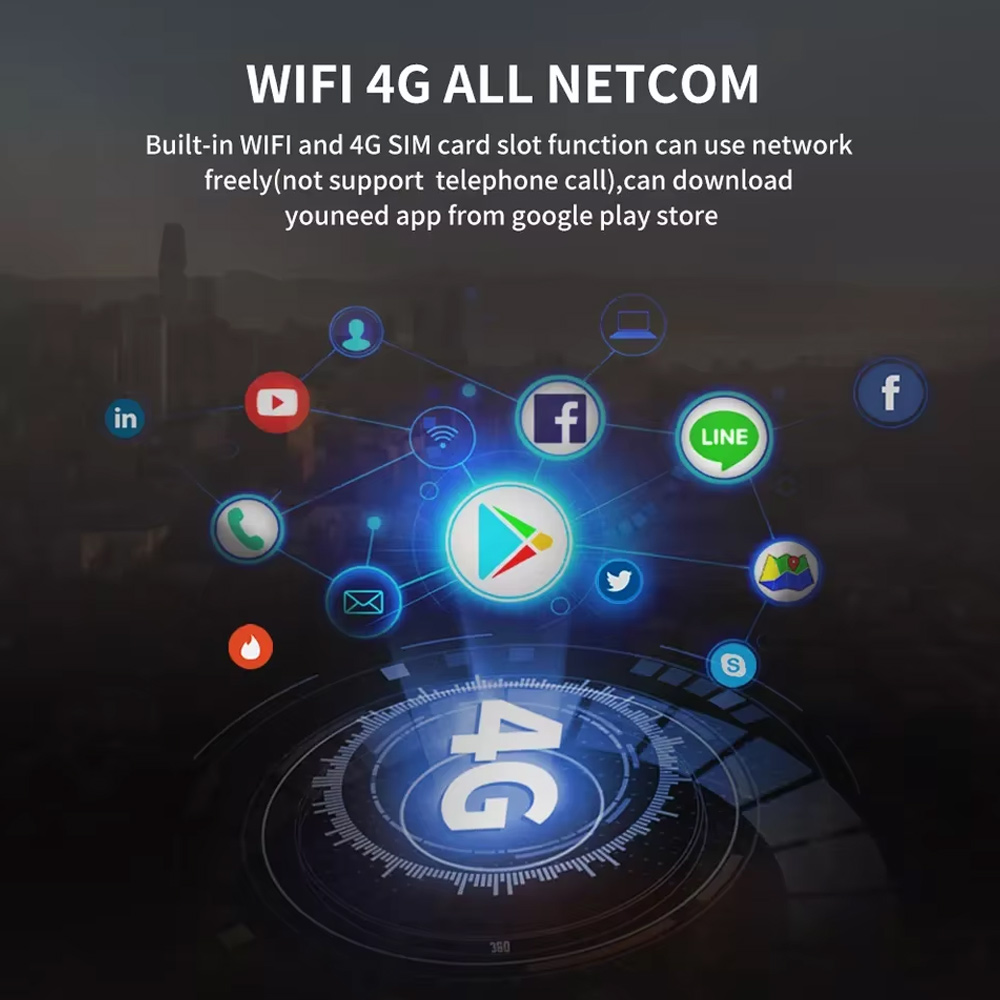
Use WiFi and 4G for Online Apps
WiFi and 4G support make the Android radio more useful for online maps, music apps and Google Play app downloads where local network conditions allow it.
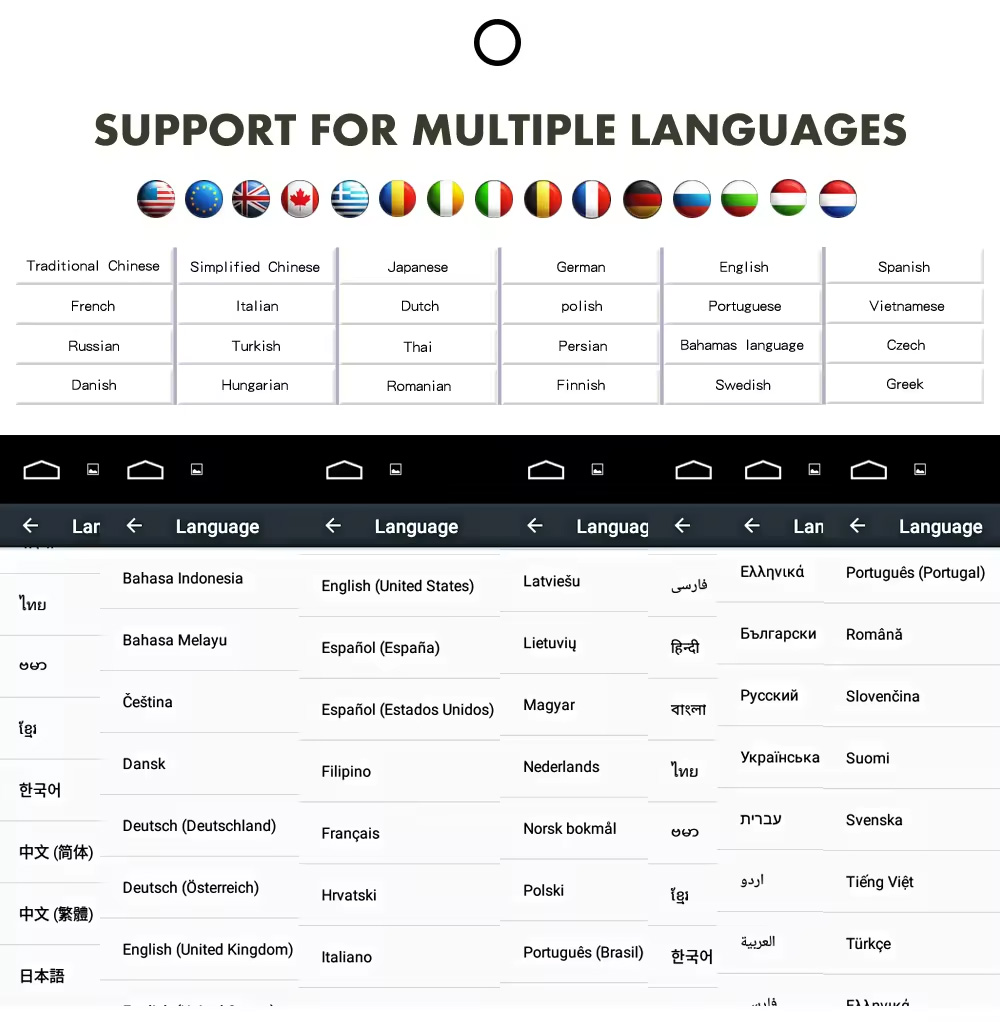
Confirm Multilingual Interface Support
Multiple language support is useful for international buyers and installers who need the system interface in English, German, French, Spanish, Arabic and other supported languages.
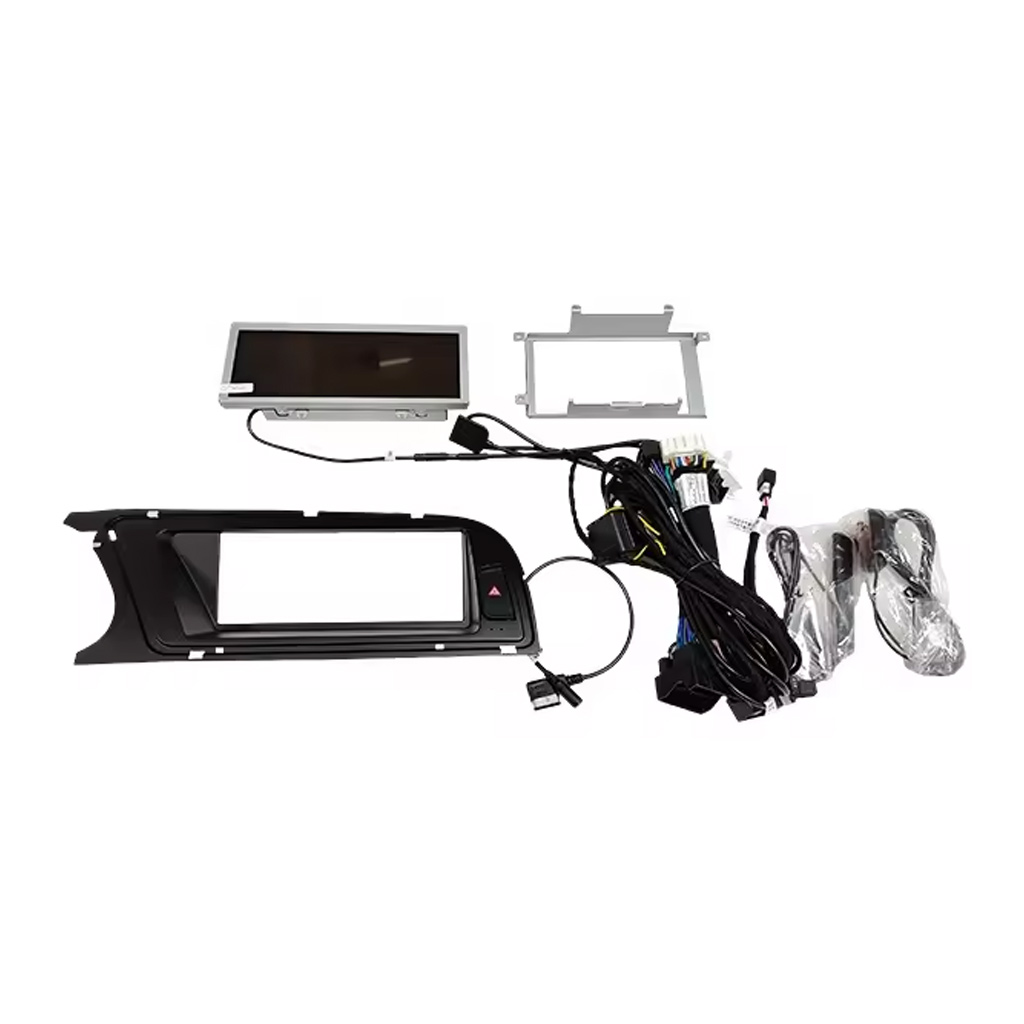
Check the Device, Frame, Harness and Accessories
The accessory image matters because correct wiring and included cables decide whether the installation can preserve the original vehicle functions cleanly.
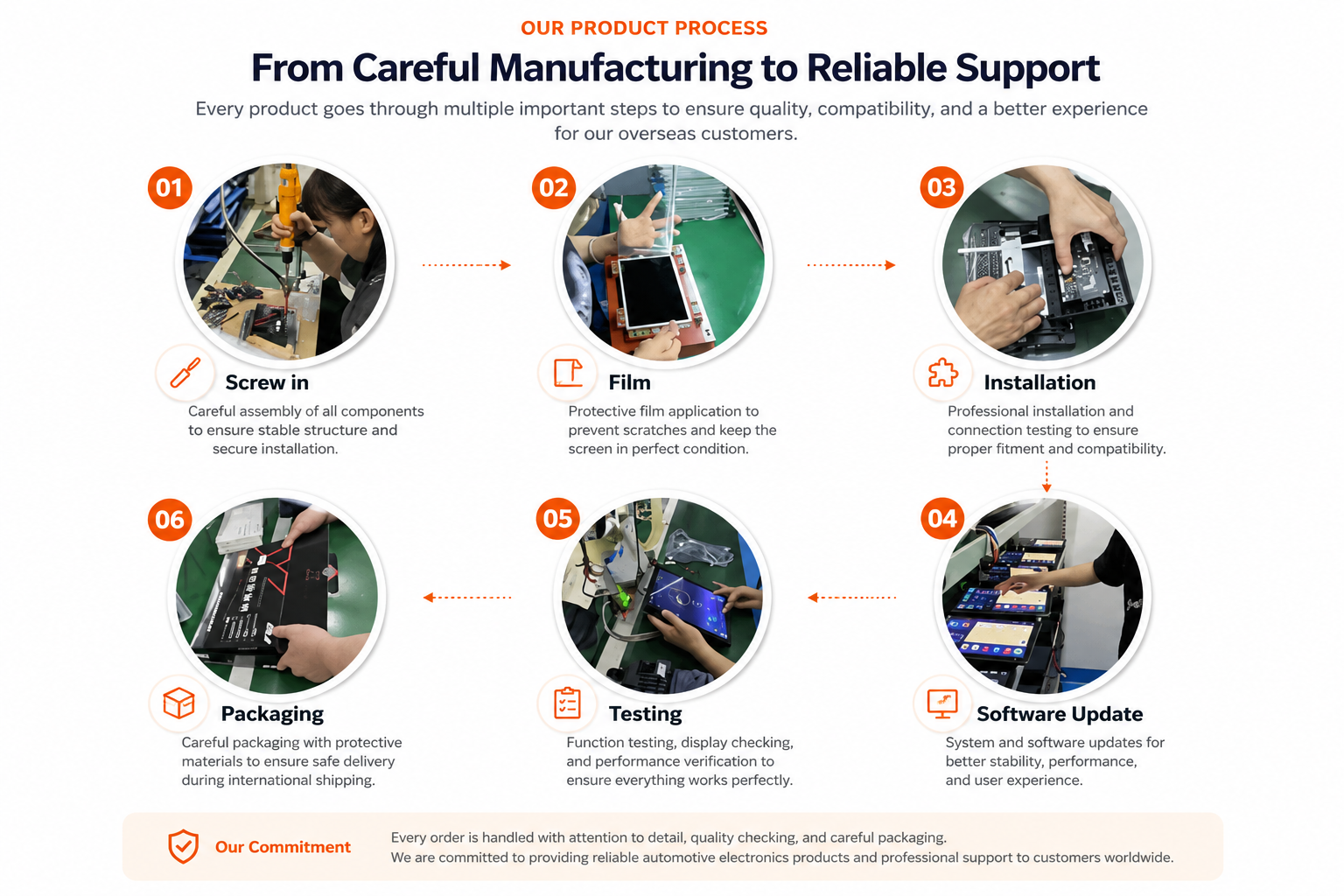
Understand iKAGOO Preparation Before Shipment
Vehicle-specific Android units need careful assembly, screen protection, function testing, software update checks and safe packaging before international delivery.
Installation Route for the Audi A4 A5 Android Radio
งานหลักที่ต้องการ
- Confirm 2009–2012 or 2013–2016 version before shipment.
- Confirm high or low factory configuration and original head unit type.
- Remove the original screen area and required dashboard trim carefully.
- Connect the matched power harness, CANBUS interface and AUX / AMI route.
- Connect USB, GPS, camera, 4G antenna and audio routes according to selected configuration.
- Power on the unit before final reassembly.
- Test original system switching, CarPlay, Android Auto, audio, radio, Bluetooth, camera input and sleep/wake behavior.
ผู้ติดตั้งที่แนะนำ
This is Level 3 — Advanced DIY. It is suitable for experienced DIY installers or an automotive electronics installer who can remove Audi dashboard trim carefully, identify factory connectors correctly and complete a structured function test.
Do not treat “plug-and-play” as “no dashboard work.” The original screen and trim still need to be removed, connected, configured and tested correctly.
หยุดการติดตั้งและติดต่อ iKAGOO หากเกิดเหตุการณ์นี้
- รูปร่างของตัวเชื่อมต่อหรือการจัดวางขาไม่ตรงกับชุดสายไฟที่ให้มาอย่างชัดเจน.
- The car has a factory head unit route listed as not compatible.
- AUX / AMI audio route cannot be identified.
- ขาต่อเชื่อมงอ หลวม หรือเสียหาย.
- เส้นทางที่ใช้กับสายรัดไม่ตรงกับคำแนะนำที่ให้มา.
- คุณได้กลิ่นความร้อนผิดปกติ กลิ่นไหม้ หรือควัน.
- ฟิวส์ขาดซ้ำแล้วซ้ำอีก.
- ไม่สามารถยืนยันไฟฟ้าหรือกราวด์ได้อย่างปลอดภัย.
- การติดตั้งจะต้องตัดสายไฟหลักของโรงงาน.
- Camera, audio, steering-wheel control, CANBUS or sleep/wake behavior is abnormal and cannot be explained during testing.
การจัดส่ง, การรับประกัน และการสนับสนุนหลังการขาย
การเตรียมคำสั่งซื้อ
การเตรียมคำสั่งซื้อตามปกติจะใช้เวลา 1–3 วันทำการ หลังจากที่การตรวจสอบการกำหนดค่าของยานพาหนะของคุณเสร็จสิ้นแล้ว.
การติดตามการจัดส่งทั่วโลก
การจัดส่งระหว่างประเทศสามารถติดตามได้ ระยะเวลาการจัดส่งโดยประมาณขึ้นอยู่กับปลายทาง การตรวจปล่อยศุลกากร และวิธีการจัดส่งที่เลือกในขั้นตอนการชำระเงิน.
12-Month การรับประกันฮาร์ดแวร์
ปัญหาฮาร์ดแวร์ที่มีสิทธิ์ได้รับการแก้ไขจะอยู่ภายใต้การรับประกันแบบจำกัดของ iKAGOO ความเสียหายที่เกิดจากการต่อสายไฟไม่ถูกต้อง การใช้งานผิดวิธี การรั่วซึมของน้ำ หรือการดัดแปลงโดยไม่ได้รับอนุญาต จะไม่ได้รับการคุ้มครองตามปกติ.
ผลิตภัณฑ์เฉพาะรุ่นยานพาหนะจำเป็นต้องมีข้อมูลที่ถูกต้องก่อนการจัดส่ง หาก iKAGOO ได้ยืนยันความเข้ากันได้ก่อนการสั่งซื้อ ข้อมูลของคุณถูกต้อง และไม่มีวิธีติดตั้งที่เหมาะสมหลังจากดำเนินการแก้ไขปัญหาที่รองรับแล้ว นโยบายการคืนสินค้าและการคืนเงินที่มีผลบังคับใช้ในปัจจุบันจะมีผลบังคับใช้.
Audi A4 A5 Android Radio FAQ
Is this Audi A4 A5 Android Radio for 2009–2016 vehicles?
Yes, this product is positioned for selected Audi A4, A4L and A5 2009–2016 vehicles. Please choose the correct 2009–2012 or 2013–2016 version before shipment.
Do I need to choose high configuration or low configuration?
Yes, this is required. Your original Audi head unit type, dashboard layout, AUX/AMI condition and factory system decide which configuration route should be prepared.
รองรับ CarPlay และ Android Auto แบบไร้สายหรือไม่?
Yes, wireless CarPlay and Android Auto are supported where the selected version and phone setup support the function.
Does it keep the original Audi system?
Yes, supported original-system switching is available where the correct version and wiring route are prepared. You can use Android functions and return to the Audi original system interface.
Does it support DSP audio?
Yes, DSP 32-band EQ is supported on the DSP version. Choose the DSP CarPlay route if audio tuning is important to you.
Does it support rear camera or 360 camera?
Yes, rear camera AHD/CVBS and 360 panorama routes are supported where the selected version, camera hardware and vehicle wiring support them.
Does it work with LHD and RHD vehicles?
Yes, LHD and RHD routes can be prepared, but you must provide your steering position and dashboard photos before shipment.
การติดตั้งเป็นแบบเสียบแล้วใช้ได้เลยหรือไม่?
Yes, the matched route is designed for clean connection, but installation is still Level 3 — Advanced DIY because dashboard trim, wiring, CANBUS, AUX/AMI and full function testing must be handled carefully.
ฉันควรส่งอะไรไปก่อนการสั่งซื้อ?
Yes, send your vehicle model, year, steering side, original dashboard photo, factory head unit photo, AUX/AMI condition, and whether you need CarPlay, DSP, rear camera, 360 panorama or DVR functions.
Make Your Audi A4, A4L or A5 Feel Modern Again
Choose the Audi A4 A5 Android Radio if you want an 8.8-inch factory-style screen, wireless CarPlay, Android Auto, DSP audio, navigation, WiFi / 4G and version-specific preparation for your vehicle.


จอร์แดน ไมลส์ –
ติดตั้งบน 2013 A4 ของฉัน หน้าจอ 8.8″ ใส่ลงไปพอดีและดูเหมือนของโรงงาน CarPlay ไร้สายเชื่อมต่อภายในไม่กี่วินาที และปุ่มควบคุม MMI ยังคงทำงานได้ บรรจุภัณฑ์จาก Sky Universe แข็งแรงดี.
เดเร็ก แฮริงตัน –
คือตัวเปลี่ยนเกมอย่างแท้จริงสำหรับ Audi A5 2011 ของฉัน! วิทยุ Symphony รุ่นเก่าที่มีหน้าจอเล็กแบบไม่สัมผัสทำให้ฉันแทบบ้า เครื่องเสียง Android ตัวนี้เติมชีวิตใหม่ให้กับรถ สลับระหว่างอินเทอร์เฟซดั้งเดิมของ Audi และระบบ Android ได้อย่างราบรื่น Apple CarPlay แบบไร้สายเชื่อมต่ออัตโนมัติภายในไม่กี่วินาทีหลังจากสตาร์ทรถ คุณภาพเสียงผ่าน AUX ยอดเยี่ยมมาก.
yan Mitchell –
Installation wasn’t difficult, but checking the original MMI and AUX setup first was important. We spent extra time confirming the correct cable route before putting everything back together. Once installed, everything worked properly.