













การตรวจสอบความเข้ากันได้ของหน่วยควบคุมกลาง Android: จะพอดีและฟีเจอร์จากโรงงานใดที่ยังคงใช้งานได้? | iKAGOO
จะใส่ได้พอดีไหม และอะไรจะยังใช้งานได้? คู่มือความเข้ากันได้และการติดตั้งของ iKAGOO
This guide helps you identify the correct digital instrument cluster or OEM-style Android head unit before shipping. iKAGOO reviews the vehicle, dashboard, original system and relevant factory equipment so the selected product route matches the car and the expected functions are clear before installation begins.
Choose the Product Type You Are Buying
Digital clusters and Android head units require different vehicle information. Select the correct route so the review focuses on the details that actually affect fitment and function retention.
บทวิจารณ์ความเข้ากันได้ของ iKAGOO ครอบคลุมอะไรบ้าง?
The review identifies the correct product route for the submitted vehicle. We compare the vehicle details and photos with the selected product version, explain the expected retained functions and identify any installation points that should be checked before the dashboard is closed.
What We Usually Confirm Before Shipping
- Whether the selected product family matches the stated vehicle
- Which cluster shape or original infotainment platform is installed
- Whether an LHD or RHD version is required
- Which factory functions and accessories need additional attention
- Whether a dedicated decoder, adapter or fiber-optic route is required
- Whether professional installation is recommended
- Which visible product version should be prepared for the order
What the Installer Verifies During Installation
The installer checks the actual connectors, previous wiring changes, hidden factory options and the final function result while the product and wiring remain accessible.
This two-stage process combines remote product matching with real installation verification instead of relying only on a general model-year list.
How iKAGOO Reviews Your Vehicle Information
We do not select a product from the vehicle name alone. The review combines the production year, dashboard appearance, original system family, steering position, factory equipment and submitted photos.
Identify the Vehicle Route
We use the make, model, production year and LHD or RHD configuration to narrow the supported product family.
Compare the Visible Configuration
Dashboard, cluster and original system photos help identify differences that cannot be seen from a model list.
Prepare the Correct Product Version
We identify the required frame, harness, system version, adapter and installation route before the order is shipped.
แดชบอร์ดของคุณรองรับ Digital Instrument Cluster นี้หรือไม่?
Digital cluster fitment is mainly determined by the original cluster shape, dashboard opening, vehicle platform and internal instrument configuration. Clear photos usually allow us to identify the correct product route much more accurately than the model name alone.
Information to Send for a Digital Cluster Review
- ยี่ห้อรถ รุ่นรถ และปีผลิตที่แน่นอน
- ภาพด้านหน้าที่ชัดเจนของชุดหน้าปัดเดิมทั้งหมด
- ภาพถ่ายที่กว้างขึ้นซึ่งแสดงให้เห็นชุดมาตรวัดและขอบแผงหน้าปัดโดยรอบ
- ไม่ว่าชุดมาตรวัดเดิมจะเป็นแบบกลไก กึ่งดิจิทัล หรือดิจิทัลเต็มรูปแบบ
- การกำหนดค่าแบบพวงมาลัยซ้ายหรือพวงมาลัยขวา
- หมายเลขชิ้นส่วนของคลัสเตอร์เดิมหรือภาพถ่ายฉลากด้านหลังเมื่อมีการร้องขอ
- Fuel type and trim level where different cluster versions exist
- รายละเอียดของการเปลี่ยนชุดหน้าปัดหรือการดัดแปลงแผงหน้าปัดก่อนหน้านี้ทั้งหมด

Original Components That May Be Retained
Depending on the model, installation may include transfer of an original board, warning buzzer, bracket, trim frame or another retained component. The exact route is checked for the selected vehicle.
Driving Information That Should Display
Supported speed, RPM, fuel level, temperature, gear position, door status, warning information and driving data should remain practical after correct installation and configuration.
Select the cluster route and upload a clear photo of the original instrument and dashboard trim.
อะไรจะใช้งานได้หลังจากติดตั้ง Digital Cluster?
The correct cluster version should continue displaying the supported driving information required for daily use. The visual design, menu layout, warning style and animation may be upgraded even when the underlying vehicle data remains correctly available.
Speed, RPM, Fuel and Temperature
Supported speed, RPM, fuel level, temperature, gear and warning information should work normally with the correct product version and configuration.
Warning Icons and Messages
Supported warnings should remain understandable and usable. The location or visual style may differ from the original instrument design.
Map Display and CarPlay Projection
Navigation display, HDMI input or CarPlay map projection is product-specific and should be checked on the selected cluster product page.
Supported Firmware Updates
Compatible firmware updates may be provided for supported iKAGOO-supplied hardware when an appropriate update package is available for that platform.
Android Head Unit นี้จะใช้งานร่วมกับระบบเดิมของคุณได้หรือไม่?
Android head unit compatibility depends on both the dashboard and the original electronic system. The infotainment version, amplifier, MOST fiber-optic audio, factory camera, original controller and steering position determine which product version or adapter should be prepared.
Information to Send for an Android Head Unit Review
- ยี่ห้อรถ รุ่นรถ และปีผลิตที่แน่นอน
- A clear photo of the complete original dashboard and display
- Original system version such as NTG, CIC, NBT, EVO or PCM
- การกำหนดค่าแบบพวงมาลัยซ้ายหรือพวงมาลัยขวา
- Factory amplifier details including BOSE, B&O or Harman Kardon
- ไม่ว่าจะเป็นรถยนต์ที่ใช้ระบบเสียงไฟเบอร์ออปติก MOST หรือไม่
- Original reversing camera or 360-degree camera configuration
- ปุ่มควบคุมพวงมาลัย, ทัชแพด, จอยสติ๊ก หรือประเภทคอนโทรลเลอร์ดั้งเดิม
- Previous radio, amplifier, camera or wiring modifications
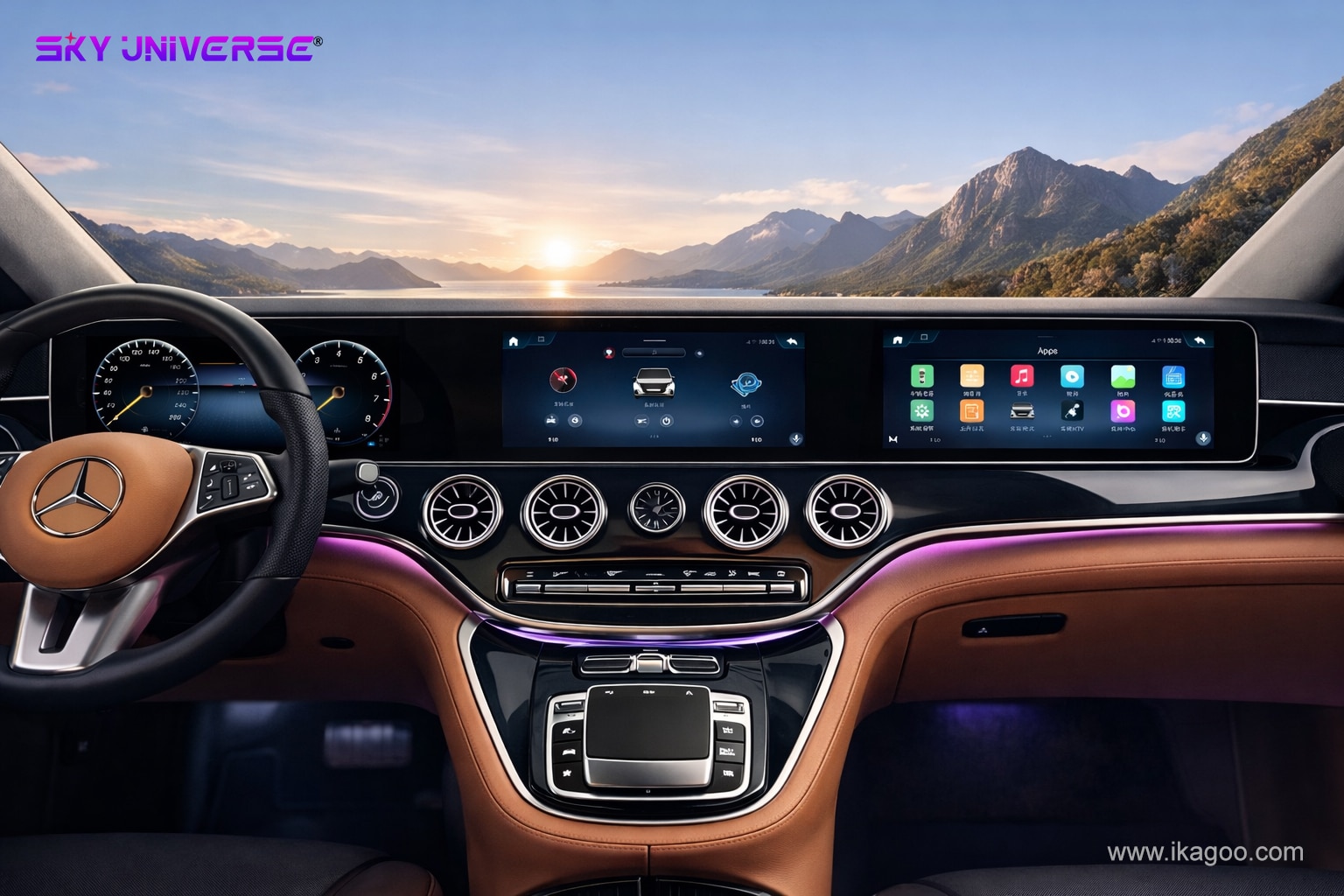
Factory Features to Retain
Steering-wheel controls, original controller operation, factory camera, parking sensors, audio, amplifier communication and supported original vehicle menus are checked against the exact product route.
ฟังก์ชันใหม่ที่จะยืนยัน
Wireless Apple CarPlay, Android Auto, Bluetooth, GPS navigation, Wi-Fi, 4G, DSP, USB media and app support depend on the exact hardware version selected.
Select the Android head unit route and provide the dashboard, infotainment, audio and camera information.
ฟังก์ชันจากโรงงานใดควรยังคงใช้งานได้?
Supported original functions should remain practical after correct installation. Some screens, menus or button paths may look different because the new product introduces a modern interface while communicating with the original vehicle system.
ปุ่มบนพวงมาลัย
Supported buttons should continue to respond. A button may open a different screen or use a different menu path from the original interface.
Factory Amplifier and Sound
Standard audio, amplified audio and MOST fiber-optic systems use different connection routes. The correct adapter or decoder is selected during the review.
Original Reverse or 360 Camera
Factory camera systems may require a dedicated interface. The expected retention route is checked against the submitted configuration.
Vehicle Menus and Controller
Supported original menus may remain accessible through a different page, shortcut or interface layer while the original controller continues to perform supported functions.
CarPlay และ Android Auto
Wireless CarPlay and Android Auto support is checked according to the selected Android hardware and software version.
Practical Function Retention
The main goal is to keep supported factory functions usable while adding the new display, interface and connectivity functions selected by the buyer.
Plug-and-Play จริงๆ แล้วหมายความว่าอะไร?
Plug-and-play means the product uses a vehicle-matched connection route without intentionally cutting the original wiring harness. It can still include dashboard removal, original component transfer, adapter installation, configuration and final function testing.
แผงหน้าปัดดิจิทัล
The cluster is designed for the supported vehicle platform and uses the corresponding connection route. Depending on the model, an original board, bracket, trim part or configuration step may still be required.
หน่วยควบคุมหลักระบบแอนดรอยด์
The supplied harness is designed to connect without cutting the original vehicle loom. Dashboard removal, fiber-optic transfer, adapters, camera configuration and testing may still be part of the installation.
อะไรที่ต้องทดสอบก่อนปิดแดชบอร์ด?
Complete function testing should be performed while the wiring and product remain accessible. This makes it faster to correct a connector, setting, fiber-optic route or camera configuration before the trim is reinstalled.
ตรวจสอบดิจิทัลคลัสเตอร์
- แสดงความเร็วและ RPM ได้อย่างถูกต้อง
- ระดับน้ำมันและข้อมูลอุณหภูมิมีความสมเหตุสมผล
- ตำแหน่งเกียร์และสถานะประตูทำงาน
- Supported warning information appears correctly
- No abnormal communication error remains
- Cluster position and trim fit correctly
เช็กลิสต์ Android Head Unit
- Audio output works normally
- ปุ่มควบคุมบนพวงมาลัยและปุ่มควบคุมเดิมตอบสนอง
- กล้องโรงงานและจอแสดงผลการจอดรถทำงาน
- การโทรผ่าน Bluetooth ชัดเจน
- CarPlay หรือ Android Auto เชื่อมต่อได้ตามปกติ
- Supported original menus remain accessible
What Support Remains After Installation?
Completing the installation does not end the support relationship. The original iKAGOO order remains connected to the reviewed vehicle, supplied product version, warranty history and later technical support.
Defined Warranty Support
- Fault diagnosis and installation evidence review
- คู่มือเกี่ยวกับซอฟต์แวร์และการตั้งค่า
- Eligible replacement-part coordination
- Repair or replacement handling under the warranty policy
- Order-based case records and communication
The Support Route Remains Available
- คำสั่งซื้อเดิมยังคงเป็นรหัสสินค้า
- การแก้ไขปัญหาอาจยังคงดำเนินต่อไป
- คู่มือการใช้ซอฟต์แวร์อาจยังคงมีให้ใช้งานได้
- Compatible parts may be investigated
- อาจมีการประสานงานเกี่ยวกับวิธีการซ่อมแซมหรือเปลี่ยนใหม่
- Reasonable parts, shipping or service charges may apply
คำถามที่ผู้ซื้อถามก่อนสั่งซื้อ
These answers explain the main differences between digital cluster fitment, Android head unit compatibility, installation verification and long-term support.
รีวิวความเข้ากันได้ของ iKAGOO ครอบคลุมอะไรบ้าง?
การตรวจสอบจะตรวจสอบรายละเอียดรถที่ส่งมา การกำหนดค่าหน้าปัดที่มองเห็น ข้อมูลระบบเดิม และเส้นทางผลิตภัณฑ์ที่เลือก เพื่อใช้เตรียมเวอร์ชันผลิตภัณฑ์ที่ถูกต้อง และอธิบายข้อกำหนดการติดตั้งและการคงฟังก์ชันที่คาดหวัง.
ทำไมคุณจึงต้องการข้อมูลที่แตกต่างกันสำหรับ cluster และ Android head unit?
ชุดหน้าปัดดิจิทัลส่วนใหญ่จับคู่โดยพิจารณาจากรูปร่างชุดหน้าปัด ช่องเปิดแผงหน้าปัด แท่นเครื่องมือวัด และชิ้นส่วนที่ยังคงอยู่ หน่วยหัวจอ Android ต้องเข้ากันได้กับระบบอินโฟเทนเมนต์ดั้งเดิม ระบบเสียง กล้อง ระบบควบคุม และอุปกรณ์สื่อสารด้วย.
ทำไมรูปถ่ายยานพาหนะจึงสำคัญ?
รูปถ่ายเผยให้เห็นความแตกต่างของแผงหน้าปัด ชุดมาตรวัด หน้าจอ และชุดควบคุม ซึ่งอาจไม่ปรากฏในรายการรถโดยทั่วไป รูปถ่ายที่ชัดเจนมักช่วยระบุเส้นทางผลิตภัณฑ์ที่ถูกต้องได้เร็วกว่าชื่อรุ่นเพียงอย่างเดียว.
อินเทอร์เฟซเดิมทุกอย่างจะยังคงเหมือนเดิมทั้งหมดหรือไม่?
รูปแบบ ไอคอน ตำแหน่งเมนู และเส้นทางของปุ่มอาจมีการเปลี่ยนแปลง ฟังก์ชันที่รองรับควรยังคงใช้งานได้จริง แต่ส่วนติดต่อผู้ใช้ที่อัปเกรดแล้วไม่จำเป็นต้องเลียนแบบทุกหน้าจอดั้งเดิมด้วยสายตา.
สามารถอัปเดตซอฟต์แวร์คลัสเตอร์ดิจิทัลหลังการติดตั้งได้หรือไม่?
การอัปเดตเฟิร์มแวร์ที่เข้ากันได้อาจถูกจัดเตรียมไว้สำหรับฮาร์ดแวร์ที่รองรับซึ่งจัดหาโดย iKAGOO เมื่อมีแพ็คเกจอัปเดตที่เหมาะสมยังคงพร้อมใช้งานสำหรับแพลตฟอร์มผลิตภัณฑ์ที่เกี่ยวข้อง.
ควรติดตั้ง Android head unit โดยช่างมืออาชีพหรือไม่?
แนะนำให้ติดตั้งโดยมืออาชีพเมื่อรถมีไฟเบอร์ออปติก MOST, แอมป์จากโรงงาน, กล้องมุม 360 องศาจากโรงงาน, ระบบควบคุมเดิมที่ซับซ้อน หรือการดัดแปลงสายไฟก่อนหน้านี้.
คำว่า plug-and-play หมายความว่าอะไร?
ปลั๊กแอนด์เพลย์หมายความว่าผลิตภัณฑ์ใช้เส้นทางการเชื่อมต่อที่ตรงกับรถยนต์โดยไม่ต้องตัดชุดสายไฟเดิมโดยเจตนา อาจยังต้องมีการถอดแผงหน้าปัด การย้ายส่วนประกอบ อะแดปเตอร์ การตั้งค่า และการทดสอบ.
Can I still contact iKAGOO after installation is completed?
Yes. The original order remains the reference for the supplied product, reviewed vehicle configuration, warranty history and later technical assistance.
มีบริการสนับสนุนใดบ้างหลังจากหมดระยะเวลารับประกัน 12 เดือน?
The original order may still be used for product identification, troubleshooting, software guidance, compatible parts investigation and repair coordination. Reasonable charges may apply for parts, shipping, repair or specialist services.
Does the review also cover previously modified vehicles?
Previous modifications should be disclosed and photographed where possible. The review can then identify the most likely product route, while the installer verifies the actual wiring and connectors during installation.
Related Compatibility, Warranty and Support Information
Review the relevant product, installation, warranty and brand-support information before ordering.
Send the Right Photos and Order the Correct Product Route
For a digital cluster, send clear photos of the original instrument and surrounding trim. For an Android head unit, also provide the original system, amplifier, camera and control information. iKAGOO will review the product route, prepare the matching version and explain the key installation points before shipment.
Compatibility Review · Installation Verification · 12-Month Warranty · Long-Term After-Sales Support








Add comment
คุณต้องเข้าสู่ระบบ เพื่อจะพิมพ์ความเห็น