



ห้องโดยสาร Porsche ที่ทันสมัยยิ่งขึ้น
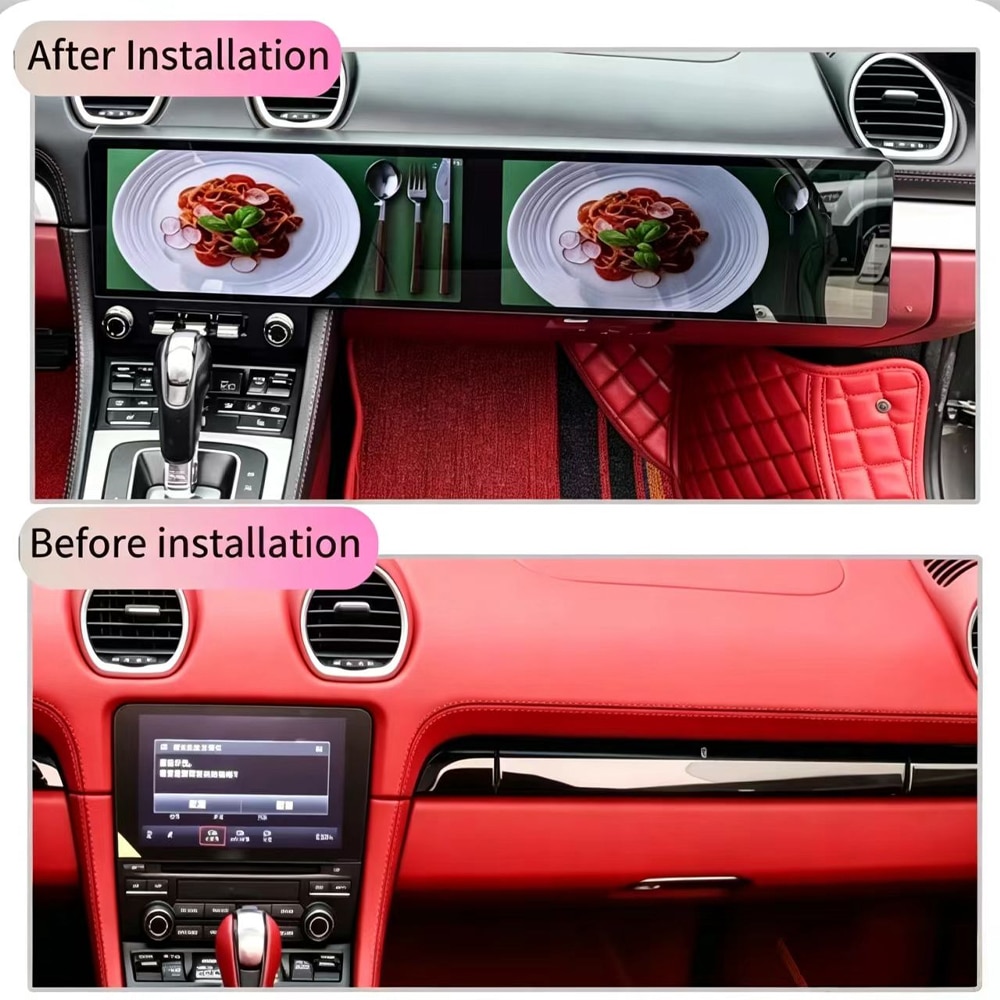
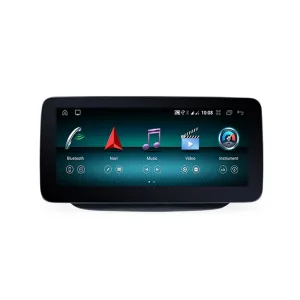
รูปแบบจอคู่แบบกว้างช่วยอัปเดตจุดศูนย์กลางการมองเห็นของห้องโดยสาร และให้ ระบบนำทาง สื่อ และฟังก์ชัน Android มีพื้นที่แสดงผลชัดเจนยิ่งขึ้น.

| น้ำหนัก | 8.5 กก. |
|---|---|
| ขนาด | 48 × 38 × 28 เซนติเมตร |
| รถสนับสนุน | porsche 718 cayman android head unit |
| ความเข้ากันได้ของผลิตภัณฑ์ | พร้อมใช้งานทันที |
| แหล่งกำเนิดสินค้า | ไม่ใช่สินค้าของแท้ |
| สี: | ดำ/พวงมาลัยซ้าย, ดำ/พวงมาลัยขวา |
| ความทรงจำ | 12+256GB 8Core CP/AA/ASP/4G, 6+128GB 8Core CP/AA/ASP/4G |


จาก: $1,080.00

เลือกการจัดส่งแบบ DDP เมื่อชำระเงิน. iKAGOO ครอบคลุมอากรนำเข้าที่เกี่ยวข้อง และภาษีที่รวมอยู่ในบริการจัดส่งแบบ DDP ของคุณ. ไม่มีการชำระค่าใช้จ่ายที่ครอบคลุมเหล่านี้แยกต่างหากเมื่อรับสินค้า การจัดส่งแบบมาตรฐานไม่รวมภาษีนำเข้า.
DDP เป็นทางเลือก ค่าจัดส่งและวิธีการ ที่มีให้บริการขึ้นอยู่กับที่อยู่จัดส่งของคุณ พื้นที่ห่างไกลอาจต้องมีการยืนยัน.
คู่มือการจัดส่ง DDP →ค่าจัดส่งสุดท้ายจะยืนยันจากที่อยู่จัดส่งของคุณที่หน้าชำระเงิน.
iKAGOO ตรวจสอบความเข้ากันได้และให้การคุ้มครองความเข้ากันได้ที่ชัดเจน พร้อมการรับประกันฮาร์ดแวร์ 1 ปี การสนับสนุนซอฟต์แวร์ 3 ปี และการสนับสนุนอะไหล่ 5 ปีสำหรับผลิตภัณฑ์ที่มีสิทธิ์.
 การคุ้มครองความเข้ากันได้ 7 วัน
การป้องกันข้อผิดพลาดด้านความเข้ากันได้
หากการอนุมัติความเข้ากันได้เป็นลายลักษณ์อักษรของเราผิดพลาดและไม่มีวิธีแก้ไขใดได้ผล จะมีการคืนเงินตามราคาอุปกรณ์สำหรับผลิตภัณฑ์ที่มีสิทธิ์.
→
การคุ้มครองความเข้ากันได้ 7 วัน
การป้องกันข้อผิดพลาดด้านความเข้ากันได้
หากการอนุมัติความเข้ากันได้เป็นลายลักษณ์อักษรของเราผิดพลาดและไม่มีวิธีแก้ไขใดได้ผล จะมีการคืนเงินตามราคาอุปกรณ์สำหรับผลิตภัณฑ์ที่มีสิทธิ์.
→
 12-Month การรับประกันฮาร์ดแวร์
iKAGOO ครอบคลุมข้อบกพร่องจากการผลิตที่มีสิทธิ์เป็นเวลา 12 เดือนนับจากวันที่จัดส่ง.
→
ซอฟต์แวร์ 3 ปี · อะไหล่ 5 ปี
iKAGOO ให้การสนับสนุนซอฟต์แวร์ทางไกลฟรีและช่องทางการสนับสนุนอะไหล่และการอัปเกรดสำหรับผลิตภัณฑ์ที่มีสิทธิ์.
→
[[[TPDC_0001]]]
12-Month การรับประกันฮาร์ดแวร์
iKAGOO ครอบคลุมข้อบกพร่องจากการผลิตที่มีสิทธิ์เป็นเวลา 12 เดือนนับจากวันที่จัดส่ง.
→
ซอฟต์แวร์ 3 ปี · อะไหล่ 5 ปี
iKAGOO ให้การสนับสนุนซอฟต์แวร์ทางไกลฟรีและช่องทางการสนับสนุนอะไหล่และการอัปเกรดสำหรับผลิตภัณฑ์ที่มีสิทธิ์.
→
[[[TPDC_0001]]] เป้าหมายของเราคือทำให้คำสั่งซื้อของคุณถูกต้องก่อนที่สินค้าจะออกจากเรา. เราตรวจสอบความเข้ากันได้ เตรียมการตั้งค่าที่ถูกต้อง และจะติดต่อคุณเฉพาะเมื่อมีสิ่งที่ต้องยืนยันเท่านั้น.
Porsche 718 Cayman 2016–2023 · อัปเกรดค็อกพิตหน้าจอคู่ขนาด 12.3 นิ้ว
ที่ ระบบเครื่องเสียง Android สำหรับ Porsche 718 Cayman อัปเกรดรถรุ่น 2016–2023 ที่เลือกด้วยจอแสดงผล QLED แบบ Fully Laminated ขนาด 12.3 นิ้วคู่, Android 15, Apple CarPlay ไร้สาย, Android Auto, ระบบนำทาง GPS, 4G และ Wi-Fi.
ออกแบบมาสำหรับเจ้าของที่ต้องการอินเทอร์เฟซการขับขี่ที่ใหญ่ขึ้น ดูสะอาดตา และล้ำสมัยมากขึ้น โดยไม่ต้องจำกัดอยู่กับจอภายนอกขนาดเล็กหรือโมดูลพื้นฐานที่รองรับเฉพาะ CarPlay.
วิดีโอผลิตภัณฑ์
ชมการเปลี่ยนแปลงภายในห้องโดยสาร และดูว่าเลย์เอาต์จอคู่ที่กว้างขึ้นมอบ ประสบการณ์การนำทาง สื่อ และการควบคุมสมาร์ทโฟนที่ทันสมัยยิ่งขึ้นให้กับ Porsche 718 Cayman.
คำตอบอย่างรวดเร็ว
ใช่ โดยเฉพาะอย่างยิ่งหากคุณวางแผนที่จะเก็บ Porsche 718 Cayman ของคุณไว้ และใช้งาน การนำทาง เพลง โทรศัพท์ หรือแอปพลิเคชันที่เชื่อมต่อเป็นประจำ.
ระบบจอคู่นี้ปรับปรุงพื้นที่ภายในห้องโดยสารที่มองเห็นและใช้งานบ่อยที่สุดแห่งหนึ่ง ให้คุณมีจอแสดงผลที่ใหญ่ขึ้น รองรับการเชื่อมต่อโทรศัพท์ไร้สาย และแพลตฟอร์มมัลติมีเดีย Android ครบวงจรในการอัปเกรดเพียงครั้งเดียว.
ประโยชน์ที่คุณจะได้รับ
รูปแบบจอคู่แบบกว้างช่วยอัปเดตจุดศูนย์กลางการมองเห็นของห้องโดยสาร และให้ ระบบนำทาง สื่อ และฟังก์ชัน Android มีพื้นที่แสดงผลชัดเจนยิ่งขึ้น.
ใช้แผนที่ การโทร ข้อความ และเพลงที่เข้ากันได้ผ่าน Apple CarPlay ไร้สาย หรือ Android Auto โดยไม่ต้องเชื่อมสายทุกครั้งที่เข้าไปในรถ.
Android 15 ให้คุณเข้าถึงระบบนำทาง สื่อ และแอปพลิเคชันเชื่อมต่อที่รองรับ แทนที่จะจำกัดการอัปเกรดไว้เพียงการสะท้อนหน้าจอโทรศัพท์เท่านั้น.
ผลิตภัณฑ์ใช้ชุดจอภาพที่เฉพาะกับรุ่นรถเพื่อความพอดีที่เรียบร้อยกว่า แท็บเล็ตอเนกประสงค์หรือจอแสดงผลภายนอกที่ติดตั้งบนแผงหน้าปัด.
ความคุ้มค่าในการขับขี่ประจำวัน
ใช้ CarPlay ไร้สายหรือ Android Auto สำหรับแผนที่ เพลง และการโทรบนหน้าจอที่ใหญ่ขึ้น มองเห็นง่ายขึ้นระหว่างการขับขี่ตามปกติ.
รูปแบบที่กว้างขึ้นช่วยให้ระบบนำทางและสื่อมีพื้นที่มากขึ้น ลดความจำเป็นที่จะต้อง สลับไปมาระหว่างเมนูขนาดเล็กซ้ำๆ.
หากคุณตั้งใจจะเก็บรถไว้ การอัปเกรดหน้าจอและการเชื่อมต่อจะช่วยปรับปรุง ส่วนหนึ่งของรถที่คุณใช้งานแทบทุกครั้งที่ขับขี่.
iKAGOO การประเมินสามขั้นตอน
ผลลัพธ์สามประการนี้ช่วยให้คุณตัดสินใจได้ว่าการอัปเกรดคุ้มค่าหรือไม่ เข้ากันได้ดีเพียงใด กับรถเดิมของคุณ และควรเตรียมการสนับสนุนการติดตั้งระดับใด.
คะแนนนี้เหมาะที่สุดสำหรับเจ้าของที่ต้องการห้องโดยสารที่ดูใหม่ขึ้นอย่างชัดเจน ใช้ ฟังก์ชันนำทางและโทรศัพท์เป็นประจำ และวางแผนที่จะเก็บรถไว้.
มูลค่าจะต่ำลงเมื่อระบบเดิมตอบสนองความต้องการของคุณอยู่แล้ว หรือ โมดูล CarPlay แบบเรียบง่ายสามารถแก้ปัญหาหลักของคุณได้อย่างสมบูรณ์.
ระบบรองรับฟังก์ชันอัปเกรดหลัก รวมถึง CarPlay ไร้สาย, Android Auto, การสลับระบบเดิมในกรณีที่เข้ากันได้ และ ปุ่มควบคุมบนพวงมาลัยที่รองรับ.
ระบบเสียง กล้อง คอนโทรลเลอร์ และการตั้งค่ารถยนต์เดิมของคุณต้องได้รับการ ยืนยันก่อนจัดส่ง เพื่อให้สามารถเตรียมเวอร์ชันที่ถูกต้องและเส้นทางการเชื่อมต่อได้ อย่างเหมาะสม.
การติดตั้งรวมถึงการถอดแผงหน้าปัด การเชื่อมต่อชุดสายไฟ การเดินสายไฟ การกำหนดค่าระบบ และการทดสอบฟังก์ชันทั้งหมดก่อนการประกอบกลับครั้งสุดท้าย.
การติดตั้งโดยมืออาชีพช่วยปกป้องชิ้นส่วนตกแต่ง ลดข้อผิดพลาดในการตั้งค่า และช่วยให้ แน่ใจว่าหน้าจอ เสียง ระบบควบคุม และพฤติกรรมไฟฟ้าได้รับการทดสอบอย่างถูกต้อง.
ไม่ได้หมายความว่าฟังก์ชันดั้งเดิมของคุณจะสูญหายไป 20% คะแนนนี้ยัง พิจารณาความแตกต่างของเมนู Android โครงสร้างหน้าจอ พฤติกรรมการควบคุม และ การออกแบบการติดตั้งเมื่อเทียบกับระบบ Porsche ดั้งเดิม.
ระบบควบคุมเดิม
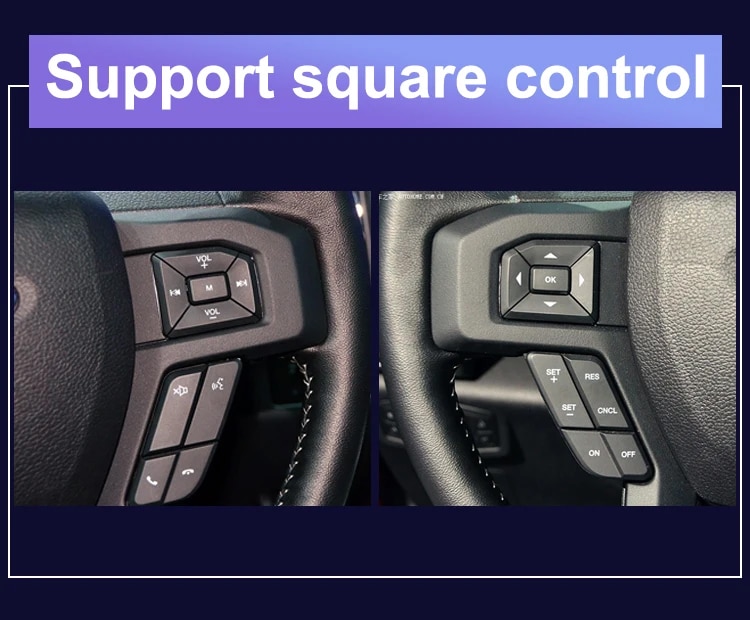
ใช้ปุ่มบนพวงมาลัยเดิมต่อไปสำหรับฟังก์ชันทั่วไป เช่น การปรับระดับเสียง การเลือกเพลง และการควบคุมการโทรที่รองรับ หลังจาก ระบบได้รับการติดตั้งและตั้งค่าอย่างถูกต้อง.
รองรับการควบคุมบนพวงมาลัยเดิม ซึ่งช่วยให้คุณจัดการฟังก์ชันสำคัญ ได้โดยไม่ต้องเอื้อมไปแตะหน้าจอขณะขับขี่ปกติ.
มุมมองผลิตภัณฑ์และการติดตั้งจริง
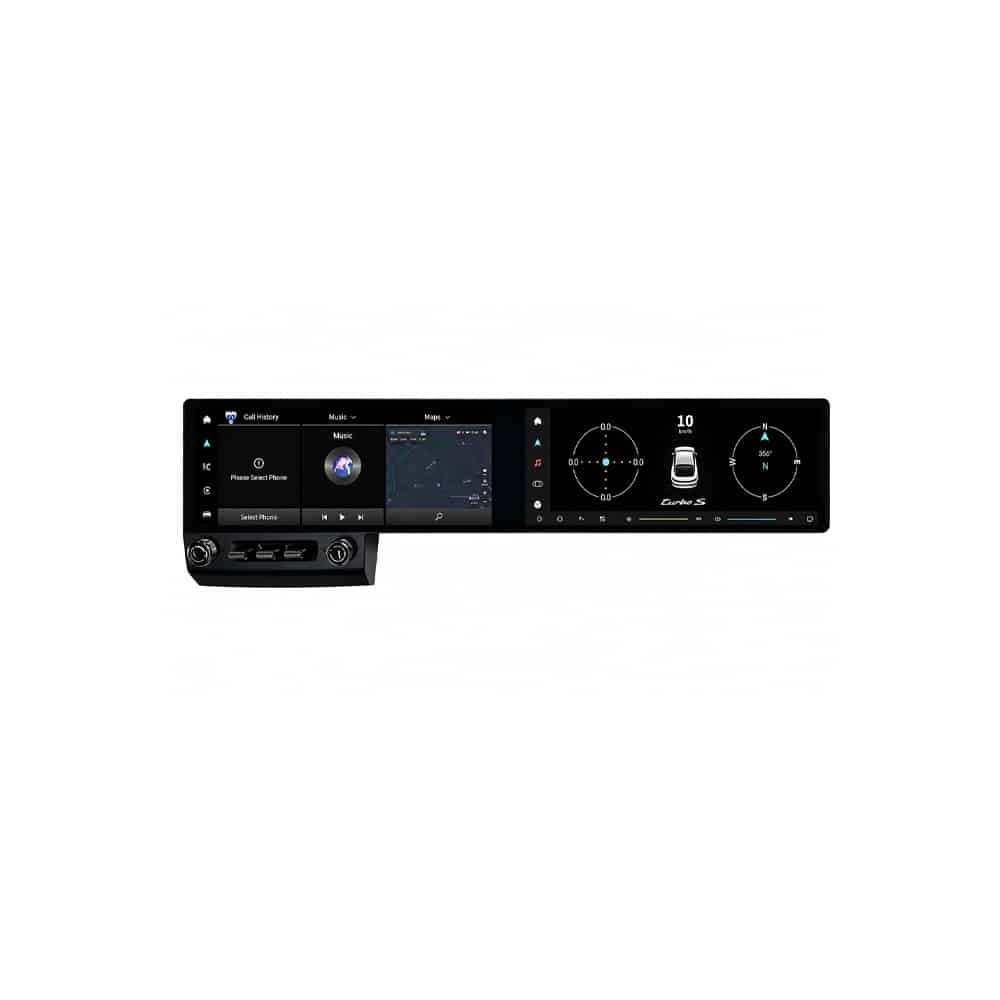
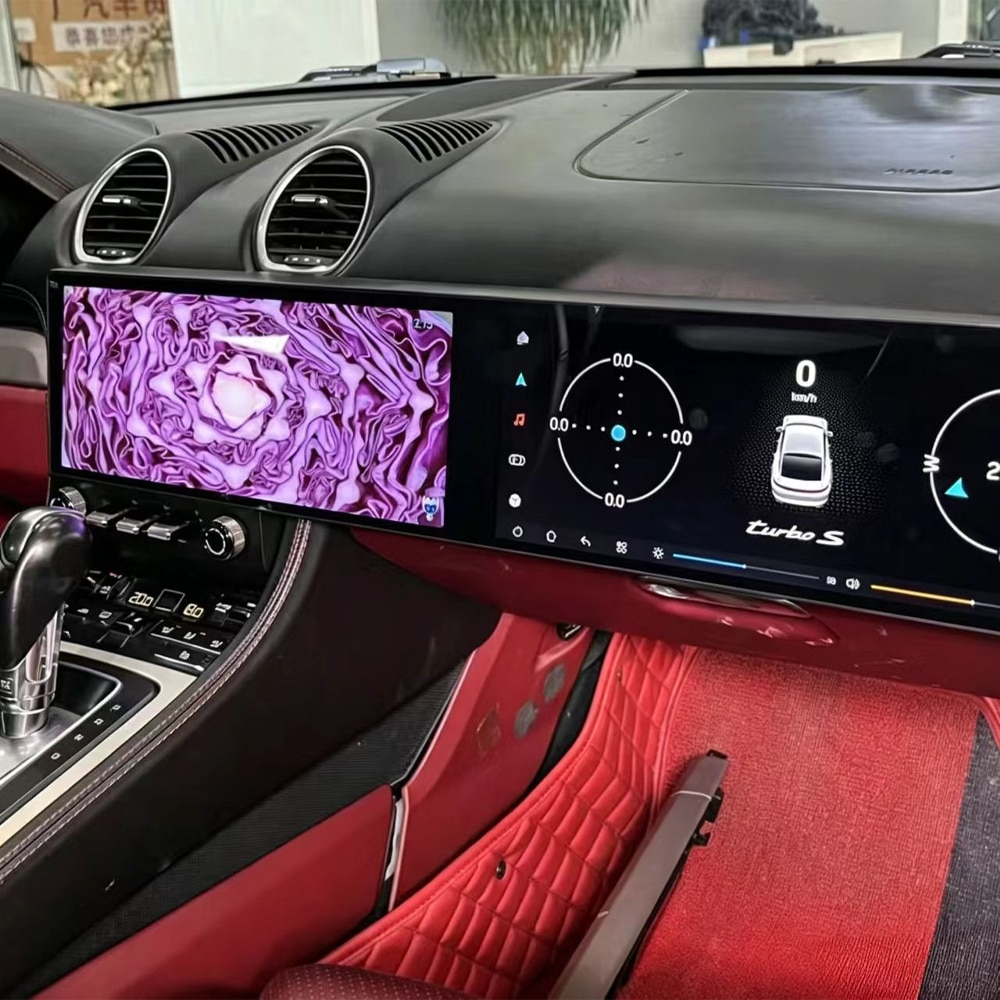
มุมมองด้านหน้าแสดงเลย์เอาต์หน้าจอทั้งหมดและการออกแบบแดชบอร์ดแบบบูรณาการ ที่คุณจะได้รับจากการอัปเกรด.
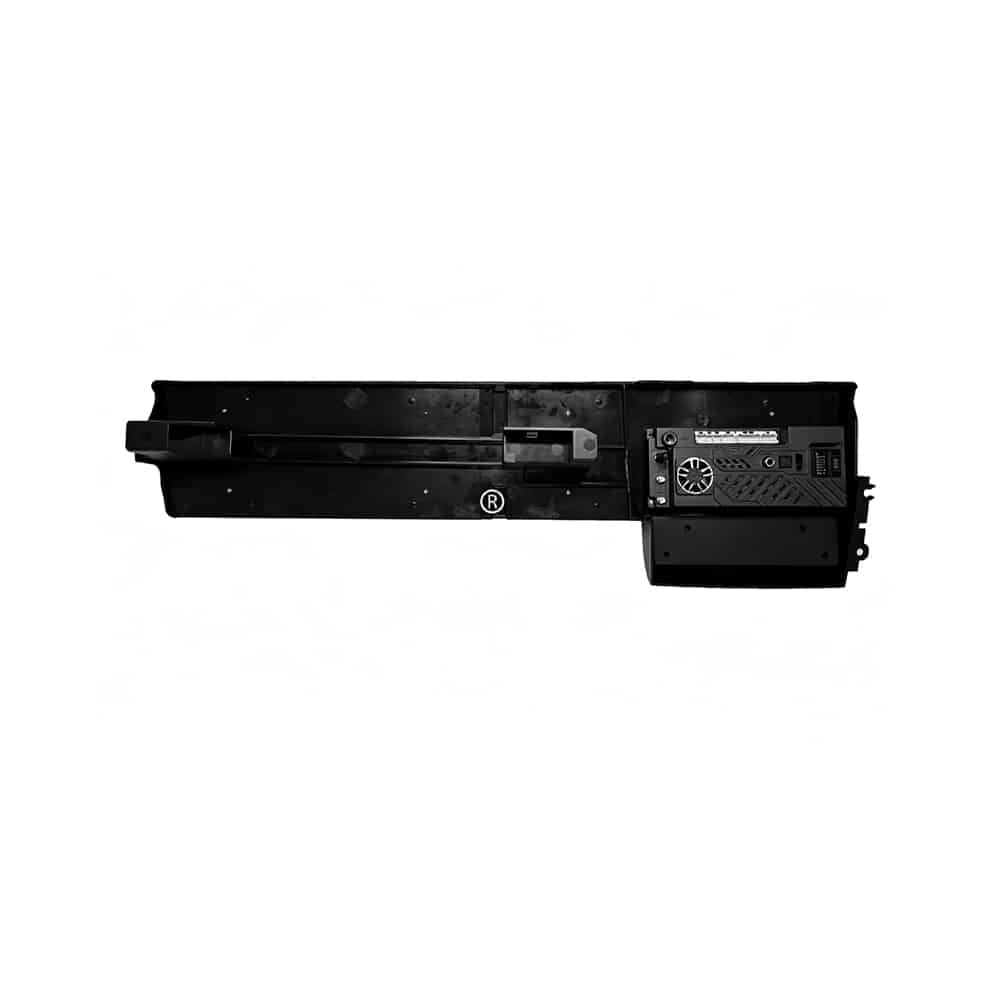
โครงสร้างด้านหลังแสดงว่านี่คือระบบในแดชบอร์ดที่สมบูรณ์ ไม่ใช่ เพียงหน้าจอที่ติดกับแดชบอร์ดเดิม.
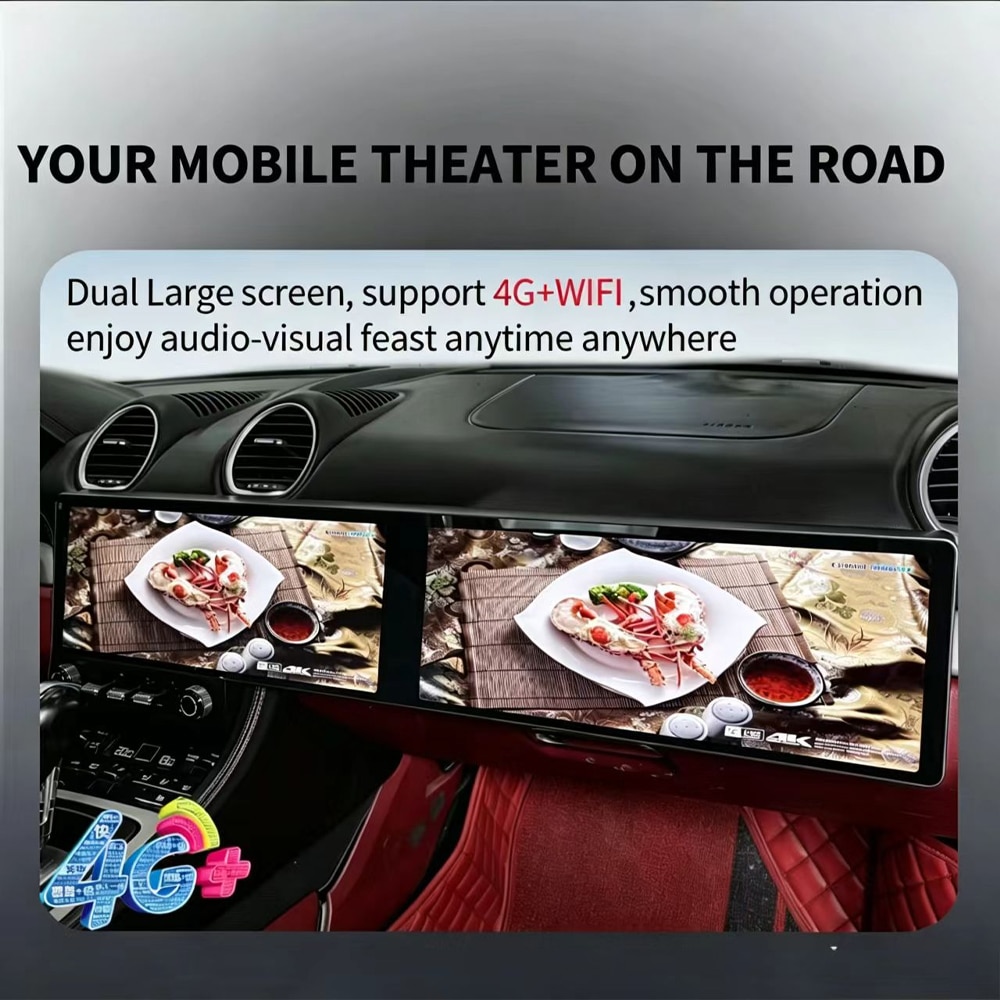
ใช้แอปพลิเคชัน Android ที่เข้ากันได้ การนำทางออนไลน์ และฟังก์ชันมีเดีย ผ่านการเชื่อมต่อ 4G หรือ Wi-Fi.
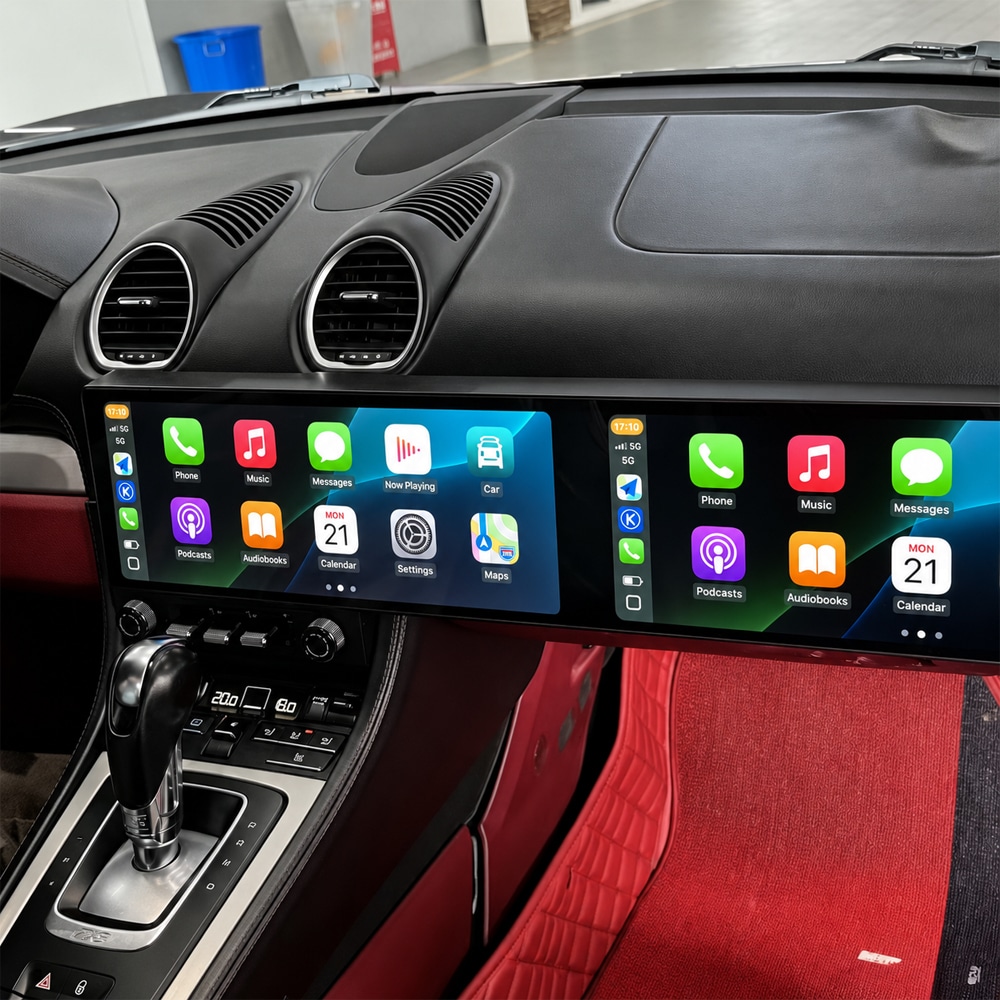
ห้องโดยสารดูกว้างขึ้น สะอาดขึ้น และทันสมัยมากขึ้น พร้อมกับ การจัดวางหน้าจอที่ดูเป็นธรรมชาติภายในแดชบอร์ด.
รูปแบบหน้าจอกว้างให้พื้นที่กับข้อมูลยานพาหนะ มีเดีย และฟังก์ชันระบบ มากกว่าหน้าจอขนาดกะทัดรัดแบบเดิม.
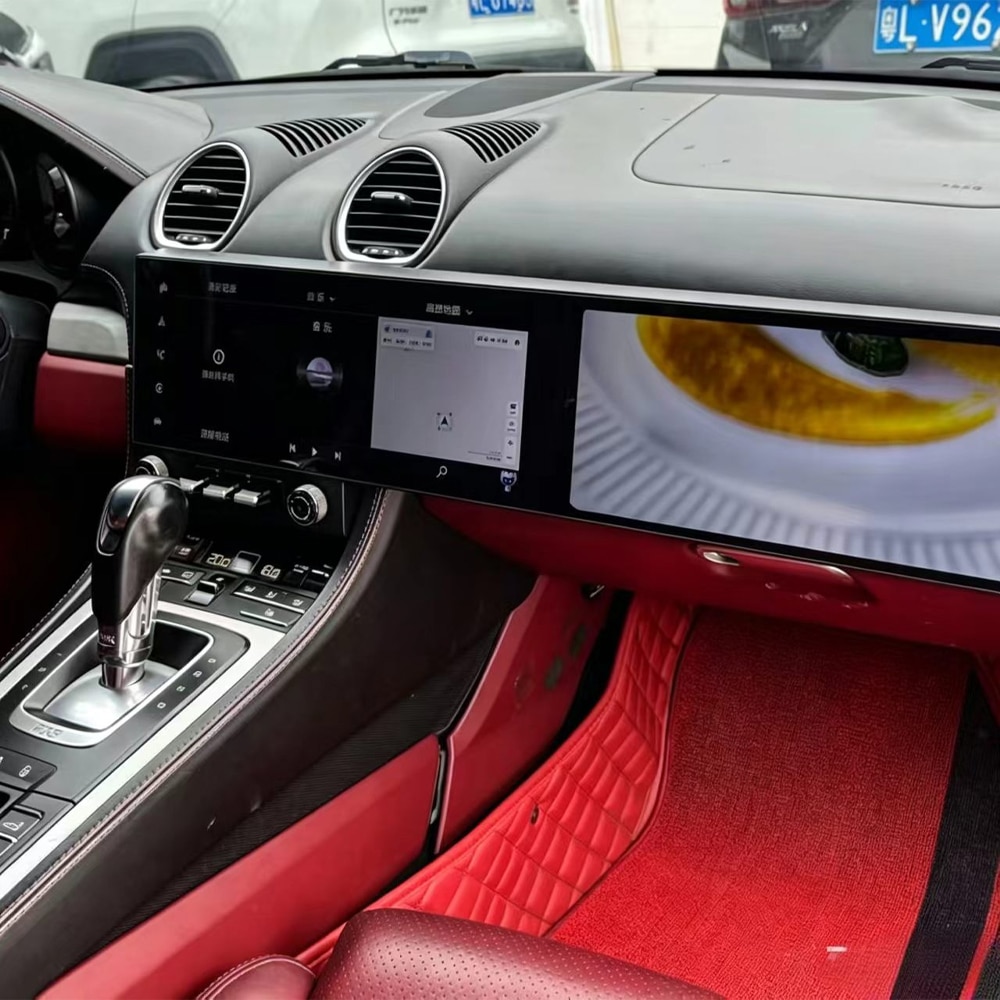
พื้นที่หน้าจอขนาดใหญ่ทำให้ดูเส้นทางการนำทางและข้อมูลมีเดีย ได้ง่ายขึ้นระหว่างการขับขี่ประจำวันและการเดินทางไกล.
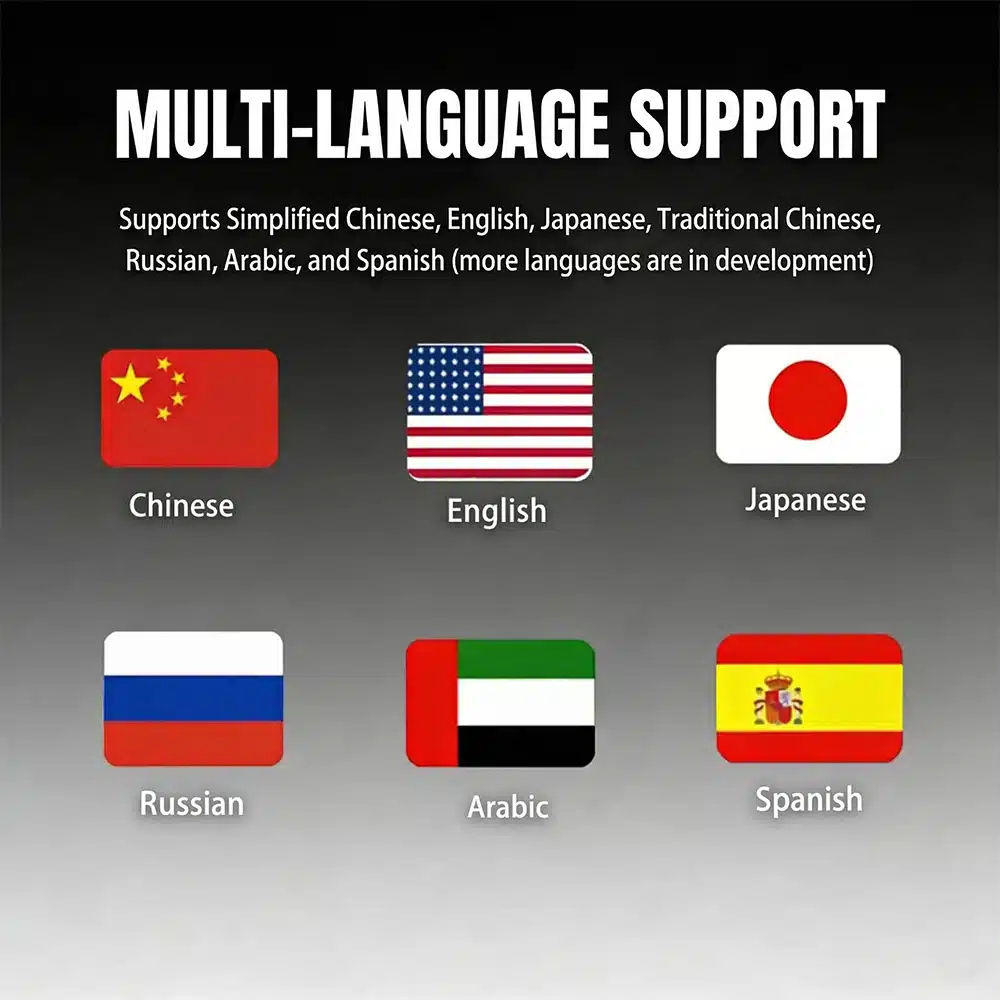
ระบบมีตัวเลือกอินเทอร์เฟซหลายภาษาให้กับผู้ซื้อในประเทศ และภูมิภาคต่างๆ.
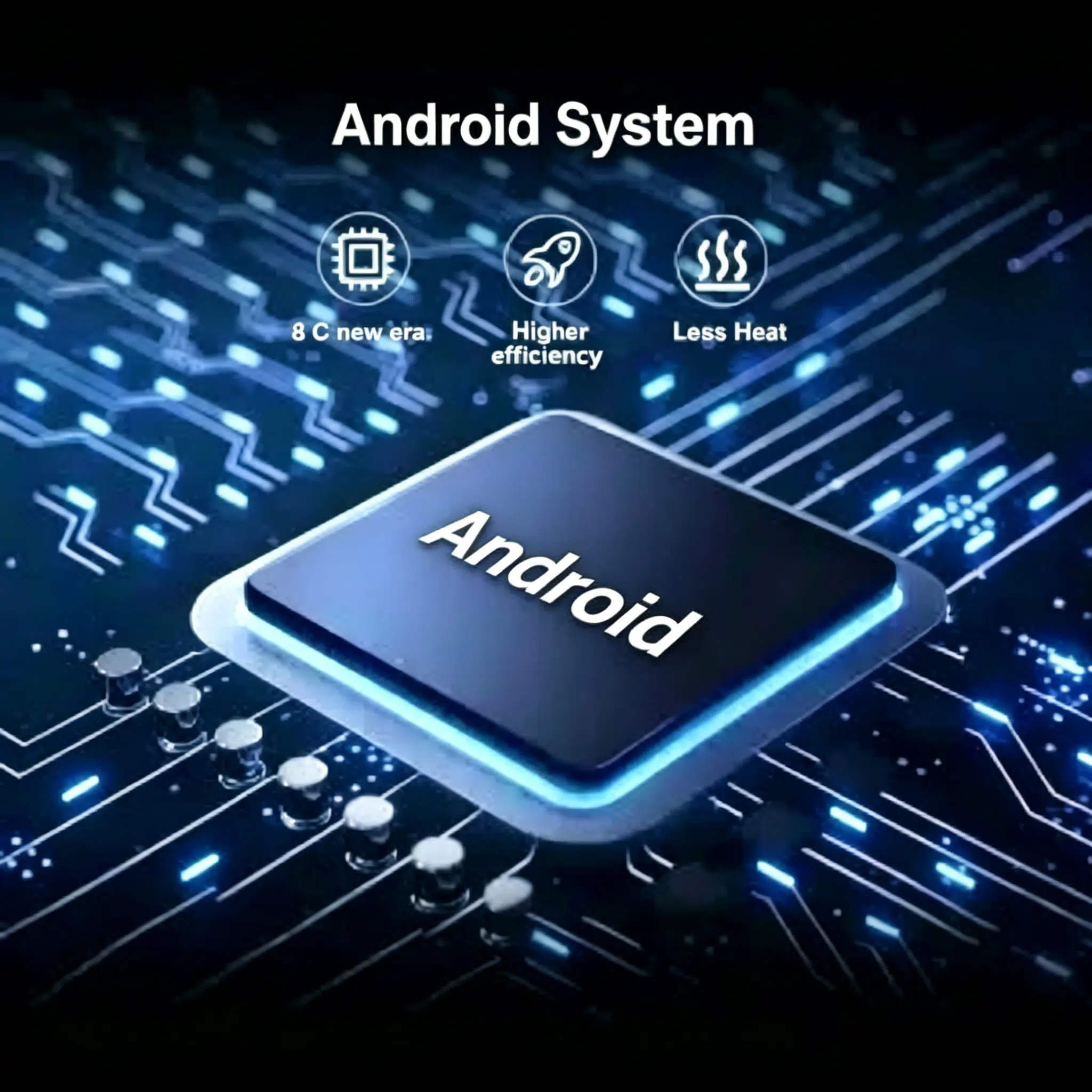
ระบบปัจจุบันใช้ Android 15 พร้อมโปรเซสเซอร์ octa-core UIS7870SC สำหรับ การนำทาง สื่อ และการใช้งานแอปพลิเคชันที่รองรับ.
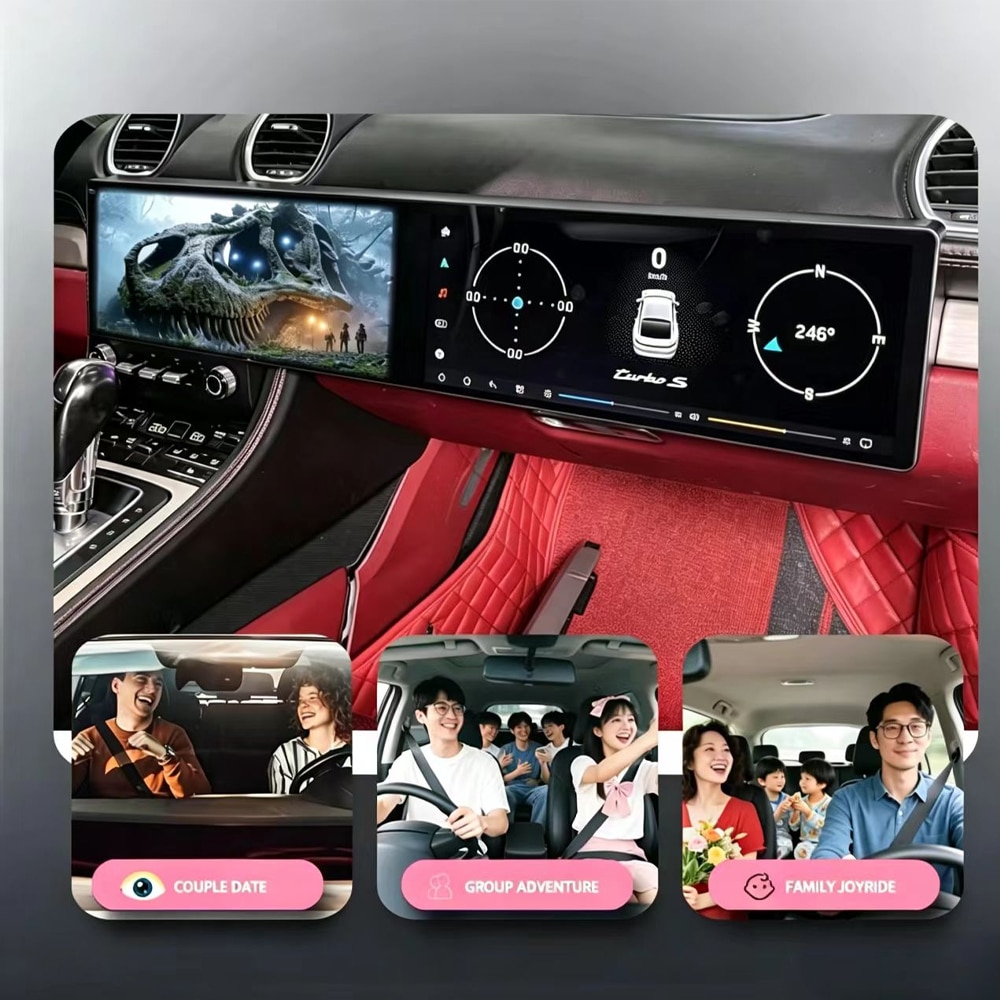
การอัปเกรดนี้ถูกออกแบบมาเพื่อทำให้การนำทาง การโทร เพลง และฟังก์ชันที่เชื่อมต่อ ใช้งานได้ง่ายขึ้นระหว่างการเดินทางไปทำงาน การเดินทางกับครอบครัว และการขับขี่เพื่อธุรกิจ.
เลือกเส้นทางการอัปเกรดที่เหมาะสม
| จุดตัดสินใจ | การอัปเกรดแบบจอคู่ | โมดูล CarPlay | การซ่อมระบบเดิม | จออเนกประสงค์ |
|---|---|---|---|---|
| รูปลักษณ์ของค็อกพิท | การอัปเกรดทางสายตาที่สำคัญ | คงรูปลักษณ์เดิมไว้ | คืนค่ารูปลักษณ์เดิม | มักดูเหมือนถูกเพิ่มเข้าไปในแดชบอร์ด |
| การเชื่อมต่อโทรศัพท์ | ระบบไร้สาย CarPlay และ Android Auto | มักเป็นประโยชน์หลัก | ขึ้นอยู่กับอุปกรณ์เดิม | ขึ้นอยู่กับผลิตภัณฑ์ |
| แอปพลิเคชัน Android | แพลตฟอร์ม Android 15 แบบเต็มรูปแบบ | โดยปกติไม่มีระบบ Android อิสระ | ไม่มีแพลตฟอร์ม Android เพิ่มเติม | อาจรองรับแอปได้โดยมีการผสานรวมน้อยลง |
| ความพอดีกับแผงหน้าปัด | การประกอบเฉพาะรุ่นรถ | คงจอจากโรงงานไว้ | การติดตั้งจากโรงงานยังคงไม่เปลี่ยนแปลง | มักมีการผสานรวมน้อยที่สุด |
| เหมาะที่สุดสำหรับ | เจ้าของที่ต้องการการเปลี่ยนแปลงค็อกพิทแบบครบวงจร | เจ้าของที่พอใจกับจอเดิม | เจ้าของที่ให้ความสำคัญกับความเป็นต้นฉบับจากโรงงาน | การใช้งานชั่วคราวหรือเน้นงบประมาณ |
ข้อมูลจำเพาะของสินค้า
เลือกการกำหนดค่าของคุณ
ตัวเลือกที่ใช้งานได้จริงสำหรับ CarPlay แบบไร้สาย, Android Auto, การนำทาง, เพลง และ การใช้งานแอปพลิเคชัน Android ทั่วไป.
เลือกเวอร์ชันนี้เมื่อสิ่งสำคัญอันดับแรกของคุณคือความสะดวกในการขับขี่ประจำวัน มากกว่าการจัดเก็บแอปพลิเคชันหรือไฟล์สื่อออฟไลน์จำนวนมาก.
ให้หน่วยความจำและพื้นที่จัดเก็บเพิ่มเติมสำหรับเจ้าของที่คาดว่าจะใช้งานแอปพลิเคชัน Android มากขึ้น แผนที่ออฟไลน์ขนาดใหญ่ขึ้น หรือสื่อในเครื่องมากขึ้น.
เลือกเวอร์ชันนี้เมื่อคุณต้องการความยืดหยุ่นในการจัดเก็บในระยะยาวและ พื้นที่การทำงานที่มากขึ้น.
ตัวเลือกปัจจุบันทั้งสองแบบใช้การออกแบบหน้าจอคู่ แพลตฟอร์ม Android โปรเซสเซอร์ และเส้นทางการเชื่อมต่อโทรศัพท์ตามที่ระบุไว้เหมือนกัน ความแตกต่างหลักคือหน่วยความจำและพื้นที่จัดเก็บ.
ฟังก์ชันที่รองรับ
เชื่อมต่อ iPhone ที่เข้ากันได้แบบไร้สายสำหรับการนำทาง การโทร ข้อความ เพลง และฟังก์ชันผู้ช่วยเสียงที่รองรับ.
เชื่อมต่อโทรศัพท์ Android ที่เข้ากันได้และใช้แผนที่ เพลง และฟังก์ชันโทรศัพท์ ที่รองรับผ่านจอแสดงผลของรถยนต์.
ใช้งานปุ่มบนพวงมาลัยเดิมที่รองรับต่อไปสำหรับฟังก์ชันปรับระดับเสียง เปลี่ยนเพลง และรับสายทั่วไปหลังการตั้งค่าที่ถูกต้อง.
สลับระหว่างอินเทอร์เฟซรถยนต์เดิมและระบบ Android ในกรณีที่ การกำหนดค่าเดิมและอินเทอร์เฟซที่จับคู่รองรับฟังก์ชันนี้.
ใช้การนำทาง GPS และเชื่อมต่อแอปพลิเคชันที่รองรับผ่าน Wi-Fi หรือ เส้นทางเครือข่าย 4G ที่เข้ากันได้.
แจ้ง iKAGOO ว่ายานพาหนะของคุณมีกล้องถอยหลังจากโรงงาน, แอมพลิฟายเออร์ระดับพรีเมียม, MOST ไฟเบอร์ หรือคอนโทรลเลอร์พิเศษหรือไม่ เพื่อให้สามารถเตรียมเส้นทางการเชื่อมต่อที่ถูกต้องได้.
ชุดฮาร์ดแวร์ที่จับคู่
ส่งข้อมูลแดชบอร์ด ระบบเสียง และกล้องของคุณก่อนการจัดส่ง iKAGOO จะ ใช้รายละเอียดเหล่านี้เพื่อยืนยันชุดสายไฟ อินเทอร์เฟซ และอะแดปเตอร์ที่จำเป็น สำหรับการกำหนดค่ารถยนต์ที่ได้รับอนุมัติ.
ก่อนสั่งซื้อ
ระบุปีรุ่นที่แน่นอนหรือปีที่จดทะเบียนของ Porsche 718 Cayman ของคุณ.
ส่งรูปถ่ายแดชบอร์ดแบบเต็มหนึ่งรูปและรูปถ่ายระยะใกล้ที่ชัดเจนของระบบศูนย์กลางเดิมหนึ่งรูป.
ยืนยันตำแหน่งพวงมาลัยและเลือกเวอร์ชัน Black/LHD หรือ Black/RHD ที่ตรงกัน.
แจ้งให้เราทราบว่ารถยนต์มีระบบเสียงมาตรฐาน ระบบเสียงพรีเมียม หรือกล้องจากโรงงาน.
การติดตั้ง
เส้นทางการเดินสายที่จับคู่ได้รับการออกแบบมาเพื่อลดการดัดแปลงที่ไม่จำเป็น แต่ การติดตั้งที่สมบูรณ์ยังคงต้องทำงานกับแดชบอร์ดอย่างระมัดระวัง การเดินสายเคเบิล การกำหนดค่า และการทดสอบการทำงาน.
ถ่ายภาพหน้าจอเดิม ระบบเสียง กล้อง ปุ่มควบคุมบนพวงมาลัย และการตั้งค่า ก่อนการถอดชิ้นส่วน.
ปกป้องพื้นผิวแดชบอร์ดและถอดชิ้นส่วนตกแต่งและ ชิ้นส่วนเดิมที่จำเป็นอย่างระมัดระวัง.
เชื่อมต่อชุดสายไฟที่ได้รับอนุมัติ โมดูลอินเทอร์เฟซ เสาอากาศ สาย USB และ อะแดปเตอร์ที่จำเป็น.
เลือกโปรโตคอลที่ถูกต้องและทดสอบ Android ระบบเสียง ปุ่มควบคุม กล้อง และ การสลับระบบเดิม.
ตรวจสอบการเปิดเครื่อง การปิดเครื่อง พฤติกรรมการพักเครื่อง การจัดตำแหน่งชิ้นส่วนตกแต่ง และฟังก์ชัน ที่รองรับทั้งหมดก่อนปิดแดชบอร์ด.
การติดตั้งโดยผู้เชี่ยวชาญโดยปกติใช้เวลาประมาณ 2.5–5 ชั่วโมงเมื่อมี ฮาร์ดแวร์ที่ถูกต้องและข้อมูลรถยนต์ที่จำเป็นทั้งหมด.
ปกป้องรถยนต์ของคุณ
การจัดส่ง, การรับประกัน และการสนับสนุน
คำสั่งซื้อที่มีสินค้าในสต็อกส่วนใหญ่จะถูกเตรียมภายใน 1–3 วันทำการหลังจากได้รับชำระเงินและ ข้อมูลความเข้ากันได้.
การจัดส่งโดยประมาณหลังการส่งมอบมักใช้เวลา 5–9 วันทำการสำหรับสหรัฐ ัฐและแคนาดา 7–15 สำหรับสหภาพยุโรป 7–10 สำหรับสหราชอาณาจักรและ ออสเตรเลีย และ 7–20 สำหรับภูมิภาคอื่นที่รองรับ.
ฮาร์ดแวร์ที่มีสิทธิ์ได้รับการคุ้มครองเป็นเวลา 12 เดือนนับจากการส่งมอบที่ยืนยันแล้วภายใต้ เงื่อนไขการรับประกัน iKAGOO ปัจจุบัน.
หาก iKAGOO อนุมัติรถก่อนการซื้อและไม่สามารถทำให้การกำหนดค่าที่อนุมัติ เข้ากันได้หลังการแก้ไขปัญหาตามสมควร กรณีนี้จะถูก ดำเนินการภายใต้นโยบายการคืนสินค้าและคืนเงินปัจจุบัน.
การจัดส่งแบบ DDP หรือชำระภาษีล่วงหน้าอาจมีให้สำหรับปลายทางและเส้นทางที่มีสิทธิ์ ภาษีนำเข้าและ VAT จะรวมอยู่เฉพาะเมื่อเลือกหรือยืนยันบริการนี้ ก่อนการจัดส่ง.
คำถามที่พบบ่อย
ออกแบบมาสำหรับรถบางรุ่นในช่วงปีนี้ ส่งข้อมูลแผงหน้าปัด ระบบเดิม เครื่องเสียง และกล้องของคุณ เพื่อให้ iKAGOO ยืนยัน เวอร์ชันที่ถูกต้องก่อนการจัดส่ง.
ได้ รวม Wireless Apple CarPlay และ Android Auto ไว้สำหรับโทรศัพท์ ที่เข้ากันได้และแอปพลิเคชันที่รองรับ.
ได้ ปุ่มควบคุมบนพวงมาลัยเดิมได้รับการรองรับ ฟังก์ชันทั่วไปเช่น ระดับเสียง การเลือกเพลง และการควบคุมการโทรที่รองรับยังคงใช้งานได้หลัง การติดตั้งและตั้งค่าที่ถูกต้อง.
รองรับการสลับระหว่างระบบรถเดิมและระบบ Android ในกรณีที่ การกำหนดค่าเดิมและอินเทอร์เฟซที่จับคู่เข้ากันได้.
ฟังก์ชันเหล่านี้ขึ้นอยู่กับการกำหนดค่าที่แน่นอนของรถ แจ้ง iKAGOO ว่า�ารถของคุณมี กล้องและระบบเสียงใด เพื่อให้สามารถยืนยันอะแดปเตอร์และเส้นทาง การผสานรวมที่ถูกต้องได้.
เลือก 6GB+128GB สำหรับการใช้งาน CarPlay, Android Auto, การนำทาง และแอปประจำวัน ทั่วไป เลือก 12GB+256GB เมื่อคุณต้องการพื้นที่จัดเก็บมากขึ้นและมีทรัพยากรระบบมากขึ้น สำหรับแอปพลิเคชัน Android หรือคลังสื่อที่ใหญ่ขึ้น.
แนะนำให้ติดตั้งโดยผู้เชี่ยวชาญ งานนี้รวมถึงการถอดแผงหน้าปัด การเชื่อมต่อชุดสายไฟ การเดินสายไฟ การกำหนดค่า และการทดสอบฟังก์ชันทั้งหมด.
ส่งปีของรถ รูปถ่ายแผงหน้าปัดแบบเต็ม รูปถ่ายระบบกลางเดิม ตำแหน่งพวงมาลัยซ้าย/ขวา ข้อมูลระบบเสียง ข้อมูลกล้องจากโรงงาน และ รายละเอียดของการดัดแปลงก่อนหน้านี้ (ถ้ามี).
คู่มือผู้ซื้อ iKAGOO
เลือกการอัปเกรดของคุณ
เลือกเวอร์ชันพวงมาลัยซ้ายหรือขวาที่ถูกต้องและตัวเลือกหน่วยความจำ จากนั้นส่งรายละเอียดรถของคุณให้ iKAGOO เพื่อยืนยันการกำหนดค่าที่ถูกต้องก่อนจัดส่ง.


ข้อมูลที่ชัดเจนเกี่ยวกับความเข้ากันได้ของรถยนต์ การเตรียมคำสั่งซื้อ การจัดส่งระหว่างประเทศ การรับประกัน การคืนสินค้า และการสนับสนุนหลังการขาย.
อุปกรณ์อิเล็กทรอนิกส์เฉพาะรุ่นรถต้องใช้เวอร์ชัน การเดินสาย และการตั้งค่าที่ถูกต้อง กระบวนการของเราถูกออกแบบมาเพื่อลดปัญหาความเข้ากันได้และการติดตั้งที่ไม่จำเป็น.
ข้อมูลรุ่นรถ ปี ระบบเดิม และการตั้งค่าที่เกี่ยวข้องอาจได้รับการตรวจสอบก่อนซื้อเพื่อลดความเสี่ยงในการเลือกเวอร์ชันผิด.
หลังจากชำระเงิน กรุณาส่งข้อมูลรถที่จำเป็นและรูปภาพที่เกี่ยวข้องผ่านแบบฟอร์มที่ปลอดภัยซึ่งเชื่อมโยงอยู่ในหน้ายืนยันคำสั่งซื้อ อีเมลยืนยัน หรือบัญชีของฉัน เราจะตรวจสอบรายละเอียดเหล่านี้ก่อนเตรียมเวอร์ชันและชิ้นส่วนที่ถูกต้องสำหรับการจัดส่ง.
เป้าหมายของเราคือทำให้คำสั่งซื้อของคุณถูกต้องก่อนที่สินค้าจะออกจากเรา. กรุณาส่งรายละเอียดรถและรูปภาพที่จำเป็นหลังจากชำระเงิน เราจะตรวจสอบก่อนจัดส่งและติดต่อคุณหากต้องการคำชี้แจงเพิ่มเติม.
สรุปข้อกำหนดหลักที่ใช้กับคำสั่งซื้อ iKAGOO เฉพาะรุ่นรถอย่างเป็นประโยชน์.
คำสั่งซื้อ iKAGOO ส่วนใหญ่จัดส่งจากศูนย์ปฏิบัติการของเราในประเทศจีนหลังจากตรวจสอบการตั้งค่าสินค้าและข้อมูลรถแล้ว.
การดำเนินการตามคำสั่งซื้อตามปกติใช้เวลาประมาณ 1–3 วันทำการ. เวลาจัดส่งโดยประมาณหลังการจัดส่งโดยทั่วไปคือ:
การผ่านพิธีการศุลกากร วันหยุด สภาพอากาศ ความล่าช้าของผู้ขนส่ง และการจัดส่งในพื้นที่ห่างไกลอาจส่งผลต่อเวลาประมาณการเหล่านี้.
เลือกการจัดส่งแบบ DDP เมื่อชำระเงิน: iKAGOO ครอบคลุมอากรนำเข้าและภาษีที่เกี่ยวข้องซึ่งรวมอยู่ในบริการ DDP ที่เลือก ไม่มีการชำระค่าใช้จ่ายที่ครอบคลุมเหล่านั้นเพิ่มเติมเมื่อรับสินค้า.
การจัดส่งแบบมาตรฐาน: อากรนำเข้า VAT และค่าธรรมเนียมศุลกากรไม่รวมอยู่ด้วยและอาจเรียกเก็บแยกต่างหาก.
ปลายทาง DDP — ขึ้นอยู่กับความพร้อมให้บริการเมื่อชำระเงิน
สหรัฐอเมริกา: 48 รัฐที่ติดต่อกัน.
สหภาพยุโรป (27): ออสเตรีย เบลเยียม บัลแกเรีย โครเอเชีย ไซปรัส เช็กเกีย เดนมาร์ก เอสโตเนีย ฟินแลนด์ ฝรั่งเศส เยอรมนี กรีซ ฮังการี ไอร์แลนด์ อิตาลี ลัตเวีย ลิทัวเนีย ลักเซมเบิร์ก มอลตา เนเธอร์แลนด์ โปแลนด์ โปรตุเกส โรมาเนีย สโลวาเกีย สโลวีเนีย สเปน สวีเดน.
จุดหมายปลายทางเพิ่มเติม (14): แคนาดา สหราชอาณาจักร ออสเตรเลีย สหรัฐอาหรับเอมิเรตส์ สิงคโปร์ มาเลเซีย ไทย เวียดนาม อินโดนีเซีย ฟิลิปปินส์ บรูไน เมียนมา กัมพูชา ลาว.
วิธีการจัดส่งและค่าใช้จ่ายที่มีให้บริการจะแสดงหลังจากคุณกรอกที่อยู่จัดส่ง อาจมีค่าบริการสำหรับพื้นที่ห่างไกล.
อาจมีบริการจัดส่งแบบด่วนหรือเร่งด่วนสำหรับสินค้าและจุดหมายปลายทางที่เลือก ความพร้อมใช้งาน ผู้ให้บริการขนส่ง และค่าใช้จ่ายเพิ่มเติม (ถ้ามี) จะได้รับการยืนยันก่อนการจัดส่ง.
ขึ้นอยู่กับเส้นทางและประเภทสินค้า iKAGOO อาจใช้ DHL, FedEx, UPS, EMS, 4PX หรือผู้ให้บริการโลจิสติกส์ที่มีการติดตามอื่นๆ.
หลังจากจัดส่งแล้ว หมายเลขติดตามหรือลิงก์ติดตามมักจะถูกส่งไปยังที่อยู่อีเมลที่ใช้ในการสั่งซื้อ การอัปเดตการติดตามอาจใช้เวลาหลายวันทำการจึงจะปรากฏระหว่างการโอนย้ายของผู้ให้บริการขนส่งระหว่างประเทศ.
สิทธิ์ในการคืนสินค้าขึ้นอยู่กับเหตุผลในการคืน สภาพสินค้า สถานะการติดตั้ง หลักฐานประกอบ และการอนุมัติการคืนสินค้าโดย iKAGOO.
สำหรับการคืนสินค้าที่ไม่ชำรุดและได้รับการอนุมัติ โดยปกติสินค้าต้องอยู่ในสภาพที่ยังไม่ได้ใช้งาน ยังไม่ได้ติดตั้ง สมบูรณ์ และพร้อมสำหรับการขายต่อ โดยทั่วไปลูกค้าจะเป็นผู้รับผิดชอบค่าจัดส่งคืนสินค้าที่ได้รับการอนุมัติ.
ค่าจัดส่งเดิม, DDP, VAT, ภาษีศุลกากร และค่าใช้จ่ายด้านโลจิสติกส์อื่นๆ โดยทั่วไปจะไม่สามารถขอคืนได้ เว้นแต่กฎหมายกำหนดหรือ iKAGOO ยืนยันเป็นอย่างอื่น.
อย่าส่งสินค้าคืนก่อนที่จะได้รับที่อยู่สำหรับคืนสินค้าและคำแนะนำในการคืนสินค้าที่ได้รับการอนุมัติจาก iKAGOO.
อาจมีการคุ้มครองเพิ่มเติมเมื่อ iKAGOO ได้ตรวจสอบความเข้ากันได้ของรถ ลูกค้าได้ให้ข้อมูลรถที่ถูกต้อง และได้ดำเนินการติดตั้งและขั้นตอนการวินิจฉัยที่สมเหตุสมผลเสร็จสิ้นแล้ว.
หาก iKAGOO ยืนยันว่าไม่มีวิธีแก้ปัญหาทางเทคนิคที่สมเหตุสมผล และปัญหาถูกรายงานภายใน 7 วันปฏิทินนับจากวันที่ส่งมอบ, ลูกค้าอาจมีสิทธิ์ได้รับเงินคืนสำหรับราคาสินค้าโดยไม่ต้องส่งคืนสินค้า.
ค่าจัดส่งเดิม, DDP, VAT, ภาษีศุลกากร และค่าใช้จ่ายของบุคคลที่สามอื่นๆ ไม่รวมอยู่ในการคืนเงินราคาสินค้านี้.
ผลิตภัณฑ์ที่เข้าเกณฑ์รวมถึง รับประกันฮาร์ดแวร์แบบจำกัด 12 เดือน ครอบคลุมข้อบกพร่องในการผลิตที่ได้รับการยืนยันและความล้มเหลวของฮาร์ดแวร์ที่มีสิทธิ์ภายใต้การใช้งานปกติ.
ขึ้นอยู่กับปัญหาที่ได้รับการยืนยัน การสนับสนุนอาจรวมถึงการวินิจฉัยระยะไกล ความช่วยเหลือในการกำหนดค่า อะไหล่ทดแทน การซ่อมแซม การเปลี่ยนสินค้า การคืนเงินบางส่วน หรือการคืนเงินเต็มจำนวน.
การตรวจสอบหรือการตรวจสอบโดยบุคคลที่สามไม่ได้ยกเลิกการรับประกันทั้งหมดโดยอัตโนมัติ อย่างไรก็ตาม ความเสียหายที่เกิดจากการซ่อมแซมโดยไม่ได้รับอนุญาต การดัดแปลงที่ไม่ถูกต้อง วงจรที่เสียหาย การประกอบกลับที่ไม่เหมาะสม การเดินสายไฟที่ไม่ถูกต้อง การกระแทก น้ำเข้า หรือการใช้งานผิดวิธี โดยปกติจะไม่ได้รับความคุ้มครอง.
ติดต่อ iKAGOO ก่อนที่จะถอดประกอบ ดัดแปลง หรือซ่อมแซมสินค้า เพื่อให้สามารถให้ขั้นตอนการวินิจฉัยที่ถูกต้องได้.
ติดต่อ iKAGOO ภายใน 7 วันปฏิทินนับจากวันที่ส่งมอบ และเก็บบรรจุภัณฑ์เดิม ฉลากจัดส่ง อุปกรณ์เสริม และสินค้าไว้.
กรุณาให้ภาพถ่ายหรือวิดีโอที่ชัดเจนแสดง:
หลังจากตรวจสอบแล้ว iKAGOO อาจจัดส่งชิ้นส่วนที่ขาดหายไป เปลี่ยนสินค้า ซ่อมแซม คืนเงิน หรือเสนอวิธีแก้ปัญหาที่สมเหตุสมผลอื่นๆ.
ติดต่อ iKAGOO โดยเร็วที่สุดและก่อนการติดตั้ง สำหรับการเปลี่ยนแปลงที่อยู่ การกำหนดค่ารถ หรือสินค้า โปรดติดต่อเราภายใน 12 ชั่วโมงหลังจากสั่งซื้อ.
การเปลี่ยนหรือคืนสินค้าอาจได้รับการอนุมัติเมื่อสินค้าที่เลือกไม่ถูกต้องยังไม่ได้ใช้งาน ยังไม่ได้ติดตั้ง สมบูรณ์ และพร้อมสำหรับการขายต่อ โดยปกติลูกค้าจะเป็นผู้รับผิดชอบค่าจัดส่งที่เกี่ยวข้องและส่วนต่างราคา.
สินค้าที่เฉพาะเจาะจงสำหรับรถบางรุ่นอาจเข้าสู่กระบวนการจัดหา การเขียนโปรแกรม การทดสอบ หรือการกำหนดค่าไม่นานหลังจากชำระเงิน เมื่อการเตรียมการหรือการจัดส่งเริ่มขึ้นแล้ว การยกเลิกอาจไม่สามารถทำได้อีกต่อไป หรืออาจมีการหักค่าใช้จ่ายที่เกิดขึ้นแล้วอย่างสมเหตุสมผล.
เนื้อหาของบรรจุภัณฑ์แตกต่างกันไปตามสินค้า รุ่นรถ ระบบจากโรงงาน และการกำหนดค่าที่เลือก.
ขึ้นอยู่กับสินค้า บรรจุภัณฑ์อาจรวมถึงอุปกรณ์หลัก ชุดสายไฟเฉพาะรถ อินเทอร์เฟซ CANBUS อะแดปเตอร์ สาย USB เสาอากาศ ไมโครโฟน ฮาร์ดแวร์สำหรับติดตั้ง หรืออุปกรณ์เสริมอื่นๆ ที่จำเป็นสำหรับการติดตั้ง.
โปรดดูรูปถ่ายสินค้า ข้อมูลจำเพาะ และการยืนยันคำสั่งซื้อที่เกี่ยวข้องสำหรับเนื้อหาที่แน่นอนของคำสั่งซื้อของคุณ.
คุณสามารถติดต่อ iKAGOO ผ่านแบบฟอร์มติดต่อบนเว็บไซต์ WhatsApp หรือช่องทางการสนับสนุนอื่นๆ ที่มีให้ โดยปกติเวลาตอบกลับจะอยู่ภายใน 24 ชั่วโมงทำการ.
เพื่อการวินิจฉัยทางเทคนิคที่รวดเร็วขึ้น โปรดระบุหมายเลขคำสั่งซื้อ รุ่นรถและปี รูปถ่ายระบบจากโรงงานที่เกี่ยวข้อง รูปถ่ายสินค้า และวิดีโอที่ชัดเจนแสดงปัญหาที่เกิดขึ้น.
การชำระเงินดำเนินการผ่านวิธีการชำระเงินที่ปลอดภัยซึ่งแสดงในระหว่างขั้นตอนการชำระเงิน.
ตัวเลือกบัตร กระเป๋าเงิน และการผ่อนชำระที่มีอยู่อาจแตกต่างกันไปตามประเทศ สกุลเงิน ผู้ให้บริการชำระเงิน และคุณสมบัติของผู้ใช้.
บริการผ่อนชำระ รวมถึงตัวเลือกที่เสนอโดย PayPal หรือผู้ให้บริการชำระเงินรายอื่น ยังคงขึ้นอยู่กับความพร้อมให้บริการในแต่ละภูมิภาคและข้อกำหนดการอนุมัติของผู้ให้บริการรายนั้น.
ส่วนนี้เป็นคู่มือลูกค้าฉบับย่อ หน้าข้อกำหนดที่เผยแพร่ฉบับสมบูรณ์ การยืนยันคำสั่งซื้อ และกฎหมายคุ้มครองผู้บริโภคที่บังคับใช้จะมีผลเหนือกว่าหากข้อความใดแตกต่างกัน.
จาก: $1,080.00
ค่าจัดส่งสุดท้ายจะยืนยันจากที่อยู่จัดส่งของคุณที่หน้าชำระเงิน.

เลือกสิ่งที่คุณวางแผนจะซื้อ เราแสดงเฉพาะ รายละเอียดที่จำเป็นสำหรับสินค้านั้น.
เราจะตรวจสอบรายละเอียดและส่งรุ่นสินค้าที่แนะนำ ไปยังอีเมลของคุณ.
เราใช้คุกกี้ที่จำเป็นเพื่อให้เว็บไซต์ปลอดภัยและทำงานได้อย่างถูกต้อง เมื่อคุณยินยอม เราอาจใช้คุกกี้วิเคราะห์เพื่อปรับปรุงประสบการณ์การใช้งาน ดูของเรา นโยบายความเป็นส่วนตัว.




มิตเชลล์ แฮร์ริส –
รูปแบบจอคู่ขนาดใหญ่มีประโยชน์อย่างยิ่งสำหรับการนำทางและสื่อระหว่างการขับขี่ในชีวิตประจำวัน จอแสดงผลชัดเจน เมนูจัดเรียงอย่างเป็นระเบียบ และการเชื่อมต่อโทรศัพท์ก็เชื่อถือได้จนถึงตอนนี้ ปุ่มควบคุมบนพวงมาลัยแบบเดิมยังคงให้การเข้าถึงฟังก์ชันหลักได้อย่างสะดวก การตั้งค่าเริ่มแรกใช้เวลาพอสมควร แต่ระบบทำงานได้ดีหลังการกำหนดค่า
เลย์เอาต์หน้าจอคู่ที่ใหญ่ขึ้นมีประโยชน์อย่างยิ่งสำหรับการนำทางและสื่อระหว่างการขับขี่ในชีวิตประจำวัน.
การตั้งค่าเริ่มต้นใช้เวลาสักครู่
ไนเจล แฮร์ริงตัน –
พอดีกับ Cayman สเปกอังกฤษแบบพวงมาลัยขวา (RHD) ของฉัน 718 อย่างสมบูรณ์ ดูเหมือนโรงงาน OEM ตามแบบฉบับ ความละเอียดหน้าจอ HD เป็นก้าวกระโดดครั้งใหญ่เมื่อเทียบกับจอสต็อกเล็กๆ คำสั่งเสียง Siri ทำงานได้อย่างไร้ที่ติแม้เปิดกระจกลงและวาล์วท่อไอเสียสปอร์ตเปิดเต็มที่—ไมโครโฟนภายนอกที่ให้มาสามารถตัดเสียงรบกวนได้อย่างยอดเยี่ยม การสลับจากเมนู PCM เดิมไปยังอินเทอร์เฟซ Android ใหม่เป็นเรื่องง่ายมาก สินค้าที่ยอดเยี่ยม.
ไรอัน มิตเชลล์ –
การติดตั้งจอคู่เปลี่ยนการตกแต่งภายในโดยสิ้นเชิง Wireless CarPlay เชื่อมต่อได้อย่างรวดเร็ว และมุมมองการนำทางที่ใหญ่ขึ้นใช้งานได้ง่ายกว่ามาก.
Antoine Morel –
การติดตั้งเข้ากันได้อย่างลงตัวจริงๆ จอใหญ่แต่ยังกลมกลืนกับภายในสปอร์ตของ 718.